# 欢迎!
Simple Robot Framework
🐱 Bot 风格的 Kotlin 多平台事件调度框架,异步高效、Java友好!😽
# 概述
Simple Robot v4 是一个基于 Kotlin 协程的多平台 Bot 风格[Kotlin 多平台](https://kotlinlang.org/docs/multiplatform.html)事件调度框架,
异步高效、Java友好~
## 多平台实现
Simple Robot v4 基于[KMP](https://kotlinlang.org/docs/multiplatform.html) 实现多平台,
支持 [native-target-support](https://kotlinlang.org/docs/native-target-support.html)
中所述的 `Tier 1`、`Tier 2`、`Tier 3` 三个级别的全部目标以及 `wasm-js` 平台目标。
Tip:
涉及到Ktor的模块暂时无法支持 `wasm-js` 平台。
Tip:
在部分需要 Ktor 依赖的模块中, 实现目标中会缺少那些 Ktor 尚不支持的平台。
这些目标大部分是 `Tier 2` 或 `Tier 3` 中的。
Procedure: 支持目标列表
## Java友好
Java是重要的伙伴, Kotlin天生与Java具有极强的兼容性。
simbot4 基于 Java11, 为所有模块提供 JVM 平台实现以及相应的 模块化(JPMS) 信息、
提供 Spring Boot 的 starter 快速快发实现、
以及异步、阻塞、预处理桥接器(可用于转化为响应式类型)的多种风格的挂起函数桥接API。
有关其中的部分详细信息, 可前往参考
[Java友好 ♥](java-friendly.html) 。
## Bot风格
simbot4 主要用于对接那些 Bot 平台, 例如 QQ频道机器人、米游社大别野机器人、KOOK机器人等,
因此 simbot 的 API 设计也是以 Bot 为起点进行设计的。
## 高性能异步事件调度框架
既然是 Bot, 那么就少不了事件。simbot4 基于 [Kotlin 协程库](https://kotlinlang.org/docs/coroutines-overview.html)
实现高性能、无阻塞、轻量且灵活的异步调度机制。
# 特性速览
simbot4 与 simbot3 相比 完全不同,是又一次的彻底重构产物。
## Kotlin 多平台
早在 simbot2 时代就已经开始畅想的,现在终于实现了。
simbot4 现已基于 [KMP](https://kotlinlang.org/docs/multiplatform.html) 全面支持 Kotlin 多平台。
## Java友好
贯彻一直以来的特点,simbot4也同样是Java友好的,
包括对所有挂起函数API的非挂起桥接、Spring Boot支持等。
更多内容参考 [Java友好](java-friendly.html)。
## Kotlin 2.x 与 K2 编译器
simbot4 当前构建已全面建立在 Kotlin 2.x 与 K2 编译器 之上。
Note:
当前示例与构建说明以 Kotlin 2.x 时代的工具链为准。
## Java最低版本
JVM 平台中,Java最低要求为 Java11,
并且所有模块都提供相应的模块化信息支持。
JVM 平台中,Spring Boot starter 默认推荐使用 Spring Boot 3,
也因此在使用 `simbot-core-spring-boot-starter` 的时候 Java 需要确保版本为 Java17+ 。
如果你仍停留在 Spring Boot 2.x,
则可以使用兼容模块 `simbot-core-spring-boot-starter-v2`,
其 Java 基线为 Java11+ 。
## 过滤器的概念
移除 “过滤器(Filter)” 概念,加强 “拦截器(Interceptor)” 能力。
(在注解API中依旧保有 `@Filter` 注解。)
过滤器与拦截器的概念有些重复了,在 simbot3 中的监听函数类型的实现也因为了实现
“过滤器”概念而变得有些抽象且难以扩展。
## 大幅简化API
与 simbot3 相比,API大幅简化。
并得益于此,组件开发成本和核心库的维护成本都大大下降。
Procedure: 部分细节
## 更多的单元测试
从 simbot4 开始,我们会尝试更注重单元测试。
事实上,之前的版本可以说完全没有把单元测试放在心上。
从这个版本开始,我们会逐步在完善单元测试上增加精力,
也可借此增加整个simbot库的稳定性与可靠性。
Note:
在编写与使用单元测试方面我们仍然是新手。
如果你有任何好的建议意见,欢迎反馈给我们或为我们提供
[贡献与支持](feedback-and-support.html)
,非常感谢!
# 模块一览
本页用于从模块层面快速理解 simbot4 的生态:
标准 API、核心实现、公共库、扩展库,以及官方组件库分别负责什么。
## 分层理解
从使用视角看,simbot4 的模块通常可以分为下面几层:
1.
`simbot-api`
标准 API。定义 `Application`、`Bot`、`Event`、`Message`、`Plugin`、`Component`、`Resource`
等核心抽象,本身不提供任何具体平台实现。
2.
核心实现库
主要是 `simbot-core` 与 `simbot-core-spring-boot-starter`,
负责把 `simbot-api` 里的抽象真正运行起来。
3.
公共基础库
位于 `simbot-commons/*`,提供 `ID`、时间戳、集合工具、原子类型、
`SuspendReserve`、状态循环等跨模块复用能力。
4.
扩展库与周边库
例如 `simbot-extension-continuous-session`、`simbot-logger`、
`simbot-quantcat-common`、`simbot-test` 等。
5.
组件库
平台能力由组件库提供。官方组件通常都在各自独立仓库维护与发布,
这里只按它们的模块结构介绍职责边界。
## 标准 API 与核心实现
### 标准 API
simbot-api
: 标准库、抽象层。
: * 定义能力接口:`SendSupport`、`ReplySupport`、`DeleteSupport` 等。
* 定义运行时核心:`Application`、`Bot`、`BotManager`、`EventDispatcher`。
* 定义通用模型:`Actor`、`Guild`、`ChatGroup`、`Contact`、`Message`、`Resource`。
* JVM 侧还提供 Java 友好桥接,例如 `launchApplicationAsync(...)`、 `launchApplicationBlocking(...)`、`EventListeners.block(...)` 等。
simbot-core
: 核心实现库。
: * 提供 `SimpleApplication`、`SimpleEventDispatcher` 等基础实现。
* 适合希望直接控制组件安装、Bot 注册和事件监听流程的场景。
* 大多数组件页中的“核心库使用方式”都是以它为基础。
simbot-core-spring-boot-starter
: Spring Boot 3 Starter。
: * 为 Spring Boot 3 / Java 17+ 提供自动装配与注解驱动集成。
* 常用于 `@EnableSimbot`、`@Listener`、Bot 配置文件等开发方式。
simbot-core-spring-boot-starter-common
: Spring Boot Starter 公共支持模块。
: * 承载 `love.forte.simbot.spring.common` 下的通用类型、异常与配置模型。
* 同时被 Starter 3 与 Starter 2 复用。
* 通常由两个 Starter 传递引入,不需要单独依赖。
simbot-core-spring-boot-starter-v2
: Spring Boot 2 Starter。
: * 面向仍停留在 Spring Boot 2.x 的项目。
* 作用与 Starter 3 类似,但依赖的 Spring 生态版本不同。
## 公共基础库
这些模块大多不是“必须手动安装”的使用入口,
但它们构成了文档中很多基础概念的真实来源。
simbot-common-core
: 公共核心工具库。
: * `ID` / `UUID`
* `Async`
* 协程工具与 `Dispatchers`
* `Services`
* 文本、弱引用、属性容器等
simbot-common-time
: 时间戳与时间单位相关支持。
: * `Timestamp`
* 多平台时间实现
simbot-common-collection
: 跨平台集合与并发容器工具。
: * `ConcurrentMap`
* 队列工具
* `Flow` 相关集合辅助
simbot-common-atomic
: 跨平台原子类型支持。
simbot-common-streamable
: `Streamable` 抽象支持。
simbot-common-stage-loop
: 阶段循环状态机支持。
simbot-common-suspend-runner
: Java 友好桥接相关支持。
: * `SuspendReserve`
* `SuspendReserves`
* `@ST` / `@STP`
simbot-common-annotations
: 通用标记性注解。
simbot-common-apidefinition
: 通用 API 定义模型,主要用于 REST API 风格封装。
simbot-common-ktor-inputfile
: 基于 Ktor 的 `InputFile` 上传抽象。
## 扩展与周边
simbot-extension-continuous-session
: 持续会话扩展。
: 适合实现多轮会话、流程式对话、事件上下文延续等场景。
simbot-logger / simbot-logger-slf4j2-impl
: 日志抽象与 JVM 上的 SLF4J 2.x 实现。
simbot-quantcat-common
: 注解驱动监听能力支持。
: `@Listener`、参数绑定、过滤、拦截等开发体验与它密切相关。
simbot-test
: 测试工具模块,提供测试用 Bot、组件、事件和消息实现。
## 官方组件库
官方组件一般各自独立发版。
普通应用开发者最常直接依赖的是它们的 `*-core` 模块。
### QQ 组件
仓库:`simple-robot/simbot-component-qq-guild`
simbot-component-qq-guild-api
: QQ 机器人官方 API 的底层封装。
simbot-component-qq-guild-stdlib
: 基于 API 的低限度 Bot 实现与事件处理支持。
simbot-component-qq-guild-core
: 真正作为 simbot 组件使用的核心模块,通常也是普通开发者应直接使用的模块。
simbot-component-qq-guild-internal-ed25519
: 内部签名支持模块,一般无需直接使用。
### KOOK 组件
仓库:`simple-robot/simbot-component-kook`
simbot-component-kook-api
: KOOK API 封装。
simbot-component-kook-stdlib
: Bot 基础实现与事件处理支持。
simbot-component-kook-core
: 完整的 simbot KOOK 组件模块,普通开发通常直接使用它。
### OneBot 组件
仓库:`simple-robot/simbot-component-onebot`
simbot-component-onebot-common
: OneBot 通用定义。
simbot-component-onebot-v11-common
: OneBot v11 通用模型与共享定义。
simbot-component-onebot-v11-event
: OneBot v11 原始事件数据模型。
simbot-component-onebot-v11-message
: OneBot v11 原始消息段数据模型。
simbot-component-onebot-v11-core
: OneBot v11 的核心组件实现,也是普通开发者最常用的模块。
### Telegram 与 Discord
它们仍属于早期或预告性质的组件页。
如果没有明确的源码模块、`Module.md`、构建脚本与 API 定义作为依据,
则应当把它们视为占位入口,而不是已经完整可用的官方组件实现说明。
## 如何选模块
如果你只是想开发一个应用,通常按下面的顺序选择即可:
1. 先选一个 `Application` 实现:`simbot-core` 或 Spring Boot starter。
2. 再选一个或多个组件核心模块,例如 `simbot-component-kook-core`。
3. 如果需要注解监听体验,再关注 Spring Boot starter 与 `quantcat` 相关章节。
4. 只有在你明确知道自己在做更底层封装时,才需要直接依赖 `api` 或 `stdlib` 模块。
如果你是在开发组件、扩展或公共库,
还会接触 `simbot-gradle-suspendtransforms` 一类构建辅助模块;
这类模块更适合在 [组件库开发](component-dev.html) 与 [编译器插件](component-dev-compiler-plugin.html) 中阅读,
而不是作为普通应用运行时依赖来选择。
# 版本语义
simbot的 [核心库](https://github.com/simple-robot/simpler-robot)
和由我们维护的组件库的版本均具有语义。
我们参照并基本遵守 [《语义化版本 2.0.0》](https://semver.org/lang/zh-CN/spec/v2.0.0.html) 。
引用文档内的规则说明:
Note:
版本格式:主版本号.次版本号.修订号,版本号递增规则如下:
1. 主版本号:当你做了不兼容的 API 修改,
2. 次版本号:当你做了向下兼容的功能性新增,
3. 修订号:当你做了向下兼容的问题修正。
先行版本号及版本编译信息可以加到“主版本号.次版本号.修订号”的后面,作为延伸。
其中,核心库与各组件库的版本之间是独立维护的。
Tip:
例如核心库的 `4.3.0` 和QQ机器人组件的 `4.0.0-beta1` 之间没有强关联,
也并不代表QQ机器人所使用的核心库就必须是 `4.0.0`。
# Java友好 ♥
对 simbot4 中提供的诸项 Java 友好方案的介绍。
## Lambda
simbot4 中相比于 simbot3, 对于部分 lambda 的场景进行了简单的优化,
在 Java 中需要手写返回 `return Unit.INSTANCE;` 的地方大大减少了。
## 阻塞、异步与预处理
simbot4
借助编译器插件
[kotlin-suspend-transform-compiler-plugin](https://github.com/ForteScarlet/kotlin-suspend-transform-compiler-plugin)
为 Java 和其他可能的平台提供阻塞、异步以及 `Reserve` 风格的 API(`Reserve` 后续小节会讲)。
例如, 一个 Kotlin 中的挂起函数:
```KOTLIN
suspend fun run(): Int {
// ...
}
```
在 Java 中是难以调用的, 因为挂起函数在编译后会经过“编译魔法”而产生一些变化。
通过编译器插件, 它便会为这个 `run()` 方法产生几个新的、可供 Java 直接使用的 API:
```JAVA
/** 阻塞桥接, 等待(阻塞)挂起函数完成后返回结果 */
public int runBlocking() { ... }
/** 异步桥接, 返回 future */
public CompletableFuture runAsync() { ... }
/** Reserve 预处理桥接, 返回一个预处理结果 Reserve */
public SuspendReserve runReserve() { ... }
/** Reactive 桥接, 返回某种发布者类型 */
public Publisher runReactive() { ... }
```
## 真实命名规则
最常见的 JVM 侧桥接风格可以粗略理解为下面四类:
Blocking
: 阻塞调用,通常是 `xxxBlocking()`。
: 例如:
: * `bot.startBlocking()`
* `application.joinBlocking()`
Async
: 异步调用,通常是 `xxxAsync()` 并返回 `CompletableFuture`。
: 例如:
: * `bot.startAsync()`
* `event.replyAsync(...)`
: 也有少数 API 会显式改名,例如 `join()` 在 JVM 上的异步桥接是 `asFuture()`:
: * `application.asFuture()`
* `bot.asFuture()`
Reserve
: 预处理调用,通常是 `xxxReserve()` 并返回 `SuspendReserve`。
: 例如:
: * `bot.startReserve()`
* `application.joinReserve()`
Reactive
: 有些 API 还会生成 `Reactive` 风格桥接。
在文档里通常更常展示 `Reserve + transform(...)` 的写法,
因为它更容易映射到 Reactor、RxJava 等具体响应式类型。
: 如果某个 API 开启了对应 transformer,
你也可能直接看到 `xxxReactive()` 或 `getXxxReactive()` 这类桥接名称。
只是由于它的具体返回类型取决于所启用的 transformer 与运行时依赖,
因此手册中的多数页面仍优先展示 `Reserve + transform(...)`。
对于属性式、getter 风格的挂起 API,桥接命名会进一步偏向 getter。
例如 `content()`、`guildCount()` 这类 API 在 JVM 上更常看到 `getContent()`、`getGuildCount()` 这样的名称。
### 💡文档表现
在文档中,可能会同时提供阻塞、异步、预处理(响应式)三种风格的API。
此时你可以通过文档右上角的切换标签
JavaAPI风格
来修改展示的API风格。
Note:
动动手试试吧!现在显示的风格是:
异步
阻塞
预处理
### ⚠️注意异步中的异常处理
当你在使用异步结果时(也包括下文会提到的各响应式类型结果),你需要多一些心眼儿。
以 `CompletableFuture` 为例,如果不做任何操作,
你很有可能会丢失且无法感知到异常。
例如:
```JAVA
var future = xxx.runAsync();
```
此时,如果 `runAsync` 内异步任务出现异常,代码中(或者控制台、日志等)实际上不会出现任何信息。
你需要使用明确的API进行异常处理:
```JAVA
// 假设返回结果是 Integer
CompletableFuture future = xxx.runAsync();
// 可以使用 exceptionally 在出现异常时计算一个新的结果
future.exceptionally(exception -> {
logger.error("异常了!", exception);
// 更建议返回一个真实的结果,但是确保下游不会出错的情况下,使用 `null` 也无可厚非。
return null;
});
// 可以使用 handle 同时处理正常结果或异常结果
future.handle((value, exception) -> {
if (exception != null) {
// 如果出现了异常
logger.error("异常了!", exception);
return null;
}
// 正常结果
return value;
});
// 可以使用 whenComplete 来注册回调,来感知到异常,而不影响下游的直接使用。
future.whenComplete((value, exception) -> {
if (exception != null) {
// 如果出现了异常
logger.error("异常了!", exception);
return;
}
// 使用 value 正常结果
});
```
下文所述的各种响应式结果通常也可能会有类似的问题,需要多加注意喔。
## SuspendReserve 预执行桥接器
前文提到了编译器插件会生成返回值为 `SuspendReserve` 预处理结果桥接函数,
借助它便可以将挂起函数转化为更多可以支持的类型, 尤其是 Java 中的各种响应式结果。
```JAVA
var reserve = xxx.runReserve();
// 将挂起函数的结果作为 [[[Reactor|https://projectreactor.io/]]] 的 `reactor.core.publisher.Mono` 返回
// 使用此转化器需要确保运行时环境中存在 [[[kotlinx-coroutines-reactor|https://github.com/Kotlin/kotlinx.coroutines/tree/master/reactive]]] 的相关依赖
var mono = reserve.transform(SuspendReserves.mono());
// 将挂起函数的结果作为 [[[RxJava 2.x|https://github.com/ReactiveX/RxJava]]] 的 `io.reactivex.Maybe` 返回
// 使用此转化器需要确保运行时环境中存在 [[[kotlinx-coroutines-rx2|https://github.com/Kotlin/kotlinx.coroutines/tree/master/reactive]]] 的相关依赖
var rx2Maybe = reserve.transform(SuspendReserves.rx2Maybe());
// 将挂起函数的结果作为 [[[RxJava 3.x|https://github.com/ReactiveX/RxJava]]] 的 `io.reactivex.rxjava3.core.Maybe` 返回
// 使用此转化器需要确保运行时环境中存在 [[[kotlinx-coroutines-rx3|https://github.com/Kotlin/kotlinx.coroutines/tree/master/reactive]]] 的相关依赖
var rx3Maybe = reserve.transform(SuspendReserves.rx3Maybe());
```
当然, 通过 `SuspendReserve` 你也可以做到普通的阻塞与异步效果。
```JAVA
var reserve = xxx.runReserve();
// 阻塞并等待返回
var block = reserve.transform(SuspendReserves.block());
// 将挂起函数的结果作为 `CompletableFuture` 返回
var future = reserve.transform(SuspendReserves.async());
```
## 集成 Spring Boot
simbot 提供 Spring Boot starter 模块,具有对 Spring Boot 的集成能力。
Spring Boot starter 模块也实现了 [量子猫](advanced-quantcat.html) 模块, 提供基于注解的高效开发方案。
有关集成SpringBoot的更多信息可以前往 [集成SpringBoot](spring-boot.html) 。
# 上手 Kotlin!
尽管 Simple Robot 是一个努力保证 Java 友好的框架,但是无论如何,它首先是使用 Kotlin 开发的。
那么,直接使用 Kotlin 进行开发的体验终究会比使用 Java 要更好。
因此我们在此建议,优先使用 Kotlin 来进行 Simple Robot 项目开发。
得益于 Kotlin 的 Java 兼容性,你可以在 Kotlin 中使用几乎所有的 Java 库,
例如 Spring。
## 何谓 Kotlin
引用[Kotlin 官网](https://kotlinlang.org)中的[介绍](https://kotlinlang.org/docs/getting-started.html):
Note:
Kotlin is a modern but already mature programming language designed to make developers happier.
It's concise, safe, interoperable with Java and other languages,
and provides many ways to reuse code between multiple platforms for productive programming.
引用[Kotlin 中文站](https://book.kotlincn.net/)中的[介绍](https://kotlinlang.org/docs/getting-started.html):
Note:
Kotlin 是一门现代但已成熟的编程语言,旨在让开发人员更幸福快乐。
它简洁、安全、可与 Java 及其他语言互操作,并提供了多种方式在多个平台间复用代码,以实现高效编程。
引用[灰蓝天际的博客](https://hltj.me/)中的[介绍](https://hltj.me/kotlin/2017/05/15/kotlin-reference-translated.html):
Note:
Kotlin 是一门支持多范式、多平台的现代静态编程语言。Kotlin 支持面向对象、泛型与函数式等编程范式,
它支持 JVM、Android、JavaScript 目标平台 (以及 native 平台) ...
而且 Kotlin 具有很多现代(也有称下一代的)静态语言特性:如类型推断、多范式支持、可空性表达、扩展函数、模式匹配等。...
另外 100% 的 Java 互操作性,使 Kotlin 能够与既有工具/框架如 Dagger、Spring、Vert.x 等集成,
也能让既有的基于 Java 的服务端与 Android 项目逐步迁移到 Kotlin。
Tip: 灰蓝天际
GitHub: [hltj](https://github.com/hltj)
是[Kotlin 中文站](https://book.kotlincn.net/)和Ktor中文站的主要维护者与翻译者(来自 GitHub 的自我介绍)。
## 上手 Kotlin
官网、文档与资料
* [Kotlin 官网](https://kotlinlang.org)
* [Kotlin 官方文档](https://kotlinlang.org/docs/) (也可在官方文档右上角进入)
* [Kotlin 中文站](https://book.kotlincn.net/)
学习与实操
* [Koans](https://play.kotlinlang.org/koans/): a series of exercises to get you familiar with the Kotlin syntax and some idioms. (Koans: 让你熟悉 Kotlin 语法和关键词的一系列练习)
* [Learn Kotlin by Example](https://play.kotlinlang.org/byExample/): An official set of small and simple annotated examples designed for those new to Kotlin. No prior knowledge of any programming language is required. (一套为 Kotlin 新手设计的官方小而简单的注释示例。无需任何编程语言知识。)
## 快速浏览
Tip:
大部分内容来自/修改自 [Kotlin 官网](https://kotlinlang.org)。
类型定义:
```KOTLIN
// 普通类
class SimpleClass
// 抽象类
abstract class SimpleAbstractClass
// 接口
interface SimpleInterface
// 数据类(例如 POJO, DTO 等, 实现 toString, hashCode, equals)
data class SimpleDataClass(val name: String)
// 单例对象
object SimpleObject
// 顶层函数
fun topFun() {
}
```
面向对象:
```KOTLIN
// 抽象类
abstract class Person(val name: String) {
abstract fun greet()
}
// 接口
interface FoodConsumer {
fun eat()
fun pay(amount: Int) = println("Delicious! Here's $amount bucks!")
}
// 普通 final 类
class RestaurantCustomer(name: String, val dish: String) : Person(name), FoodConsumer {
fun order() = println("$dish, please!")
override fun eat() = println("*Eats $dish*")
override fun greet() = println("It's me, $name.")
}
```
简单的main:
```KOTLIN
fun main() {
val name = "stranger" // Declare your first variable
println("Hi, $name!") // ...and use it!
print("Current count:")
for (i in 0..10) { // Loop over a range from 0 to 10
print(" $i")
}
}
```
异步:
```KOTLIN
import kotlinx.coroutines.*
suspend fun main() { // 一个可以挂起与恢复的 '挂起' 函数
val start = System.currentTimeMillis()
coroutineScope { // 创建一个作用域, 用来启动协程
for (i in 1..10) {
launch { // 启动 10 个并行任务
delay(3000L - i * 300) // 延迟/等待
log(start, "Countdown: $i")
}
}
}
// 上面的作用域内所有异步任务结束后,执行
log(start, "Liftoff!")
}
fun log(start: Long, msg: String) {
println("$msg " +
"(on ${Thread.currentThread().name}) " +
"after ${(System.currentTimeMillis() - start)/1000F}s")
}
```
Lambda:
```KOTLIN
fun main() {
// 调用函数,传入 Lambda
run { // 大括号内即为入参的 Lambda
println("Hello, World!")
}
}
// 顶层函数,参数是一个 Lambda
fun run(func: () -> Unit) { // 直接使用箭头表达式定义 Lambda 函数结构
// 执行这个 lambda 体
func()
}
```
# 走马观花
春风得意马蹄疾,一日看尽长安花。
—— 唐·孟郊《登科后》
Tip:
本章节提供一些常见的代码示例与风格展示,但是不会对它们做过多介绍,甚至不会介绍。
详细的内容可前往文档各处查阅。
## 构建Application
核心库:
Kotlin:
```KOTLIN
val application = launchSimpleApplication {
// 配置...
}
```
Java:
```JAVA
var applicationAsync = Applications.launchApplicationAsync(
Simple.INSTANCE,
appConfigurer -> {
// 配置 ...
});
// 异步结果可转化为 CompletableFuture
var future = applicationAsync.asFuture();
// ...
```
```JAVA
var application = Applications.launchApplicationBlocking(
Simple.INSTANCE,
appConfigurer -> {
// 配置 ...
});
// ...
```
```JAVA
var applicationAsync = Applications.launchApplicationAsync(
Simple.INSTANCE,
appConfigurer -> {
// 配置 ...
});
// 异步结果可转化为 CompletableFuture,
// 进而转化为响应式类型
var future = applicationAsync.asFuture();
var mono = Mono.fromFuture(future);
// ...
```
Spring:
在Spring中,你不需要关系 `Application` 的构建。
Kotlin:
```KOTLIN
@SpringBootApplication
@EnableSimbot // Enable simbot
class Main
fun main(args: Array) {
runApplication(*args)
}
```
Java:
```JAVA
@SpringBootApplication
@EnableSimbot // Enable simbot
public class Main {
public static void main(String[] args) {
SpringApplication.run(Main.class, args);
}
}
```
## 事件监听
### 任意事件
核心库:
Kotlin:
```KOTLIN
application.listeners {
register { // this: EventListenerContext
println("收到事件: $event")
EventResult.of(42)
}
// 不需要返回 EventResult 的扩展函数
process { // this: EventListenerContext
println("收到事件: $event")
}
}
```
Java:
```JAVA
var eventListenerRegistrar = application.getEventDispatcher();
eventListenerRegistrar.register(
EventListeners.async(context -> {
System.out.println("收到事件: " + context.getEvent());
return CompletableFuture.completedFuture(
EventResult.of(42)
);
})
);
```
```JAVA
var eventListenerRegistrar = application.getEventDispatcher();
eventListenerRegistrar.register(
EventListeners.block(context -> {
System.out.println("收到事件: " + context.getEvent());
return EventResult.of(42);
})
);
```
```JAVA
var eventListenerRegistrar = application.getEventDispatcher();
eventListenerRegistrar.register(
EventListeners.nonBlock(context -> {
System.out.println("收到事件: " + context.getEvent());
// EventResult.of 包裹任意响应式或可收集类型,
// 也支持 CompletableFuture
return EventResult.of(Mono.just("Value"));
})
);
```
Spring:
Kotlin:
```KOTLIN
@Component
open class MyHandles {
@Listener
suspend fun onEvent(event: Event) {
println("收到事件: $event")
}
}
```
Java:
```JAVA
@Component
public class MyHandles {
@Listener
public CompletableFuture onEvent(Event event) {
System.out.println("收到事件: " + event)
return CompletableFuture.completedFuture(42);
}
}
```
```JAVA
@Component
public class MyHandles {
@Listener
public void onEvent(Event event) {
System.out.println("收到事件: " + event)
}
}
```
```JAVA
@Component
public class MyHandles {
@Listener
public Mono onEvent(Event event) {
System.out.println("收到事件: " + event)
return Mono.just(42);
}
}
```
### 指定类型事件
这里以 `ChatGroupMessageEvent`(聊天群消息事件) 为例。
核心库:
Kotlin:
```KOTLIN
application.listeners {
listen { event ->
// this: EventListenerContext
println("收到事件: $event")
EventResult.empty()
}
// 不需要返回 EventResult 的扩展函数
process { event ->
// this: EventListenerContext
println("收到事件: $event")
}
}
```
Java:
```JAVA
var eventListenerRegistrar = application.getEventDispatcher();
eventListenerRegistrar.register(
EventListeners.async(
ChatGroupMessageEvent.class,
(context, event) -> {
System.out.println("收到事件: " + event);
return CompletableFuture.completedFuture(
EventResult.of(42)
);
}
)
);
```
```JAVA
var eventListenerRegistrar = application.getEventDispatcher();
eventListenerRegistrar.register(
EventListeners.block(
ChatGroupMessageEvent.class,
(context, event) -> {
System.out.println("收到事件: " + context.getEvent());
return EventResult.of(42);
}
)
);
```
```JAVA
var eventListenerRegistrar = application.getEventDispatcher();
eventListenerRegistrar.register(
EventListeners.nonBlock(
ChatGroupMessageEvent.class,
(context, event) -> {
System.out.println("收到事件: " + context.getEvent());
// EventResult.of 包裹任意响应式或可收集类型,
// 也支持 CompletableFuture
return EventResult.of(Mono.just(42));
}
)
);
```
Spring:
Kotlin:
```KOTLIN
@Component
class MyHandles1 {
@Listener
suspend fun onEvent(event: ChatGroupMessageEvent) {
println("收到事件: $event")
}
}
```
Java:
```JAVA
@Component
public class MyHandles {
@Listener
public CompletableFuture onEvent(ChatGroupMessageEvent event) {
System.out.println("收到事件: " + event)
return CompletableFuture.completedFuture(42);
}
}
```
```JAVA
@Component
public class MyHandles {
@Listener
public void onEvent(ChatGroupMessageEvent event) {
System.out.println("收到事件: " + event)
}
}
```
```JAVA
@Component
public class MyHandles {
@Listener
public Mono onEvent(ChatGroupMessageEvent event) {
System.out.println("收到事件: " + event)
return Mono.just(42);
}
}
```
### 注解式条件过滤
核心库:
Tip:
核心库中没有预设的注解式条件过滤方案。
直接在代码中使用逻辑过滤,
比如 `if(xxx) {...}`。
Spring:
Tip: 匹配失效?
一个常见的问题:当消息链中同时存在纯文本消息和其他类型的消息时,
`@Filter("文字")` 的匹配会“失效” ——
这实际上是因为当使用 `@Filter` 匹配时,被提取出的消息链中的纯文本消息存在一些空字符。
比如原消息是 `你好 @某用户`,此时提取出的纯文本消息是 `"你好 "`,这里结尾处有一个空字符。
而当使用 `@Filter("你好")` 进行匹配时,默认的匹配方式是正则全文匹配,
因此就会产生类似这种效果:
```
"你好".matches("你好 ")
```
进而导致匹配失败。
最简单的解决办法是加上注解 `@ContentTrim` 来表示提取出来用于匹配的纯文本内容先进行 `trim` 去除空字符后再匹配。
Kotlin:
```KOTLIN
@Component
class MyHandles1 {
@Listener
@Filter("你好") // 匹配消息中的纯文本内容
suspend fun onEvent(event: ChatGroupMessageEvent) {
println("收到事件: $event")
}
}
```
Java:
```JAVA
@Component
public class MyHandles {
@Listener
@Filter("你好") // 匹配消息中的纯文本内容
public CompletableFuture onEvent(ChatGroupMessageEvent event) {
System.out.println("收到事件: " + event)
return CompletableFuture.completedFuture(42);
}
}
```
```JAVA
@Component
public class MyHandles {
@Listener
@Filter("你好") // 匹配消息中的纯文本内容
public void onEvent(ChatGroupMessageEvent event) {
System.out.println("收到事件: " + event)
}
}
```
```JAVA
@Component
public class MyHandles {
@Listener
@Filter("你好") // 匹配消息中的纯文本内容
public Mono onEvent(ChatGroupMessageEvent event) {
System.out.println("收到事件: " + event)
return Mono.just(42);
}
}
```
### 信息获取
Tip:
此处(以及后续内容)忽略核心库或Spring环境的差异,环境差异不影响事件类型内的API。
下文以 Spring 环境为假设进行示例(因为代码会相对简洁,便于展示)。
Kotlin:
```KOTLIN
@Component
class MyHandles1 {
@Listener
@Filter("你好")
suspend fun onEvent(event: ChatGroupMessageEvent) {
println(event.id)
println(event.time)
// 消息内容,消息相关的事件中会有
println(event.messageContent)
// 消息内容中的纯文本内容
println(event.messageContent.plainText)
// 消息内容中的消息链
println(event.messageContent.messages)
// 事件主体,这里是‘聊天群消息事件’中的‘聊天群’
val group = event.content()
println(group.id)
println(group.name)
// ...
}
}
```
Java:
```JAVA
@Component
public class MyHandles {
@Listener
@Filter("你好") // 匹配消息中的纯文本内容
public void onEvent(ChatGroupMessageEvent event) {
System.out.println(event.getId());
System.out.println(event.getTime());
// 消息内容,消息相关的事件中会有
var messageContent = event.getMessageContent();
System.out.println(messageContent);
// 消息内容中的纯文本内容
System.out.println(messageContent.getPlainText());
// 消息内容中的消息链
System.out.println(messageContent.getMessages());
// 事件主体,这里是‘聊天群消息事件’中的‘聊天群’
event.getContentAsync().thenAccept(group -> {
System.out.println(group.getId());
System.out.println(group.getName());
});
// 异步处理倒也并非必须返回Future
// 如果上述逻辑都并非阻塞,也不打算让后续处理函数等待它们完成
// 那么就可以不用返回
}
}
```
```JAVA
@Component
public class MyHandles {
@Listener
@Filter("你好") // 匹配消息中的纯文本内容
public void onEvent(ChatGroupMessageEvent event) {
System.out.println(event.getId());
System.out.println(event.getTime());
// 消息内容,消息相关的事件中会有
var messageContent = event.getMessageContent();
System.out.println(messageContent);
// 消息内容中的纯文本内容
System.out.println(messageContent.getPlainText());
// 消息内容中的消息链
System.out.println(messageContent.getMessages());
// 事件主体,这里是‘聊天群消息事件’中的‘聊天群’
var group = event.getContent();
System.out.println(group.getId());
System.out.println(group.getName());
}
}
```
```JAVA
@Component
public class MyHandles {
@Listener
@Filter("你好") // 匹配消息中的纯文本内容
public void onEvent(ChatGroupMessageEvent event) {
System.out.println(event.getId());
System.out.println(event.getTime());
// 消息内容,消息相关的事件中会有
var messageContent = event.getMessageContent();
System.out.println(messageContent);
// 消息内容中的纯文本内容
System.out.println(messageContent.getPlainText());
// 消息内容中的消息链
System.out.println(messageContent.getMessages());
// 事件主体,这里是‘聊天群消息事件’中的‘聊天群’
event.getContentReserve()
.transform(SuspendReserves.mono())
// 异步中处理
.subscribe(group -> {
System.out.println(group.getId());
System.out.println(group.getName());
});
// 响应式处理倒也并非必须返回响应式或可收集结果
// 如果上述逻辑都并非阻塞,也不打算让后续处理函数等待它们完成
// 那么就可以不用返回
}
}
```
### 回复/发送消息
Kotlin:
```KOTLIN
@Component
class MyHandles1 {
@Listener
@Filter("你好")
suspend fun onEvent(event: ChatGroupMessageEvent) {
// 回复"你也好"成功后,
// 再向群内直接发送"你好呀"
event.reply("你也好")
event.content().send("你好呀")
}
}
```
Java:
```JAVA
@Component
public class MyHandles {
@Listener
@Filter("你好") // 匹配消息中的纯文本内容
public CompletableFuture onEvent(ChatGroupMessageEvent event) {
// 回复"你也好"成功后,
// 再向群内直接发送"你好呀"
return event.replyAsync("你也好")
.thenCompose(r -> event.getContentAsync())
.thenCompose(group -> group.sendAsync("你好呀"));
}
}
```
```JAVA
@Component
public class MyHandles {
@Listener
@Filter("你好") // 匹配消息中的纯文本内容
public void onEvent(ChatGroupMessageEvent event) {
// 回复"你也好"成功后,
// 再向群内直接发送"你好呀"
event.replyBlocking("你也好");
event.getContent().sendBlocking("你好呀");
}
}
```
```JAVA
import static love.forte.simbot.suspendrunner.reserve.SuspendReserves.mono;
@Component
public class MyHandles {
@Listener
@Filter("你好") // 匹配消息中的纯文本内容
public Mono onEvent(ChatGroupMessageEvent event) {
// 回复"你也好"成功后,
// 再向群内直接发送"你好呀"
return event.replyReserve("你也好")
.transform(mono())
.then(event.getContentReserve()
.transform(mono())
.flatMap(group ->
group.sendReserve("你好呀")
.transform(mono())
)
).then();
}
}
```
## 组件协同
安装多个组件,并监听它们的事件。
这里以 `QGGuildEvent` (QQ频道事件) 和 `OneBotEvent` (OneBot协议事件) 为例。
Kotlin:
```KOTLIN
@Component
class MyHandles1 {
@Listener
suspend fun onQGEvent(event: QGGuildEvent) {
println("QQ频道: $event");
}
@Listener
suspend fun onOBEvent(event: OneBotEvent) {
println("OB协议: $event");
}
}
```
Java:
```JAVA
@Component
public class MyHandles {
@Listener
public void onQGEvent(QGGuildEvent event) {
System.out.println("QQ频道: " + event);
}
@Listener
public void onOBEvent(OneBotEvent event) {
System.out.println("OB协议: " + event);
}
}
```
# 开始使用
本章节介绍开始使用 simbot4 的基本步骤。
Procedure:
1. 安装核心库或Spring starter, 或者其他任意的 Application 实现。
2. 选择并安装你所需的组件库, 配置它们
3. 启动你的程序, 或者打包、部署。
## 安装 Application 实现
先添加一个基于 `simbot-api`、实现了完整 `Application` 能力的库,再按它的要求配置或使用。
### 官方实现
simbot4 提供了两个这样的库:`simbot-core`(也就是 “核心库”)和 Spring Boot 的 starter 实现。
* 前往 [核心库](start-use-core.html) 了解如何添加并使用 `simbot-core` 以及它提供的 `Application` 实现:`Simple`。
* 前往 [Spring Boot 3](start-use-spring-boot-3.html) 了解如何添加并使用 `simbot-core-spring-boot-starter` 以及它提供的 `Application` 实现。
* 如果你仍在使用 Spring Boot 2.x, 前往 [Spring Boot 2](start-use-spring-boot-2.html) 了解如何添加并使用 `simbot-core-spring-boot-starter-v2`。
Note:
通常来说,虽然也需要添加组件库,但核心库(或其他 Application 实现库)的依赖依然是必须的。
因为组件库对核心库(或者标准库)的依赖通常只在编译期。
## 安装组件、插件
`Application` 提供了 `simbot-api`(也就是**“标准库”**)定义的诸多能力,比如组件、插件安装和事件调度,
但它不包含 具体的平台实现,比如 QQ 频道、KOOK、大别野等 特定平台 的事件和消息。
这些特定平台的实现,就是一个个不同的组件或插件。它们一般在各自独立的仓库中维护、发版,
依赖标准库,但彼此独立。
下文将它们称为 “组件库” 。
以我们 [官方维护的组件库](components-intro.html) 为例,它们都有各自的应用手册,
手册里也会提供类似“快速开始”的章节,说明如何配置、如何搭建项目。
接下来只要选择要用的组件库,把依赖加上,再完成配置就行。
如果只用一个组件库,也可以直接看对应的“快速开始”,里面会一起介绍核心库和组件库实现的安装。
下面是一个简单的添加依赖的伪例子:
Gradle (Kotlin DSL):
```KOTLIN
// 使用核心库
implementation("love.forte.simbot:simbot-core:4.15.0")
// 添加组件库, 假设有两个叫做 foo1、bar2 的组件实现
implementation("com.example.component:foo1-core:x.xx")
implementation("io.github.Jojo.cp:bar2-impl:x.xx")
```
Gradle (Groovy):
```GROOVY
// 使用核心库
implementation 'love.forte.simbot:simbot-core:4.15.0'
// 添加组件库, 假设有两个叫做 foo1、bar2 的组件实现
implementation 'com.example.component:foo1-core:x.xx'
implementation 'io.github.Jojo.cp:bar2-impl:x.xx'
```
Maven:
```XML
love.forte.simbot
simbot-core
4.15.0
com.example.component
foo1-core
x.xx
io.github.Jojo.cp
bar2-impl
x.xx
```
### 官方组件
* 前往 [组件库](components-intro.html) 找到需要的组件,再按引导或手册添加依赖并使用。
### 社区组件
* 前往 [社区组件](community-components.html) 找到需要的组件,或者自行开发组件、插件再使用。
### 组件开发
* 前往 [组件开发](component-dev.html) 了解开发组件库的方式与步骤。
# 安装
simbot的核心功能由实现了 simbot-api 模块的内容提供。
## 使用核心库
核心库是最基础的对 simbot-api 的实现模块。
### 准备
准备一个 Kotlin 或 Java 项目。
* 如果是 Java 或 Kotlin/JVM 项目, 请确保 JDK 版本是 JDK11 或以上。
* 如果是 Kotlin 多平台项目, 可参考 [概述](outline.html#multiplatform-targets) 了解支持的平台。
### 安装核心库
Gradle(Kotlin DSL):
```KOTLIN
implementation("love.forte.simbot:simbot-core:4.15.0")
```
如果使用 Java 而不配合使用 Gradle 的 [Kotlin 插件](https://kotlinlang.org/docs/gradle-configure-project.html#apply-the-plugin),
那么你需要指定依赖的后缀为 `-jvm`。
```KOTLIN
implementation("love.forte.simbot:simbot-core-jvm:4.15.0")
```
Gradle(Groovy):
```GROOVY
implementation 'love.forte.simbot:simbot-core:4.15.0'
```
如果使用 Java 而不配合使用 Gradle 的 [Kotlin 插件](https://kotlinlang.org/docs/gradle-configure-project.html#apply-the-plugin),
那么你需要指定依赖的后缀为 `-jvm`。
```GROOVY
implementation 'love.forte.simbot:simbot-core-jvm:4.15.0'
```
Maven:
```XML
love.forte.simbot
simbot-core-jvm
4.15.0
```
Tip:
如果你还不清楚 `simbot-api`、`simbot-core`、组件核心模块和公共库之间的区别,
可以先阅读 [模块一览](module-libraries.html)。
## 使用 Spring Boot
参考
[Spring Boot](spring-boot.html)
了解更多。
## 安装组件库
是平台功能的主要提供者,是重要的核心概念之一。
前往
[组件库](components-intro.html)
选择、添加你所需的组件库,并可以前往它们各自的手册了解更多信息。
## 使用快照
如果你打算使用某个库的快照版本,你需要配置快照仓库。
Gradle(Kotlin DSL):
```KOTLIN
// 其他配置省略...
// 配置仓库
repositories {
mavenCentral()
// 额外添加快照仓库
maven {
url = uri("https://oss.sonatype.org/content/repositories/snapshots/")
mavenContent {
snapshotsOnly()
}
}
}
// 引用依赖
dependencies {
// 使用快照版本
implementation("要添加的依赖:name:xxx-SNAPSHOT")
}
```
Gradle(Groovy):
```GROOVY
// 其他配置省略...
// 配置仓库
repositories {
mavenCentral()
// 额外添加快照仓库
maven {
url = 'https://oss.sonatype.org/content/repositories/snapshots/'
mavenContent {
snapshotsOnly()
}
}
}
// 引用依赖
dependencies {
// 使用快照版本
implementation '要添加的依赖:name:xxx-SNAPSHOT'
}
```
Maven:
```XML
sonatype-snapshot
Sonatype Snapshots Repository
https://oss.sonatype.org/content/repositories/snapshots/
true
要添加的依赖
name
xxx-SNAPSHOT
```
快照的版本可以前往 [快照仓库](https://oss.sonatype.org/content/repositories/snapshots/love/forte/simbot/)
根据坐标路径寻找。
比如:[simbot-core 的快照版本列表](https://oss.sonatype.org/content/repositories/snapshots/love/forte/simbot/simbot-core/)
以及它的 [maven-metadata.xml](https://oss.sonatype.org/content/repositories/snapshots/love/forte/simbot/simbot-core/maven-metadata.xml)。
# 使用核心库
使用 `Application` 的基本实现模块 `simbot-core`。
## 准备
准备一个 Kotlin 或 Java 项目。
* 如果是 Java 或 Kotlin/JVM 项目, 请确保 JDK 版本是 JDK11 或以上。
* 如果是 Kotlin 多平台项目, 可参考 [概述](outline.html#multiplatform-targets) 了解支持的平台。
Tip:
也可前往
[安装章节的准备部分](installation.html#prepare-simbot-core)
参考更多。
## 安装
Gradle(Kotlin DSL):
```KOTLIN
implementation("love.forte.simbot:simbot-core:4.15.0")
```
如果使用 Java 而不配合使用 Gradle 的 [Kotlin 插件](https://kotlinlang.org/docs/gradle-configure-project.html#apply-the-plugin),
那么你需要指定依赖的后缀为 `-jvm`。
```KOTLIN
implementation("love.forte.simbot:simbot-core-jvm:4.15.0")
```
Gradle(Groovy):
```GROOVY
implementation 'love.forte.simbot:simbot-core:4.15.0'
```
如果使用 Java 而不配合使用 Gradle 的 [Kotlin 插件](https://kotlinlang.org/docs/gradle-configure-project.html#apply-the-plugin),
那么你需要指定依赖的后缀为 `-jvm`。
```GROOVY
implementation 'love.forte.simbot:simbot-core-jvm:4.15.0'
```
Maven:
```XML
love.forte.simbot
simbot-core-jvm
4.15.0
```
Tip:
也可前往
[安装章节的安装部分](installation.html#安装核心库)
参考更多。
## 使用
### 创建 Application
Kotlin:
使用 `Simple` 工厂, 或使用扩展函数 `launchSimpleApplication`。
```KOTLIN
val app = launchApplication(Simple) {
// 配置...
}
// 或
val app = launchSimpleApplication {
// 配置...
}
app.join() // 挂起直到被关闭
```
Java:
```JAVA
var applicationAsync = Applications.launchApplicationAsync(Simple.INSTANCE, appConfigurer -> {
// 配置 Application...
});
// 异步结果可转化为 CompletableFuture
var future = applicationAsync.asFuture()
.thenCompose(Application::asFuture);
// 阻塞当前线程直到应用被关闭
future.join();
```
```JAVA
var application = Applications.launchApplicationBlocking(Simple.INSTANCE, appConfigurer -> {
// 配置 Application...
});
// 注册事件处理器、注册bot等
// 阻塞当前线程直到被关闭
application.joinBlocking();
```
```JAVA
var applicationAsync = Applications.launchApplicationAsync(Simple.INSTANCE, appConfigurer -> {
// 配置 Application...
});
Mono.fromFuture(applicationAsync.asFuture())
.flatMap(app -> app.joinReserve().transform(SuspendReserves.mono()))
.block();
```
有关 `Application` 的配置与使用可直接前往参考 [基本内容-Application](basic-application.html) 章节,
它里面用于示例的内容就是 `simbot-core` 的实现 `Simple`。
## 安装组件
前往 [组件库](components-intro.html) 选择你想要使用的组件,或者选择某个/些你想要使用的第三方组件,
根据它们的手册安装、配置到你的 `Application` 中。
## 运行
执行你的程序入口 `main` 方法,体验一下吧~
Tip:
在 native 平台下,你可能需要使用 `runBlocking { ... }` 包裹上述需要挂起的内容
(因为 native 尚不支持可挂起的 main 入口,参考 [KT-52753](https://youtrack.jetbrains.com/issue/KT-52753/Native-Support-suspending-entrypoints)),
此时建议为其分配调度器,比如:`runBlocking(Dispatchers.Default) { ... }`。
# 使用 Spring Boot
在 JVM 平台下使用 Spring Boot 配合 simbot4 进行
快速开发 。
Note: 更多信息
有关集成Spring Boot的详细内容可前往
[Spring Boot](spring-boot.html)
进行参考。
Tip:
如果你的项目仍停留在 Spring Boot 2.x,
可改为阅读 [Spring Boot 2](start-use-spring-boot-2.html)。
## 安装
Procedure:
1. 准备Java
我们推荐您使用 Spring Boot 3.x。因此 Java 的版本至少为 Java17 。
Tip:
如果你打算使用 Spring Boot 2.x,
请参阅下文有关 2.x 版本的兼容模块的说明,
其 Java 的版本至少为 Java11 。
2. 准备 Spring Boot 项目
前往 [start.spring.io](https://start.spring.io) 选择、创建一个 Spring Boot 项目下载。
当然,你也可以选择其他任意可行方式来创建项目,例如借助IDE。
更多参考:
* [如何构建你的第一个SpringBoot应用](https://docs.spring.io/spring-boot/tutorial/first-application/index.html)。
* [Spring Initializr](https://start.spring.io)
* [Spring Quickstart Guide](https://spring.io/quickstart/)
3. 添加 simbot starter 依赖
Spring Boot 3:
使用 Spring Boot 3,确保项目的JDK版本大于等于 JDK17。
Gradle(Kotlin DSL):
```KOTLIN
implementation("love.forte.simbot:simbot-core-spring-boot-starter:4.15.0")
```
Gradle(Groovy):
```GROOVY
implementation 'love.forte.simbot:simbot-core-spring-boot-starter:4.15.0'
```
Maven:
```XML
love.forte.simbot
simbot-core-spring-boot-starter
4.15.0
```
Spring Boot 2:
Warning: 再考虑一下
我们建议你优先考虑使用 Spring Boot 3。
* 首先,Spring Boot 2.x 目前最后的一个版本 v2.7.x 已经在 2023-11-24 结束了 开放源码软件支持(OSS support) ,并会在 2026 年之前彻底结束支持。 (参考[Spring官方文档](https://spring.io/projects/spring-boot#support))
* 如果阻碍你使用 Spring Boot 3 的仅仅是Java的版本, 你仍有其他办法通过较低版本的Java使用 Spring Boot 3, 这其中的详细内容可参考 Jetbrains 的这篇 [技术博客](https://blog.jetbrains.com/zh-hans/idea/2024/06/java-runtimes-insights-from-the-spring-boot-point-of-view/)。 引用其中的相关说明: Tip: 此外,Spring Boot 3.x 要求使用 Java 17 作为基线, 因此如果您想利用您最喜欢的框架的新主要版本的强大功能,升级 Java 版本至关重要。 不过,如果现在不能升级,一些供应商(如 Oracle 和 BellSoft) 也提供了将 JVM 17 与 JDK 8 结合的解决方案(对于 JDK 11,BellSoft 也有类似的解决方案)。 这样会使您的应用程序认为它仍然运行在旧的 Java 版本上,但实际上它拥有一个较新的引擎。 对您来说,这意味着什么? 无需升级 Java 或框架,也几乎无需进行代码更改,即可立即缩短延迟并提高吞吐量!
`simbot-core-spring-boot-starter-v2`
是用来兼容 Spring Boot v2 的,Java版本最低仅需Java11。
但是此模块不保证未来会持续维护、更新,也不保证其稳定性。
Gradle(Kotlin DSL):
```KOTLIN
implementation("love.forte.simbot:simbot-core-spring-boot-starter-v2:4.15.0")
```
Gradle(Groovy):
```GROOVY
implementation 'love.forte.simbot:simbot-core-spring-boot-starter-v2:4.15.0'
```
Maven:
```XML
love.forte.simbot
simbot-core-spring-boot-starter-v2
4.15.0
```
4. 添加组件及其要求的其他内容
simbot的组件是功能的主要提供者,是重要的核心概念之一。
你可以前往 [组件库](components-intro.html)
选择你所需要的组件并添加它们,而它们的手册通常都会有各自相应的快速开始或安装章节。
Note:
大部分官方组件都会需要你添加 Ktor 引擎,注意观察阅读、不要漏掉喔~
你也可以使用任何可用的第三方组件,并参照它们各自的文档说明进行安装。
## 使用
### 启用 simbot
前往
[启用 simbot](spring-boot.html#启用-simbot)
了解更多。
### 编写事件处理器
前往
[编写事件处理器](spring-boot.html#编写事件处理器)
了解更多。
## 安装组件以及组件配置
前往
[安装组件以及组件配置](spring-boot.html#安装组件以及组件配置)
了解更多。
## 注册Bot
前往
[注册 Bot](spring-boot.html#注册bot)
了解更多。
## 运行或打包
前往
[运行或打包](spring-boot.html#运行或打包)
了解更多。
# 使用 Spring Boot 2
在 JVM 平台下使用 Spring Boot 2 配合 simbot4 进行
兼容集成 。
Warning: 兼容入口
如果没有明确的历史包袱,仍建议优先使用 [Spring Boot 3](start-use-spring-boot-3.html)。
本页对应的是 `simbot-core-spring-boot-starter-v2`,
主要用于兼容仍停留在 Spring Boot 2.x / Java 11 的项目。
Note: 更多信息
有关集成 Spring Boot 的详细内容可前往
[Spring Boot](spring-boot.html)
进行参考。
## 安装
Procedure:
1. 准备Java
我们推荐您使用 Spring Boot 3.x。因此 Java 的版本至少为 Java17 。
Tip:
如果你打算使用 Spring Boot 2.x,
请参阅下文有关 2.x 版本的兼容模块的说明,
其 Java 的版本至少为 Java11 。
2. 准备 Spring Boot 项目
前往 [start.spring.io](https://start.spring.io) 选择、创建一个 Spring Boot 项目下载。
当然,你也可以选择其他任意可行方式来创建项目,例如借助IDE。
更多参考:
* [如何构建你的第一个SpringBoot应用](https://docs.spring.io/spring-boot/tutorial/first-application/index.html)。
* [Spring Initializr](https://start.spring.io)
* [Spring Quickstart Guide](https://spring.io/quickstart/)
3. 添加 simbot starter 依赖
Spring Boot 3:
使用 Spring Boot 3,确保项目的JDK版本大于等于 JDK17。
Gradle(Kotlin DSL):
```KOTLIN
implementation("love.forte.simbot:simbot-core-spring-boot-starter:4.15.0")
```
Gradle(Groovy):
```GROOVY
implementation 'love.forte.simbot:simbot-core-spring-boot-starter:4.15.0'
```
Maven:
```XML
love.forte.simbot
simbot-core-spring-boot-starter
4.15.0
```
Spring Boot 2:
Warning: 再考虑一下
我们建议你优先考虑使用 Spring Boot 3。
* 首先,Spring Boot 2.x 目前最后的一个版本 v2.7.x 已经在 2023-11-24 结束了 开放源码软件支持(OSS support) ,并会在 2026 年之前彻底结束支持。 (参考[Spring官方文档](https://spring.io/projects/spring-boot#support))
* 如果阻碍你使用 Spring Boot 3 的仅仅是Java的版本, 你仍有其他办法通过较低版本的Java使用 Spring Boot 3, 这其中的详细内容可参考 Jetbrains 的这篇 [技术博客](https://blog.jetbrains.com/zh-hans/idea/2024/06/java-runtimes-insights-from-the-spring-boot-point-of-view/)。 引用其中的相关说明: Tip: 此外,Spring Boot 3.x 要求使用 Java 17 作为基线, 因此如果您想利用您最喜欢的框架的新主要版本的强大功能,升级 Java 版本至关重要。 不过,如果现在不能升级,一些供应商(如 Oracle 和 BellSoft) 也提供了将 JVM 17 与 JDK 8 结合的解决方案(对于 JDK 11,BellSoft 也有类似的解决方案)。 这样会使您的应用程序认为它仍然运行在旧的 Java 版本上,但实际上它拥有一个较新的引擎。 对您来说,这意味着什么? 无需升级 Java 或框架,也几乎无需进行代码更改,即可立即缩短延迟并提高吞吐量!
`simbot-core-spring-boot-starter-v2`
是用来兼容 Spring Boot v2 的,Java版本最低仅需Java11。
但是此模块不保证未来会持续维护、更新,也不保证其稳定性。
Gradle(Kotlin DSL):
```KOTLIN
implementation("love.forte.simbot:simbot-core-spring-boot-starter-v2:4.15.0")
```
Gradle(Groovy):
```GROOVY
implementation 'love.forte.simbot:simbot-core-spring-boot-starter-v2:4.15.0'
```
Maven:
```XML
love.forte.simbot
simbot-core-spring-boot-starter-v2
4.15.0
```
4. 添加组件及其要求的其他内容
simbot的组件是功能的主要提供者,是重要的核心概念之一。
你可以前往 [组件库](components-intro.html)
选择你所需要的组件并添加它们,而它们的手册通常都会有各自相应的快速开始或安装章节。
Note:
大部分官方组件都会需要你添加 Ktor 引擎,注意观察阅读、不要漏掉喔~
你也可以使用任何可用的第三方组件,并参照它们各自的文档说明进行安装。
## 与 Spring Boot 3 的主要差异
* 依赖坐标为 `love.forte.simbot:simbot-core-spring-boot-starter-v2`
* `@EnableSimbot` 位于 `love.forte.simbot.spring2`
* 相关配置、处理器与应用实现主要位于 `love.forte.simbot.spring2.*`
* Java 基线为 11,而不是 17
## 使用
### 启用 simbot
Kotlin:
```KOTLIN
import love.forte.simbot.spring2.EnableSimbot
@EnableSimbot
@SpringBootApplication
class MyApplication
fun main(args: Array) {
runApplication(*args)
}
```
Java:
```JAVA
import love.forte.simbot.spring2.EnableSimbot;
@EnableSimbot
@SpringBootApplication
public class MyApplication {
public static void main(String[] args) {
SpringApplication.run(MyApplication.class, args);
}
}
```
### 编写事件处理器
前往
[编写事件处理器](spring-boot.html#编写事件处理器)
了解更多。
### 安装组件以及组件配置
前往
[安装组件以及组件配置](spring-boot.html#安装组件以及组件配置)
了解更多。
### 注册Bot
前往
[注册 Bot](spring-boot.html#注册bot)
了解更多。
### 运行或打包
前往
[运行或打包](spring-boot.html#运行或打包)
了解更多。
# 选择组件库
simbot 核心库仅提供事件调度等基础功能的实现, 而不提供针对任何特定平台的具体逻辑实现。
那么你想要开发一个特定平台的应用(例如: QQ频道Bot)就需要添加对应的组件库实现。
前往
[组件概述](components-intro.html)
了解并添加你所需要的组件!
如果你希望先从模块层面理解“标准库 / 核心库 / 公共库 / 组件库”的关系,
也可以先阅读 [模块一览](module-libraries.html)。
# 在线代码生成器
你可以前往 [在线代码生成器](https://codegen.simbot.forte.love)
根据所需条件生成一个 `Kotlin` + `Gradle` 的项目,并自带一些简单的示例代码。
Tip:
生成器为纯前端,无后端交互,主要使用 `Compose` 和 `kotlinpoet` 构建并完成代码生成逻辑。
`kotlinpoet` 生成的代码中可能会携带 `public` 修饰符,在 Kotlin 的非严格模式下这是不必要的,如有需要可自行清理删除。
如果代码生成器在使用时出现了一些问题、或生成产物不可用等,
也可直接前往
[反馈与贡献](feedback-and-support.html)
中提到的地方反馈你遇到的问题。
# Spring Boot
simbot Spring Boot starter 基于核心库实现,提供对 Spring Boot 应用的快速集成能力。
Note:
有关 Spring Boot 的更多信息,前往 [spring.io](https://spring.io) 了解更多。
## 什么是 Spring Boot starter?
参考 [官方文档](https://docs.spring.io/spring-boot/reference/using/build-systems.html#using.build-systems.starters)
的说明:
Tip:
Starters are a set of convenient dependency descriptors that you can include in your application.
启动器是一组方便的依赖描述符,你可以将它包含在你的应用程序中。
而 simbot Spring Boot starter 便是这样一组描述符:允许你将 simbot 的核心功能更快捷、简单地集成进你的 Spring 应用程序中。
除了核心功能的实现,simbot starter 还实现了
[量子猫🐱 Quantcat (注解API)](advanced-quantcat.html),
你可以通过各类注解API更快速高效的编写你的事件处理逻辑 —— 与 Spring 应用一起。
## 模块关系
目前 Spring Boot 集成主要由下面三个模块组成:
simbot-core-spring-boot-starter-common
: Starter 2 / 3 共用的通用支持模块。
承载 `love.forte.simbot.spring.common` 下的公共类型、配置模型与异常定义。
simbot-core-spring-boot-starter
: 面向 Spring Boot 3 / Java 17+ 的主 Starter。
主要包名前缀为 `love.forte.simbot.spring`。
simbot-core-spring-boot-starter-v2
: 面向 Spring Boot 2 / Java 11+ 的兼容 Starter。
主要包名前缀为 `love.forte.simbot.spring2`。
## 安装
Procedure:
1. 准备Java
我们推荐您使用 Spring Boot 3.x。因此 Java 的版本至少为 Java17 。
Tip:
如果你打算使用 Spring Boot 2.x,
请参阅下文有关 2.x 版本的兼容模块的说明,
其 Java 的版本至少为 Java11 。
2. 准备 Spring Boot 项目
前往 [start.spring.io](https://start.spring.io) 选择、创建一个 Spring Boot 项目下载。
当然,你也可以选择其他任意可行方式来创建项目,例如借助IDE。
更多参考:
* [如何构建你的第一个SpringBoot应用](https://docs.spring.io/spring-boot/tutorial/first-application/index.html)。
* [Spring Initializr](https://start.spring.io)
* [Spring Quickstart Guide](https://spring.io/quickstart/)
3. 添加 simbot starter 依赖
Spring Boot 3:
使用 Spring Boot 3,确保项目的JDK版本大于等于 JDK17。
Gradle(Kotlin DSL):
```KOTLIN
implementation("love.forte.simbot:simbot-core-spring-boot-starter:4.15.0")
```
Gradle(Groovy):
```GROOVY
implementation 'love.forte.simbot:simbot-core-spring-boot-starter:4.15.0'
```
Maven:
```XML
love.forte.simbot
simbot-core-spring-boot-starter
4.15.0
```
Spring Boot 2:
Warning: 再考虑一下
我们建议你优先考虑使用 Spring Boot 3。
* 首先,Spring Boot 2.x 目前最后的一个版本 v2.7.x 已经在 2023-11-24 结束了 开放源码软件支持(OSS support) ,并会在 2026 年之前彻底结束支持。 (参考[Spring官方文档](https://spring.io/projects/spring-boot#support))
* 如果阻碍你使用 Spring Boot 3 的仅仅是Java的版本, 你仍有其他办法通过较低版本的Java使用 Spring Boot 3, 这其中的详细内容可参考 Jetbrains 的这篇 [技术博客](https://blog.jetbrains.com/zh-hans/idea/2024/06/java-runtimes-insights-from-the-spring-boot-point-of-view/)。 引用其中的相关说明: Tip: 此外,Spring Boot 3.x 要求使用 Java 17 作为基线, 因此如果您想利用您最喜欢的框架的新主要版本的强大功能,升级 Java 版本至关重要。 不过,如果现在不能升级,一些供应商(如 Oracle 和 BellSoft) 也提供了将 JVM 17 与 JDK 8 结合的解决方案(对于 JDK 11,BellSoft 也有类似的解决方案)。 这样会使您的应用程序认为它仍然运行在旧的 Java 版本上,但实际上它拥有一个较新的引擎。 对您来说,这意味着什么? 无需升级 Java 或框架,也几乎无需进行代码更改,即可立即缩短延迟并提高吞吐量!
`simbot-core-spring-boot-starter-v2`
是用来兼容 Spring Boot v2 的,Java版本最低仅需Java11。
但是此模块不保证未来会持续维护、更新,也不保证其稳定性。
Gradle(Kotlin DSL):
```KOTLIN
implementation("love.forte.simbot:simbot-core-spring-boot-starter-v2:4.15.0")
```
Gradle(Groovy):
```GROOVY
implementation 'love.forte.simbot:simbot-core-spring-boot-starter-v2:4.15.0'
```
Maven:
```XML
love.forte.simbot
simbot-core-spring-boot-starter-v2
4.15.0
```
4. 添加组件及其要求的其他内容
simbot的组件是功能的主要提供者,是重要的核心概念之一。
你可以前往 [组件库](components-intro.html)
选择你所需要的组件并添加它们,而它们的手册通常都会有各自相应的快速开始或安装章节。
Note:
大部分官方组件都会需要你添加 Ktor 引擎,注意观察阅读、不要漏掉喔~
你也可以使用任何可用的第三方组件,并参照它们各自的文档说明进行安装。
## 使用
### 启用 simbot
在你的启动类或任意配置类上标记 `@EnableSimbot` 注解来在 Spring 中启用 simbot。
Kotlin:
```KOTLIN
@EnableSimbot // 启用 simbot
@SpringBootApplication
class MyApplication
fun main(args: Array) {
runApplicarion(*args)
}
```
Java:
```JAVA
@EnableSimbot // 启用 simbot
@SpringBootApplication
public class MyApplication {
public static void main(String[] args) {
SpringApplication.run(MyApplication.class, args);
}
}
```
### 编写事件处理器
在 Spring Boot 可扫描到 的范围内,创建任意类型,并将其标记为 Spring 的组件(`component`):
Kotlin:
```KOTLIN
@Component // 交给 Spring 管理
class MyEventHandlers {
@Listener // 标记事件处理函数
suspend fun handle1(event: Event) {
// 处理事件...
}
@Listener // 标记事件处理函数
@Filter("你好") // 快捷的注解过滤匹配条件
suspend fun handle2(event: Event) {
// 处理事件...
}
// 更多...
}
```
Java:
```JAVA
@Component // 交给 Spring 管理
public class MyEventHandlers {
@Listener // 标记事件处理函数
public void handle1(Event event) {
// 处理事件...
}
@Listener // 标记事件处理函数
@Filter("你好") // 快捷的注解过滤匹配条件
public void handle2(Event event) {
// 处理事件...
}
// 更多...
}
```
Tip: 更多参考
* 有关注解 API 的详情与描述,可参考 [量子猫](advanced-quantcat.html)。
* 有关标准的事件类型都有哪些,可参考 [事件基础](basic-event.html)。
## 可配置项
starter 提供了一些可用的 spring 配置项。
Tip:
对应的配置类型是 `love.forte.simbot.spring.common.application.SpringApplicationConfigurationProperties`。
配置属性的键均以 `simbot` 开头。
Tip:
下面的实例中的配置项的值均为默认值。也就是它们都是可以省略的。
properties:
以在 `application.properties` 文件中为例。
```
# simbot.application: 与 Application 相关的配置
simbot.application.application-launch-mode=NONE
# simbot.bots: 与 bot 配置相关的属性。
simbot.bots.auto-registration-failure-policy=ERROR
simbot.bots.auto-registration-mismatch-configurable-bot-manager-policy=ERROR_LOG
simbot.bots.auto-registration-resource-load-failure-policy=ERROR
simbot.bots.auto-start-bots=true
simbot.bots.auto-start-mode=ASYNC
simbot.bots.configuration-json-resources[0]=classpath:simbot-bots/*.bot.json
# simbot.components: 组件相关的配置信息。
simbot.components.auto-install-providers=true
simbot.components.auto-install-provider-configures=true
# simbot.plugins: 插件相关的配置信息。
simbot.plugins.auto-install-providers=true
simbot.plugins.auto-install-provider-configures=true
```
yaml:
以在 `application.yaml` 文件中为例。
```YAML
simbot:
# simbot.application: 与 Application 相关的配置
application:
application-launch-mode: none
# simbot.bots: 与 bot 配置相关的属性。
bots:
auto-registration-failure-policy: ERROR
auto-registration-mismatch-configurable-bot-manager-policy: ERROR_LOG
auto-registration-resource-load-failure-policy: ERROR
auto-start-bots: true
auto-start-mode: ASYNC
configuration-json-resources:
- 'classpath:simbot-bots/*.bot.json'
# simbot.components: 组件相关的配置信息。
components:
auto-install-providers: true
auto-install-provider-configures: true
# simbot.plugins: 插件相关的配置信息。
plugins:
auto-install-providers: true
auto-install-provider-configures: true
```
simbot.application.application-launch-mode
: `ApplicationLaunchMode` 枚举, 保持 `Application` 活跃的策略。
: 默认为 `NONE`。
: 如果你的 Spring Boot 应用中没有可以保持程序活跃的内容
(最常见的例如 `spring-web`), 那么可以选择使用 `THREAD`。
: NONE
: 没有行为。
THREAD
: 使用一个独立的非守护线程保持程序活跃。
simbot.bots.configuration-json-resources
: `Set`, 需要加载的所有组件下它们对应的所有 `JSON` 格式 的 `Bot` 配置文件。
: 默认为 `classpath:simbot-bots/*.bot.json`, 即本项目中、资源目录下的 `resources/simbot-bots`
中的所有扩展名为 `.bot.json` 的配置文件。
simbot.bots.auto-registration-resource-load-failure-policy
: `BotConfigResourceLoadFailurePolicy` 枚举, 当加载用于注册bot的配置文件出现错误时的处理策略。
: 默认为 `ERROR`。
: ERROR
: 当出现无法解析的资源文件时抛出异常来尝试中断整个处理流程。
ERROR_LOG
: 当出现无法解析的资源文件时输出
: `error`
: 级别的日志来尝试中断整个处理流程。
WARN
: 当出现无法解析的资源文件时会输出
: `warn`
: 日志。
IGNORE
: 当出现无法解析的资源文件时仅会输出
: `debug`
: 调试日志。
simbot.bots.auto-registration-mismatch-configurable-bot-manager-policy
: `MismatchConfigurableBotManagerPolicy` 枚举, 当无法为某个 `SerializableBotConfiguration`
找到任何可供其注册的 `BotManager` 时的处理策略。
: 默认为 `ERROR`。
: ERROR
: 当无法为配置类找到任何可供注册的
: `BotManager`
: 时抛出异常来尝试中断整个处理流程。
ERROR_LOG
: 当无法为配置类找到任何可供注册的
: `BotManager`
: 时输出
: `error`
: 级别的日志来尝试中断整个处理流程。
WARN
: 当无法为配置类找到任何可供注册的
: `BotManager`
: 时会输出
: `warn`
: 日志。
IGNORE
: 当无法为配置类找到任何可供注册的
: `BotManager`
: 时仅会输出
: `debug`
: 调试日志。
simbot.bots.auto-start-bots
: `Boolean`, 是否在自动扫描的 `Bot` 注册后使用 `Bot.start` 启动它们。
: 默认为 `true`。
simbot.bots.auto-start-mode
: `BotAutoStartMode` 枚举, 当 `auto-start-bots` 为 `true` 时, 批量启动 `Bot` 的方式。
: 默认为 `ASYNC`。
: SYNC
: 依次同步启动。
ASYNC
: 每个 `Bot` 独立地异步启动。
如果 `auto-registration-failure-policy` 为 `ERROR`,
则异步中任意 `Bot` 如果启动失败都会导致整体失败。
simbot.bots.auto-registration-failure-policy
: `BotRegistrationFailurePolicy`, 当自动扫描的bot注册或启动失败时的处理策略。
默认为 `ERROR`,直接异常以终止程序。
: ERROR
: 当bot注册或启动过程中出现异常或bot最终无法注册时都会抛出异常并终止程序。 是建议的默认选择。
ERROR_LOG
: 当bot注册或启动过程中出现异常或bot最终无法注册时会输出带有异常信息的 `error` 日志。
WARN
: 当bot注册或启动过程中出现异常或bot最终无法注册时会输出带有异常信息的 `warn` 日志。
IGNORE
: 当bot注册或启动过程中出现异常或bot最终无法注册时仅会输出 `debug` 调试日志。
simbot.components.auto-install-providers
: 是否通过 SPI 自动加载所有可寻得的组件。
: 默认为 `true`。
simbot.components.auto-install-provider-configures
: 是否在加载 SPI providers 时候也同时加载它们的前置配置。 `auto-install-providers` 为 `true` 时有效。
: 默认为 `true`。
simbot.plugins.auto-install-providers
: 是否通过 SPI 自动加载所有可寻得的插件。
simbot.plugins.auto-install-provider-configures
: 是否在加载 SPI providers 时候也同时加载它们的前置配置。 `auto-install-providers` 为 `true` 时有效。
## 额外的定制化配置
starter 提供了大量的 `*Configurer` 类型来支持你对启动过程中的各个步骤添加额外的自定义配置。
SimbotApplicationConfigurationConfigurer
: 针对 `Application` 配置属性的额外配置器。
SimbotDispatcherConfigurer
: 针对 Spring 下的事件调度器 `EventDispatcher` 的额外配置器。
SimbotComponentInstaller
: `Component` 组件安装器。
SimbotPluginInstaller
: `Plugin` 插件安装器。
SimbotApplicationLauncherPreConfigurer
: 构建 `Application` 过程中, 安插在配置、安装其他内容之前的额外配置器。
SimbotApplicationLauncherPostConfigurer
: 构建 `Application` 过程中, 安插在配置、安装其他内容之后的额外配置器。
SimbotApplicationPreConfigurer
: `Application` 构建完成后, (在一定范围内) 安插在其他配置之前的额外配置器。
SimbotApplicationPostConfigurer
: `Application` 构建完成后, (在一定范围内) 安插在其他配置之后的额外配置器。
SimbotEventDispatcherPostConfigurer
: `Application` 构建完成后, 针对 `EventDispatcher` 的额外配置器。
SimbotEventListenerRegistrarPostConfigurer
: `Application` 构建完成后, 针对 `EventListenerRegistrar` 的额外配置器。
## 安装组件以及组件配置
你可以在上面的配置中看到,组件 `Component` 和 `Plugin` 默认情况下都是通过 SPI 自动加载 的。
因此一般情况下, 你只需要前往 [组件库](components-intro.html) 选择你想要使用的组件, 或者选择某个/些你想要使用的第三方组件,
然后将它们添加到你的运行时环境中即可。
如果你想要添加更多定制化的配置或注册额外的组件、插件,
可参考实现上面提到的 `SimbotComponentInstaller`、`SimbotPluginInstaller`:
Kotlin:
```KOTLIN
@Component // 交给 Spring 管理
open class MyComponentInstaller: SimbotComponentInstaller {
override fun install(installer: ComponentInstaller) {
// 配置或安装,同一个工厂实例的多次配置会被合并
installer.install(...)
installer.install(...) { ... }
}
}
@Component // 交给 Spring 管理
open class MyPluginInstaller: SimbotPluginInstaller {
override fun install(installer: PluginInstaller) {
// 配置或安装,同一个工厂实例的多次配置会被合并
installer.install(...)
installer.install(...) { ... }
}
}
```
Java:
```JAVA
@Component // 交给 Spring 管理
public class MyComponentInstaller implements SimbotComponentInstaller {
@Override
public void install(@NotNull ComponentInstaller installer) {
// 配置或安装,同一个工厂实例的多次配置会被合并
installer.install(...);
installer.install(..., config -> { ... });
}
}
@Component // 交给 Spring 管理
public class MyPluginInstaller implements SimbotPluginInstaller {
@Override
public void install(@NotNull PluginInstaller installer) {
// 配置或安装,同一个工厂实例的多次配置会被合并
installer.install(...);
installer.install(..., config -> { ... });
}
}
```
或者选择 `SimbotApplicationLauncherPreConfigurer` 和 `SimbotApplicationLauncherPostConfigurer`, 直接添加一个在 Application 构建阶段的配置。
Kotlin:
```KOTLIN
@Component // 交给 Spring 管理
public class MyComponentInstaller implements SimbotApplicationLauncherPreConfigurer {
@Override
override fun configure(configurer: ApplicationFactoryConfigurer) {
// 配置或安装,同一个工厂实例的多次配置会被合并
configurer.install(...)
installer.install(...) { ... }
}
}
```
Java:
```JAVA
@Component // 交给 Spring 管理
public class MyComponentInstaller implements SimbotApplicationLauncherPreConfigurer {
@Override
public void configure(@NotNull ApplicationFactoryConfigurer configurer) {
// 配置或安装,同一个工厂实例的多次配置会被合并
configurer.install(...);
installer.install(..., config -> { ... });
}
}
```
## 注册Bot
对于大多数组件而言,它们都支持通过 `*.bot.json` 配置文件在自动扫描、注册、启动。
bot的配置文件路径默认为
`classpath:simbot-bots/*.bot.json` ,
也就是资源目录下的 `simbot-bots` 文件夹内所有以
`.bot.json` 作为扩展名的文件。
Tip:
配置文件扫描的路径可以参考上面spring配置项的 `simbot.bots.configuration-json-resources`,
是否自动启动bot的配置可参考配置项 `simbot.bots.auto-start-bots`。
每一个不同的组件,它们的配置文件的内容是不同的。你需要参照你所使用的对应组件的文档说明来编写。
以
[OneBot组件](component-onebot.html)为例,它的配置文件的最简化是这样的:
```JSON
{
"component": "simbot.onebot11",
"authorization": {
"botUniqueId": "123456",
"apiServerHost": "http://localhost:3001",
"eventServerHost":"ws://localhost:3001"
}
}
```
各组件的手册内都会有有关 Bot配置文件 的说明章节,可前往对应的手册进行参考。
## 运行或打包
你可以参考 Spring Boot 针对不同构建工具的执行、打包或其他任何内容的详细说明手册:
* Maven: [Spring Boot Maven Plugin Documentation](https://docs.spring.io/spring-boot/docs/3.2.2/maven-plugin/reference/htmlsingle/)
* Gradle: [Spring Boot Gradle Plugin Reference Guide](https://docs.spring.io/spring-boot/docs/3.2.2/gradle-plugin/reference/htmlsingle/)
如果是借助 [start.spring.io](https://start.spring.io) 等工具生成的项目, 那么也可以参考项目目录中可能自带的 `HELP.md` 文档中的内容。
## 注意事项
## 常见问题
### 获取 Application、BotManager 或 Bot
在配合使用 Spring Boot 时,你可以直接通过bean注入的方式得到 `Application` 实例。
Kotlin:
```KOTLIN
@Component
class MyComponent
@Autowired // 其实注解可以省略,这里只是为了让'注入'行为比较显眼儿
constructor(
private val application: Application // 构造注入 Application
) {
// ...
}
```
Java:
```JAVA
@Component
public class MyComponent {
private final Application application;
@Autowired // 其实注解可以省略,这里只是为了让'注入'行为比较显眼儿
public MyComponent(Application application) { // 构造注入 Application
this.application = application;
}
// ...
}
```
你也可以基于此间接地获取 `BotManager`、`Bot` 等其他信息。
Kotlin:
```KOTLIN
@Component
class MyComponent(
private val application: Application
) {
// 假设这里是个定时任务
// 或者其他什么跟事件没关系的地方
fun runTask() {
// 得到所有的BotManager并遍历
for (botManager in application.botManagers) {
// ...
// 得到每一个BotManager中的所有已注册且未被关闭的Bot并遍历
for (bot in botManager.all()) {
// ...
}
}
}
}
```
Java:
```JAVA
@Component
public class MyComponent {
private final Application application;
public MyComponent(Application application) {
this.application = application;
}
// 假设这里是个定时任务
// 或者其他什么跟事件没关系的地方
public void runTask() {
// 得到所有的BotManager并遍历
for (var botManager : application.getBotManagers()) {
// ...
// 得到每一个BotManager中的所有已注册且未被关闭的Bot并遍历
for (var it = botManager.all().iterator(); it.hasNext(); ) {
var bot = it.next();
// ...
}
}
}
}
```
这通常用于主动获取已注册的 Bot,然后用于主动发送消息等。
Warning: 注意!
在 Spring 中,Bot的启动是异步地,因此在程序刚刚启动时并不能保证一定能够获取到对应的 Bot,例如获取时 Bot 仍处于启动中的状态。
你可以选择监听事件 `BotStartedEvent` (是否有这些事件取决于对应的组件是否实现了它,大部分官方组件库均有实现) 来监听并获得一个已经完成启动流程的bot,
或在获取时通过逻辑进行判断,如果bot没有找到(即尚未启动完成)则暂时跳过你的本次业务逻辑。
# 其他集成
Simple Robot 是一个独立的应用框架,无关其他,也因此你可以使之与任意框架相集成。
现有的集成模块:
* [Spring Boot](spring-boot.html)
如果你想要与其他系统或框架集成,比如一些常见的框架
[Quarkus](https://quarkus.io) 、
[Micronaut](https://micronaut.io/) 等等,
也可以选择自行引入 [核心库](start-use-core.html)
后进行简单整合,它们之间并不冲突,
如果它们具有优秀的响应式/异步编程模型,甚至可能会产生奇妙的化学反应。
# 唯一标识 ID
一个针对“唯一标识”的简单值包装类型,
用以屏蔽不同类型的ID之间的差异。
平台: 多平台实现
## 唯一标识类型
`ID` 是一个密封类型, 提供了如下几种类型的实现类型:
* `StringID`
* `UUID`
* `IntID`
* `LongID`
* `UIntID`
* `ULongID`
并可将它们简单的归类为:
* 字符串类型
* 数字类型 * 有符号数字类型 * 无符号数字类型
## 创建实例
Kotlin:
在 Kotlin 中, 你可以使用扩展属性 `xxx.ID` 来构建对应类型的 `ID` 实例。
```KOTLIN
val strID: StringID = "1".ID
val iID: IntID = 1.ID
val lID: LongID = 1L.ID
val uiID: UIntID = 1u.ID
val ul: ULong = 1u
val ulID: ULongID = ul.ID
```
对于 `UUID` 你可以:
* 使用 `UUID.random(...)` 获取一个随机值。
* 使用一个长度为 `16` 的 `ByteArray` 构建它。
* 使用两个分别代表高低位的 `Long` 构建它。
* 在 JVM 平台中使用 `java.util.UUID` 进行转化。
```KOTLIN
val uuid = UUID.random()
```
Java:
在 Java 中, 你可以使用 `xxx.ID` 来构建对应类型的 `ID` 实例。
```JAVA
var intID = Identifies.of(1);
var longID = Identifies.of(1L);
var uLongID = Identifies.ofULong(1);
var uIntID = Identifies.ofUInt(1);
var strID = Identifies.of("1");
var uuid = Identifies.uuid(); // random
```
## 字面值
所有的ID实现类型的 `toString` 都会直接输出它们的“字面值”。
例如:
Kotlin:
```KOTLIN
val intId = 1.ID
val strId = "1".ID
println(intId) // 1
println(strId) // 1
```
Java:
```JAVA
var intID = Identifies.of(1);
var strID = Identifies.of("1");
System.out.println(intID); // 1
System.out.println(strID); // 1
```
## 序列化
`ID` 基于 `kotlinx-serialization` 实现对其的序列化,
且序列化的值是一个非结构化的字面值。
```KOTLIN
@Serializable
data class Foo(val value: UIntID)
// 序列化结果: {"value": 123456}
```
## 其他注意事项
### equals 与 hashCode
`ID` 的所有类型均允许互相通过 `equals` 判断是否具有相同的字面值。
`equals` 实际上不会判断类型, 因此如果两个不同类型的 `ID` 的字面值相同,
例如值为 `"1"` 的 `StringID` 和值为 `1` 的 `IntID`, 它们之间使用 `equals` 会得到 `true`。
如果你希望严格匹配两个 `ID` 类型, 那么使用 `equalsExact`。
在不同类型的两个 `ID` (例如 `StringID` 和 `IntID` ) `equals` 结果为 `true`
的情况下, 它们的 `hashCode` 则可能是不同的。
因此, 不适合将不同类型的 `ID` 混用于诸如 hash key 的地方。
### 数字的符号
在 Java 中使用数字ID时, 需要注意无符号ID类型与有符号ID类型之间的差异。
一个相同的数值, 使用无符号类型和有符号类型的ID构建的结果可能是不同的,
获取到的 `value` 和字面值也可能是不同的。
Java在操作无符号ID的时候需要注意使用相关的无符号API。 以 `long` 为例:
```JAVA
long value = -1;
LongID longID = Identifies.of(value);
ULongID uLongID = Identifies.ofULong(value);
System.out.println(longID); // 字面值:-1
System.out.println(uLongID); // 字面值:18446744073709551615
System.out.println(longID.getValue()); // value 数值:-1
System.out.println(uLongID.getValue()); // value 数值:-1
```
如果希望得到一些符合预期的结果, 你应该使用Java中的无符号相关API:
```JAVA
long value = Long.parseUnsignedLong("18446744073709551615");
ULongID uLongID = Identifies.ofULong(value);
System.out.println(uLongID);
// 字面值:18446744073709551615
System.out.println(Long.toUnsignedString(uLongID.getValue()));
// 经转化的 value 数值: 18446744073709551615
```
# 时间戳 Timestamp
针对“时间戳”的简单值包装类型,
以屏蔽时间戳不同单位带来的影响。
不是一种日期API, 而是类似于时间单位的转化。
平台: 多平台实现
## 创建
你可以使用 `Timestamp.now()` 获取当前的 Unix 时间戳值,
或使用 `Timestamp.ofMilliseconds(...)` 基于毫秒值获取一个结果。
Kotlin:
```KOTLIN
val now = Timestamp.now()
val time = Timestamp.ofMilliseconds(123456L)
```
Warning:
非 JVM 平台(尤其是 native 平台)的
`Timestamp.now`
尚在实验中, 可能不稳定、或产生预期外的行为和结果。
Java:
```JAVA
var now = Timestamp.now();
var time = Timestamp.ofMilliseconds(123456L);
```
## 使用
`Timestamp` 通常用于获取各种单位下的时间戳数值结果。
它是对“时间戳值”的统一包装,不负责日期格式化、时区转换或字符串解析。
Kotlin:
```KOTLIN
val milliseconds = timestamp.milliseconds
val seconds = timestamp.timeAs(TimeUnit.SECONDS)
```
Java:
```JAVA
long milliseconds = timestamp.getMilliseconds();
long seconds = timestamp.timeAs(TimeUnit.SECONDS);
```
Note:
如果你需要的是日期时间格式化、时区换算等能力,
请在具体平台上配合对应日期 API 使用,
例如 JVM 上的 `java.time`。
# 资源 Resource
`Resource` 用于表示一个可以读取二进制数据的资源,通常用于表示一个文件资源。
`Resource` 通常用于配合其他类型,
例如 [标准消息元素 StandardMessage](basic-messages.html#标准消息元素-standardmessage) 中的图片类型。
## 获取
### Common
在全平台下,`Resource` 提供了部分通用类型。
ByteArray
: 通过 `ByteArray` 直接构建一个 `Resource`。这是最基础最普通的 `Resource`,
没有什么资源读取,而是直接提供现成的字节数组。
: Kotlin:
```KOTLIN
val bytes: ByteArray = ...
val bytesResource = bytes.toResource()
```
Java:
```JAVA
var bytes = new byte[0];
var bytesResource = Resources.valueOf(bytes);
```
File
: 通过一个文件路径构建一个 `Resource`,也就是通过文件构建。
: Note:
从 v4.7.0 开始基于 [kotlinx-io](https://github.com/Kotlin/kotlinx-io/)
增加在全平台下对文件系统的支持。
: Kotlin:
```JSON
val fileResource1 = fileResource("/file/image.jpg")
val fileResource2 = fileResource("file", "image.jpg")
```
Java:
```JAVA
var fileResource1 = Resources.valueOfPath("/file/image.jpg");
var fileResource2 = Resources.valueOfPath("file", "image.jpg");
```
### JVM
基于 JVM 的文件系统,在 JVM 平台下提供了更多可用的 `Resource` 类型实现。
File
: 基于 `java.io.File` 的 `Resource` 实现。
: Kotlin:
```JSON
val file = File("sample.txt")
val resource = file.toResource()
```
Java:
```JAVA
var file = new File("sample.txt");
var resource = Resources.valueOf(file);
```
Path
: 基于 `java.nio.file.Path` 的 `Resource` 实现。
: Kotlin:
```KOTLIN
val path = Path("file.txt")
val resource = path.toResource()
```
Java:
```JAVA
var path = Paths.get("file.txt");
var resrouce = Resources.valueOf(path);
```
URI
: 基于 `java.net.URI` 和 `java.net.URL` 的 `Resource` 实现。
: Kotlin:
```KOTLIN
val uri = URI.create("file:///file.txt")
val url = uri.toURL()
val uriResource = uri.toResource()
val urlResource = url.toResource()
```
Java:
```JAVA
var uri = URI.create("file:///file.txt");
var url = uri.toURL();
var uriResource = Resources.valueOf(uri);
var urlResource = Resources.valueOf(url);
```
# 消息元素与消息链
在 simbot 中, 消息是一个重要的类型之一。
## 消息 Message
`Message` 即代表一个消息, 它可能是 `Message.Element` 或 `Messages`。
## 消息元素 Message.Element
是一个消息链的最小单元, 代表了一个有具体含义的消息。
### 标准消息元素 StandardMessage
核心库中定义了一些常见的、泛用型较高的消息类型, 它们都继承自 `StandardMessage` 接口。
这其中的类型有一些可能会在部分场景下被特殊处理, 例如 `PlainText`。
PlainText
: 接口类型, 纯文本消息。代表一段只存在文本的消息。
一般不需要自己实现, 可以使用类型 `Text`。
: text
: 纯文本消息的文本内容。
Text
: `PlainText` 的标准实现类型。
: Kotlin:
```KOTLIN
val text = "text".toText()
val emptyText = Text()
val text1 = Text { "text" }
```
Java:
```JAVA
val text = Text.of("text");
```
MentionMessage
: 代表一个描述“提及”的消息。常见表现形式即为 `At`。
: At
: 一个 “艾特(`@`)” 消息。
: target
: 被提及的目标的ID
type
: 提及的形式, 如果有特殊形式, 则由解析它的实现者来解释含义,
例如QQ频道中除了提及用户, 还能提及子频道, 那么它就会解析 `type="channel"` 的类型。
默认为 `user`。
: Kotlin:
```KOTLIN
val at = At(1.ID)
```
Java:
```JAVA
var at = At.of(Identifies.of(1));
```
AtAll
: 一个“提及所有”的消息。是 `object` 单例类型。
: Kotlin:
```KOTLIN
val atAll = AtAll
```
Java:
```JAVA
var atAll = AtAll.INSTANCE;
```
Image
: 接口类型, 一个代表图片消息元素类型。
图片消息可能被分为 离线图片 `OfflineImage` 和 远端图片 `RemoteImage`。
: OfflineImage
: 接口类型, 实现 `Image`, 代表一个离线(本地)图片消息元素类型。通常是用来发送的消息类型。
`OfflineImage` 的实现类不保证可以序列化。
: 基于 ByteArray
: 一个基于 `ByteArray` 的 `OfflineImage`, 是多平台实现。
: Kotlin:
```KOTLIN
bytes: ByteArray = ...
val image = bytes.toOfflineImage();
```
Java:
```JAVA
byte[] bytes = ...;
var image = OfflineImage.ofBytes(bytes);
```
基于 Resource
: 一个基于 `Resource` 的 `OfflineImage`, 是多平台实现。
在 JVM 中, 可以通过 `Resources` 提供的工厂函数来基于不同的源构建 `Resource`,
例如使用 `File` 或 `Path`。
: Kotlin:
```KOTLIN
resource: Resource = ...
val image = resource.toOfflineImage();
```
Java:
```JAVA
Resource resource = ...;
var image = OfflineImage.ofResource(resource);
```
: 当通过 `Resource` 构建 `OfflineImage` 时, 根据 `Resource` 的类型可能会得到不同的结果。
例如在 JVM 平台下, 如果提供了一个 `PathResource`,
则会实际得到一个直接基于 `Path` 的 `OfflineImage` 实现。
RemoteImage
: 接口类型, 一个远程图片消息元素类型。`RemoteImage` 一般出现在接收到的消息事件里,
由提供事件的实现者(例如某个组件下的插件)进行实现。
一般情况下不需要普通开发者实现或直接构建 `RemoteImage`。
RemoteUrlAwareImage
: 接口类型, 继承 `RemoteImage`, 代表这个远程图片可以获得其链接。
EmoticonMessage
: 接口类型, 表示某种表情符号的消息元素类型。
: Emoji
: 一个 `emoji` 表情。`Emoji` 主要服务于那些只能提供指定范围内 `emoji` 表情的场景,
例如针对某个消息的 `reaction`。
Face
: 一个表情。一般代表平台提供的自带系统表情。
MessageReference
: Tip:
添加自 `v4.5.0` 。
: 一个用于表示“消息引用”的元素。
默认只有一个抽象属性 `id` 来表示引用目标的消息ID。
: Tip:
当某个平台存在 消息引用 的概念,
但是无法使用 `MessageReference` 进行描述(例如它通过多重ID确定唯一身份,而不是唯一ID),
则需要由平台实现者自行实现,无法使用 `MessageReference`,也无法使用 `MessageContent.reference`。
: MessageIdReference
: 一个仅实现 `id` 的 `MessageReference` 简单实现。
### 扩展消息元素
除了标准的消息元素实现以外, 不同的组件、插件, 都有可能会提供更多的元素扩展,
比如QQ频道组件中提供与 `Ark` 消息相关的元素实现。
这些额外的消息元素实现的序列化信息会被注册在 `Component.serializersModule` 中,
并在安装时被一并加载到 `Application` 里。
## 消息链 Messages
一个 消息链。 消息链 `Messages` 本质上就是一组 `Message.Element` 集合。
消息链是不可变的。它通过 `plus` 与其他消息元素或消息链重新组合为新的消息链。
###
创建 `Messages`
Kotlin:
```KOTLIN
// 获取空实例
val empty = emptyMessages()
// 通过可变参数构建
val messages = messagesOf(At(1.ID), At(2.ID))
// 通过 Iterable 构建
val messagesFromList = listOf(At(1.ID), At(2.ID)).toMessages()
// 拼接新的元素
// 组装两个任意的 Message
val newMessages1 = At(1.ID) + At(2.ID)
// 通过 Messages.plus 组装
val newMessages2 = messages + At(1.ID)
```
Java:
```JAVA
// 获取空实例
var empty = Messages.empty();
// 通过可变参数构建
var messages = Messages.of(At.of(Identifies.of(1)), At.of(Identifies.of(2)));
// 通过 Iterable 构建
var messagesFromList = Messages.of(List.of(At.of(Identifies.of(1)), At.of(Identifies.of(2))));
// 拼接新的元素
// 拼接 Message.Element, 得到新的消息链
var newMessages1 = messages.plus(At.of(Identifies.of(1)));
// 拼接 Messages, 得到新的消息链
var newMessages2 = messages.plus(messagesFromList);
```
### 序列化
simbot 中所有的序列化相关实现均基于 `Kotlinx serialization`, `Messages` 也不例外。
`Messages` 会被作为一个 `List` 基于多态进行序列化, 因此当需要进行序列化的时候,
请确保消息链中的所有消息元素均支持序列化。
你可以:
* 通过 `Messages.standardSerializersModule` 得到所有标准消息元素的多态序列化信息。
* 通过 `Application.components.serializersModule` 得到已经注册的所有组件的序列化信息的聚合产物, 其中理应包含由组件定义的额外扩展的信息。
* 通过 `Messages.serializer` 得到针对 `Messages` 的序列化器。
以 Json 序列化为例:
Kotlin:
```KOTLIN
val messages: Messages = ...
val application: Application = ...
val json = Json {
// 合并整体的序列化信息
serializersModule = SerializersModule {
include(Messages.standardSerializersModule)
include(application.components.serializersModule)
}
// 其他配置...
}
// 序列化
val jsonStr = json.encodeToString(Messages.serializer, messages)
// 反序列化
val messagesDecoded = json.decodeFromString(Messages.serializer, jsonStr)
```
Java:
```JAVA
var json = JsonKt.Json(Json.Default, jsonBuilder -> {
// 合并整体的序列化信息
var modules = SerializersModuleBuildersKt.SerializersModule(moduleBuilder -> {
moduleBuilder.include(Messages.standardSerializersModule());
moduleBuilder.include(application.getComponents().getSerializersModule());
return Unit.INSTANCE;
});
jsonBuilder.setSerializersModule(modules);
// 其他配置...
return Unit.INSTANCE;
});
// 序列化
var jsonStr = json.encodeToString(Messages.serializer(), messages);
// 反序列化
var messagesDecoded = json.decodeFromString(Messages.serializer(), jsonStr);
```
Warning: 敏感信息
消息元素中有可能会存在一些敏感信息,比如token等,这取决于组件实现。
因此请尽可能避免将序列化结果不做处理或加密就暴露在公开环境,
以免隐私或敏感信息泄露造成不可预知的严重后果。
## 事件消息内容 MessageContent
`MessageContent` 是从 `MessageEvent` 事件中接收到的消息内容类型。
你可以在其中得到一些与消息相关的信息。
id
: 这个消息的ID。如果没有什么可以作为ID的, 那么可能是一个随机ID。
messages
: `Messages` 类型, 此事件中解析出来的消息链。
plainText
: 从接收到的消息中提取出的纯文本内容(一般来讲是 `PlainText` 类型的消息元素)拼接在一起的结果。
delete(...)
: 删除这个消息。“删除”也可以理解为撤回, 如果平台某种类型的消息内容不支持被删除,
则可能会抛出 `UnsupportedOperationException`。
reference()
: Note:
添加自 `v4.5.0` 。
: 尝试获取一个消息引用 `MessageReference`。
: `reference()` 在明确不支持或直接通过 `messages` 寻找获取时,
不会发生挂起。否则当需要通过网络查询结果时会产生挂起。
: `reference` 所得结果不一定是 `messages` 中的元素。
如上所述,如果需要通过网络查询才能得到结果,则 `reference()`
的结果不会包含在 `messages` 中。
: * 如果实现者尚未针对性地实现此API,则默认逻辑为: 从 `messages` 中寻找第一个类型为 `MessageReference` 的元素。
* 如果实现者的所属平台不存在、不支持 消息引用 的概念,则可能始终得到 `null`。
* 如果实现者的所属平台有明确的 消息引用 概念,但是无法通过 `MessageReference` 这个类型进行表述, 则使用 `reference` 时应当抛出信息明确的 `UnsupportedOperationException` 异常。
referenceMessage()
: Note:
添加自 `v4.6.0` 。
: 根据 消息引用 (或具体实现内部的某种真实引用) 查询此引用的源消息。
: * 如果实现者尚未实现此功能,或 `reference` 返回 `null`, 则 `referenceMessage` 的结果为 `null`。
* 如果实现的对应平台明确存在引用的概念、但由于各种原因无法查询引用源消息时, `referenceMessage` 将会抛出 `UnsupportedOperationException`。
* 否则,将根据具体地引用信息查询并得到其对应地 `MessageContent`。 与 `reference` 不同,`referenceMessage` 大概率会产生网络请求和挂起行为, 但具体行为还是以具体实现为准。
## 消息的发送
消息的发送功能主要定义在 `SendSupport` 和 `ReplySupport` 这两个接口中, 命名为 `send` 或 `reply`。
它们含义不同, 主要面向实现的目标也不同, 但是核心的功能是相同的:发送消息。
`ReplySupport` 已经在 [事件-消息事件](basic-event.html#d-message-event) 中出现过了,
那么这里便使用 `SendSupport` 做介绍。
`send` 支持使用字符串文本、`Messages` 和 `MessageContent` 这三个类型作为发的消息内容。
Kotlin:
```KOTLIN
sendSupport.send("text")
sendSupport.send(messages)
sendSupport.send(messageContent)
```
Java:
```JAVA
sendSupport.sendAsync("text");
sendSupport.sendAsync(messages);
sendSupport.sendAsync(messageContent);
```
```JAVA
sendSupport.sendBlocking("text");
sendSupport.sendBlocking(messages);
sendSupport.sendBlocking(messageContent);
```
### 发送回执 MessageReceipt
当一个消息发送成功没有出错时, 便会返回一个回执 `MessageReceipt`。
`MessageReceipt` 继承了 `DeleteSupport`, 因此也可以使用 `delete(...)` 来进行“删除”行为,
同样的, 如果平台的实现不支持, 也可能会抛出 `UnsupportedOperationException`。
Kotlin:
```KOTLIN
val receipt = sendSupport.send(...)
receipt.delete() // 试着删除它
```
Java:
```JAVA
sendSupport.sendAsync(...)
// 试着删除它...
.thenCompose(DeleteSupport::deleteAsync);
```
```JAVA
var receipt = sendSupport.sendBlocking(...);
receipt.deleteBlocking(); // 试着删除它
```
### 标准回执类型 StandardMessageReceipt
`MessageReceipt` 有一个特殊类型实现:`StandardMessageReceipt`, 它定义了两个子类型:
* `SingleMessageReceipt`
* `AggregatedMessageReceipt`
顾名思义, 它们分别代表为一个独立回执和一个聚合回执。其中, 聚合回执是对多个独立回执的聚合。
为什么要分这两种类型?因为在平台实现中, 你使用一次 `send` 或 `reply` 发送消息,
不一定真的只发送了一条消息。
举个例子, 你创建了一个包含3张图片消息的消息链并发送, 但是平台的底层API只支持一次发一个图片,
那么这时候组件的实现中就会发送三条消息, 并得到三个实际上的发送结果。而将这三个结果“聚合”为一个结果返回给调用处,
便是 `StandardMessageReceipt` 中这两个类型的主要作用。
# Bot
Bot, 一个机器人。simbot 作为一个Bot风格的事件调度框架, `Bot` 是一个很常见也很关键的类型。
## 注册/创建
一个 `Bot` 通常由某个 Bot管理器 注册创建。
有关于注册 `Bot` 的相关说明你可以前往 [组件与插件-Bot管理器](botmanager.html) 章节查看。
## 启动
一个被注册出来的 `Bot` 是尚未启动的, 你需要在适当的地方启动它, 它才会开始运作(例如开始接收事件)。
Kotlin:
```KOTLIN
val bot = botManager.register(...)
bot.start() // 启动它
```
Java:
```JAVA
var bot = botManager.register(...);
var future = bot.startAsync(); // 异步中启动它
// ...
```
```JAVA
var bot = botManager.register(...);
bot.startBlocking(); // 启动它
```
```JAVA
var bot = botManager.register(...);
bot.startReserve()
.transform(SuspendReserves.mono())
.block();
```
## 等待关闭
如果你希望在启动后继续等待 `Bot` 被关闭,
可以使用 `join()` 及其 JVM 桥接形式:
Kotlin:
```KOTLIN
bot.start()
bot.join()
```
Java:
```JAVA
bot.startAsync()
.thenCompose(($) -> bot.asFuture())
.join();
```
```JAVA
bot.startBlocking();
bot.joinBlocking();
```
```JAVA
bot.startReserve()
.transform(SuspendReserves.mono())
.then(bot.joinReserve().transform(SuspendReserves.mono()))
.block();
```
## 基本信息与能力
你可以在 `Bot` 中获取到一些基本的信息, 以及 `Bot` 会提供一些针对其生命周期的基本能力。
name
: `Bot` 的名称。通常只有满足某些条件后(比如在 `start` 了之后)才能获取。
id
: `Bot` 的 ID。但是此ID通常是注册 Bot 时使用的某种 ID(比如 `APPID`,
而这个 ID 并不一定就是 Bot 作为用户的 ID。
component
: `Bot` 所属的组件的
。
isMe(...)
: 提供一个 `ID`, 用于判断这个 ID 是否代表当前 Bot。
isStarted
: 判断当前 `Bot` 是否已经启动过至少一次。
isActive
: 判断当前 `Bot` 是否处于活跃状态。
isCompleted
: 判断当前 `Bot` 是否处于已完成状态。
join(...)
: 挂起 `Bot`, 直到它被关闭。
: 在 JVM 中,异步桥接名称是 `asFuture()`。
cancel(...)
: 关闭 `Bot`。
guildRelation
: `GuildRelation?` 类型, 如果不为 `null` 则说明其支持与
进行交互、获取信息。
: 其他详细内容下文会介绍。
groupRelation
: `GroupRelation?` 类型, 如果不为 `null` 则说明其支持与
进行交互、获取信息。
: 其他详细内容下文会介绍。
contactRelation
: `ContactRelation?` 类型, 如果不为 `null` 则说明其支持与
进行交互、获取信息。
: 其他详细内容下文会介绍。
messageFromId(ID)
: Note:
自 `v4.6.0` 起添加。
: 根据一个 消息ID 获取它对应地源消息。
: * 如果实现者尚未实现此功能则会抛出 `UnsupportedOperationException`。
* 如果存在消息ID、但对应平台明确由于各种原因无法根据ID查询源消息时会抛出 `UnsupportedOperationException`。
* 如果存在消息ID、但无法仅通过一个 `ID` 来进行查询时 (例如需要其他附加的复合信息查询) 会抛出 `UnsupportedOperationException`。此时实现者应当提供另外可供使用的专属API。
* 否则,将根据 `ID` 查询并得到其对应地 `MessageContent`。
messageFromReference(MessageReference)
: Note:
自 `v4.6.0` 起添加。
: 根据一个 消息引用 (`MessageReference`) 查询或获取它对应地源消息。
: * 如果实现者尚未实现此功能则会抛出 `UnsupportedOperationException`。
* 如果实现的对应平台明确存在引用的概念、但由于各种原因无法查询引用源消息时, 将会抛出 `UnsupportedOperationException`。
* 如果实现的对应平台明确存在引用的概念、但消息引用无法使用 `MessageReference` 进行表达时, 将会抛出 `UnsupportedOperationException`。 (如果是此原因,则实现者应当提供另外可供使用的专属API。)
* 否则,将根据具体地引用信息查询并得到其对应地 `MessageContent`。
: 如果一个消息引用等同于一个消息的ID,那么 `messageFromReference` 的效果等同于 `messageFromId`。
## 行为对象交互
### GuildRelation
与
的关系交互类型, 其中包含了一些获取 `Guild` 相关信息的 API。
guild(...)
: 根据 `ID` 寻找指定的 `Guild` 目标。
guilds
: 获取 Bot 所在的所有 `Guild` 的集。
guildCount()
: 获取 Bot 所在的所有 `Guild` 的数量。
不支持的情况下可能会返回 `-1` 或直接通过拉取列表计数。
### GroupRelation
与
的关系交互类型, 其中包含了一些获取 `ChatGroup` 相关信息的 API。
group(...)
: 根据 `ID` 寻找指定的 `ChatGroup` 目标。
groups
: 获取 Bot 所在的所有 `ChatGroup` 的集。
groupCount()
: 获取 Bot 所在的所有 `ChatGroup` 的数量。
不支持的情况下可能会返回 `-1` 或直接通过拉取列表计数。
### ContactRelation
与
的关系交互类型, 其中包含了一些获取 `Contact` 相关信息的 API。
contact(...)
: 根据 `ID` 寻找指定的 `Contact` 目标。
contacts
: 获取 Bot 所在的所有 `Contact` 的集。
contactCount()
: 获取 Bot 所在的所有 `Contact` 的数量。
不支持的情况下可能会返回 `-1` 或直接通过拉取列表计数。
### 额外扩展
`Bot` 的具体实现可能会根据平台的实际情况提供更多额外的、专属的API。
# 行为对象 Actor
代表一个跟 Bot 或其他行为对象之间具有关联、且存在一些行为交互能力的类型。
换句话说, `Actor` 和 `Bot` 都是一些具有交互功能(例如发送消息、查询/修改信息等)的充血模型对象。
Tip:
下述其他类型均继承 `Actor`, 后续不再赘述。
id
: `ID` 类型, 获取这个行为对象的 ID。
## User
一个“用户”, 例如某个频道服务器中的成员。
不一定代表真人, 也可能是对应平台下的其他 bot 或者某种默认的系统用户。
name
: 这个用户的名称。是与组织范围无关的名称。
当然, 除非平台限制你只能获取到组织范围内的名称(例如频道成员)。
avatar
: 用户的头像链接。获取不到会是 `null`。
## Contact
是一种可以与 Bot 建立独立会话、进行通讯的行为对象。
联系人可能代表一个其他用户, 也可能代表一个与某用户关联的“会话”。
比如:QQ频道的一个“私聊会话”, 和QQ中的“好友”, 都可以视为 `Contact`。
继承 `User`。
## Organization
,
是一个拥有多个
的行为主体。
name
: 此组织的名称。
ownerId
: 此组织的拥有者的ID。如果获取不到则为 `null`。
member(...)
: 根据ID寻找或查询指定的成员信息。
members
: 获取此组织内的所有成员集。也包括 Bot 在其中的表现,
除非平台特性无法混淆 Bot 与 Member。
botAsMember
: Bot 在当前组织内作为成员的表现。
roles
: `Collectable` 类型, 此组织中的所有可用角色集。
有可能得到一个空的集合 —— 这说明当前组织没有角色这一概念。
## ChatRoom
一个
是一个可以向其中发送消息的行为主体。 向聊天室发送的消息可能会被多个 组织成员 收到。
name
: 此聊天室的名称。
send(...)
: `ChatRoom` 实现接口 `SendSupport`, 运行通过文本、消息链或事件消息体来发送消息。
: Tip:
如果平台下由于某些条件出现一些不支持 `send` 的实现, 它们会抛出 `UnsupportedOperationException`。
## ChatGroup
一个用于聊天的
。
群聊本身承载了聚集组织成员的职责和作为聊天室向其他成员发送消息的职责。
Tip:
实现 `ChatRoom` 和 `Organization`。
## Guild
一个
是对一组
和一组
的统一。
Tip:
实现 `Organization`。
channel(...)
: 根据ID寻找一个指定的频道。如果找不到则会得到 `null`。
channels
: 获取此频道服务器内的所有频道集。
chatChannel(...)
: 根据ID寻找一个指定的
。
如果找不到则会得到 `null`。
chatChannels
: 获取此频道服务器内的所有聊天频道集。
结果通常是 `channels` 的子集。
Note:
根据平台的不同特性, `Guild` 的具体实现还有可能提供更多类似的 API,
例如QQ频道中还有“分类子频道”、“帖子子频道”等。
## Channel
是
中所有频道中的某个频道。
频道的类型可能有很多, 其中就包含了允许发送消息的
。
name
: 频道的名称。
category
: `Category?` 类型, 此频道的分类。如果没有分类、或平台中没有分类这个概念, 则可以得到 `null`。
## ChatChannel
继承了 `ChatRoom` 的 `Channel`, 代表这个频道可以用来向其他人发送消息。
## Member
一个组织内的
。
Tip:
继承 `User`。
name
: 此成员的名称。通常是代表它作为一个用户的名称, 而不是在某个组织内的“昵称”。
nick
: 此成员在组织内的昵称。如果未设置或无法获取则会得到 `null`。
## 完整类关系图
Tip:
自动生成的。
```PLANTUML
@startuml
interface Actor
interface ChatRoom extends Actor
interface ChatGroup extends ChatRoom, Organization
interface Guild extends Organization
interface Channel extends Actor
interface ChatChannel extends Channel, ChatRoom
interface Contact extends User
interface Organization extends Actor
interface Member extends User
interface User extends Actor
@enduml
```
# 事件 Event
基础的事件类型定义与介绍。
Note:
文档介绍的内容是经过简化、且非 “实时” 的。
如果你希望阅读更详细、更贴合版本真实情况的描述,
请前往参阅 [API文档引导站](https://docs.simbot.forte.love)
中相关内容的 `KDoc`。
## 基本事件类型
事件类型中, 比较基础、接近根部的类型。
Event
: 事件。是所有事件类型的老父亲。
: Tip:
所有其他事件都直接或间接继承 `Event`,
在后续的类型定义中将不再赘述。
: 属性:
: id
: `ID` 类型, 事件的ID。
: 根据不同的场景, 它可能是真实的, 也可能是随机的。
time
: `Timestamp` 类型, 事件发生的时间或此事件被接收到的时间。
ComponentEvent
: 代表一个含有
信息的事件。
: 属性:
: component
: `Component` 类型, 事件所属组件的组件标识。
BotEvent
: 继承 [ComponentEvent](#d-component-event),
代表一个含有 `Bot` 的事件。
: 属性:
: bot
: `Bot` 类型, 事件所属或源自的 `Bot`。
ContentEvent
: 存在一个 主要事件中心 (`content`) 的事件类型。
: 属性:
: content
: `Any?` 类型, 也就是可能为任何类型, 代表这个事件的主要事件中心。
: Tip:
`content` 的具体类型主要由其他具体实现类来覆盖定义。
SourceEvent
: 存在一个 源头 (`source`) 的事件类型。
通常与 [ContentEvent](#d-content-event) 配合实现。
: 属性:
: source
: `Any?` 类型, 也就是可能为任何类型, 代表这个事件的 “源头” 。
: Tip:
`source` 的具体类型主要由其他具体实现类来覆盖定义。
ChangeEvent
: 继承 [ContentEvent](#d-content-event),
发生了某种变化的事件。
: 属性:
: content
: `Any?` 类型, 也就是可能为任何类型, 代表这个事件的 发生了变化的主体。 。
: Tip:
`content` 继承自 [ContentEvent](#d-content-event)。
## 行为对象 Actor 相关事件
一些与
相关、并将其视为事件中心的事件类型。
ActorEvent
: 所有行为对象事件的统一父类, 继承 [BotEvent](#d-bot-event)、[ContentEvent](#d-content-event)。
: Tip:
本节内所有其他事件都继承 `ActorEvent`, 在后续的类型定义中将不再赘述。
: 属性:
: content
: `Actor` 类型, 被作为事件中心的
。
: Tip:
`content` 继承自 [ContentEvent](#d-content-event)。
本节内后续出现的此属性将不再赘述此说明。
ContactEvent
: 以
为中心的事件。
: 属性:
: content
: `Contact` 类型, 被作为事件中心的
。
OrganizationEvent
: 以
为中心的事件。
: 属性:
: content
: `Organization` 类型, 被作为事件中心的
。
ChatRoomEvent
: 以
为中心的事件。
: 属性:
: content
: `ChatRoom` 类型, 被作为事件中心的
。
ChatGroupEvent
: 以
为中心的事件。
: 属性:
: content
: `ChatGroup` 类型, 被作为事件中心的
。
GuildEvent
: 以
为中心的事件。
: 属性:
: content
: `Guild` 类型, 被作为事件中心的
。
ChannelEvent
: 以
为中心的事件。
: 属性:
: source
: `Guild` 类型, 此事件中心的频道所属的
。
content
: `Channel` 类型, 被作为事件中心的
。
ChatChannelEvent
: 以
为中心的事件。
: 属性:
: source
: `Guild` 类型, 此事件中心的频道所属的
。
content
: `ChatChannel` 类型, 被作为事件中心的
。
OrganizationSourceEvent
: 以
作为源头、但并非事件主要主体的事件类型。
: Tip:
此类型不实现 [ActorEvent](#d-actor-event),
但会与下述部分 [MemberEvent](#d-member-event) 相关类型的事件相互配合。
: 属性:
: source
: `Organization` 类型, 事件中心的所属源头
。
MemberEvent
: 以
为中心的事件。
: 属性:
: source
: `Organization` 类型, 此事件中心的组织成员所属的源头
。
content
: `Member` 类型, 被作为事件中心的
。
ChatGroupMemberEvent
: 以一个
中的
为中心的事件。
: 属性:
: source
: `ChatGroup` 类型, 此事件中心的组织成员所属的源头
。
content
: `Member` 类型, 被作为事件中心的
。
GuildMemberEvent
: 以一个
中的
为中心的事件。
: 属性:
: source
: `Guild` 类型, 此事件中心的组织成员所属的源头
。
content
: `Member` 类型, 被作为事件中心的
。
## 请求相关事件
一些与申请、请求或相似概念相关的事件类型。
RequestEvent
: `Bot` 收到的某种与请求/申请有关的事件。继承 [BotEvent](#d-bot-event)。
: Tip:
本节内所有事件均继承 `RequestEvent`, 下文将不再赘述。
: message
: `String?` 类型, 伴随请求的附加消息。可能为 `null`。
type
: `RequestEvent.Type` 枚举类型, 此申请的主动或被动类型。
: 元素:
: * `PROACTIVE`
* `PASSIVE`
reject()
: 拒绝此请求。
accept()
: 接受此请求。
OrganizationRequestEvent
: `Bot` 收到的某种与
相关的请求/申请有关的事件。
: 继承 [OrganizationEvent](#d-organization-event)。
OrganizationJoinRequestEvent
: 某个用户想要加入目标
的请求事件。
: requesterId
: `ID` 类型, 申请人的 ID。
requester
: `User?` 类型, 尝试获取申请者的一些基础信息。
如果无法获取则可能为 `null`。
ChatGroupJoinRequestEvent
: 某用户申请加入
的事件。
: content
: `ChatGroup` 类型, 被申请的
。
GuildJoinRequestEvent
: 某用户申请加入
的事件。
: content
: `Guild` 类型, 被申请的
。
## 成员变动事件
一些与
发生了变化、变动或相似概念相关的事件类型。
MemberChangeEvent
: 当
发生了某种变化时的事件。
: Tip:
本节内的事件均继承 `MemberChangeEvent`, 下文将不再赘述。
: content
: `Member` 类型, 发生了变化的
。
GuildMemberChangeEvent
: 当
的
发生了某种变化时的事件。
: 继承 [GuildMemberEvent](#d-guild-member-event)。
: source
: `Guild` 类型, 发生变化所在的
。
content
: `Member` 类型, 发生了变化的
。
GroupMemberChangeEvent
: 当
的
发生了某种变化时的事件。
: 继承 [GroupMemberEvent](#d-group-member-event)。
: source
: `ChatGroup` 类型, 发生变化所在的
。
content
: `Member` 类型, 发生了变化的
。
## 组织变动事件
一些与
发生了变化、变动或相似概念相关的事件类型。
OrganizationChangeEvent
: 某
产生了某种变化的事件。
: 继承 [ChangeEvent](#d-change-event) , [OrganizationEvent](#d-organization-event)。
: Tip:
本节内所有事件均继承 `OrganizationChangeEvent`, 下文将不再赘述。
: content
: `Organization` 类型, 发生了变化的
。
MemberIncreaseOrDecreaseEvent
: 某组织成员增加或减少的事件。
: content
: `Organization` 类型, 增加或减少成员的
。
: 返回类型会根据实现类的场景而变化。
member
: `Member?` 类型, 增加或减少的
。
如不支持获取, 则可能得到 null 。
MemberIncreaseEvent
: 某组织成员增加事件。继承
: `MemberIncreaseOrDecreaseEvent`
: 。
MemberDecreaseEvent
: 某组织成员减少事件。继承
: `MemberIncreaseOrDecreaseEvent`
: 。
ChatGroupMemberIncreaseOrDecreaseEvent
: 某
: 成员变动事件。
ChatGroupMemberIncreaseEvent
: 某
: 成员增加事件。继承
: `ChatGroupMemberIncreaseOrDecreaseEvent`
: 。
ChatGroupMemberDecreaseEvent
: 某
: 成员减少事件。继承
: `ChatGroupMemberIncreaseOrDecreaseEvent`
: 。
GuildMemberIncreaseOrDecreaseEvent
: 某
: 成员变动事件。
GuildMemberIncreaseEvent
: 某
: 成员增加事件。继承
: `GuildMemberIncreaseOrDecreaseEvent`
: 。
GuildMemberDecreaseEvent
: 某
: 成员减少事件。继承
: `GuildMemberIncreaseOrDecreaseEvent`
: 。
## 消息事件
一些与Bot收到消息相关的事件类型。
MessageEvent
: 一个 `Bot` 收到消息的事件。继承 [BotEvent](#d-bot-event)、`ReplySupport`。
: Tip:
本节内所有事件均继承 `MessageEvent`, 下文将不再赘述。
: authorId
: `ID` 类型, 这个消息的发送人ID。
messageContent
: `MessageContent` 类型, 事件中收到的消息内容。
reply(...)
: 基于此事件收到的消息进行回复。
来自 `ReplySupport` 接口。
ChatRoomMessageEvent
: 一个
: `Bot`
: 从
: 处收到消息的事件。
ChatGroupMessageEvent
: 一个
: `Bot`
: 从
: 处收到消息的事件。
ChatChannelMessageEvent
: 一个
: `Bot`
: 从
: 处收到消息的事件。
MemberMessageEvent
: 一个
: `Bot`
: 从
: 处收到消息的事件。
ChatGroupMemberMessageEvent
: 一个
: `Bot`
: 从
: 中的
: 处收到消息的事件。
GuildMemberMessageEvent
: 一个
: `Bot`
: 从
: 中的
: 处收到消息的事件。
ContactMessageEvent
: 一个
: `Bot`
: 从
: 处收到消息的事件。
## 内部事件
一些仅在内部流转、与外界无关的事件,通常用于一些内部的状态通知或功能拦截。
Warning:
所有的内部事件对于组件来讲都仅仅是一个可选的建议。
这些事件是否被实现取决于组件的实现情况。
组件在实现时可能会提供更进一步的事件类型或额外的扩展类型。
### InternalEvent
InternalEvent
: 一些仅在内部流转、与外界无关的事件,通常用于一些内部的状态通知或功能拦截。
: InternalNotificationEvent
: 一个内部通知事件。 通知性质的内部事件通常仅用作“通知”,即它不会对某些行为造成影响。
InternalInterceptionEvent
: 一个内部拦截事件。
: 拦截性质的内部事件通常用作“拦截”,即它会对某些行为进行拦截,并有可能会产生影响,
例如改变原本行为的参数、或者通过抛出异常直接阻止某些行为的发生。
### BotStageEvent
BotStageEvent
: 与 Bot 相关的阶段性事件。 例如bot被注册了、bot被启动了。
: ```PLANTUML
@startuml
interface Event
interface ComponentEvent extends Event
interface BotEvent extends ComponentEvent
interface InternalEvent extends Event
interface InternalNotificationEvent extends InternalEvent
interface BotStageEvent ##[bold]LightSeaGreen extends InternalNotificationEvent, BotEvent
interface BotRegisteredEvent ##[bold]LightSeaGreen extends BotStageEvent
interface BotStartedEvent ##[bold]LightSeaGreen extends BotStageEvent
@enduml
```
: 继承 [InternalEvent](#InternalEvent), [BotEvent](#d-bot-event)。
: BotRegisteredEvent
: 当一个 Bot 已经在某个 `BotManager` 中被注册后的事件。
BotStartedEvent
: 当一个 Bot **首次** 启动成功后的事件。
### InternalMessageInteractionEvent 内部消息行为事件
InternalMessageInteractionEvent
: 在内部一个跟 `Message` 的交互有关的事件。
: ```PLANTUML
@startuml
interface InternalEvent extends Event
interface InternalNotificationEvent extends InternalEvent
interface InternalInterceptionEvent extends InternalEvent
interface InternalMessageInteractionEvent ##[bold]LightSeaGreen extends InternalEvent
interface InternalMessagePreSendEvent ##[bold]LightSeaGreen extends InternalInterceptionEvent, InternalMessageInteractionEvent
interface InternalMessagePostSendEvent ##[bold]LightSeaGreen extends InternalMessageInteractionEvent, InternalNotificationEvent
@enduml
```
: 继承 [InternalEvent](#InternalEvent) 。
: InternalMessagePreSendEvent
: 针对消息交互时的内部拦截事件,可以对其中的参数进行修改。
InternalMessagePostSendEvent
: 针对消息发送 (例如 `SendSupport.send` 或 `ReplySupport.reply`) 成功后的内部通知事件。
会在相关API执行成功后带着它的相关结果进行异步通知
#### SendSupportInteractionEvent SendSupport 行为事件
SendSupportInteractionEvent
: 针对 `SendSupport` 的内部交互事件,包括送信前的拦截与送信成功后的通知。
: ```PLANTUML
@startuml
interface Event
interface BotEvent extends Event
interface InternalMessageInteractionEvent extends Event
interface InternalMessagePreSendEvent extends InternalMessageInteractionEvent
interface InternalMessagePostSendEvent extends InternalMessageInteractionEvent
interface SendSupportInteractionEvent ##[bold]LightSeaGreen extends BotEvent, InternalMessageInteractionEvent
interface SendSupportPreSendEvent ##[bold]LightSeaGreen extends SendSupportInteractionEvent, InternalMessagePreSendEvent
interface SendSupportPostSendEvent ##[bold]LightSeaGreen extends SendSupportInteractionEvent, InternalMessagePostSendEvent
@enduml
```
: SendSupportPreSendEvent
: 针对 `SendSupport.send` 的内部拦截事件。可以对其中的参数进行修改。
SendSupportPostSendEvent
: 针对 `SendSupport.send` 的内部通知事件。会在 `SendSupport.send` 执行成功后带着它的相关结果进行异步通知。
ContactInteractionEvent
: 针对 `Contact.send` 的内部交互事件。
: ```PLANTUML
@startuml
interface Event
interface InternalMessageInteractionEvent extends Event
interface InternalMessagePreSendEvent extends InternalMessageInteractionEvent
interface InternalMessagePostSendEvent extends InternalMessageInteractionEvent
interface SendSupportInteractionEvent extends InternalMessageInteractionEvent
interface SendSupportPreSendEvent extends SendSupportInteractionEvent, InternalMessagePreSendEvent
interface SendSupportPostSendEvent extends SendSupportInteractionEvent, InternalMessagePostSendEvent
interface ContactInteractionEvent ##[bold]LightSeaGreen extends SendSupportInteractionEvent
interface ContactPreSendEvent ##[bold]LightSeaGreen extends ContactInteractionEvent, SendSupportPreSendEvent
interface ContactPostSendEvent ##[bold]LightSeaGreen extends ContactInteractionEvent, SendSupportPostSendEvent
@enduml
```
: ContactPreSendEvent
: 针对 `Contact.send` 的内部交互事件, 在 `Contact.send` 执行前拦截。
ContactPostSendEvent
: 针对 `Contact.send` 的内部交互事件, 在 `Contact.send` 执行后通知。
MemberInteractionEvent
: ```PLANTUML
@startuml
interface Event
interface InternalMessageInteractionEvent extends Event
interface InternalMessagePreSendEvent extends InternalMessageInteractionEvent
interface InternalMessagePostSendEvent extends InternalMessageInteractionEvent
interface SendSupportInteractionEvent extends InternalMessageInteractionEvent
interface SendSupportPreSendEvent extends SendSupportInteractionEvent, InternalMessagePreSendEvent
interface SendSupportPostSendEvent extends SendSupportInteractionEvent, InternalMessagePostSendEvent
interface MemberInteractionEvent ##[bold]LightSeaGreen extends SendSupportInteractionEvent
interface MemberPreSendEvent ##[bold]LightSeaGreen extends MemberInteractionEvent, SendSupportPreSendEvent
interface MemberPostSendEvent ##[bold]LightSeaGreen extends MemberInteractionEvent, SendSupportPostSendEvent
@enduml
```
: MemberPreSendEvent
: 针对 `Member.send` 的内部交互事件, 在 `Member.send` 执行前拦截。
MemberPostSendEvent
: 针对 `Member.send` 的内部交互事件, 在 `Member.send` 执行后通知。
ChatRoomInteractionEvent
: 针对 `ChatRoom` 的内部交互事件。
: ```PLANTUML
@startuml
interface Event
interface InternalMessageInteractionEvent extends Event
interface InternalMessagePreSendEvent extends InternalMessageInteractionEvent
interface InternalMessagePostSendEvent extends InternalMessageInteractionEvent
interface SendSupportInteractionEvent extends InternalMessageInteractionEvent
interface SendSupportPreSendEvent extends SendSupportInteractionEvent, InternalMessagePreSendEvent
interface SendSupportPostSendEvent extends SendSupportInteractionEvent, InternalMessagePostSendEvent
interface ChatRoomInteractionEvent ##[bold]LightSeaGreen extends SendSupportInteractionEvent
interface ChatRoomPreSendEvent ##[bold]LightSeaGreen extends ChatRoomInteractionEvent, SendSupportPreSendEvent
interface ChatRoomPostSendEvent ##[bold]LightSeaGreen extends ChatRoomInteractionEvent, SendSupportPostSendEvent
interface ChatGroupInteractionEvent ##[bold]LightSkyBlue extends ChatRoomInteractionEvent
interface ChatGroupPreSendEvent ##[bold]LightSkyBlue extends ChatGroupInteractionEvent, ChatRoomPreSendEvent
interface ChatGroupPostSendEvent ##[bold]LightSkyBlue extends ChatGroupInteractionEvent, ChatRoomPostSendEvent
interface ChatChannelInteractionEvent ##[bold]LightSkyBlue extends ChatRoomInteractionEvent
interface ChatChannelPreSendEvent ##[bold]LightSkyBlue extends ChatChannelInteractionEvent, ChatRoomPreSendEvent
interface ChatChannelPostSendEvent ##[bold]LightSkyBlue extends ChatChannelInteractionEvent, ChatRoomPostSendEvent
@enduml
```
: ChatRoomPreSendEvent
: 针对 `ChatRoom.send` 的内部交互事件, 在 `ChatRoom.send` 执行前拦截。
ChatRoomPostSendEvent
: 针对 `ChatRoom.send` 的内部交互事件, 在 `ChatRoom.send` 执行后通知。
ChatGroupInteractionEvent
: 针对 `ChatGroup` 的内部交互事件
ChatGroupPreSendEvent
: 针对 `ChatGroup.send` 的内部交互事件, 在 `ChatGroup.send` 执行前拦截。
ChatGroupPostSendEvent
: 针对 `ChatGroup.send` 的内部交互事件, 在 `ChatGroup.send` 执行后通知。
ChatChannelInteractionEvent
: 针对 `ChatChannel` 的内部交互事件
: ChatChannelPreSendEvent
: 针对 `ChatChannel.send` 的内部交互事件, 在 `ChatChannel.send` 执行前拦截。
: ChatChannelPostSendEvent
: 针对 `ChatChannel.send` 的内部交互事件, 在 `ChatChannel.send` 执行后通知。
#### ReplySupportInteractionEvent ReplySupport 行为事件
ReplySupportInteractionEvent
: 针对 `ReplySupport` 的内部交互事件,包括送信前的拦截与送信成功后的通知。
: ```PLANTUML
@startuml
interface Event
interface BotEvent extends Event
interface InternalMessageInteractionEvent extends Event
interface InternalMessagePreSendEvent extends InternalMessageInteractionEvent
interface InternalMessagePostSendEvent extends InternalMessageInteractionEvent
interface ReplySupportInteractionEvent ##[bold]LightSeaGreen extends BotEvent, InternalMessageInteractionEvent
interface ReplySupportPreReplyEvent ##[bold]LightSeaGreen extends ReplySupportInteractionEvent, InternalMessagePreSendEvent
interface ReplySupportPostReplyEvent ##[bold]LightSeaGreen extends ReplySupportInteractionEvent, InternalMessagePostSendEvent
@enduml
```
: ReplySupportPreReplyEvent
: 针对 `ReplySupport.reply` 的内部拦截事件。 可以对其中的参数进行修改。
ReplySupportPostReplyEvent
: 针对 `ReplySupport.reply` 的内部通知事件。 会在 `ReplySupport.reply` 执行成功后带着它的相关结果进行异步通知。
MessageEventInteractionEvent
: 针对 `MessageEvent.reply` 的内部交互事件。
: ```PLANTUML
@startuml
interface InternalMessageInteractionEvent extends Event
interface ReplySupportInteractionEvent extends InternalMessageInteractionEvent
interface ReplySupportPreReplyEvent extends ReplySupportInteractionEvent
interface ReplySupportPostReplyEvent extends ReplySupportInteractionEvent
interface MessageEventInteractionEvent ##[bold]LightSeaGreen extends ReplySupportInteractionEvent
interface MessageEventPreReplyEvent ##[bold]LightSeaGreen extends MessageEventInteractionEvent, ReplySupportPreReplyEvent
interface MessageEventPostReplyEvent ##[bold]LightSeaGreen extends MessageEventInteractionEvent, ReplySupportPostReplyEvent
@enduml
```
: MessageEventPreReplyEvent
: 针对 `MessageEvent.reply` 的内部拦截事件。 可以对其中的参数进行修改。
MessageEventPostReplyEvent
: 针对 `MessageEvent.reply` 的内部通知事件。 会在 `MessageEvent.reply` 执行成功后带着它的相关结果进行异步通知。
ContactMessageEventInteractionEvent
: 针对 `ContactMessageEvent.reply` 的内部交互事件。
: ```PLANTUML
@startuml
interface InternalMessageInteractionEvent extends Event
interface MessageEventInteractionEvent extends InternalMessageInteractionEvent
interface MessageEventPreReplyEvent extends MessageEventInteractionEvent
interface MessageEventPostReplyEvent extends MessageEventInteractionEvent
interface ContactMessageEventInteractionEvent ##[bold]LightSeaGreen extends MessageEventInteractionEvent
interface ContactMessageEventPreReplyEvent ##[bold]LightSeaGreen extends ContactMessageEventInteractionEvent, MessageEventPreReplyEvent
interface ContactMessageEventPostReplyEvent ##[bold]LightSeaGreen extends ContactMessageEventInteractionEvent, MessageEventPostReplyEvent
@enduml
```
: ContactMessageEventPreReplyEvent
: 针对 `ContactMessageEvent.reply` 的拦截事件。
ContactMessageEventPostReplyEvent
: 针对 `ContactMessageEvent.reply` 的通知事件。
ChatRoomMessageEventInteractionEvent
: 针对 `ChatRoomMessageEvent.reply` 的内部交互事件。
: ```PLANTUML
@startuml
interface InternalMessageInteractionEvent extends Event
interface MessageEventInteractionEvent extends InternalMessageInteractionEvent
interface MessageEventPreReplyEvent extends MessageEventInteractionEvent
interface MessageEventPostReplyEvent extends MessageEventInteractionEvent
interface ChatRoomMessageEventInteractionEvent ##[bold]LightSeaGreen extends MessageEventInteractionEvent
interface ChatRoomMessageEventPreReplyEvent ##[bold]LightSeaGreen extends ChatRoomMessageEventInteractionEvent, MessageEventPreReplyEvent
interface ChatRoomMessageEventPostReplyEvent ##[bold]LightSeaGreen extends ChatRoomMessageEventInteractionEvent, MessageEventPostReplyEvent
interface ChatGroupMessageEventInteractionEvent ##[bold]LightSkyBlue extends ChatRoomMessageEventInteractionEvent
interface ChatGroupMessageEventPreReplyEvent ##[bold]LightSkyBlue extends ChatGroupMessageEventInteractionEvent, ChatRoomMessageEventPreReplyEvent
interface ChatGroupMessageEventPostReplyEvent ##[bold]LightSkyBlue extends ChatGroupMessageEventInteractionEvent, ChatRoomMessageEventPostReplyEvent
interface ChatChannelMessageEventInteractionEvent ##[bold]LightBlue extends ChatRoomMessageEventInteractionEvent
interface ChatChannelMessageEventPreReplyEvent ##[bold]LightBlue extends ChatChannelMessageEventInteractionEvent, ChatRoomMessageEventPreReplyEvent
interface ChatChannelMessageEventPostReplyEvent ##[bold]LightBlue extends ChatChannelMessageEventInteractionEvent, ChatRoomMessageEventPostReplyEvent
@enduml
```
: ChatRoomMessageEventPreReplyEvent
: 针对 `ChatRoomMessageEvent.reply` 的拦截事件。
ChatRoomMessageEventPostReplyEvent
: 针对 `ChatRoomMessageEvent.reply` 的通知事件。
MemberMessageEventInteractionEvent
: 针对 `MemberMessageEvent.reply` 的内部交互事件。
: ```PLANTUML
@startuml
interface InternalMessageInteractionEvent extends Event
interface MessageEventInteractionEvent extends InternalMessageInteractionEvent
interface MessageEventPreReplyEvent extends MessageEventInteractionEvent
interface MessageEventPostReplyEvent extends MessageEventInteractionEvent
interface MemberMessageEventInteractionEvent ##[bold]LightSeaGreen extends MessageEventInteractionEvent
interface MemberMessageEventPreReplyEvent ##[bold]LightSeaGreen extends MemberMessageEventInteractionEvent, MessageEventPreReplyEvent
interface MemberMessageEventPostReplyEvent ##[bold]LightSeaGreen extends MemberMessageEventInteractionEvent, MessageEventPostReplyEvent
@enduml
```
: MemberMessageEventPreReplyEvent
: 针对 `MemberMessageEvent.reply` 的拦截事件。
MemberMessageEventPostReplyEvent
: 针对 `MemberMessageEvent.reply` 的通知事件。
GuildMemberMessageEventInteractionEvent
: 针对 `GuildMemberMessageEvent.reply` 的内部交互事件。
: ```PLANTUML
@startuml
interface InternalMessageInteractionEvent extends Event
interface MessageEventInteractionEvent extends InternalMessageInteractionEvent
interface MessageEventPreReplyEvent extends MessageEventInteractionEvent
interface MessageEventPostReplyEvent extends MessageEventInteractionEvent
interface GuildMemberMessageEventInteractionEvent ##[bold]LightSeaGreen extends MessageEventInteractionEvent
interface GuildMemberMessageEventPreReplyEvent ##[bold]LightSeaGreen extends GuildMemberMessageEventInteractionEvent, MessageEventPreReplyEvent
interface GuildMemberMessageEventPostReplyEvent ##[bold]LightSeaGreen extends GuildMemberMessageEventInteractionEvent, MessageEventPostReplyEvent
@enduml
```
: GuildMemberMessageEventPreReplyEvent
: 针对 `GuildMemberMessageEvent.reply` 的拦截事件。
GuildMemberMessageEventPostReplyEvent
: 针对 `GuildMemberMessageEvent.reply` 的通知事件。
ChatGroupMemberMessageEventInteractionEvent
: 针对 `ChatGroupMemberMessageEvent.reply` 的内部交互事件。
: ```PLANTUML
@startuml
interface InternalMessageInteractionEvent extends Event
interface MessageEventInteractionEvent extends InternalMessageInteractionEvent
interface MessageEventPreReplyEvent extends MessageEventInteractionEvent
interface MessageEventPostReplyEvent extends MessageEventInteractionEvent
interface ChatGroupMemberMessageEventInteractionEvent ##[bold]LightSeaGreen extends MessageEventInteractionEvent
interface ChatGroupMemberMessageEventPreReplyEvent ##[bold]LightSeaGreen extends ChatGroupMemberMessageEventInteractionEvent, MessageEventPreReplyEvent
interface ChatGroupMemberMessageEventPostReplyEvent ##[bold]LightSeaGreen extends ChatGroupMemberMessageEventInteractionEvent, MessageEventPostReplyEvent
@enduml
```
: ChatGroupMemberMessageEventPreReplyEvent
: 针对 `ChatGroupMemberMessageEvent.reply` 的拦截事件。
ChatGroupMemberMessageEventPostReplyEvent
: 针对 `ChatGroupMemberMessageEvent.reply` 的通知事件。
## 完整类关系图
Tip:
自动生成的。
```PLANTUML
@startuml
interface ActorEvent extends BotEvent, ContentEvent
interface ContactEvent extends ActorEvent
interface OrganizationEvent extends ActorEvent
interface ChatRoomEvent extends ActorEvent
interface ChatGroupEvent extends ChatRoomEvent, OrganizationEvent
interface GuildEvent extends OrganizationEvent
interface OrganizationSourceEvent extends BotEvent, SourceEvent
interface ChannelEvent extends ActorEvent, OrganizationSourceEvent
interface ChatChannelEvent extends ChannelEvent, ChatRoomEvent
interface MemberEvent extends ActorEvent, OrganizationSourceEvent
interface ChatGroupMemberEvent extends MemberEvent
interface GuildMemberEvent extends MemberEvent
interface BotStageEvent extends InternalNotificationEvent, BotEvent
interface BotRegisteredEvent extends BotStageEvent
interface BotStartedEvent extends BotStageEvent
interface Event
interface ComponentEvent extends Event
interface BotEvent extends ComponentEvent
interface ContentEvent extends Event
interface SourceEvent extends Event
interface ChangeEvent extends ContentEvent
interface InternalEvent extends Event
interface InternalNotificationEvent extends InternalEvent
interface InternalInterceptionEvent extends InternalEvent
interface InternalMessageInteractionEvent extends InternalEvent
interface InternalMessagePreSendEvent extends InternalInterceptionEvent, InternalMessageInteractionEvent
interface InternalMessagePostSendEvent extends InternalMessageInteractionEvent
interface MemberChangeEvent extends ChangeEvent, MemberEvent
interface GuildMemberChangeEvent extends ChangeEvent, GuildMemberEvent
interface GroupMemberChangeEvent extends ChangeEvent, ChatGroupMemberEvent
interface MessageContentAwareEvent extends Event
interface MessageEvent extends BotEvent, MessageContentAwareEvent
interface AuthorAwareMessageEvent extends MessageEvent
interface ActorAuthorAwareMessageEvent extends AuthorAwareMessageEvent
interface MemberAuthorAwareMessageEvent extends ActorAuthorAwareMessageEvent
interface ChatRoomMessageEvent extends MessageEvent, ChatRoomEvent
interface ChatGroupMessageEvent extends ChatRoomMessageEvent, ChatGroupEvent, MemberAuthorAwareMessageEvent
interface ChatChannelMessageEvent extends ChatRoomMessageEvent, ChatChannelEvent, MemberAuthorAwareMessageEvent
interface MemberMessageEvent extends MessageEvent, MemberEvent
interface ChatGroupMemberMessageEvent extends MessageEvent, MemberEvent
interface GuildMemberMessageEvent extends MessageEvent, MemberEvent
interface ContactMessageEvent extends MessageEvent, ContactEvent
interface OrganizationChangeEvent extends ChangeEvent, OrganizationEvent
interface MemberIncreaseOrDecreaseEvent extends OrganizationChangeEvent
interface MemberIncreaseEvent extends MemberIncreaseOrDecreaseEvent
interface MemberDecreaseEvent extends MemberIncreaseOrDecreaseEvent
interface ChatGroupMemberIncreaseOrDecreaseEvent extends MemberIncreaseOrDecreaseEvent, ChatGroupEvent
interface ChatGroupMemberIncreaseEvent extends MemberIncreaseEvent, ChatGroupMemberIncreaseOrDecreaseEvent
interface ChatGroupMemberDecreaseEvent extends MemberDecreaseEvent, ChatGroupMemberIncreaseOrDecreaseEvent
interface GuildMemberIncreaseOrDecreaseEvent extends MemberIncreaseOrDecreaseEvent, GuildEvent
interface GuildMemberIncreaseEvent extends MemberIncreaseEvent, GuildMemberIncreaseOrDecreaseEvent
interface GuildMemberDecreaseEvent extends MemberDecreaseEvent, GuildMemberIncreaseOrDecreaseEvent
interface ReplySupportInteractionEvent extends BotEvent, InternalMessageInteractionEvent
interface ReplySupportPreReplyEvent extends ReplySupportInteractionEvent, InternalMessagePreSendEvent
interface ReplySupportPostReplyEvent extends ReplySupportInteractionEvent, InternalMessagePostSendEvent
interface MessageEventInteractionEvent extends ReplySupportInteractionEvent
interface MessageEventPreReplyEvent extends MessageEventInteractionEvent, ReplySupportPreReplyEvent
interface MessageEventPostReplyEvent extends MessageEventInteractionEvent, ReplySupportPostReplyEvent
interface ContactMessageEventInteractionEvent extends MessageEventInteractionEvent
interface ContactMessageEventPreReplyEvent extends ContactMessageEventInteractionEvent, MessageEventPreReplyEvent
interface ContactMessageEventPostReplyEvent extends ContactMessageEventInteractionEvent, MessageEventPostReplyEvent
interface ChatRoomMessageEventInteractionEvent extends MessageEventInteractionEvent
interface ChatRoomMessageEventPreReplyEvent extends ChatRoomMessageEventInteractionEvent, MessageEventPreReplyEvent
interface ChatRoomMessageEventPostReplyEvent extends ChatRoomMessageEventInteractionEvent, MessageEventPostReplyEvent
interface ChatGroupMessageEventInteractionEvent extends ChatRoomMessageEventInteractionEvent
interface ChatGroupMessageEventPreReplyEvent extends ChatGroupMessageEventInteractionEvent, ChatRoomMessageEventPreReplyEvent
interface ChatGroupMessageEventPostReplyEvent extends ChatGroupMessageEventInteractionEvent, ChatRoomMessageEventPostReplyEvent
interface ChatChannelMessageEventInteractionEvent extends ChatRoomMessageEventInteractionEvent
interface ChatChannelMessageEventPreReplyEvent extends ChatChannelMessageEventInteractionEvent, ChatRoomMessageEventPreReplyEvent
interface ChatChannelMessageEventPostReplyEvent extends ChatChannelMessageEventInteractionEvent, ChatRoomMessageEventPostReplyEvent
interface MemberMessageEventInteractionEvent extends MessageEventInteractionEvent
interface MemberMessageEventPreReplyEvent extends MemberMessageEventInteractionEvent, MessageEventPreReplyEvent
interface MemberMessageEventPostReplyEvent extends MemberMessageEventInteractionEvent, MessageEventPostReplyEvent
interface GuildMemberMessageEventInteractionEvent extends MessageEventInteractionEvent
interface GuildMemberMessageEventPreReplyEvent extends GuildMemberMessageEventInteractionEvent, MessageEventPreReplyEvent
interface GuildMemberMessageEventPostReplyEvent extends GuildMemberMessageEventInteractionEvent, MessageEventPostReplyEvent
interface ChatGroupMemberMessageEventInteractionEvent extends MessageEventInteractionEvent
interface ChatGroupMemberMessageEventPreReplyEvent extends ChatGroupMemberMessageEventInteractionEvent, MessageEventPreReplyEvent
interface ChatGroupMemberMessageEventPostReplyEvent extends ChatGroupMemberMessageEventInteractionEvent, MessageEventPostReplyEvent
interface RequestEvent extends BotEvent
interface OrganizationRequestEvent extends RequestEvent, OrganizationEvent
interface OrganizationJoinRequestEvent extends OrganizationRequestEvent
interface ChatGroupJoinRequestEvent extends OrganizationJoinRequestEvent, ChatGroupEvent
interface GuildJoinRequestEvent extends OrganizationJoinRequestEvent, GuildEvent
interface SendSupportInteractionEvent extends BotEvent, InternalMessageInteractionEvent
interface SendSupportPreSendEvent extends SendSupportInteractionEvent, InternalMessagePreSendEvent
interface SendSupportPostSendEvent extends SendSupportInteractionEvent, InternalMessagePostSendEvent
interface ContactInteractionEvent extends SendSupportInteractionEvent
interface ContactPreSendEvent extends ContactInteractionEvent, SendSupportPreSendEvent
interface ContactPostSendEvent extends ContactInteractionEvent, SendSupportPostSendEvent
interface MemberInteractionEvent extends SendSupportInteractionEvent
interface MemberPreSendEvent extends MemberInteractionEvent, SendSupportPreSendEvent
interface MemberPostSendEvent extends MemberInteractionEvent, SendSupportPostSendEvent
interface ChatRoomInteractionEvent extends SendSupportInteractionEvent
interface ChatRoomPreSendEvent extends ChatRoomInteractionEvent, SendSupportPreSendEvent
interface ChatRoomPostSendEvent extends ChatRoomInteractionEvent, SendSupportPostSendEvent
interface ChatGroupInteractionEvent extends ChatRoomInteractionEvent
interface ChatGroupPreSendEvent extends ChatGroupInteractionEvent, ChatRoomPreSendEvent
interface ChatGroupPostSendEvent extends ChatGroupInteractionEvent, ChatRoomPostSendEvent
interface ChatChannelInteractionEvent extends ChatRoomInteractionEvent
interface ChatChannelPreSendEvent extends ChatChannelInteractionEvent, ChatRoomPreSendEvent
interface ChatChannelPostSendEvent extends ChatChannelInteractionEvent, ChatRoomPostSendEvent
@enduml
```
# 事件监听与处理
## 事件调度器 EventDispatcher
所有的事件处理器都需要注册到 `EventDispatcher` 中,
当 `EventDispatcher` 收到消息推送时, 它便会将这个事件交给其内部的处理器依次进行处理。
你可以在 `Application` 中获取到 `EventDispatcher`:
Kotlin:
```KOTLIN
val app = ...
val eventDispatcher = app.eventDispatcher // 获取事件调度器
```
Java:
```JAVA
var app = ...;
var eventDispatcher = app.getEventDispatcher(); // 获取事件调度器
```
### 注册事件处理器
想要处理事件, 你便需要向 `EventDispatcher` 注册事件处理器 `EventListener`。
Tip:
有关事件处理器的具体描述会在后续小节介绍。
Kotlin:
```KOTLIN
val eventDispatcher = ...
dispatcher.register { // this: EventListenerContext
// 处理事件...
EventResult.empty() // 返回一个处理结果
}
```
Kotlin 中提供了一些扩展函数, 可用来更便捷地注册一个事件处理器。
处理所有类型的事件:
```KOTLIN
val eventDispatcher = ...
dispatcher.process { // this: EventListenerContext
// 处理事件, 但是不需要返回值
}
```
处理指定类型的事件:
```KOTLIN
dispatcher.listen { // this: EventListenerContext
// 处理事件
EventResult.empty()
}
dispatcher.process { // this: EventListenerContext
// 处理事件, 但是不需要返回值
}
```
Kotlin 中也提供了直接针对 `Application` 的便利扩展 `listener`:
```KOTLIN
val app = ...
app.listeners { // this: EventListenerRegistrar
listen { ... }
process { ... }
process { ... }
}
```
Java:
处理所有类型的事件:
```JAVA
var eventDispatcher = ...;
dispatcher.register(EventListeners.async(context -> {
// 处理事件...
return CompletableFuture.completedFuture(EventResult.empty()); // 返回处理结果
}));
```
```JAVA
var eventDispatcher = ...;
dispatcher.register(EventListeners.block(context -> {
// 处理事件...
return EventResult.empty(); // 返回处理结果
}));
```
处理特定类型的事件:
```JAVA
var eventDispatcher = ...;
dispatcher.register(EventListeners.async(Event.class, (context, event) -> {
// 处理事件...
return CompletableFuture.completedFuture(EventResult.empty()); // 返回处理结果
}));
```
```JAVA
var eventDispatcher = ...;
dispatcher.register(EventListeners.block(Event.class, (context, event) -> {
// 处理事件...
return EventResult.empty(); // 返回处理结果
}));
```
### 事件处理器注册回执
当通过 `register` 注册一个事件处理器后, 会返回一个 `EventListenerRegistrationHandle`。
可以将它称之为注册的回执, 或者句柄, 总之它的作用是通过调用 `dispose` 来“取消”这次注册的事件处理器。
取消注册后, 对应的事件处理器将不再有效。
Kotlin:
```KOTLIN
val handle = register(...)
handle.dispose()
```
Java:
```JAVA
var handle = register(...);
handle.dispose(); // 取消注册
```
### 注册事件处理器的额外属性
注册事件处理器时, 可以提供一些额外的属性与配置信息, 例如优先级等。
Kotlin:
```KOTLIN
val dispatcher = ...
dispatcher.register({ // this: EventListenerRegistrationProperties
// 配置一些信息
// 优先级
priority = -1 // 通常默认值为 0, 越小越优先
// 添加一个要注册的事件处理器的专属拦截器
addInterceptor {
// 拦截...
invoke() // 执行拦截链的后续并返回真实结果
}
}) {
// 处理事件, 返回处理结果...
...
}
```
那些扩展函数也同样支持:
```KOTLIN
dispatcher.listen(propertiesConsumer = {
// 配置一些信息...
}) {
// 处理事件, 返回处理结果...
...
}
dispatcher.process(propertiesConsumer = {
// 配置一些信息...
}) {
// 处理事件...
...
}
dispatcher.process(propertiesConsumer = {
// 配置一些信息...
}) {
// 处理事件...
...
}
```
Java:
```JAVA
var dispatcher = ...;
dispatcher.register(
(properties) -> {
// 配置一些信息...
// 优先级
properties.setPriority(-1);
// 添加为当前注册的事件处理器的专属拦截器
properties.addInterceptor(EventInterceptors.async(context -> {
// 拦截...
return context.invoke();
}));
},
// 事件处理器...
EventListeners.async(context -> {
// 处理事件...
return CompletableFuture.completedFuture(EventResult.empty()); // 返回处理结果
}));
```
```JAVA
var dispatcher = ...;
dispatcher.register(
(properties) -> {
// 配置一些信息...
// 优先级
properties.setPriority(-1);
// 添加为当前注册的事件处理器的专属拦截器
properties.addInterceptor(EventInterceptors.block(context -> {
// 拦截...
return context.invoke();
}));
},
EventListeners.block(Event.class, (context, event) -> {
// 处理事件...
return EventResult.empty(); // 返回处理结果
}));
```
## 事件处理器 EventListener
事件处理器 `EventListener` 是一个函数接口类型, 它定义了处理事件的方式:接收一个 `EventListenerContext`
, 然后经过处理, 返回 `EventResult`。
Tip:
在 Java 中, 你可以通过 `EventListeners` 的静态工厂API来通过 Java 友好的 lambda 方式构建阻塞或异步风格的实例。
```JAVA
var eventListener = EventListeners.async(context -> {
// 处理事件...
return CompletableFuture.completedFuture(EventResult.empty()); // 返回处理结果
});
```
```JAVA
var eventListener = EventListeners.async(Event.class, (context, event) -> {
// 处理事件...
return CompletableFuture.completedFuture(EventResult.empty()); // 返回处理结果
});
```
```JAVA
var eventListener = EventListeners.block(context -> {
// 处理事件...
return EventResult.empty(); // 返回处理结果
});
```
```JAVA
var eventListener = EventListeners.block(Event.class, (context, event) -> {
// 处理事件...
return EventResult.empty(); // 返回处理结果
});
```
## 事件处理结果 EventResult
`EventResult` 是 `EventListener` 中处理完事件后的返回值类型。
它主要提供了如下信息:
content
: `Any?` 类型, 代表事件的处理结果。处理结果可能是任何类型, 由事件处理器内的逻辑自由决定。
部分特殊类型下会在特殊的 `EventResult` 类型中被处理, 下文会介绍。
isTruncated
: 是否截断的标记。如果为 `true`, 则会在此结果出现后直接终止本次事件处理流程,
不再执行后续其他的事件处理器。一般默认为 `false`。
大多数情况下你不需要自己实现 `EventResult`。核心库中提供了 `StandardEventResult` 定义了部分常见、或具有特殊含义的类型,
并且在 `EventResult` 中提供静态API来直接获取它们。
### Invalid
代表无效的结果。通常用于那些在类型匹配(比如 `dispatcher.listen {...}`)等地方使用,
当某些有效性判断不匹配时返回, 代表本次处理无效, 没有进入真正的逻辑。
可以通过 `EventResult.invalid()` 获取。
### Error
代表出现错误的结果。当出现了异常(例如由 `EventDispatcher` 捕获到的事件处理器中抛出的异常)时便会将异常包装到 `Error`
中,
然后返回给事件推送者。
Tip:
有关事件推送的内容会在下文介绍。
虽然也可以通过 `EventResult.error(...)` 人为构建, 但是通常交给调度器捕获即可, 人为构建的场景并不多。
### Empty
代表没有结果的结果。与 `Invalid` 有些类似, 但是含义不同。`Empty` 代表事件处理的逻辑正常执行了, 只是没什么可返回的内容。
还有一点不同是, `Empty` 可以指定 `isTruncated`, 而 `Invalid` 不行。
可以通过 `EventResult.empty(...)` 或在 `EventResult.of(...)` 的 content 参数为 `null` 时获取。
### Simple
除去上面这些类型以外, 处理逻辑正常执行, 且有需要返回的 `content` 时的类型。
可以通过 `EventResult.of(...)` 的 content 参数不为 `null` 时获取。
`Simple` 也具有特殊效果, 它实现了 `CollectableReactivelyResult`。
### CollectableReactivelyResult
一个特殊的标记类型, 如果返回值结果是 `CollectableReactivelyResult`,
则事件调度器应当对 `content` 进行一次类型判断, 当返回值类型是符合条件的 异步/响应式结果, 则对其进行一次挂起收集。
例如返回的 `content` 为 `Mono` 类型(JVM) 或 `Deferred` 类型(Kotlin协程库自带), 那么就会使用 `await` 挂起并等待一次它们的结果。
这个过程不会阻塞线程, 也符合事件处理器处理事件时的依次处理的形式, 其主要服务JVM平台下的Java用户, 以允许使用更加丰富的响应式库来实现异步的事件处理。
Procedure: 支持的收集类型
## 事件处理器上下文 EventListenerContext
每一个事件处理器在处理事件时, 都会被提供一个 `EventListenerContext`。
context
: `EventContext` 类型,
本次事件处理流程的整体上下文。
其中包括本次流程中的一些有用信息, 例如被推送的事件。
event
: `Event` 类型,
本次事件处理流程中被推送的那个事件。来自 `context.event`。
listener
: 当前这个 `EventListener` 自身。
plainText
: 本次事件处理器进行处理时, 用于匹配的事件中消息文本内容。
: 这是一个可变的属性, 它的初始值一般与 `messageContent.plainText` 相同, 如果不是 `MessageEvent` 则为 `null`。
这个属性主要的作用是服务拦截器、条件匹配逻辑等地方, 让他们可以将对文本内容的处理结果延续下去,
: 比如第一个拦截器对文本进行“去除空白字符”(`String.trim`), 那么第二个拦截器便会在此基础上再做判断。
## 事件上下文 EventContext
一个在事件处理流程中流转的上下文。 用于承载本次事件处理前后的诸项信息。
Note:
`EventContext` 实现了 `CoroutineScope`,
因此它可以作为一个协程作用域使用。它的协程上下文通常与 `EventDispatcher` 有关,
但是不含有 `Job`。
event
: `Event` 类型,
本次事件处理流程中被推送的那个事件。来自 `context.event`。
attributes
: 可以由使用者自由使用的、本次流程中在事件处理器之间传递共享的附加属性集。
## 注解 API
simbot4 定义了一套注解API,用来支持使用注解快速实现事件处理逻辑。
这套注解API主要由 `Spring Boot starter` 进行实现。
Kotlin:
```KOTLIN
class MyListeners {
@Listener // 注解API,标记一个函数为事件处理函数
suspend fun handle(event: Event) {
// ...
}
}
```
Java:
```JAVA
public class MyListeners {
@Listener // 注解API,标记一个函数为事件处理函数
public void handle(Event event) {
// ...
}
}
```
它被命名为 `quantcat(量子猫)`,
你可以前往文章
[量子猫](advanced-quantcat.html)
来了解更多。
## 事件推送
想要使事件处理器工作, 那么就要推送事件。可以通过 `EventDispatcher.push`
推送一个事件, 并得到一个处理结果流 `Flow`。
Note:
事件推送的任务通常是你安装的插件或者注册的 Bot 来完成的。如果只是普通的 Bot 应用开发者, 则大部分情况下不需要自行推送事件。
Kotlin:
```KOTLIN
val resultFlow = dispatcher.push(event)
// 事件推送的结果流是冷流,
// 你必须收集这个流, 事件才会真正开始被处理
resultFlow.collect()
```
Java:
在 Java 中直接操作 `Flow` 可能会有一些困难,
你可以使用 `EventProcessors` 中提供的各种静态API来进行事件推送。
```JAVA
// 推送事件、并在异步中收集结果。
// 其中第三个参数 `application` 是用于执行异步任务的 `CoroutineScope` 类型,
// 你可以使用 `Application` (继承了 `CoroutineScope`),
// 或者使用 Kotlin 的 `GlobalScope` (有关它的注意事项参见其文档注释)
var asyncListFuture = EventProcessors.pushAndCollectToAsync(dispatcher, event, application, new ArrayList<>());
// 如果希望收集为 List, 也有简写形式
var otherAsyncListFuture = EventProcessors.pushAndCollectToListAsync(dispatcher, event, application);
// 也可以使用 Java 中的 Collector, 就像在 Stream 中使用它一样
var asyncCollectListFuture = EventProcessors.pushAndCollectToAsync(dispatcher, event, application, Collectors.toList());
// 借助 Collector, 也可以实现一些复杂的结果收集, 比如:
// -> 只过滤出类型为 StandardEventResult.Simple 的结果
var asyncCollectSimpleListFuture = EventProcessors.pushAndCollectToAsync(
dispatcher, event, application,
Collectors.filtering(
result -> result instanceof StandardEventResult.Simple,
Collectors.toList()
));
// -> 根据是否为 StandardEventResult.Error 为依据分组, 并计算每组的结果数量
var asyncTypeCountingFuture = EventProcessors.pushAndCollectToAsync(
dispatcher, event, application,
Collectors.partitioningBy(
result -> result instanceof StandardEventResult.Error,
Collectors.counting()
));
```
你也可以将结果转化为响应式的 `reactor.core.publisher.Flux`。
```JAVA
var resultFlux = EventProcessors.pushAndAsFlux(dispatcher, event);
resultFlux.subscribe(result -> {
// 事件推送的结果流是冷流, 因此转化后的 `Flux` 也是冷的,
// 你必须消费其中的元素才能使得事件真正的被处理。
});
```
Warning:
使用 `pushAndAsFlux`
需要项目运行时环境中存在 [kotlinx-coroutines-reactor](https://github.com/Kotlin/kotlinx.coroutines/tree/master/reactive)。
```JAVA
// 转化为阻塞的 Stream
var stream = EventProcessors.pushAndAsStream(dispatcher, event, application);
stream.forEach(result -> {
// 因为 push 事件的结果 Flow 是冷流,
// 因此转化为 Stream 后也是冷的, 你必须使用 stream 的终结函数, 例如 forEach、collect 等,
// 事件才会被真正的处理。
});
// 推送事件、并阻塞地收集结果。
// 其中第三个参数 `application` 是用于执行异步任务的 `CoroutineScope` 类型,
// 你可以使用 `Application` (继承了 `CoroutineScope`),
// 或者使用 Kotlin 的 `GlobalScope` (有关它的注意事项参见其文档注释)
var list = EventProcessors.pushAndCollectToBlocking(dispatcher, event, new ArrayList<>());
// 如果希望收集为 List, 也有简写形式
var otherList = EventProcessors.pushAndCollectToListBlocking(dispatcher, event);
// 也可以使用 Java 中的 Collector, 就像在 Stream 中使用它一样
var collectList = EventProcessors.pushAndCollectToBlocking(dispatcher, event, Collectors.toList());
// 借助 Collector, 也可以实现一些复杂的结果收集, 比如:
// -> 只过滤出类型为 StandardEventResult.Simple 的结果
var collectSimpleList = EventProcessors.pushAndCollectToBlocking(
dispatcher, event,
Collectors.filtering(
result -> result instanceof StandardEventResult.Simple,
Collectors.toList()
));
// -> 根据是否为 StandardEventResult.Error 为依据分组, 并计算每组的结果数量
var typeCounting = EventProcessors.pushAndCollectToBlocking(
dispatcher, event,
Collectors.partitioningBy(
result -> result instanceof StandardEventResult.Error,
Collectors.counting()
));
```
如上面的示例中所说, 通过 `push` 得到的 `Flow` 结果是一个冷流, 因此你必须收集、消费其中的元素,
它才会使得事件被处理, 并且这也受到你对这个流的中间操作。
举个例子:
Kotlin:
```KOTLIN
val flow = dispatcher.push(event)
flow.take(2) // 取前两个元素
.collect {
// 消费结果
}
```
Java:
```JAVA
var flux = EventProcessors.pushAndAsFlux(dispatcher, event);
flux.take(2) // 取前两个结果
.subscribe(result -> {
// 消费结果
});
```
```JAVA
var stream = EventProcessors.pushAndAsStream(dispatcher, event, application);
stream.limit(2) // 取前两个结果
.forEach(result -> {
// 消费结果
});
```
在示例中, 我们在获取到结果流时只取了前两个结果。此时, 在消费结果时真正处理了事件的事件处理器也只有前两个,
因为我们得到的流是冷流, 每一次结果都是一次“实时”的事件处理。
你可以依据这些类型的特性来自由决定结果流的处理形式, 例如在收集前指定调度器,
这时则可能在收集前便已经有事件处理器开始处理事件了。
# Application
`Application` 是对一组注册的组件和插件们的统一运行环境。
组件和插件们总要依附在一个 `Application` 上。
`simbot-core` 模块提供了一个简单的普通实现:`SimpleApplication`,
下文将会以这个简单的普通实现为例进行说明。
Tip:
Spring Boot starter 模块 `simbot-core-spring-boot-starter` 有另外一个类型的实现,
不过它大部分内容也是基于 `SimpleApplication`, 且不需要也不应手动构造, 所以不做介绍。
## 创建与启动
Kotlin:
在 Kotlin 中, 使用 `launchApplication(Factory) { config... }` 配置并启动一个 `Application`。
其中, `Factory` 是 `Application` 的工厂实例, 在 `simbot-core` 中它是 `Simple`。
```KOTLIN
val app = launchApplication(Simple) {
config {
// 一些 Application 的配置, 例如协程上下文
coroutineContext = Dispatchers.Default
}
// 一些事件调度器的配置, 例如协程上下文、拦截器等
eventDispatcher {
coroutineContext = Dispatchers.Default
addInterceptor { `this` ->
// intercept..
`this`.invoke() // invoke
}
addDispatchInterceptor { `this` ->
// intercept..
`this`.invoke() // invoke
}
}
// 安装组件或插件
install(...)
// 安装组件或插件, 以及额外的配置
install(...) {
// ...
}
}
```
`Simple` 实现提供一个简写扩展函数:`launchSimpleApplication`:
```KOTLIN
val app = launchSimpleApplication {
// ...
}
```
Java:
在 Java 中, 使用 `Applications.launchApplicationXxx(Factory) { config... }`
配置并启动一个 `Application`。
其中, `Factory` 是 `Application` 的工厂实例, 在 `simbot-core` 中它是 `Simple.INSTANCE`。
```JAVA
var applicationAsync = Applications.launchApplicationAsync(Simple.INSTANCE, appConfigurer -> {
// Application 的配置信息
appConfigurer.config(appConfig -> {
// 比如配置协程上下文
// 此处仅做示例:配置一个自定义的线程池到上下文中。
// 并不建议非常随意的使用 Executors 中的内容。再强调一遍, 此处仅作为示例。
appConfig.setCoroutineContext(ExecutorsKt.from(Executors.newCachedThreadPool()));
});
// 事件调度器的配置信息
appConfigurer.eventDispatcher(dispatcherConfig -> {
// 例如可以配置协程上下文、添加拦截器之类的。
// 配置协程上下文上面有示例的, 此处就不再重复了, 是类似的效果。
// 添加一个事件处理拦截器
dispatcherConfig.addInterceptor(EventInterceptors.async(context -> {
// 拦截...
// 假设:重新设置事件处理过程中的 `plainText`, 去除其前后空白字符
var listenerContext = context.getSource().getEventListenerContext();
var plainText = listenerContext.getPlainText();
listenerContext.setPlainText(plainText == null ? null : plainText.trim());
return context.invoke();
}));
// 安装组件、插件, 以及可选的进行配置
appConfigurer.install(...);
appConfigurer.install(..., config -> {
// 配置...
});
});
});
// 异步结果可转化为 CompletableFuture
var future = applicationAsync.asFuture();
// ...
```
```JAVA
var application = Applications.launchApplicationBlocking(Simple.INSTANCE, appConfigurer -> {
// Application 的配置信息
appConfigurer.config(appConfig -> {
// 比如配置协程上下文
// 此处仅做示例:配置一个自定义的线程池到上下文中。
// 并不建议非常随意的使用 Executors 中的内容。再强调一遍, 此处仅作为示例。
appConfig.setCoroutineContext(ExecutorsKt.from(Executors.newCachedThreadPool()));
});
// 事件调度器的配置信息
appConfigurer.eventDispatcher(dispatcherConfig -> {
// 例如可以配置协程上下文、添加拦截器之类的。
// 配置协程上下文上面有示例的, 此处就不再重复了, 是类似的效果。
// 添加一个事件处理拦截器
dispatcherConfig.addInterceptor(EventInterceptors.block(context -> {
// 拦截...
// 假设:重新设置事件处理过程中的 `plainText`, 去除其前后空白字符
var listenerContext = context.getSource().getEventListenerContext();
var plainText = listenerContext.getPlainText();
listenerContext.setPlainText(plainText == null ? null : plainText.trim());
return context.invoke();
}));
// 安装组件、插件, 以及可选的进行配置
appConfigurer.install(...);
appConfigurer.install(...,config -> {
// 配置...
});
});
});
// ...
```
```JAVA
var applicationAsync = Applications.launchApplicationAsync(Simple.INSTANCE, appConfigurer -> {
appConfigurer.config(appConfig -> {
appConfig.setCoroutineContext(ExecutorsKt.from(Executors.newCachedThreadPool()));
});
appConfigurer.eventDispatcher(dispatcherConfig -> {
dispatcherConfig.addInterceptor(EventInterceptors.async(context -> {
var listenerContext = context.getSource().getEventListenerContext();
var plainText = listenerContext.getPlainText();
listenerContext.setPlainText(plainText == null ? null : plainText.trim());
return context.invoke();
}));
appConfigurer.install(...);
appConfigurer.install(..., config -> {
// 配置...
});
});
});
Mono.fromFuture(applicationAsync.asFuture())
.flatMap(app -> app.joinReserve().transform(SuspendReserves.mono()))
.block();
```
构建完 `Application` 便可以开始注册事件处理器和 `Bot` 了。
Note:
`Application.join()` 在 JVM 上除了 `joinBlocking()` 以外,
异步桥接名称是 `asFuture()`,而不是 `joinAsync()`。
## 事件处理器的注册
有关事件处理器的相关描述可前往 [事件监听与处理](basic-event-listener.html) 章节阅读。
## Bot的注册
有关Bot注册的相关描述可前往 [Bot管理器](botmanager.html) 章节阅读。
# 组件与插件
本章节会介绍 simbot4 中的 组件 和 插件 的概念,
以及它们在 `Application` 中各自承担的职责。
## 组件
在文档中, 常说的
就是是对一组一个或多个
和
的统称。
它是simbot中特定平台功能的主要提供者,是重要的核心概念之一。
例如当我们说 “QQ频道组件”,
就是在描述一个包含了 QQ频道组件标识 (`QQGuildComponent`)
和 QQ频道Bot管理器 (`QQGuildBotManager`)
的整体。
Note:
举个不恰当的例子。
如果将 simbot 不自量力地比喻为 Spring Boot,那么组件则可以类似地视为各种 starter。
组件通常会同时带来下面几类能力:
* 组件标识 `Component`
* 一个或多个插件,最常见的是 `BotManager`
* 序列化模块、消息元素、事件类型与行为对象实现
如果你只是想开发一个平台应用,通常只需要选择对应组件的 `*-core` 模块即可。
## 组件标识
参考章节 [组件标识](component-id.html) 。
## 插件
参考章节 [插件](plugin.html) 。
## 进一步阅读
* 如果你希望从模块层面理解 simbot 的结构,可前往 [模块一览](module-libraries.html)。
* 如果你正在选择官方组件,可前往 [概述](components-intro.html)。
# 组件标识 Component
指的是 `simbot-api` 模块中对外提供的接口类型 `Component`。它的定义大致如下:
```KOTLIN
public interface Component {
/**
* 一个组件的ID。
* 组件id建议使用类似于Java包路径的格式,
* 例如 `org.example.Sample` 并尽量避免重复。
*/
public val id: String
/**
* 组件对外提供的统合所有所需的序列化信息。
* 通常为 message 类型的序列化或文件配置类的序列化信息。
*/
public val serializersModule: SerializersModule
// 其他省略...
}
```
id
: 此组件的一个唯一ID标识。
serializersModule
: 此组件的各种序列化信息, 例如消息元素、可序列化的 `Bot` 配置类等。
## 使用组件标识
组件标识用于构建 `Application` 的过程中, 先注册组件标识, 用来告知后续步骤将要被注册的
并为它提供一些可能的配置。
首先我们假设有如下这样的一个 `Component` 实现:
```KOTLIN
class FooComponent : Component {
override val id: String = "example.foo"
override val serializersModule: SerializersModule = EmptySerializersModule()
companion object Factory : ComponentFactory {
override val key: ComponentFactory.Key = object : ComponentFactory.Key {}
override fun create(context: ComponentConfigureContext, configurer: ConfigurerFunction): FooComponent {
return FooComponent()
}
}
}
```
### 安装
接下来我们要在 `Application` 中 安装(`install`) 这个假设出来的 `FooComponent`:
Kotlin:
```KOTLIN
launchSimpleApplication {
install(FooComponent)
}
```
Java:
```JAVA
Applications.launchApplicationAsync(Simple.INSTANCE, configurer -> {
configurer.install(FooComponent.Factory);
});
```
```JAVA
Applications.launchApplicationBlocking(Simple.INSTANCE, configurer -> {
configurer.install(FooComponent.Factory);
});
```
### 配置
假如 `FooComponent` 有可配置的信息的话, 也可以使用 DSL/Lambda 对其进行配置:
Kotlin:
```KOTLIN
launchSimpleApplication {
install(FooComponent) {
// 配置...
}
}
```
Java:
```JAVA
Applications.launchApplicationAsync(Simple.INSTANCE, configurer -> {
configurer.install(FooComponent.Factory, conf -> {
// 配置...
});
});
```
```JAVA
Applications.launchApplicationBlocking(Simple.INSTANCE, configurer -> {
configurer.install(FooComponent.Factory, conf -> {
// 配置...
});
});
```
### 事后获取
当我们注册完成、并启动了一个 `Application` 之后, 如果想要获取注册过的组件, 则可以在 `Application`
中找到它们:
Kotlin:
```KOTLIN
val app = launchSimpleApplication {
install(FooComponent)
}
app.components.forEach { component ->
// 所有注册了的组件
}
```
Java:
```JAVA
Applications.launchApplicationAsync(Simple.INSTANCE, configurer -> {
configurer.install(FooComponent.Factory);
}).asFuture().thenAccept(app -> {
for (var component : app.getComponents()) {
// 所有注册了的组件...
}
});
```
```JAVA
var app = Applications.launchApplicationBlocking(Simple.INSTANCE, configurer -> {
configurer.install(FooComponent.Factory);
});
for (var component : app.getComponents()) {
// 所有注册了的组件...
}
```
# 插件 Plugin
是 `simbot-api` 对外公开的接口类型 `Plugin`, 它的定义如下:
```KOTLIN
public interface Plugin
```
是的, `Plugin` 接口的定义没有任何约束, 因此 `Plugin` 可以由实现者自由定义。
## 使用插件
插件用于构建 `Application` 的过程中, 注册后根据 `Application` 对其工厂所提供的各种信息来实现其功能。
首先假设我们有如下这样的一个 `Plugin` 实现:
```KOTLIN
class FooPlugin : Plugin {
companion object Factory : PluginFactory {
override val key: PluginFactory.Key = object : PluginFactory.Key {}
override fun create(context: PluginConfigureContext, configurer: ConfigurerFunction): FooPlugin {
return FooPlugin()
}
}
}
```
### 安装
接下来我们要在 `Application` 中 安装(`install`) 这个假设出来的 `FooPlugin`:
Kotlin:
```KOTLIN
launchSimpleApplication {
install(FooPlugin)
}
```
Java:
```JAVA
Applications.launchApplicationAsync(Simple.INSTANCE, configurer -> {
configurer.install(FooPlugin.Factory);
});
```
```JAVA
Applications.launchApplicationBlocking(Simple.INSTANCE, configurer -> {
configurer.install(FooPlugin.Factory);
});
```
### 配置
假如 `FooPlugin` 有可配置的信息的话, 也可以使用 DSL/Lambda 对其进行配置:
Kotlin:
```KOTLIN
launchSimpleApplication {
install(FooPlugin) {
// 配置...
}
}
```
Java:
```JAVA
Applications.launchApplicationAsync(Simple.INSTANCE, configurer -> {
configurer.install(FooPlugin.Factory, conf -> {
// 配置...
});
});
```
```JAVA
Applications.launchApplicationBlocking(Simple.INSTANCE, configurer -> {
configurer.install(FooPlugin.Factory, conf -> {
// 配置...
});
});
```
### 事后获取
当我们注册完成、并启动了一个 `Application` 之后, 如果想要获取注册过的组件, 则可以在 `Application`
中找到它们:
Kotlin:
```KOTLIN
val app = launchSimpleApplication {
install(FooPlugin)
}
app.plugins.forEach { plugin ->
// 所有注册了的插件
}
```
Java:
```JAVA
Applications.launchApplicationAsync(Simple.INSTANCE, configurer -> {
configurer.install(FooPlugin.Factory);
}).asFuture().thenAccept(app -> {
for (var component : app.getPlugins()) {
// 所有注册了的插件...
}
});
```
```JAVA
var app = Applications.launchApplicationBlocking(Simple.INSTANCE, configurer -> {
configurer.install(FooPlugin.Factory);
});
for (var plugin : app.getPlugins()) {
// 所有注册了的插件...
}
```
# Bot管理器 BotManager
Bot管理器 是 `simbot-api` 对外公开的接口类型 `BotManager`,
它是
的一个特殊子类型。
## 安装、配置与获取
`BotManager` 被定义为用于处理与 `Bot` 相关行为的 `Plugin` 类型,
但它也仍然是 `Plugin` 的子类型, 因此对于一个 `BotManager`
的安装、配置与获取方式都与 `Plugin` 相同。
可参考章节
[插件 Plugin](plugin.html)
。
## 获取 (特别)
除了直接使用 `application.plugins` 获取以外, 作为一种特别的类型,
`Application` 还提供了另外一个专门针对 `BotManager` 的获取方式:
Kotlin:
```KOTLIN
val app = launchSimpleApplication {
install(FooBotManager)
}
app.botManagers.forEach { botManager ->
// 所有注册了的 BotManager...
}
```
Java:
```JAVA
Applications.launchApplicationAsync(Simple.INSTANCE, configurer -> {
configurer.install(FooBotManager.Factory);
}).asFuture().thenAccept(app -> {
for (var botManager : app.getBotManagers()) {
// 所有注册了的 BotManager...
}
});
```
```JAVA
var app = Applications.launchApplicationBlocking(Simple.INSTANCE, configurer -> {
configurer.install(FooBotManager.Factory);
});
for (var botManager : app.getBotManagers()) {
// 所有注册了的 BotManager...
}
```
## 注册 Bot (通用)
`BotManager` 实现了接口 `AutoConfigurableBotPlugin`, 也就是定义如何 注册 Bot 的接口。先看看这个接口的基本定义:
```KOTLIN
public interface AutoConfigurableBotPlugin : BotPlugin {
/**
* 检测提供的 [configuration] 是否能够应用于 [register] 中。
*/
public fun configurable(configuration: SerializableBotConfiguration): Boolean
/**
* 使用一个 [configuration] 注册并得到 [Bot]。
*/
public fun register(configuration: SerializableBotConfiguration): Bot
}
```
可以看到, 想要注册一个 `Bot`, 我们首先需要了解这个 `BotManager` 是否实现了它所需要的 `SerializableBotConfiguration` 类型,
然后再根据此类型提供并注册。
假设 一个 `FooBotManager` 提供了一个 `FooBotConfiguration`, 那么我们便可以通过 `register` 注册并得到一个尚未启动的 `Bot`。
Kotlin:
```KOTLIN
val config = FooBotConfiguration()
// 配置...
val bot = botManger.register(config)
```
Java:
```JAVA
var config = new FooBotConfiguration();
// 配置...
var bot = botManger.register(config);
```
## 注册 Bot (特别)
不知道你有没有注意到上面我提到的这个接口 `AutoConfigurableBotPlugin` 的名字: AutoConfigurable 。
实际上这个接口中定义的这两个方法是设计用于自动注册 Bot 的, 例如在 Spring Boot 中批量扫描配置文件并注册的。
那么有没有更适合在代码中注册的方式呢?
有, 但是难以标准化。
我们建议每一个 `BotManager` 的实现类型都应提供专属于各自的 Bot 注册方式。以 QQ频道组件 为例,
QQ频道中的 bot 主要需要三个参数:`appid`、`secret`、`token`, 这都是注册一个 `Bot` 的必要信息。
QQ频道组件中的 `QQGuildBotManager` 便提供了针对 QQ频道 Bot 的专属注册API:
Kotlin:
```KOTLIN
val bot = qqGuildBotManger.register("appid", "secret", "token")
```
Java:
```JAVA
var bot = qqGuildBotManger.register("appid", "secret", "token");
```
也可选的进行一些额外配置:
Kotlin:
```KOTLIN
val bot = qqGuildBotManger.register("appid", "secret", "token") {
// 一些非必须的配置...
}
```
Java:
```JAVA
var bot = qqGuildBotManger.register("appid", "secret", "token", conf -> {
// 一些非必须的配置...
});
```
因此, 对于专属的 Bot 注册 API, 它们都在各自的类型中定义, 你只需要拿到你所需要的对应类型(例如 `QQGuildBotManager`)
后再对其进行操作即可。
Note:
针对 `Bot` 的其他描述可前往
[Bot](basic-bot.html)
查看。
# 概述
是 simbot 中特定平台功能的主要提供者,也是核心概念之一。
它通常由一组
和
组成。
比如说“QQ频道组件”,
指的就是一个包含 QQ频道组件标识 (`QQGuildComponent`)
和 QQ频道Bot管理器 (`QQGuildBotManager`)
的整体。
Note:
举个不恰当的例子。
如果将 simbot 比喻为 Spring Boot,那么组件则可以类似地视为各种 starter。
## 标准组件
手册里主要介绍的标准组件有:
* [QQ机器人组件](component-qq-guild.html)
* [OneBot组件](component-onebot.html)
* [KOOK组件](component-kook.html)
另外还有仍处于早期或预告阶段的页面:
* [Telegram组件(预告)](component-telegram.html)
* [Discord组件(预告)](component-discord.html)
Note:
官方组件通常按独立仓库发版,
所以这里也按 `api` / `stdlib` / `core` 这类边界来组织。
## 模块选择建议
大多数情况下,直接选择对应组件的 `*-core` 模块就够了。
只有在需要更底层的 API 封装、事件接入或自定义二次封装时,
才需要进一步关注 `api`、`stdlib` 或协议模型模块。
更多整体结构可前往 [模块一览](module-libraries.html) 继续阅读。
# QQ机器人
[https://github.com/simple-robot/simbot-component-qq-guild/releases/latest](https://github.com/simple-robot/simbot-component-qq-guild/releases/latest)
## See also
### 相关链接
[QQ机器人组件仓库](https://github.com/simple-robot/simbot-component-qq-guild)
[Ktor首页](https://ktor.io/)
[QQ机器人开放平台](https://bot.q.qq.com/wiki/develop/api-v2/)
## 概述
QQ机器人组件
是一个 [Kotlin 多平台](https://kotlinlang.org/docs/multiplatform.html) 的 [QQ机器人官方API](https://bot.q.qq.com/wiki/develop/api-v2/) SDK实现库,
也是 Simple Robot 标准API下实现的组件库,异步高效、Java友好!
QQ 组件主要分成三个层次:
* simbot-component-qq-guild-api 对 QQ 开放平台 API、模型、网关事件体的原始封装。
* simbot-component-qq-guild-stdlib 在 API 之上提供较低封装的 Bot、鉴权与事件接收实现。
* simbot-component-qq-guild-core 面向 simbot 的组件实现,也是大多数业务项目真正直接依赖的模块。
从当前源码可见,核心能力覆盖:
* 频道公域消息、频道/成员相关事件
* 论坛相关事件
* 频道私聊 `DMS`
* QQ群与 `C2C` 单聊能力
其中 QQ 群与 `C2C` 单聊能力自 `4.0.0-beta6` 起加入。
更细粒度的事件与对象范围,请以 [事件列表](component-qq-guild-event-list.html) 和相邻对象章节为准。
Tip:
序列化和网络请求相关分别基于 [Kotlin serialization](https://github.com/Kotlin/kotlinx.serialization)
和 [Ktor](https://ktor.io/).
* 前往QQ机器人组件的 [GitHub 仓库](https://github.com/simple-robot/simbot-component-qq-guild)
## 模块
QQ 组件主要分为下面几层:
simbot-component-qq-guild-api
: QQ 机器人官方 API 的底层封装模块。
: * 定义 API 请求类型
* 定义原始事件模型
* 定义部分消息模型与构建器
simbot-component-qq-guild-stdlib
: 基于 `api` 的低限度 Bot 实现与事件接收处理模块。
: 如果你希望保留更接近原始协议的事件流程,
或者正在做更底层的集成,可以关注它。
simbot-component-qq-guild-core
: 真正作为 simbot 组件使用的核心模块。
: 普通应用开发时,通常直接依赖它即可。
simbot-component-qq-guild-internal-ed25519
: 内部签名支持模块,一般不需要手动直接依赖。
## 命名说明
QQ机器人组件命名为 `simbot-component-qq-guild`,
因为最早开始QQ并未开放普通个人开发者使用QQ群聊、QQ单聊的功能,
因此此组件当时仅支持QQ频道。在开放后,其两端可以合并在一起使用,因此QQ群相关的能力才被支持。
Tip:
QQ群、QQ单聊功能自 `4.0.0-beta6` 版本起开始支持。
## 前提准备
### 机器人账号
你需要参考 [官方QQ机器人文档](https://bot.q.qq.com/wiki) ,并注册一个
机器人账号 。审核通过,
便可登录 [QQ开放平台](https://q.qq.com/#/) 查看你的机器人账号信息了。
### 事件订阅方式
官方提供了 `webhook` 与 `websocket` 两种事件订阅方式。
目前,这两种接入路径都有对应实现或示例:
* 如果你要接入 `webhook` 回调,前往 [Webhook](component-qq-guild-webhook.html)
* 如果你要使用 `websocket` 收事件,则继续参考本页与 [开始使用](component-qq-guild-start-using.html)
你可以在机器人后台中查看、配置自己的回调地址与订阅范围。
## 安装
### 安装组件库
Procedure: 安装依赖
1. 安装simbot核心库实现
Note:
在安装组件库之前,确保你已经安装了可用的核心库实现,比如
[核心库](start-use-core.html)
或
[Spring Boot starter](spring-boot.html)
。
核心库:
Gradle(Kotlin DSL):
```KOTLIN
implementation("love.forte.simbot:simbot-core:4.15.0")
```
如果使用 Java 而不配合使用 Gradle 的 [Kotlin 插件](https://kotlinlang.org/docs/gradle-configure-project.html#apply-the-plugin),
那么你需要指定依赖的后缀为 `-jvm`。
```KOTLIN
implementation("love.forte.simbot:simbot-core-jvm:4.15.0")
```
Gradle(Groovy):
```GROOVY
implementation 'love.forte.simbot:simbot-core:4.15.0'
```
如果使用 Java 而不配合使用 Gradle 的 [Kotlin 插件](https://kotlinlang.org/docs/gradle-configure-project.html#apply-the-plugin),
那么你需要指定依赖的后缀为 `-jvm`。
```GROOVY
implementation 'love.forte.simbot:simbot-core-jvm:4.15.0'
```
Maven:
```XML
love.forte.simbot
simbot-core-jvm
4.15.0
```
Tip:
前往 [核心库](start-use-core.html) 了解更多内容。
Spring Boot starter:
Spring Boot 3:
Gradle(Kotlin DSL):
```KOTLIN
implementation("love.forte.simbot:simbot-core-spring-boot-starter:4.15.0")
```
Gradle(Groovy):
```GROOVY
implementation 'love.forte.simbot:simbot-core-spring-boot-starter:4.15.0'
```
Maven:
```XML
love.forte.simbot
simbot-core-spring-boot-starter
4.15.0
```
Tip:
前往 [使用 Spring Boot 3](start-use-spring-boot-3.html)
或 [集成Spring Boot](spring-boot.html) 了解更多内容。
Spring Boot 2:
Gradle(Kotlin DSL):
```KOTLIN
implementation("love.forte.simbot:simbot-core-spring-boot-starter-v2:4.15.0")
```
Gradle(Groovy):
```GROOVY
implementation 'love.forte.simbot:simbot-core-spring-boot-starter-v2:4.15.0'
```
Maven:
```XML
love.forte.simbot
simbot-core-spring-boot-starter-v2
4.15.0
```
Tip:
前往 [使用 Spring Boot 2](start-use-spring-boot-2.html) 了解更多内容。
2. 安装组件库
`simbot-component-qq-guild-core`
即为QQ机器人组件的核心库,
也就是作为simbot组件所使用的
。
Gradle(Kotlin DSL):
```KOTLIN
implementation("love.forte.simbot.component:simbot-component-qq-guild-core:4.3.0")
```
如果使用 Java 而不配合使用 Gradle 的 `kotlin` 插件, 那么你需要指定依赖的后缀为 `-jvm`。
```KOTLIN
implementation("love.forte.simbot.component:simbot-component-qq-guild-core-jvm:4.3.0")
```
Gradle(Groovy):
```GROOVY
implementation 'love.forte.simbot.component:simbot-component-qq-guild-core:4.3.0'
```
如果使用 Java 而不配合使用 Gradle 的 `kotlin` 插件, 那么你需要指定依赖的后缀为 `-jvm`。
```GROOVY
implementation 'love.forte.simbot.component:simbot-component-qq-guild-core-jvm:4.3.0'
```
Maven:
```XML
love.forte.simbot.component
simbot-component-qq-guild-core-jvm
4.3.0
```
3. 安装Ktor客户端引擎
QQ机器人组件使用 [Ktor](https://ktor.io) 作为 HTTP 客户端实现,
但是默认不会依赖任何具体的引擎。
因此,你需要选择并使用一个 Ktor Client 引擎实现。
Warning:
如果你使用 `websocket` 订阅事件,需要选择一个支持 WebSocket 的引擎。
如果你只做 `webhook` 回调并自行处理服务端接入,则只需要满足 HTTP 客户端侧的依赖要求。
你可以前往 [Ktor文档](https://ktor.io/docs/http-client-engines.html)
处选择一个对应所用平台下合适的 `Client Engine`。
这里会根据不同平台提供几个示例,你可以选择其他可用目标。
Tip:
注意应选择使用 `v2.x` 版本的 Ktor。5.0 后的版本会更新到 Ktor 3。
JVM:
Java:
在 Java11+ 的环境下,可以选择 [Java](https://ktor.io/docs/http-client-engines.html#java) 引擎。
Gradle Kotlin DSL:
```KOTLIN
runtimeOnly("io.ktor:ktor-client-java:$ktor_version")
```
如果不使用Kotlin的[Gradle插件](https://kotlinlang.org/docs/gradle-configure-project.html):
```KOTLIN
runtimeOnly("io.ktor:ktor-client-java-jvm:$ktor_version")
```
Gradle Groovy:
```GROOVY
runtimeOnly 'io.ktor:ktor-client-java:$ktor_version'
```
如果不使用Kotlin的[Gradle插件](https://kotlinlang.org/docs/gradle-configure-project.html):
```GROOVY
runtimeOnly 'io.ktor:ktor-client-java-jvm:$ktor_version'
```
Maven:
```XML
io.ktor
ktor-client-java-jvm
${ktor_version}
runtime
```
OkHttp:
[OkHttp](https://ktor.io/docs/client-engines.html#okhttp)
引擎基于 OkHttp,是一个不错的库。
Gradle Kotlin DSL:
```KOTLIN
runtimeOnly("io.ktor:ktor-client-okhttp:$ktor_version")
```
如果不使用Kotlin的[Gradle插件](https://kotlinlang.org/docs/gradle-configure-project.html):
```KOTLIN
runtimeOnly("io.ktor:ktor-client-okhttp-jvm:$ktor_version")
```
Gradle Groovy:
```GROOVY
runtimeOnly 'io.ktor:ktor-client-okhttp:$ktor_version'
```
如果不使用Kotlin的[Gradle插件](https://kotlinlang.org/docs/gradle-configure-project.html):
```GROOVY
runtimeOnly 'io.ktor:ktor-client-okhttp-jvm:$ktor_version'
```
Maven:
```XML
io.ktor
ktor-client-okhttp-jvm
${ktor_version}
runtime
```
CIO:
[CIO](https://ktor.io/docs/http-client-engines.html#cio) 是一个比较通用的引擎。
在不知道选什么的情况下,可以考虑使用它。
Gradle Kotlin DSL:
```KOTLIN
runtimeOnly("io.ktor:ktor-client-cio:$ktor_version")
```
如果不使用Kotlin的[Gradle插件](https://kotlinlang.org/docs/gradle-configure-project.html):
```KOTLIN
runtimeOnly("io.ktor:ktor-client-cio-jvm:$ktor_version")
```
Gradle Groovy:
```GROOVY
runtimeOnly 'io.ktor:ktor-client-cio:$ktor_version'
```
如果不使用Kotlin的[Gradle插件](https://kotlinlang.org/docs/gradle-configure-project.html):
```GROOVY
runtimeOnly 'io.ktor:ktor-client-cio-jvm:$ktor_version'
```
Maven:
```XML
io.ktor
ktor-client-cio-jvm
${ktor_version}
runtime
```
Tip:
引擎大部分情况下可以 runtime only,除非你需要显式地定制化它。
JavaScript:
JavaScript 平台下可以选择 [Js](https://ktor.io/docs/http-client-engines.html#js) 引擎。
Gradle Kotlin DSL:
```KOTLIN
implementation("io.ktor:ktor-client-js:$ktor_version")
```
Gradle Groovy:
```GROOVY
implementation 'io.ktor:ktor-client-js:$ktor_version'
```
Native:
native 平台目标下,可能需要根据不同的平台类型选择不同的引擎。
Mingw:
可以选择 [WinHttp](https://ktor.io/docs/http-client-engines.html#winhttp) 引擎。
Gradle Kotlin DSL:
```KOTLIN
implementation("io.ktor:ktor-client-winhttp:$ktor_version")
```
Gradle Groovy:
```GROOVY
implementation 'io.ktor:ktor-client-winhttp:$ktor_version'
```
Linux:
Linux 下依旧可以选择 [CIO](https://ktor.io/docs/http-client-engines.html#cio) 引擎。
Gradle Kotlin DSL:
```KOTLIN
implementation("io.ktor:ktor-client-cio:$ktor_version")
```
Gradle Groovy:
```GROOVY
implementation 'io.ktor:ktor-client-cio:$ktor_version'
```
MacOS:
可以选择 [Darwin](https://ktor.io/docs/http-client-engines.html#darwin) 引擎。
Gradle Kotlin DSL:
```KOTLIN
implementation("io.ktor:ktor-client-darwin:$ktor_version")
```
Gradle Groovy:
```GROOVY
implementation 'io.ktor:ktor-client-darwin:$ktor_version'
```
# 开始使用
## 安装
Procedure: 安装依赖
1. 安装simbot核心库实现
Note:
在安装组件库之前,确保你已经安装了可用的核心库实现,比如
[核心库](start-use-core.html)
或
[Spring Boot starter](spring-boot.html)
。
核心库:
Gradle(Kotlin DSL):
```KOTLIN
implementation("love.forte.simbot:simbot-core:4.15.0")
```
如果使用 Java 而不配合使用 Gradle 的 [Kotlin 插件](https://kotlinlang.org/docs/gradle-configure-project.html#apply-the-plugin),
那么你需要指定依赖的后缀为 `-jvm`。
```KOTLIN
implementation("love.forte.simbot:simbot-core-jvm:4.15.0")
```
Gradle(Groovy):
```GROOVY
implementation 'love.forte.simbot:simbot-core:4.15.0'
```
如果使用 Java 而不配合使用 Gradle 的 [Kotlin 插件](https://kotlinlang.org/docs/gradle-configure-project.html#apply-the-plugin),
那么你需要指定依赖的后缀为 `-jvm`。
```GROOVY
implementation 'love.forte.simbot:simbot-core-jvm:4.15.0'
```
Maven:
```XML
love.forte.simbot
simbot-core-jvm
4.15.0
```
Tip:
前往 [核心库](start-use-core.html) 了解更多内容。
Spring Boot starter:
Spring Boot 3:
Gradle(Kotlin DSL):
```KOTLIN
implementation("love.forte.simbot:simbot-core-spring-boot-starter:4.15.0")
```
Gradle(Groovy):
```GROOVY
implementation 'love.forte.simbot:simbot-core-spring-boot-starter:4.15.0'
```
Maven:
```XML
love.forte.simbot
simbot-core-spring-boot-starter
4.15.0
```
Tip:
前往 [使用 Spring Boot 3](start-use-spring-boot-3.html)
或 [集成Spring Boot](spring-boot.html) 了解更多内容。
Spring Boot 2:
Gradle(Kotlin DSL):
```KOTLIN
implementation("love.forte.simbot:simbot-core-spring-boot-starter-v2:4.15.0")
```
Gradle(Groovy):
```GROOVY
implementation 'love.forte.simbot:simbot-core-spring-boot-starter-v2:4.15.0'
```
Maven:
```XML
love.forte.simbot
simbot-core-spring-boot-starter-v2
4.15.0
```
Tip:
前往 [使用 Spring Boot 2](start-use-spring-boot-2.html) 了解更多内容。
2. 安装组件库
`simbot-component-qq-guild-core`
即为QQ机器人组件的核心库,
也就是作为simbot组件所使用的
。
Gradle(Kotlin DSL):
```KOTLIN
implementation("love.forte.simbot.component:simbot-component-qq-guild-core:4.3.0")
```
如果使用 Java 而不配合使用 Gradle 的 `kotlin` 插件, 那么你需要指定依赖的后缀为 `-jvm`。
```KOTLIN
implementation("love.forte.simbot.component:simbot-component-qq-guild-core-jvm:4.3.0")
```
Gradle(Groovy):
```GROOVY
implementation 'love.forte.simbot.component:simbot-component-qq-guild-core:4.3.0'
```
如果使用 Java 而不配合使用 Gradle 的 `kotlin` 插件, 那么你需要指定依赖的后缀为 `-jvm`。
```GROOVY
implementation 'love.forte.simbot.component:simbot-component-qq-guild-core-jvm:4.3.0'
```
Maven:
```XML
love.forte.simbot.component
simbot-component-qq-guild-core-jvm
4.3.0
```
3. 安装Ktor客户端引擎
QQ机器人组件使用 [Ktor](https://ktor.io) 作为 HTTP 客户端实现,
但是默认不会依赖任何具体的引擎。
因此,你需要选择并使用一个 Ktor Client 引擎实现。
Warning:
如果你使用 `websocket` 订阅事件,需要选择一个支持 WebSocket 的引擎。
如果你只做 `webhook` 回调并自行处理服务端接入,则只需要满足 HTTP 客户端侧的依赖要求。
你可以前往 [Ktor文档](https://ktor.io/docs/http-client-engines.html)
处选择一个对应所用平台下合适的 `Client Engine`。
这里会根据不同平台提供几个示例,你可以选择其他可用目标。
Tip:
注意应选择使用 `v2.x` 版本的 Ktor。5.0 后的版本会更新到 Ktor 3。
JVM:
Java:
在 Java11+ 的环境下,可以选择 [Java](https://ktor.io/docs/http-client-engines.html#java) 引擎。
Gradle Kotlin DSL:
```KOTLIN
runtimeOnly("io.ktor:ktor-client-java:$ktor_version")
```
如果不使用Kotlin的[Gradle插件](https://kotlinlang.org/docs/gradle-configure-project.html):
```KOTLIN
runtimeOnly("io.ktor:ktor-client-java-jvm:$ktor_version")
```
Gradle Groovy:
```GROOVY
runtimeOnly 'io.ktor:ktor-client-java:$ktor_version'
```
如果不使用Kotlin的[Gradle插件](https://kotlinlang.org/docs/gradle-configure-project.html):
```GROOVY
runtimeOnly 'io.ktor:ktor-client-java-jvm:$ktor_version'
```
Maven:
```XML
io.ktor
ktor-client-java-jvm
${ktor_version}
runtime
```
OkHttp:
[OkHttp](https://ktor.io/docs/client-engines.html#okhttp)
引擎基于 OkHttp,是一个不错的库。
Gradle Kotlin DSL:
```KOTLIN
runtimeOnly("io.ktor:ktor-client-okhttp:$ktor_version")
```
如果不使用Kotlin的[Gradle插件](https://kotlinlang.org/docs/gradle-configure-project.html):
```KOTLIN
runtimeOnly("io.ktor:ktor-client-okhttp-jvm:$ktor_version")
```
Gradle Groovy:
```GROOVY
runtimeOnly 'io.ktor:ktor-client-okhttp:$ktor_version'
```
如果不使用Kotlin的[Gradle插件](https://kotlinlang.org/docs/gradle-configure-project.html):
```GROOVY
runtimeOnly 'io.ktor:ktor-client-okhttp-jvm:$ktor_version'
```
Maven:
```XML
io.ktor
ktor-client-okhttp-jvm
${ktor_version}
runtime
```
CIO:
[CIO](https://ktor.io/docs/http-client-engines.html#cio) 是一个比较通用的引擎。
在不知道选什么的情况下,可以考虑使用它。
Gradle Kotlin DSL:
```KOTLIN
runtimeOnly("io.ktor:ktor-client-cio:$ktor_version")
```
如果不使用Kotlin的[Gradle插件](https://kotlinlang.org/docs/gradle-configure-project.html):
```KOTLIN
runtimeOnly("io.ktor:ktor-client-cio-jvm:$ktor_version")
```
Gradle Groovy:
```GROOVY
runtimeOnly 'io.ktor:ktor-client-cio:$ktor_version'
```
如果不使用Kotlin的[Gradle插件](https://kotlinlang.org/docs/gradle-configure-project.html):
```GROOVY
runtimeOnly 'io.ktor:ktor-client-cio-jvm:$ktor_version'
```
Maven:
```XML
io.ktor
ktor-client-cio-jvm
${ktor_version}
runtime
```
Tip:
引擎大部分情况下可以 runtime only,除非你需要显式地定制化它。
JavaScript:
JavaScript 平台下可以选择 [Js](https://ktor.io/docs/http-client-engines.html#js) 引擎。
Gradle Kotlin DSL:
```KOTLIN
implementation("io.ktor:ktor-client-js:$ktor_version")
```
Gradle Groovy:
```GROOVY
implementation 'io.ktor:ktor-client-js:$ktor_version'
```
Native:
native 平台目标下,可能需要根据不同的平台类型选择不同的引擎。
Mingw:
可以选择 [WinHttp](https://ktor.io/docs/http-client-engines.html#winhttp) 引擎。
Gradle Kotlin DSL:
```KOTLIN
implementation("io.ktor:ktor-client-winhttp:$ktor_version")
```
Gradle Groovy:
```GROOVY
implementation 'io.ktor:ktor-client-winhttp:$ktor_version'
```
Linux:
Linux 下依旧可以选择 [CIO](https://ktor.io/docs/http-client-engines.html#cio) 引擎。
Gradle Kotlin DSL:
```KOTLIN
implementation("io.ktor:ktor-client-cio:$ktor_version")
```
Gradle Groovy:
```GROOVY
implementation 'io.ktor:ktor-client-cio:$ktor_version'
```
MacOS:
可以选择 [Darwin](https://ktor.io/docs/http-client-engines.html#darwin) 引擎。
Gradle Kotlin DSL:
```KOTLIN
implementation("io.ktor:ktor-client-darwin:$ktor_version")
```
Gradle Groovy:
```GROOVY
implementation 'io.ktor:ktor-client-darwin:$ktor_version'
```
Tip:
参考
[安装](component-qq-guild.html#安装)
。
## 使用
### 启用沙箱
如果你的机器人尚未发布为正式版,那么你可能需要启用沙箱地址。
代码配置:
Kotlin:
```KOTLIN
botManager.register("..", "..", "..") {
botConfig {
// 启用沙箱地址
useSandboxServerUrl()
}
}
```
Java:
```JAVA
QQGuildBotManager manager = ...;
botManager.register("..", "..", "..", qgBotConfig -> {
qgBotConfig.botConfig(botConfig -> {
botConfig.useSandboxServerUrl();
});
});
```
配置文件(在Spring中):
```JSON
{
"component": "simbot.qqguild",
"ticket": {
"appId": "...",
"secret": "...",
"token": "..."
},
"config": {
"serverUrl": "SANDBOX"
}
}
```
Tip:
有关配置文件更多内容和属性说明,参考 [Bot配置文件](component-qq-guild-bot-config.html) 。
### 事件监听配置
如果你不使用 [webhook](component-qq-guild-webhook.html) 订阅事件,
那么你 可能 需要配置事件订阅的 `intents`,因为 `intents` 的默认值只有三个类型的事件。
代码配置:
Kotlin:
```KOTLIN
botManager.register("..", "..", "..") {
botConfig {
// 配置Intents,例如追加群聊事件支持
intents += EventIntents.GroupAndC2CEvent.intents
}
}
```
Java:
```JAVA
QQGuildBotManager manager = ...;
botManager.register("..", "..", "..", qgBotConfig -> {
qgBotConfig.botConfig(botConfig -> {
botConfig.addIntents(EventIntents.GroupAndC2CEvent.getIntents());
});
});
```
配置文件(在Spring中):
示例中的 `intents` 的数值为在默认值的基础上添加了 `group_and_c2c_event` 类型事件的位值的最终数值。
```JSON
{
"component": "simbot.qqguild",
"ticket": {
"appId": "...",
"secret": "...",
"token": "..."
},
"config": {
"intents": {
"type": "raw",
"intents": 1107296259
}
}
}
```
Tip:
有关配置文件更多内容和属性说明,参考 [Bot配置文件](component-qq-guild-bot-config.html) 。
### 创建Application
核心库:
在 `simbot-core` 中,提供了一个基础的 `Application` 实现类型:`SimpleApplication`。
Kotlin:
```KOTLIN
val app = launchSimpleApplication {
// 使用QQ机器人组件相关的内容。
// 代表同时安装 `QQGuildComponent` 和 `QQGuildBotManager`
useQQGuild()
// 其他配置...
}
app.join() // 挂起app直到cancel它
```
Java:
```JAVA
final var applicationAsync = Applications.launchApplicationAsync(
Simple.INSTANCE,
configurer -> {
// 安装 `QQGuildComponent` 和 `QQGuildBotManager`
configurer.install(QQGuildComponent.Factory);
configurer.install(QQGuildBotManager.Factory);
// 其他...
}
);
applicationAsync
.asFuture()
// Application 转化为 Future
.thenCompose(Application::asFuture)
// 阻塞这个Future直到Application被cancel
.join();
```
```JAVA
final var application = Applications.launchApplicationBlocking(
Simple.INSTANCE,
configurer -> {
// 安装 `QQGuildComponent` 和 `QQGuildBotManager`
configurer.install(QQGuildComponent.Factory);
configurer.install(QQGuildBotManager.Factory);
// 其他...
}
);
// 阻塞直到被cancel
application.joinBlocking();
```
```JAVA
var applicationAsync = Applications.launchApplicationAsync(
Simple.INSTANCE,
configurer -> {
// 安装 `QQGuildComponent` 和 `QQGuildBotManager`
configurer.install(QQGuildComponent.Factory);
configurer.install(QQGuildBotManager.Factory);
// 其他...
}
);
// 例如:转化为 reactor.core.publisher.Mono;
var mono = Mono.fromFuture(applicationAsync.asFuture())
.flatMap(app ->
app.joinReserve().transform(
SuspendReserves.mono()
)
);
// 使用这个响应式类型,例如阻塞它。
/// 阻塞直到被cancel
mono.block();
```
Spring:
在 Spring Boot 中,不需要你手动构建 `Application`。
你只需要在你的启动类上标记 `@EnableSimbot` 来启用 simbot 即可。
QQ机器人组件支持SPI自动加载,因此默认情况下不需要手动安装
`QQGuildComponent` 和 `QQGuildBotManager` 。
Kotlin:
```KOTLIN
@EnableSimbot
@SpringBootApplication
open class BotApplication
fun main(vararg args: String) {
runApplication(*args)
}
```
Java:
```JAVA
@EnableSimbot
@SpringBootApplication
public class BotApplication {
public static void main(String[] args) {
SpringApplication.run(BotApplication.class, args);
}
}
```
### 注册Bot
核心库:
在 Application 构建完成后,即可从 `Application.botManagers`
中寻找你所需的管理器(比如组件的Bot管理器:`QQGuildBotManager`)
并注册你的Bot。
Kotlin:
```KOTLIN
suspend fun main() {
val app = launchSimpleApplication {
useQQGuild()
// ...
}
app.configure()
app.join()
}
suspend fun Application.configure() {
// 寻找、获得所需的BotManager
val botManager = botManagers.firstQQGuildBotManager()
// 注册你所需的bot
val bot = botManager.register(
appId = "...",
secret = "...",
token = "...",
) {
// 一些其他的可选配置属性
// 大部分属性都在 botConfigure 内配置
botConfigure = ConfigurerFunction {
// 比如添加订阅QQ群聊和C2C的事件。
// 如果不配置,默认情况下仅订阅:
// - 频道相关事件
// - 频道成员相关事件
// - 公域消息相关事件
intents += EventIntents.GroupAndC2CEvent.intents
// 比如切换服务地址为沙箱频道的服务地址
useSandboxServerUrl()
// 如果要使用 [[[Webhook|component-qq-guild-webhook.html]]] 的订阅方式,
// 通过此属性取消 ws 的连接
disableWs = true
// 其他...
}
// 外层是独属于组件类型的某些配置
cacheConfig = null
// 其他...
}
// 启动你的bot
bot.start()
}
```
Java:
```JAVA
public static void main(String[] args) {
final var applicationAsync = Applications.launchApplicationAsync(
Simple.INSTANCE,
configurer -> {
// 安装QQGuild组件相关内容
configurer.install(QQGuildComponent.Factory);
configurer.install(QQGuildBotManager.Factory);
// 其他...
}
);
applicationAsync
.asFuture()
// Application 转化为 Future
.thenApply(app -> {
// 配置
configure(app);
return app;
})
.thenCompose(Application::asFuture)
// 阻塞这个Future直到Application被cancel
.join();
}
public static void configure(Application application) {
// 寻找所需的BotManager
// 可以选择遍历寻找
final var found = application.getBotManagers().stream()
.filter(it -> it instanceof QQGuildBotManager)
.map(it -> (QQGuildBotManager) it)
.findFirst()
.orElseThrow();
// 也可以选择使用辅助API
final var qqGuildBotManager = QQGuildBotManagerUsageKt
.firstQQGuildBotManager(application.getBotManagers());
// 注册Bot
// 注册
final var bot = qqGuildBotManager.register(
"appid",
"secret",
"token",
config -> {
// 一些其他的可选配置属性
// 大部分属性都在 botConfigure 内配置
config.botConfig(botConfig -> {
// 比如添加订阅QQ群聊和C2C的事件。
// 如果不配置,默认情况下仅订阅:
// - 频道相关事件
// - 频道成员相关事件
// - 公域消息相关事件
botConfig.setIntentsValue(
// 位运算合并 QQ群聊和C2C事件 的intents值
botConfig.getIntentsValue() | EventIntents.GroupAndC2CEvent.INSTANCE.getIntentsValue()
);
// 如果要使用 [[[Webhook|component-qq-guild-webhook.html]]] 的订阅方式,
// 通过此属性取消 ws 的连接
botConfig.setDisableWs(true);
});
// 外层是独属于组件类型的某些配置
config.setCacheConfig(null);
// 其他...
});
// 启动
final var future = bot.startAsync().whenComplete((r, ex) -> {
// 在使用 Future 的时候,记得处理异常
if (ex != null) {
Logger.getGlobal().log(
Level.SEVERE,
"bot启动出现异常!",
ex
);
}
});
// 你可以选择处理等待这个future,也可以选择不管他,直接在异步中处理。
}
```
```JAVA
public static void main(String[] args) {
final var application = Applications.launchApplicationBlocking(
Simple.INSTANCE,
configurer -> {
// 安装QQGuild组件相关内容
configurer.install(QQGuildComponent.Factory);
configurer.install(QQGuildBotManager.Factory);
// 其他...
}
);
configure(application);
application.joinBlocking();
}
public static void configure(Application application) {
// 寻找所需的BotManager
// 可以选择遍历寻找
final var found = application.getBotManagers().stream()
.filter(it -> it instanceof QQGuildBotManager)
.map(it -> (QQGuildBotManager) it)
.findFirst()
.orElseThrow();
// 也可以选择使用辅助API
final var qqGuildBotManager = QQGuildBotManagerUsageKt
.firstQQGuildBotManager(application.getBotManagers());
// 注册Bot
// 注册
final var bot = qqGuildBotManager.register(
"appid",
"secret",
"token",
config -> {
// 一些其他的可选配置属性
// 大部分属性都在 botConfigure 内配置
config.botConfig(botConfig -> {
// 比如添加订阅QQ群聊和C2C的事件。
// 如果不配置,默认情况下仅订阅:
// - 频道相关事件
// - 频道成员相关事件
// - 公域消息相关事件
botConfig.setIntentsValue(
// 位运算合并 QQ群聊和C2C事件 的intents值
botConfig.getIntentsValue() | EventIntents.GroupAndC2CEvent.INSTANCE.getIntentsValue()
);
});
// 外层是独属于组件类型的某些配置
config.setCacheConfig(null);
// 其他...
});
// 启动
bot.startBlocking();
}
```
```JAVA
public static void main(String[] args) {
var applicationAsync = Applications.launchApplicationAsync(
Simple.INSTANCE,
configurer -> {
// 安装QQ机器人组件相关内容
configurer.install(QQGuildComponent.Factory);
configurer.install(QQGuildBotManager.Factory);
// 其他...
}
);
// 例如:转化为 reactor.core.publisher.Mono;
var mono = Mono.fromFuture(applicationAsync.asFuture())
// 配置 Application
.doOnNext(CoreMain::configure)
.flatMap(app ->
app.joinReserve().transform(
SuspendReserves.mono()
)
);
// 使用这个响应式类型,例如阻塞它。
/// 阻塞直到被cancel
mono.block();
}
public static void configure(Application application) {
// 寻找所需的BotManager
// 可以选择遍历寻找
final var found = application.getBotManagers().stream()
.filter(it -> it instanceof QQGuildBotManager)
.map(it -> (QQGuildBotManager) it)
.findFirst()
.orElseThrow();
// 也可以选择使用辅助API
final var qqGuildBotManager = QQGuildBotManagerUsageKt
.firstQQGuildBotManager(application.getBotManagers());
// 注册Bot
// 注册
final var bot = qqGuildBotManager.register(
"appid",
"secret",
"token",
config -> {
// 一些其他的可选配置属性
// 大部分属性都在 botConfigure 内配置
config.botConfig(botConfig -> {
// 比如添加订阅QQ群聊和C2C的事件。
// 如果不配置,默认情况下仅订阅:
// - 频道相关事件
// - 频道成员相关事件
// - 公域消息相关事件
botConfig.setIntentsValue(
// 位运算合并 QQ群聊和C2C事件 的intents值
botConfig.getIntentsValue() | EventIntents.GroupAndC2CEvent.INSTANCE.getIntentsValue()
);
});
// 外层是独属于组件类型的某些配置
config.setCacheConfig(null);
// 其他...
});
// 启动
bot.startReserve()
.transform(SuspendReserves.mono())
// 在使用响应式编程的时候,记得处理异常
.doOnError(ex -> {
Logger.getGlobal().log(
Level.SEVERE,
"bot启动出现异常!",
ex
);
})
// 你也可以选择返回Mono然后做进一步处理
// 此处直接使其在异步中运行。
.subscribe();
}
```
Spring:
在 Spring 中,通常可以选择使用 `.bot.json` 格式的配置文件来快速、自动地批量注册bot。
默认情况下,在你的项目的资源目录
`resource`
中创建目录
`/simbot-bots/` ,
然后前往参考
[Bot配置文件](component-qq-guild-bot-config.html)
并配置你的 JSON 格式的配置文件,例如 `abc.bot.json`。
默认情况下starter会自动扫描上述资源目录并加载、自动启动它们,这一切是在异步中进行的。
Tip:
上述的 资源目录 `/simbot-bots/` 、自动启动、以及 在异步中启动 这些都是可配置的。
有关Spring Boot环境下可用的配置信息,可前往
[集成Spring Boot](spring-boot.html)
参考更多。
### Webhook
使用 Webhook 接收事件参考 [Webhook](component-qq-guild-webhook.html) 。
### 事件监听
核心库:
从 `Application` 中获取 `EventDispatcher` 即可注册事件监听函数。
Kotlin:
Kotlin 中,可以使用 `Application.listeners {}` 扩展函数。
```KOTLIN
// 省略构建Application相关内容...
suspend fun Application.configure() {
// bot相关内容省略....
// Kotlin 中,可以使用 Application.listeners 扩展函数。
listeners {
// 使用 listen 监听一个事件
// 此处是一个标准库中通用的类型:聊天群消息事件
listen { event ->
println("Event: $event")
if (event.messageContent.plainText?.trim() == "你好") {
event.reply("你也好")
}
// 使用listen时必须返回一个EventResult类型的结果
EventResult.empty()
}
// 使用 process 监听一个事件
// 此处监听的是QQ机器人组件中的专属类型:文字子频道中的At消息事件
process { event ->
println("Event: $event")
if (event.messageContent.plainText.trim() == "你好") {
event.reply("你也好")
}
// 使用 process 不需要返回 EventResult,默认视为返回 EventResult.empty()
}
}
}
```
Java:
```JAVA
// 省略构建Application相关内容...
public static void configure(Application application) {
// bot相关内容省略....
final var eventDispatcher = application.getEventDispatcher();
// 监听一个QQ机器人组件中的专属类型:QQ频道中文字子频道的At消息事件
eventDispatcher.register(
EventListeners.async(
QGAtMessageCreateEvent.class,
(context, event) -> {
System.out.println("Event: " + event);
if ("你好".equals(event.getMessageContent().getPlainText())) {
// 返回一个异步的EventResult类型的结果
return event.replyAsync("你也好")
.thenApply(result -> EventResult.empty());
}
// 返回一个异步的EventResult类型的结果
return CompletableFuture.completedFuture(EventResult.empty());
}
)
);
}
```
Tip:
也可以使用 `EventListeners.nonBlock` 后返回一个内容为 `Future` 的 `CompletableFuture`:
```JAVA
var future = ...
return EventResult.of(future);
```
此方式与响应式风格的API方式类似。
```JAVA
// 省略构建Application相关内容...
public static void configure(Application application) {
// bot相关内容省略....
final var eventDispatcher = application.getEventDispatcher();
// 监听一个QQ机器人组件中的专属类型:QQ频道中文字子频道的At消息事件
eventDispatcher.register(
EventListeners.block(
QGAtMessageCreateEvent.class,
(context, event) -> {
System.out.println("Event: " + event);
if ("你好".equals(event.getMessageContent().getPlainText())) {
event.replyBlocking("你也好");
}
// 返回一个EventResult类型的结果
return EventResult.empty();
}
)
);
}
```
```JAVA
// 省略构建Application相关内容...
public static void configure(Application application) {
// bot相关内容省略....
final var eventDispatcher = application.getEventDispatcher();
// 监听一个QQ机器人组件中的专属类型:QQ频道中文字子频道的At消息事件
eventDispatcher.register(
EventListeners.nonBlock(
QGAtMessageCreateEvent.class,
(context, event) -> {
System.out.println("Event: " + event);
if ("你好".equals(event.getMessageContent().getPlainText())) {
// 返回一个内容是响应式类型的EventResult类型的结果
final var mono = event.replyReserve("你也好")
.transform(SuspendReserves.mono())
.then();
return EventResult.of(mono);
}
// 返回一个空的EventResult类型的结果
return EventResult.empty();
}
)
);
}
```
Tip:
`EventResult.of(...)` 的内容可以是异步的或响应式的,
事件处理器会对这种结果进行一次收集或挂起。
Note:
更多有关 `EventResult` 的信息可参考
[EventResult](basic-event-listener.html#EventResult)
Spring:
在 Spring 中,使用注解 `@Listener` 注册一个监听函数。
可监听到的事件即为参数中的事件类型。
也因此,参数中的事件类型的参数应当最多只有1个。
Tip:
`@Listener` 需要在被Spring管理的bean中使用,例如需要在类上标记 `@Component`。
Kotlin:
```KOTLIN
@Component
class MyHandles {
/**
* 此处是一个标准库中通用的类型:聊天群消息事件
* 在QQ机器人组件中,它的真实实现类型会是QGGroupAtMessageCreateEvent
*/
@Listener
suspend fun onGroupMessage(event: ChatGroupMessageEvent) {
println("ChatGroupMessageEvent: $event")
}
/**
* 此处监听的是QQ机器人组件中的专属类型:QQ频道中文字子频道的At消息。
* 并且过滤消息:消息中的文本消息去除前后空字符后,等于 '你好'
*/
@Listener
@ContentTrim
@Filter("你好")
suspend fun onMessage(event: QGAtMessageCreateEvent) {
println("QGAtMessageCreateEvent: $event")
// 回复消息
event.reply("你也好")
}
}
```
Java:
```JAVA
@Component
public class MyHandles {
/**
* 此处是一个标准库中通用的类型:聊天群消息事件
* 在QQ机器人组件中,它的真实实现类型会是QGGroupAtMessageCreateEvent
*/
@Listener
public void onGroupMessage(ChatGroupMessageEvent event) {
System.out.println("ChatGroupMessageEvent: " + event);
}
/**
* 此处监听的是QQ机器人组件中的专属类型:QQ频道中文字子频道的At消息。
* 并且过滤消息:消息中的文本消息去除前后空字符后,等于 '你好'
*/
@Listener
@ContentTrim
@Filter("你好")
public CompletableFuture onMessage(QGAtMessageCreateEvent event) {
System.out.println("QGAtMessageCreateEvent: " + event);
return event.replyAsync("你也好");
// 可以直接返回任意 Future 类型,
// 或者返回 EventResult,其中包裹着 Future 类型。
}
}
```
```JAVA
@Component
public class MyHandles {
/**
* 此处是一个标准库中通用的类型:聊天群消息事件
* 在QQ机器人组件中,它的真实实现类型会是QGGroupAtMessageCreateEvent
*/
@Listener
public void onGroupMessage(ChatGroupMessageEvent event) {
System.out.println("ChatGroupMessageEvent: " + event);
}
/**
* 此处监听的是QQ机器人组件中的专属类型:QQ频道中文字子频道的At消息。
* 并且过滤消息:消息中的文本消息去除前后空字符后,等于 '你好'
*/
@Listener
@ContentTrim
@Filter("你好")
public void onMessage(QGAtMessageCreateEvent event) {
System.out.println("QGAtMessageCreateEvent: " + event);
event.replyBlocking("你也好");
}
}
```
```JAVA
@Component
public class MyHandles {
/**
* 此处是一个标准库中通用的类型:聊天群消息事件
* 在QQ机器人组件中,它的真实实现类型会是QGGroupAtMessageCreateEvent
*/
@Listener
public void onGroupMessage(ChatGroupMessageEvent event) {
System.out.println("ChatGroupMessageEvent: " + event);
}
/**
* 此处监听的是QQ机器人组件中的专属类型:QQ频道中文字子频道的At消息。
* 并且过滤消息:消息中的文本消息去除前后空字符后,等于 '你好'
*/
@Listener
@ContentTrim
@Filter("你好")
public Mono onMessage(QGAtMessageCreateEvent event) {
System.out.println("QGAtMessageCreateEvent: " + event);
return event.replyReserve("你也好")
.transform(SuspendReserves.mono());
// 可以直接返回任意(kotlinx.coroutines支持的)响应式类型,
// 不过需要注意,确保运行时环境中有对应的依赖,
// 以Mono为例,需要添加 [[[kotlinx-coroutines-reactor|https://github.com/Kotlin/kotlinx.coroutines/tree/master/reactive]]]
// 也可以返回 EventResult,其中包裹着响应式类型。
}
}
```
# Webhook
Tip:
从组件 `v4.1.0` 开始支持 Webhook ,
参考:
* [#223](https://github.com/simple-robot/simbot-component-qq-guild/pull/223)
根据官方文档的说法:
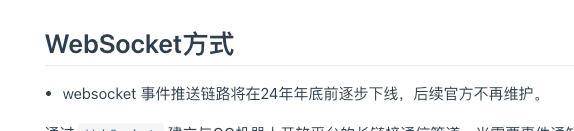
因此后续应该就只剩下 webhook 一种事件订阅方式了,也就是客户端作为被动接受事件的一方。
本章节简单介绍下在QQ机器人组件中如何使用 webhook 的方式接收事件。
## 禁用Websocket
首先,在配置中禁用 ws 的连接。
配置文件:
如果你在使用配置文件(常见于在配合spring时),添加配置项 `config.disableWs=true`
```JSON
{
"ticket": {
"appId": "...",
"secret": "...",
"secret": "...",
},
"config": {
"disableWs":true
}
}
```
代码配置:
```KOTLIN
// 设置 disableWs 为 true
configuration.disableWs = true
```
## 处理HTTP请求
Webhook 通过接收来自QQ的事件推送请求来实现事件监听。
在组件中,暂不支持内嵌的 HTTP 服务器 (参考 [#224](https://github.com/simple-robot/simbot-component-qq-guild/issues/224)),
因此你需要自行搭建 HTTP 服务器。
此处给出在 Spring Boot 和 Ktor server 场景下的示例。
Spring web:
Kotlin:
```KOTLIN
private const val SIGNATURE_HEAD = "X-Signature-Ed25519"
private const val TIMESTAMP_HEAD = "X-Signature-Timestamp"
/**
* 处理所有qq机器人的回调请求的处理器。
*/
@RestController
@RequestMapping("/callback")
class CallbackHandler(
private val application: Application
) {
/**
* 处理 `/callback/qq/{appId}` 的事件回调请求,
* 找到对应的 bot 并向其推送事件。
*/
@PostMapping("/qq/{appId}")
fun handleEvent(
@PathVariable("appId") appId: String,
@RequestHeader(SIGNATURE_HEAD) signature: String,
@RequestHeader(TIMESTAMP_HEAD) timestamp: String,
@RequestBody payload: String,
): CompletableFuture> {
// 寻找指定 `appId` 的 QGBot
val targetBot = application.botManagers
.filterIsQQGuildBotManagers()
.firstNotNullOfOrNull {
it.all().firstOrNull { bot ->
bot.source.ticket.appId == appId
}
}
// 如果找不到,响应 404 异常
if (targetBot == null) {
throw ResponseStatusException(
HttpStatus.NOT_FOUND,
"app $appId not found"
)
}
// 在 servlet web 中,在异步中处理.
// 作用域、是否要用异步等根据你的项目情况调整。
val entityAsync = application.async {
val result = targetBot.emitEvent(
payload,
) {
// 配置 ed25519SignatureVerification, 即代表进行签名校验
ed25519SignatureVerification = Ed25519SignatureVerification(
signature,
timestamp
)
}
val body: Any? = when (result) {
is EmitResult.Verified -> result.verified
else -> null
}
// 响应结果。
ResponseEntity.ok(body)
}
return entityAsync.asCompletableFuture()
}
}
```
Java:
```JAVA
/**
* 处理所有qq机器人的回调请求的处理器。
*/
@RestController
@RequestMapping("/callback")
public class CallbackHandler {
private static final String SIGNATURE_HEAD = "X-Signature-Ed25519";
private static final String TIMESTAMP_HEAD = "X-Signature-Timestamp";
private final Application application;
public CallbackHandler(Application application) {
this.application = application;
}
/**
* 处理 `/callback/qq/{appId}` 的事件回调请求,
* 找到对应的 bot 并向其推送事件。
*/
@PostMapping("/qq/{appId}")
public CompletableFuture> handleEvent(
@PathVariable("appId") String appId,
@RequestHeader(SIGNATURE_HEAD) String signature,
@RequestHeader(TIMESTAMP_HEAD) String timestamp,
@RequestBody String payload
) {
// 寻找指定 `appId` 的 QGBot
final var targetBot = application.getBotManagers().stream()
// 1. 寻找类型是 QQGuildBotManager 的 BotManager
.filter(manager -> manager instanceof QQGuildBotManager)
.map(QQGuildBotManager.class::cast)
// 2. 寻找 appId 匹配的 bot
.flatMap(manager ->
// 使用 manager.all() 可以直接访问 QGBot 类型,
// 而使用 manager.allStreamable() 得到的是 Bot 类型,需要再转化一次
// 二者都可以,这里选择第一个方案
Streamable.of(manager.all()).asStream())
.filter(bot -> {
// 寻找 bot.appId 为函数入参 appId 的 bot
// bot.id 本质上也是使用的 appId, 因此直接使用 bot.getId().toString() 也是可以的。
var botAppId = bot.getSource().getTicket().getAppId();
return appId.equals(botAppId);
})
// 得到第一个符合条件的bot
.findFirst()
// 如果没找到,自行处理。这里选择抛出异常并响应404。
.orElseThrow(() -> new ResponseStatusException(HttpStatus.NOT_FOUND, "app " + appId + " not found"));
// 在 servlet web 中,在异步中处理.
// 作用域、是否要用异步等根据你的项目情况调整。
// 如果要进行接口校验,配置 ed25519 校验所需要的内容
final var options = new EmitEventOptions();
options.setEd25519SignatureVerification(
new Ed25519SignatureVerification(
signature,
timestamp
)
);
// 推送事件。如有需要,你也可以选择使用阻塞API (emitEventAsyncBlocking)
var future = targetBot.emitEventAsync(payload, options);
// 得到处理结果(的future),并返回body
// 如果没有需要返回的body,也可以是null
return future.thenApply(result -> {
var body = switch (result) {
case EmitResult.Verified verified -> verified.getVerified();
default -> null;
};
// 将 Body 放到响应体中,返回。
return ResponseEntity.ok(body);
});
}
}
```
Spring webflux:
Kotlin:
```KOTLIN
private const val SIGNATURE_HEAD = "X-Signature-Ed25519"
private const val TIMESTAMP_HEAD = "X-Signature-Timestamp"
/**
* 处理所有qq机器人的回调请求的处理器。
*/
@RestController
@RequestMapping("/callback")
class CallbackHandler(
private val application: Application
) {
/**
* 处理 `/callback/qq/{appId}` 的事件回调请求,
* 找到对应的 bot 并向其推送事件。
*/
@PostMapping("/qq/{appId}")
suspend fun handleEvent(
@PathVariable("appId") appId: String,
@RequestHeader(SIGNATURE_HEAD) signature: String,
@RequestHeader(TIMESTAMP_HEAD) timestamp: String,
@RequestBody payload: String,
): ResponseEntity {
// 寻找指定 `appId` 的 QGBot
val targetBot = application.botManagers
.filterIsQQGuildBotManagers()
.firstNotNullOfOrNull {
it.all().firstOrNull { bot ->
bot.source.ticket.appId == appId
}
}
// 如果找不到,响应 404 异常
if (targetBot == null) {
throw ResponseStatusException(
HttpStatus.NOT_FOUND,
"app $appId not found"
)
}
val result = targetBot.emitEvent(
payload,
) {
// 配置 ed25519SignatureVerification, 即代表进行签名校验
ed25519SignatureVerification = Ed25519SignatureVerification(
signature,
timestamp
)
}
val body: Any? = when (result) {
is EmitResult.Verified -> result.verified
else -> null
}
// 响应结果
return ResponseEntity.ok(body)
}
}
```
Java:
```JAVA
/**
* 处理所有qq机器人的回调请求的处理器。
*/
@RestController
@RequestMapping("/callback")
public class CallbackHandler {
private static final String SIGNATURE_HEAD = "X-Signature-Ed25519";
private static final String TIMESTAMP_HEAD = "X-Signature-Timestamp";
private final Application application;
public CallbackHandler(Application application) {
this.application = application;
}
/**
* 处理 `/callback/qq/{appId}` 的事件回调请求,
* 找到对应的 bot 并向其推送事件。
*/
@PostMapping("/qq/{appId}")
public Mono> handleEvent(
@PathVariable("appId") String appId,
@RequestHeader(SIGNATURE_HEAD) String signature,
@RequestHeader(TIMESTAMP_HEAD) String timestamp,
@RequestBody String payload
) {
// 寻找指定 `appId` 的 QGBot
final var targetBot = application.getBotManagers().stream()
// 1. 寻找类型是 QQGuildBotManager 的 BotManager
.filter(manager -> manager instanceof QQGuildBotManager)
.map(QQGuildBotManager.class::cast)
// 2. 寻找 appId 匹配的 bot
.flatMap(manager ->
// 使用 manager.all() 可以直接访问 QGBot 类型,
// 而使用 manager.allStreamable() 得到的是 Bot 类型,需要再转化一次
// 二者都可以,这里选择第一个方案
Streamable.of(manager.all()).asStream())
.filter(bot -> {
// 寻找 bot.appId 为函数入参 appId 的 bot
// bot.id 本质上也是使用的 appId, 因此直接使用 bot.getId().toString() 也是可以的。
var botAppId = bot.getSource().getTicket().getAppId();
return appId.equals(botAppId);
})
// 得到第一个符合条件的bot
.findFirst()
// 如果没找到,自行处理。这里选择抛出异常并响应404。
.orElseThrow(() -> new ResponseStatusException(HttpStatus.NOT_FOUND, "app " + appId + " not found"));
// 在 servlet web 中,在异步中处理.
// 作用域、是否要用异步等根据你的项目情况调整。
// 如果要进行接口校验,配置 ed25519 校验所需要的内容
final var options = new EmitEventOptions();
options.setEd25519SignatureVerification(
new Ed25519SignatureVerification(
signature,
timestamp
)
);
targetBot.joinReserve().transform(SuspendReserves.mono())
// 以响应式的方式推送事件
final var mono = targetBot
.emitEventReserve(payload, options)
.transform(SuspendReserves.mono());
// 得到处理结果,并返回body
// 如果没有需要返回的body,也可以是null
return mono.map(result -> {
var body = switch (result) {
case EmitResult.Verified verified -> verified.getVerified();
default -> null;
};
// 将 Body 放到响应体中,返回。
return ResponseEntity.ok(body);
});
}
}
```
Ktor server:
```KOTLIN
private const val SIGNATURE_HEAD = "X-Signature-Ed25519"
private const val TIMESTAMP_HEAD = "X-Signature-Timestamp"
// 你也可以考虑直接把注册好的 bot 保存起来,而不只是保存 application
// 或者使用一些DI方案,都可以。
lateinit var simbotApplication: love.forte.simbot.application.Application
suspend fun main() {
// 启动simbot application,
// 然后启动内嵌的 HTTP 服务
// 当然,具体的启动顺序或逻辑根据你的项目需求而定。
simbotApplication = launchSimbot()
embeddedServer(Netty, port = 8080, host = "0.0.0.0", module = Application::module)
.start(wait = true)
}
/**
* 启动 simbot application
*/
suspend fun launchSimbot(): love.forte.simbot.application.Application {
val application = launchSimpleApplication {
useQQGuild()
}
// 这里配置你的 bot、事件监听等...
// 你也可以考虑直接把注册好的 bot 保存起来,而不只是保存 application
return application
}
fun Application.module() {
configureRouting()
}
fun Application.configureRouting() {
routing {
post("/callback/qq/{appId}") {
val appId = call.parameters["appId"]
// 寻找指定 `appId` 的 QGBot
val targetBot = simbotApplication.botManagers
.filterIsQQGuildBotManagers()
.firstNotNullOfOrNull {
it.all().firstOrNull { bot ->
bot.source.ticket.appId == appId
}
}
// 如果找不到,响应 404 异常
if (targetBot == null) {
call.respond(HttpStatusCode.NotFound)
return@post
}
// 准备参数
val signature = call.request.header(SIGNATURE_HEAD)
?: run {
call.respond(
HttpStatusCode.BadRequest,
"Required header $SIGNATURE_HEAD is missing"
)
return@post
}
val timestamp = call.request.header(TIMESTAMP_HEAD)
?: run {
call.respond(
HttpStatusCode.BadRequest,
"Required header $TIMESTAMP_HEAD is missing"
)
return@post
}
val payload = call.receiveText()
val result = targetBot.emitEvent(
payload,
) {
// 配置 ed25519SignatureVerification, 即代表进行签名校验
ed25519SignatureVerification = Ed25519SignatureVerification(
signature,
timestamp
)
}
val respond: String? = when (result) {
is EmitResult.Verified ->
// 如果你安装了插件 ContentNegotiation,
// 那么也可以直接响应对象。
// 这里懒得装了,所以提前序列化成JSON字符串
Json.encodeToString(result.verified)
else -> null
}
// 响应成功结果
call.respondText(
respond ?: "{}",
ContentType.Application.Json
)
}
}
}
```
### Opcode=13 路径验证
在首次配置回调地址时,服务端会对此地址发送 `opcode=13` 的校验请求。
Tip:
参考 [官方文档](https://bot.q.qq.com/wiki/develop/api-v2/dev-prepare/interface-framework/event-emit.html#webhook方式)
组件默认支持处理此事件,如果 `opcode=13`, `emitEvent` 则会返回 `EmitResult.Verified`,
其中的 `verified` 就是 `opcode=13` 时服务端所需要的结果。
```KOTLIN
val respond: Any? = when (result) {
is EmitResult.Verified -> result.verified
else -> null
}
```
直接将 `verified` 响应即可。
Tip:
此类型默认基于 `kotlinx-serialization` 支持序列化,
如果你打算使用其他序列化方案,请注意字段的下划线转化。
Warning:
由于目前 Kotlin 多平台下对 Ed25519 可靠的库少之又少,
因此暂无法保证签名校验和路径验证中的加密可以在 JVM以外 的平台上运行良好。
如果你有好的方案或推荐,欢迎通过 [Issue](https://github.com/simple-robot/simbot-component-qq-guild/issues/new/choose)
向我们反馈!
### 签名校验
在接收到事件推送时,可以通过请求头中的签名信息结合bot的 `secret` 校验本次请求。
Tip:
参考 [官方文档](https://bot.q.qq.com/wiki/develop/api-v2/dev-prepare/interface-framework/sign.html)
组件默认支持进行请求头校验,在使用 `emitEvent` 时提供所需的校验信息即可。
Java:
```JAVA
var options = new EmitEventOptions();
options.setEd25519SignatureVerification(
new Ed25519SignatureVerification(
// X-Signature-Ed25519
signature,
// X-Signature-Timestamp
timestamp
);
);
bot.emitEventXxx(payload, options);
// emitEventBlocking(...);
// emitEventAsync(...);
// emitEventReserve(...);
```
Kotlin:
```KOTLIN
bot.emitEvent(payload) {
// 配置 ed25519SignatureVerification, 即代表进行签名校验
ed25519SignatureVerification = Ed25519SignatureVerification(
// X-Signature-Ed25519
signature,
// X-Signature-Timestamp
timestamp
)
}
```
Warning:
由于目前 Kotlin 多平台下对 Ed25519 可靠的库少之又少,
因此暂无法保证签名校验和路径验证中的加密可以在 JVM以外 的平台上运行良好。
如果你有好的方案或推荐,欢迎通过 [Issue](https://github.com/simple-robot/simbot-component-qq-guild/issues/new/choose)
向我们反馈!
## 示例
可以在仓库的 [samples](https://github.com/simple-robot/simbot-component-qq-guild/tree/dev/main/samples) 模块下找到示例模块。
# Bot配置文件
在使用 Spring Boot 时自动注册 bot 所需的配置文件。
Tip:
如果你在使用 Spring Boot,
将配置文件放在在你的资源目录中:
`resources/simbot-bots/` ,
并以 `.bot.json` 作为扩展名,例如 `mybot.bot.json`。
这个扫描目录是可配置的。
这是属于 simbot4 Spring Boot starter 的配置,可参考
[集成 Spring Boot](spring-boot.html)。
## 示例
```JSON
{
"component": "simbot.qqguild",
"ticket": {
"appId": "你的botId",
"secret": "你的bot secret, 用于获取API的access_token(4.0.0-beta6开始)",
"token": "你的bot token, 用作API的access_token(4.0.0-beta6之前)"
}
}
```
```JSON
{
"component": "simbot.qqguild",
"ticket": {
"appId": "你的botId",
"secret": "你的bot secret, 用于获取API的access_token(4.0.0-beta6开始)",
"token": "你的bot token, 用作API的access_token(4.0.0-beta6之前)"
},
"config": {
"serverUrl": null,
"shard": {
"type": "full"
},
"intents": {
"type": "raw",
"intents": 1073741827
},
"clientProperties": null,
"timeout": null,
"cache": {
"enable": true,
"transmit": null,
"dynamic": null,
"dispatcher": null
}
"disableWs": false
}
}
```
## 属性描述
component
: 固定值:`simbot.qqguild`
ticket
: bot用于登录的票据信息,必填。
: appId
: `String`
: bot开发配置中的 `appID`
secret
: `String`
: bot开发配置中的 `AppSecret`,
`4.0.0-beta6` 版本开始用于获取API访问所需的 `access_token`。
token
: `String`
: bot开发配置中的 `Token`。
`4.0.0-beta6` 版本之前用作API访问所需的 token。
config
: 可选项,提供一些额外的可配置属性。
: serverUrl
: `String`
: 目标服务器地址。默认为 `null`。
: 当值为特殊值:`"SANDBOX"` 时会选择使用 `QQGuild.SANDBOX_URL_STRING`,
也就是沙箱服务器地址。
: | 配置值 |实际值 |
------------
| `null` |`"https://api.sgroup.qq.com"` |
| `"SANDBOX"` |`"https://sandbox.api.sgroup.qq.com"` |
| 其他 |与配置值一致 |
shard
: `ShardConfig`
: 分片信息配置,默认为 `Full`。
: 根据 `type` 值的不同,可使用不同的属性。
: type='full'
: 无额外属性,代表一个全量单片。
: ```JSON
{
"type": "full"
}
```
type='simple'
: ```JSON
{
"type": "simple",
"value": 0,
"total": 1
}
```
: value
: 对应的分片信息属性。
total
: 对应的分片信息属性。
intents
: `IntentsConfig?`
: 要订阅的事件的 intents 信息。默认 `1073741827`,
也就是订阅:
: * 频道相关事件
* 频道成员相关事件
* 公域消息相关事件
: ```JSON
{
"config": {
"intents": {
"type": "raw",
"intents": 1073741827
}
}
}
```
: 根据 `type` 的不同可选的属性不同。
: Tip:
有关 `intents` 的更多信息可参考 [官方文档](https://bot.q.qq.com/wiki/develop/api-v2/dev-prepare/interface-framework/event-emit.html#事件订阅Intents)
下面的参考内容也同样拷贝自官方文档,仅供参考,不确保时效性与准确性。
: ```
GUILDS (1 << 0)
- GUILD_CREATE // 当机器人加入新guild时
- GUILD_UPDATE // 当guild资料发生变更时
- GUILD_DELETE // 当机器人退出guild时
- CHANNEL_CREATE // 当channel被创建时
- CHANNEL_UPDATE // 当channel被更新时
- CHANNEL_DELETE // 当channel被删除时
GUILD_MEMBERS (1 << 1)
- GUILD_MEMBER_ADD // 当成员加入时
- GUILD_MEMBER_UPDATE // 当成员资料变更时
- GUILD_MEMBER_REMOVE // 当成员被移除时
GUILD_MESSAGES (1 << 9) // 消息事件,仅 *私域* 机器人能够设置此 intents。
- MESSAGE_CREATE // 发送消息事件,代表频道内的全部消息,而不只是 at 机器人的消息。
// 内容与 AT_MESSAGE_CREATE 相同
- MESSAGE_DELETE // 删除(撤回)消息事件
GUILD_MESSAGE_REACTIONS (1 << 10)
- MESSAGE_REACTION_ADD // 为消息添加表情表态
- MESSAGE_REACTION_REMOVE // 为消息删除表情表态
DIRECT_MESSAGE (1 << 12)
- DIRECT_MESSAGE_CREATE // 当收到用户发给机器人的私信消息时
- DIRECT_MESSAGE_DELETE // 删除(撤回)消息事件
GROUP_AND_C2C_EVENT (1 << 25)
- C2C_MESSAGE_CREATE // 用户单聊发消息给机器人时候
- FRIEND_ADD // 用户添加使用机器人
- FRIEND_DEL // 用户删除机器人
- C2C_MSG_REJECT // 用户在机器人资料卡手动关闭"主动消息"推送
- C2C_MSG_RECEIVE // 用户在机器人资料卡手动开启"主动消息"推送开关
- GROUP_AT_MESSAGE_CREATE // 用户在群里@机器人时收到的消息
- GROUP_MESSAGE_CREATE // 群聊全量消息
- GROUP_ADD_ROBOT // 机器人被添加到群聊
- GROUP_DEL_ROBOT // 机器人被移出群聊
- GROUP_MSG_REJECT // 群管理员主动在机器人资料页操作关闭通知
- GROUP_MSG_RECEIVE // 群管理员主动在机器人资料页操作开启通知
INTERACTION (1 << 26)
- INTERACTION_CREATE // 互动事件创建时
MESSAGE_AUDIT (1 << 27)
- MESSAGE_AUDIT_PASS // 消息审核通过
- MESSAGE_AUDIT_REJECT // 消息审核不通过
FORUMS_EVENT (1 << 28) // 论坛事件,仅 *私域* 机器人能够设置此 intents。
- FORUM_THREAD_CREATE // 当用户创建主题时
- FORUM_THREAD_UPDATE // 当用户更新主题时
- FORUM_THREAD_DELETE // 当用户删除主题时
- FORUM_POST_CREATE // 当用户创建帖子时
- FORUM_POST_DELETE // 当用户删除帖子时
- FORUM_REPLY_CREATE // 当用户回复评论时
- FORUM_REPLY_DELETE // 当用户回复评论时
- FORUM_PUBLISH_AUDIT_RESULT // 当用户发表审核通过时
AUDIO_ACTION (1 << 29)
- AUDIO_START // 音频开始播放时
- AUDIO_FINISH // 音频播放结束时
- AUDIO_ON_MIC // 上麦时
- AUDIO_OFF_MIC // 下麦时
PUBLIC_GUILD_MESSAGES (1 << 30) // 消息事件,此为公域的消息事件
- AT_MESSAGE_CREATE // 当收到@机器人的消息时
- PUBLIC_MESSAGE_DELETE // 当频道的消息被删除时
```
: type='raw'
: 直接使用 `intents` 原始的标记位最终数值。
: 所有的事件对应的位值信息可前往参考 [官方文档](https://bot.q.qq.com/wiki/develop/api-v2/dev-prepare/interface-framework/event-emit.html#事件订阅Intents) 。
: ```JSON
{
"type": "raw",
"intents": 1073741824
}
```
type='nameBased'
: 通过名称寻找所有可用的 `EventIntents` 并合并为最终的 `intents`。
名称基于继承了 `EventIntents` 的 object 的简单名称,例如 `Guilds`。
: 名称支持开头大写或小写的驼峰,例如 `Guilds`, `guilds`,
或者全大写或全小写的snake(下划线)格式,例如 `PUBLIC_GUILD_MESSAGES`, `public_guild_messages`。
: 虽然支持的格式比较宽松,但名称匹配仍然是区分大小写的,
比如一个混用大小写的snake格式就是不允许的:`public_GUILD_messages` ❌。
: Tip:
开头小写的驼峰以及snake格式自 `v4.0.0-beta7` 开始支持,
在此之前仅支持开头大写的驼峰格式,例如 `Guild`。
: ```JSON
{
"type": "nameBased",
"names": ["Guilds", "PublicGuildMessages"]
}
```
: Tip: 可选值参考
`nameBased` 的具体可选值可参考 `EventIntentsAggregation.getByName` 的
[API文档](https://docs.simbot.forte.love/components/qq-guild/simbot-component-qq-guild-api/love.forte.simbot.qguild.event/-event-intents-aggregation/get-by-name.html)
或源码的文档注释。
此处会简单列举一下可选值的参考,但不保证绝对准确性,以实际代码中的效果与描述为准。
GUILDS
: * 当机器人加入新guild时
* 当guild资料发生变更时
* 当机器人退出guild时
* 当channel被创建时
* 当channel被更新时
* 当channel被删除时
GUILD_MEMBERS
: * 当成员加入时
* 当成员资料变更时
* 当成员被移除时
GUILD_MESSAGES
: 消息事件,仅 私域 机器人能够设置此 intents。
: * 发送消息事件,代表频道内的全部消息,而不只是 at 机器人的消息。内容与 AT_MESSAGE_CREATE 相同
* 删除(撤回)消息事件
GUILD_MESSAGE_REACTIONS
: * 为消息添加表情表态
* 为消息删除表情表态
DIRECT_MESSAGE
: * 当收到用户发给机器人的私信消息时
* 删除(撤回)消息事件
GROUP_AND_C2C_EVENT
: * 用户单聊发消息给机器人时候
* 用户添加使用机器人
* 用户删除机器人
* 用户在机器人资料卡手动关闭"主动消息"推送
* 用户在机器人资料卡手动开启"主动消息"推送开关
* 用户在群里@机器人时收到的消息
* 群聊全量消息
* 机器人被添加到群聊
* 机器人被移出群聊
* 群管理员主动在机器人资料页操作关闭通知
* 群管理员主动在机器人资料页操作开启通知
INTERACTION
: * 互动事件创建时
MESSAGE_AUDIT
: * 消息审核通过
* 消息审核不通过
FORUMS_EVENT
: 论坛事件,仅 私域 机器人能够设置此 intents。
: * 当用户创建主题时
* 当用户更新主题时
* 当用户删除主题时
* 当用户创建帖子时
* 当用户删除帖子时
* 当用户回复评论时
* 当用户回复评论时
* 当用户发表审核通过时
AUDIO_ACTION
: * 音频开始播放时
* 音频播放结束时
* 上麦时
* 下麦时
PUBLIC_GUILD_MESSAGES
: 消息事件,此为公域的消息事件
: * 当收到@机器人的消息时
* 当频道的消息被删除时
: 再举个例子,如果你想要订阅频道事件和群聊消息事件:
: ```JSON
{
"type": "nameBased",
"names": ["Guilds", "PublicGuildMessages", "GROUP_AND_C2C_EVENT"]
}
```
type='bitBased'
: Note:
自 `4.0.0-beta7` 开始支持
: 通过 `intents` 的位索引值来配置 `intents` 的结果。
: ```JSON
{
"type": "bitBased",
"bits": [0, 1, 30]
}
```
: 上面的 `0, 1, 30` 即代表订阅 `1<<0 | 1<<1 | 1<<30`。
: `bits` 的元素值应当在 0 ~ 31 之内,但是代码内不做校验。
clientProperties
: `Map?`
: 用作 `Signal.Identify.Data.properties` 中的参数。
: ```JSON
{
"config": {
"clientProperties": {
"k1": "v1",
"foo": "bar"
}
}
}
```
timeout
: `TimeoutConfig?`
: 与部分超时相关的配置信息。
当任意属性不为 `null` 时会为 bot 中用于请求API的 `HttpClient`
配置 [HttpTimeout](https://ktor.io/docs/timeout.html) 插件。
: 默认为 `null`。
: apiHttpRequestTimeoutMillis
: `Long?`
: API请求中的超时请求配置。参考 [HttpTimeout](https://ktor.io/docs/timeout.html) 中的相关说明。
: 默认为 `null`。
apiHttpConnectTimeoutMillis
: `Long?`
: API请求中的超时请求配置。参考 [HttpTimeout](https://ktor.io/docs/timeout.html) 中的相关说明。
: 默认为 `null`。
apiHttpSocketTimeoutMillis
: `Long?`
: API请求中的超时请求配置。参考 [HttpTimeout](https://ktor.io/docs/timeout.html) 中的相关说明。
: 默认为 `null`。
cache
: `CacheConfig?`
: 缓存相关配置。
: ```JSON
{
"config": {
"cache": {
"transmit": {
"enable": true
}
}
}
}
```
: 有关 `transmit` 的详细描述,
请参考 `TransmitCacheConfig` 的文档注释或 API Doc。
disableWs
: Tip:
添加自 `4.1.0`
: `Boolean`
: 是否禁用ws的连接。如果为 `true`, 则启动bot时不会创建 websocket 连接。
: 默认为 `false`。
: ```JSON
{
"config": {
"disableWs": false
}
}
```
# API
## API模块
所有对 QQ 开放平台 API 的原始封装都在
API 模块 `simbot-component-qq-guild-api` 中。
这一层主要包含:
* love.forte.simbot.qguild.api 各类 `QQGuildApi` 实现,以及 Java 侧 `ApiRequests` 辅助函数。
* love.forte.simbot.qguild.model 与开放平台响应结构对应的数据模型,例如 `Message`、`Guild` 等。
* love.forte.simbot.qguild.event 网关事件体、`opcode`、`intent` 与分发结构。
* love.forte.simbot.qguild.message 消息模型、内嵌格式编码器与若干构建辅助类型。
## API定义
可前往 [API 类型总览](component-qq-guild-api-list.html)
或 [API 文档](https://docs.simbot.forte.love) 查看所有 API 实现。
消息发送相关的几个常用 API 需要特别区分:
MessageSendApi
: 频道子频道发消息。
DmsSendApi
: 频道私聊 `DMS` 发消息。
GroupMessageSendApi / UserMessageSendApi
: QQ群与 `C2C` 单聊发消息。
## 使用API
在 API 模块、stdlib 模块和核心组件模块中都可以使用 API。
所谓“使用 API”,就是提供所需参数,向 API 发起请求,并拿到预期的结果或错误。
### API模块中使用
在 API 模块中直接使用 API,通常需要这些参数:
* `HttpClient`: 用于发起请求的 Ktor `HttpClient` 对象。
* `token`: QQ频道API中用于鉴权的客户端 `access_token`。 它通过API定期刷新,可在 `Bot` 中获取。 如果API还支持旧格式,那么可以在[官方文档](https://bot.q.qq.com/wiki/develop/api/)中找到,比如 `Bot 100000.aaaabbbbccccdddd`。
* `server`: 可选 。QQ频道API有正式频道和沙箱频道之分,可通过此参数选择不同的服务器地址。在一些特殊需求下,也可以通过此方式自定义一个第三方服务器地址。
* `appId`: 可选 。如果提供,会将其添加到请求头 `X-Union-Appid` 中。这是新的 `access_token` 访问方式所要求的。
对 API 的请求在 Kotlin 中以挂起扩展函数提供;
在 Java 中可通过 `ApiRequests` 使用阻塞、异步与 `SuspendReserve` 三种桥接形式。
API 层常用入口有:
* `request`: 直接返回原始的 `HttpResponse` 结果,几乎不做校验
* `requestText`: 返回请求到的原始JSON字符串,会校验HTTP响应状态是否为 `2xx`。
* `requestData`: 会解析响应值为对应的实体对象后返回。会校验是否成功。
以 `GetGuildApi`(获取频道服务器详情)为例:
Kotlin:
```KOTLIN
// 准备必要信息
val token = "..."
val client = HttpClient()
// 准备API对象
val api = GetGuildApi.create("频道ID")
// 发起请求
val response = api.request(client, token)
val text = api.requestText(client, token)
val data = api.requestData(client, token)
```
Java:
```JAVA
// 准备必要信息
var token = "...";
var client = ApiRequests.newHttpClient();
// 准备API对象
final var api = GetGuildApi.create("频道ID");
// 发起请求
ApiRequests.requestAsync(api, client, token)
.thenAccept(response -> { ... });
ApiRequests.requestTextAsync(api, client, token)
.thenAccept(text -> { ... });
ApiRequests.requestDataAsync(api, client, token)
.thenAccept(data -> { ... });
```
```JAVA
var token = "...";
var client = ApiRequests.newHttpClient();
// 准备API对象
final var api = GetGuildApi.create("频道ID");
// 发起请求
var response = ApiRequests.requestBlocking(api, client, token);
var rawText = ApiRequests.requestTextBlocking(api, client, token);
var data = ApiRequests.requestDataBlocking(api, client, token);
```
```JAVA
// 准备必要信息
var token = "...";
var client = ApiRequests.newHttpClient();
// 准备API对象
final var api = GetGuildApi.create("频道ID");
// 发起请求
ApiRequests.requestReserve(api, client, token)
// 假设转化为 reactor 的 `Mono`
.transform(SuspendReserves.mono())
.subscribe(response -> { ... });
ApiRequests.requestTextReserve(api, client, token)
// 假设转化为 reactor 的 `Mono`
.transform(SuspendReserves.mono())
.subscribe(text -> { ... });
ApiRequests.requestDataReserve(api, client, token)
// 假设转化为 reactor 的 `Mono`
.transform(SuspendReserves.mono())
.subscribe(data -> { ... });
```
### Stdlib模块中使用
在 `simbot-component-qq-guild-stdlib` 中,一个 `love.forte.simbot.qguild.stdlib.Bot`
已经包含了客户端、鉴权与服务器地址等信息,
因此你可以使用 `Bot.requestXxx(api)` 或 `api.requestXxxBy(bot)` 来简化你的请求
(Java中可以使用 `BotRequests` 提供的静态方法)。
Kotlin:
```KOTLIN
// 准备必要信息
val bot: Bot = ...
// 准备API对象
val api = GetGuildApi.create("频道ID")
// 发起请求
// bot为主
val response = bot.request(api)
val text = bot.requestText(api)
val data = bot.requestData(api)
// api为主
val response1 = api.requestBy(bot)
val text1 = api.requestTextBy(bot)
val data1 = api.requestDataBy(bot)
```
Java:
```JAVA
// 准备必要信息
Bot bot = ...
// 准备API对象
final var api = GetGuildApi.create("频道ID");
// 发起请求
BotRequests.requestAsync(bot, api)
.thenAccept(response -> { ... });
BotRequests.requestTextAsync(bot, api)
.thenAccept(text -> { ... });
BotRequests.requestDataAsync(bot, api)
.thenAccept(data -> { ... });
```
```JAVA
// 准备必要信息
Bot bot = ...
// 准备API对象
final var api = GetGuildApi.create("频道ID");
// 发起请求
var response = BotRequests.requestBlocking(bot, api);
var text = BotRequests.requestTextBlocking(bot, api);
var data = BotRequests.requestDataBlocking(bot, api);
```
```JAVA
// 准备必要信息
Bot bot = ...
// 准备API对象
final var api = GetGuildApi.create("频道ID");
// 发起请求
BotRequests.requestReserve(bot, api)
// 假设转化为 reactor 的 `Mono`
.transform(SuspendReserves.mono())
.subscribe(response -> { ... });
BotRequests.requestTextReserve(bot, api)
// 假设转化为 reactor 的 `Mono`
.transform(SuspendReserves.mono())
.subscribe(text -> { ... });
BotRequests.requestDataReserve(bot, api)
// 假设转化为 reactor 的 `Mono`
.transform(SuspendReserves.mono())
.subscribe(data -> { ... });
```
### 核心模块中使用
核心模块中的 `QGBot` 提供了 `source`,
它对应 stdlib 层的 `Bot`。
* 如果你想继续走 stdlib 风格,使用 `bot.source`
* 如果你正在发送消息,通常更推荐优先参考 [消息元素](component-qq-guild-messages.html) 与各对象上的 `send(...)`
Kotlin:
```KOTLIN
val bot: QGBot = ...
val sourceBot = bot.source
// 使用 sourceBot
```
Java:
```JAVA
QGBot bot = ...
var sourceBot = bot.getSource();
// 使用 sourceBot
```
## 日志
开启名称前缀为 `love.forte.simbot.qguild.api` 的 DEBUG 级别日志,
可以看到 API 请求过程中的部分详细信息,例如出入参。
在 JVM 中,日志系统委托给 `SLF4J2 API`;在 native 平台中,可通过 `LoggerFactory.defaultLoggerLevel` 修改全局默认日志级别。
JVM 中默认会为日志中的部分片段染色。
如果需要关闭,添加 JVM 参数:
```
-Dsimbot.qguild.api.logger.color.enable=false
```
# API定义列表
此处会列举 `API 模块` 中、`love.forte.simbot.qguild.api` 包下定义的所有 `QQGuildApi` 实现。
Tip:
对于一个具体的API的详细说明,我们建议你前往 [API 文档](https://docs.simbot.forte.love/) 或源码注释查阅,
因为那是最贴合真实情况且最全面的。
GatewayApis
: `love.forte.simbot.qguild.api.GatewayApis`
: 获取网关信息。
: 通过 `Normal` 或 `Shared` 的形式根据bot信息获取使用 Websocket 接入时间通知的链接。
: Tip:
[参考文档](https://bot.q.qq.com/wiki/develop/api/gateway/reference.html)
: Normal
: `love.forte.simbot.qguild.api.Normal`
: 获取通用 WSS 接入点
: Tip:
[参考文档](https://bot.q.qq.com/wiki/develop/api/openapi/wss/url_get.html)
Shared
: `love.forte.simbot.qguild.api.Shared`
: 获取带分片 WSS 接入点
: Tip:
[参考文档](https://bot.q.qq.com/wiki/develop/api/openapi/wss/shard_url_get.html)
CreateAnnouncesApi
: `love.forte.simbot.qguild.api.announces.CreateAnnouncesApi`
: 机器人设置消息为指定子频道公告。
: [创建子频道公告](https://bot.q.qq.com/wiki/develop/api/openapi/announces/post_channel_announces.html)
DeleteAnnouncesApi
: `love.forte.simbot.qguild.api.announces.DeleteAnnouncesApi`
: [删除子频道公告](https://bot.q.qq.com/wiki/develop/api/openapi/announces/delete_channel_announces.html)
: 机器人删除指定子频道公告
DemandApiPermissionApi
: `love.forte.simbot.qguild.api.apipermission.DemandApiPermissionApi`
: [创建频道 API 接口权限授权链接](https://bot.q.qq.com/wiki/develop/api/openapi/api_permissions/post_api_permission_demand.html)
: 用于创建 API 接口权限授权链接,该链接指向 `guild_id` 对应的频道 。
: 需要注意,私信场景中,当需要查询私信来源频道的权限时,应使用 `src_guild_id` ,即 [message](https://bot.q.qq.com/wiki/develop/api/openapi/message/model.html#message)
中的 `src_guild_id`
: 每天只能在一个频道内发 `3` 条(默认值)频道权限授权链接。
GetApiPermissionListApi
: `love.forte.simbot.qguild.api.apipermission.GetApiPermissionListApi`
: [获取频道可用权限列表](https://bot.q.qq.com/wiki/develop/api/openapi/api_permissions/get_guild_api_permission.html)
: 用于获取机器人在频道 `guild_id` 内可以使用的权限列表。
GetAppAccessTokenApi
: `love.forte.simbot.qguild.api.app.GetAppAccessTokenApi`
: [获取调用凭证](https://bot.q.qq.com/wiki/develop/api-v2/dev-prepare/interface-framework/api-use.html#获取调用凭证)
: 这个API似乎是一个特殊的API,它有自己的HTTP URL: `https://bots.qq.com/app/getAppAccessToken`,
使用时需要专门处理。
CreateChannelApi
: `love.forte.simbot.qguild.api.channel.CreateChannelApi`
: [创建子频道](https://bot.q.qq.com/wiki/develop/api/openapi/channel/post_channels.html)
: 用于在 `guild_id` 指定的频道下创建一个子频道。
: * 要求操作人具有管理频道的权限,如果是机器人,则需要将机器人设置为管理员。
* 创建成功后,返回创建成功的子频道对象,同时会触发一个频道创建的事件通知。
DeleteChannelApi
: `love.forte.simbot.qguild.api.channel.DeleteChannelApi`
: [删除子频道](https://bot.q.qq.com/wiki/develop/api/openapi/channel/delete_channel.html)
: 用于删除 `channel_id` 指定的子频道。
: * 要求操作人具有 `管理子频道` 的权限,如果是机器人,则需要将机器人设置为管理员。
* 修改成功后,会触发子频道删除事件。
: 注意
: 子频道的删除是无法撤回的,一旦删除,将无法恢复。
GetChannelApi
: `love.forte.simbot.qguild.api.channel.GetChannelApi`
: [获取子频道信息](https://bot.q.qq.com/wiki/develop/api/openapi/channel/get_channel.html)
GetChannelOnlineNumsApi
: `love.forte.simbot.qguild.api.channel.GetChannelOnlineNumsApi`
: [获取在线成员数](https://bot.q.qq.com/wiki/develop/api/openapi/channel/get_online_nums.html)
: 用于查询音视频/直播子频道 channel_id 的在线成员数。
GetGuildChannelListApi
: `love.forte.simbot.qguild.api.channel.GetGuildChannelListApi`
: [获取子频道列表](https://bot.q.qq.com/wiki/develop/api/openapi/channel/get_channels.html)
: 用于获取 `guild_id` 指定的频道下的子频道列表。
ModifyChannelApi
: `love.forte.simbot.qguild.api.channel.ModifyChannelApi`
: [修改子频道](https://bot.q.qq.com/wiki/develop/api/openapi/channel/patch_channel.html)
: 用于修改 `channel_id` 指定的子频道的信息。
: * 要求操作人具有 `管理子频道` 的权限,如果是机器人,则需要将机器人设置为管理员。
* 修改成功后,会触发子频道更新事件。
GetChannelMemberPermissionsApi
: `love.forte.simbot.qguild.api.channel.permissions.GetChannelMemberPermissionsApi`
: [获取指定子频道的权限](https://bot.q.qq.com/wiki/develop/api/openapi/channel_permissions/get_channel_permissions.html)
: 用于获取 子频道 `channel_id` 下用户 `user_id` 的权限。
: * 获取子频道用户权限。
* 要求操作人具有管理子频道的权限,如果是机器人,则需要将机器人设置为管理员。
GetChannelRolePermissionsApi
: `love.forte.simbot.qguild.api.channel.permissions.GetChannelRolePermissionsApi`
: [获取子频道身份组权限](https://bot.q.qq.com/wiki/develop/api/openapi/channel_permissions/get_channel_roles_permissions.html)
: 用于获取子频道 `channel_id` 下身份组 `role_id` 的权限。
: * 要求操作人具有管理子频道的权限,如果是机器人,则需要将机器人设置为管理员。
ModifyChannelMemberPermissionsApi
: `love.forte.simbot.qguild.api.channel.permissions.ModifyChannelMemberPermissionsApi`
: [修改子频道权限](https://bot.q.qq.com/wiki/develop/api/openapi/channel_permissions/put_channel_permissions.html)
: 用于修改子频道 `channel_id` 下用户 `user_id` 的权限。
: * 要求操作人具有 `管理子频道` 的权限,如果是机器人,则需要将机器人设置为管理员。
* 参数包括 `add` 和 `remove` 两个字段,分别表示授予的权限以及删除的权限。 要授予用户权限即把 `add` 对应位置 1,删除用户权限即把 `remove` 对应位置 1。当两个字段同一位都为 1,表现为删除权限。
* 本接口不支持修改 `可管理子频道` 权限。
ModifyChannelRolePermissionsApi
: `love.forte.simbot.qguild.api.channel.permissions.ModifyChannelRolePermissionsApi`
: [修改子频道身份组权限](https://bot.q.qq.com/wiki/develop/api/openapi/channel_permissions/put_channel_roles_permissions.html)
: 用于修改子频道 `channel_id` 下身份组 `role_id` 的权限。
: * 要求操作人具有管理子频道的权限,如果是机器人,则需要将机器人设置为管理员。
* 参数包括 `add` 和 `remove` 两个字段,分别表示授予的权限以及删除的权限。 要授予身份组权限即把 `add` 对应位置 1,删除身份组权限即把 `remove` 对应位置 1。当两个字段同一位都为 1,表现为删除权限。
* 本接口不支持修改 `可管理子频道` 权限。
AddPinsMessageApi
: `love.forte.simbot.qguild.api.channel.pins.AddPinsMessageApi`
: [添加精华消息](https://bot.q.qq.com/wiki/develop/api/openapi/pins/put_pins_message.html)
: 用于添加子频道 `channel_id` 内的精华消息。
: * 精华消息在一个子频道内最多只能创建 `20` 条。
* 只有可见的消息才能被设置为精华消息。
* 接口返回对象中 `message_ids` 为当前请求后子频道内所有精华消息 `message_id` 数组。
DeletePinsMessageApi
: `love.forte.simbot.qguild.api.channel.pins.DeletePinsMessageApi`
: [删除精华消息](https://bot.q.qq.com/wiki/develop/api/openapi/pins/delete_pins_message.html)
: 用于删除子频道 `channel_id` 下指定 `message_id` 的精华消息。
: * 删除子频道内全部精华消息,请将 `message_id` 设置为 [`all`] `DELETE_ALL_MESSAGE_ID` 。
GetPinsMessageApi
: `love.forte.simbot.qguild.api.channel.pins.GetPinsMessageApi`
: [获取精华消息](https://bot.q.qq.com/wiki/develop/api/openapi/pins/get_pins_message.html)
: 用于获取子频道 `channel_id` 内的精华消息。
CreateScheduleApi
: `love.forte.simbot.qguild.api.channel.schedules.CreateScheduleApi`
: [创建日程](https://bot.q.qq.com/wiki/develop/api/openapi/schedule/post_schedule.html)
: 用于在 `channel_id` 指定的 `日程子频道` 下创建一个日程。
: * 要求操作人具有 `管理频道` 的权限,如果是机器人,则需要将机器人设置为管理员。
* 创建成功后,返回创建成功的日程对象。
* 创建操作频次限制
* 单个管理员每天限 `10` 次。
* 单个频道每天 `100` 次。
DeleteScheduleApi
: `love.forte.simbot.qguild.api.channel.schedules.DeleteScheduleApi`
: [修改日程](https://bot.q.qq.com/wiki/develop/api/openapi/schedule/patch_schedule.html)
: 用于修改日程子频道 `channel_id` 下 `schedule_id` 指定的日程的详情。
: * 要求操作人具有 `管理频道` 的权限,如果是机器人,则需要将机器人设置为管理员。
GetScheduleApi
: `love.forte.simbot.qguild.api.channel.schedules.GetScheduleApi`
: [获取日程详情](https://bot.q.qq.com/wiki/develop/api/openapi/schedule/get_schedule.html)
: 获取日程子频道 `channel_id` 下 `schedule_id` 指定的的日程的详情。
GetScheduleListApi
: `love.forte.simbot.qguild.api.channel.schedules.GetScheduleListApi`
: [获取频道日程列表](https://bot.q.qq.com/wiki/develop/api/openapi/schedule/get_schedules.html)
: 用于获取 `channel_id` 指定的子频道中当天的日程列表。
: * 若带了参数 `since`,则返回在 `since` 对应当天的日程列表;若未带参数 `since`,则默认返回今天的日程列表。
ModifyScheduleApi
: `love.forte.simbot.qguild.api.channel.schedules.ModifyScheduleApi`
: [修改日程](https://bot.q.qq.com/wiki/develop/api/openapi/schedule/patch_schedule.html)
: 用于修改日程子频道 `channel_id` 下 `schedule_id` 指定的日程的详情。
: * 要求操作人具有 `管理频道` 的权限,如果是机器人,则需要将机器人设置为管理员。
UploadGroupFilesApi
: `love.forte.simbot.qguild.api.files.UploadGroupFilesApi`
: [富媒体消息-群聊](https://bot.q.qq.com/wiki/develop/api-v2/server-inter/message/send-receive/rich-media.html#用于群聊)
UploadUserFilesApi
: `love.forte.simbot.qguild.api.files.UploadUserFilesApi`
: [富媒体消息-单聊](https://bot.q.qq.com/wiki/develop/api-v2/server-inter/message/send-receive/rich-media.html#用于单聊)
DeleteThreadApi
: `love.forte.simbot.qguild.api.forum.DeleteThreadApi`
: [删除帖子](https://bot.q.qq.com/wiki/develop/api/openapi/forum/delete_thread.html)
: 该接口用于删除指定子频道下的某个帖子。
GetThreadApi
: `love.forte.simbot.qguild.api.forum.GetThreadApi`
: [获取帖子详情](https://bot.q.qq.com/wiki/develop/api/openapi/forum/get_thread.html)
: 该接口用于获取子频道下的帖子详情。
GetThreadListApi
: `love.forte.simbot.qguild.api.forum.GetThreadListApi`
: [获取帖子列表](https://bot.q.qq.com/wiki/develop/api/openapi/forum/get_threads_list.html)
: 该接口用于获取子频道下的帖子列表。
PublishThreadApi
: `love.forte.simbot.qguild.api.forum.PublishThreadApi`
: [发表帖子](https://bot.q.qq.com/wiki/develop/api/openapi/forum/put_thread.html)
GetGuildApi
: `love.forte.simbot.qguild.api.guild.GetGuildApi`
: [获取频道详情](https://bot.q.qq.com/wiki/develop/api/openapi/guild/get_guild.html)
: 用于获取 `guildId` 指定的频道的详情。
MuteAllApi
: `love.forte.simbot.qguild.api.guild.mute.MuteAllApi`
: [禁言全员](https://bot.q.qq.com/wiki/develop/api/openapi/guild/patch_guild_mute.html)
: 用于将频道的全体成员(非管理员)禁言。
: 需要使用的 `token` 对应的用户具备管理员权限。如果是机器人,要求被添加为管理员。
该接口同样可用于解除禁言,将 `mute_end_timestamp` 或 `mute_seconds` 传值为字符串'0'即可。
MuteMemberApi
: `love.forte.simbot.qguild.api.guild.mute.MuteMemberApi`
: [禁言指定成员](https://bot.q.qq.com/wiki/develop/api/openapi/guild/patch_guild_member_mute.html)
: 用于禁言频道 `guild_id` 下的成员 `user_id`。
: 需要使用的 `token` 对应的用户具备管理员权限。如果是机器人,要求被添加为管理员。
该接口同样可用于解除禁言,将 `mute_end_timestamp` 或 `mute_seconds` 传值为字符串'0'即可。
MuteMultiMemberApi
: `love.forte.simbot.qguild.api.guild.mute.MuteMultiMemberApi`
: [禁言批量成员](https://bot.q.qq.com/wiki/develop/api/openapi/guild/patch_guild_mute_multi_member.html)
: 用于将频道的指定批量成员(非管理员)禁言。
: 需要使用的 `token` 对应的用户具备管理员权限。如果是机器人,要求被添加为管理员。
该接口同样可用于批量解除禁言,将 `mute_end_timestamp` 或 `mute_seconds` 传值为字符串'0'即可,及需要批量解除禁言的成员的user_id列表user_ids'。
DeleteMemberApi
: `love.forte.simbot.qguild.api.member.DeleteMemberApi`
: [删除频道成员](https://bot.q.qq.com/wiki/develop/api/openapi/member/delete_member.html)
: 用于删除 guild_id 指定的频道下的成员 user_id。
: * 需要使用的 token 对应的用户具备踢人权限。如果是机器人,要求被添加为管理员。
* 操作成功后,会触发频道成员删除事件。
* 无法移除身份为管理员的成员
GetGuildMemberListApi
: `love.forte.simbot.qguild.api.member.GetGuildMemberListApi`
: [获取频道成员列表](https://bot.q.qq.com/wiki/develop/api/openapi/member/get_members.html)
: 用于获取 guild_id 指定的频道中所有成员的详情列表,支持分页。
: 有关返回结果的说明
: 1. 在每次翻页的过程中,可能会返回上一次请求已经返回过的 `member` 信息,需要调用方自己根据 `user id` 来进行去重。
2. 每次返回的 `member` 数量与 `limit` 不一定完全相等。翻页请使用最后一个 `member` 的 `user id` 作为下一次请求的 `after` 参数,直到回包为空,拉取结束。
GetGuildRoleMemberListApi
: `love.forte.simbot.qguild.api.member.GetGuildRoleMemberListApi`
: [获取频道身份组成员列表](https://bot.q.qq.com/wiki/develop/api/openapi/member/get_role_members.html)
: 用于获取 `guild_id` 频道中指定 `role_id` 身份组下所有成员的详情列表,支持分页。
: 有关返回结果的说明
: 1. 每次返回的member数量与limit不一定完全相等。特定管理身份组下的成员可能存在一次性返回全部的情况
GetMemberApi
: `love.forte.simbot.qguild.api.member.GetMemberApi`
: [获取某个成员信息](https://bot.q.qq.com/wiki/develop/api/openapi/member/get_member.html)
: 用于获取 `guild_id` 指定的频道中 `user_id` 对应成员的详细信息。
DeleteMessageApi
: `love.forte.simbot.qguild.api.message.DeleteMessageApi`
: [撤回消息](https://bot.q.qq.com/wiki/develop/api/openapi/message/delete_message.html)
: 用于撤回子频道 `channel_id` 下的消息 `message_id`。
: * 管理员可以撤回普通成员的消息。
* 频道主可以撤回所有人的消息。
GetMessageApi
: `love.forte.simbot.qguild.api.message.GetMessageApi`
: [获取指定消息](https://bot.q.qq.com/wiki/develop/api/openapi/message/get_message_of_id.html)
: 用于获取子频道 `channel_id` 下的消息 `message_id` 的详情。
MessageSendApi
: `love.forte.simbot.qguild.api.message.MessageSendApi`
: [发送消息](https://bot.q.qq.com/wiki/develop/api/openapi/message/post_messages.html)
: 用于向 `channel_id` 指定的子频道发送消息。
: * 要求操作人在该子频道具有 `发送消息` 的权限。
* 主动消息在频道主或管理设置了情况下,按设置的数量进行限频。在未设置的情况遵循如下限制:
* 主动推送消息,默认每天往每个子频道可推送的消息数是 `20` 条,超过会被限制。
* 主动推送消息在每个频道中,每天可以往 `2` 个子频道推送消息。超过后会被限制。
* 不论主动消息还是被动消息,在一个子频道中,每 `1s` 只能发送 `5` 条消息。
* 被动回复消息有效期为 `5` 分钟。超时会报错。
* 发送消息接口要求机器人接口需要连接到 websocket 上保持在线状态
* 有关主动消息审核,可以通过 [Intents](https://bot.q.qq.com/wiki/develop/api/gateway/intents.html) 中审核事件 `MESSAGE_AUDIT` 返回 [MessageAudited](https://bot.q.qq.com/wiki/develop/api/openapi/message/model.html#messageaudited) 对象获取结果。
: 主动消息与被动消息
: * 主动消息:发送消息时,未填充 `msg_id/event_id` 字段的消息。
* 被动消息:发送消息时,填充了 `msg_id/event_id` 字段的消息。`msg_id` 和 `event_id` 两个字段任意填一个即为被动消息。 接口使用此 `msg_id/event_id` 拉取用户的消息或事件,同时判断用户消息或事件的发送时间,如果超过被动消息回复时效,将会不允许发送该消息。
: 更多参考 [文档](https://bot.q.qq.com/wiki/develop/api/openapi/message/post_messages.html#%E4%B8%BB%E5%8A%A8%E6%B6%88%E6%81%AF%E4%B8%8E%E8%A2%AB%E5%8A%A8%E6%B6%88%E6%81%AF)
: 发送 ARK 模板消息
: 通过指定 `ark` 字段发送模板消息。
: * 要求操作人在该子频道具有发送消息和 对应 `ARK 模板` 的权限。
* 调用前需要先申请消息模板,这一步会得到一个模板 `id`,在请求时填在 `ark.template_id` 上。
* 发送成功之后,会触发一个创建消息的事件。
* 可用模板参考[可用模板](https://bot.q.qq.com/wiki/develop/api/openapi/message/message_template.html)。
: 更多参考 [文档](https://bot.q.qq.com/wiki/develop/api/openapi/message/post_ark_messages.html)
: 发送引用消息
: * 只支持引用机器人自己发送到的消息以及用户@机器人产生的消息。
* 发送成功之后,会触发一个创建消息的事件。
: 不能单独发送引用消息,引用消息需要和其他消息类型组合发送,参数请见[发送消息](https://bot.q.qq.com/wiki/develop/api/openapi/message/post_messages.html)。
: 更多参考 [文档](https://bot.q.qq.com/wiki/develop/api/openapi/message/post_messages_reference.html)
: 发送含有消息按钮组件的消息
: 通过指定 `keyboard` 字段发送带按钮的消息,支持 `keyboard 模版` 和 `自定义 keyboard` 两种请求格式。
: * 要求操作人在该子频道具有 `发送消息` 和 `对应消息按钮组件` 的权限。
* 请求参数 `keyboard 模版` 和 `自定义 keyboard` 只能单一传值。
* `keyboard 模版`
* 调用前需要先申请消息按钮组件模板,这一步会得到一个模板 id,在请求时填在 `keyboard` 字段上。
* 申请消息按钮组件模板需要提供响应的 json,具体格式参考 [InlineKeyboard](https://bot.q.qq.com/wiki/develop/api/openapi/message/message_keyboard.html#inlinekeyboard)。
* 仅 `markdown` 消息支持消息按钮。
: 更多参考 [文档](https://bot.q.qq.com/wiki/develop/api/openapi/message/post_keyboard_messages.html)
: 内嵌格式
: 利用 `content` 字段发送内嵌格式的消息。
: * 内嵌格式仅在 `content` 中会生效,在 `Ark` 和 `Embed` 中不生效。
* 为了区分是文本还是内嵌格式,消息抄送和发送会对消息内容进行相关的转义。
: 转义内容
: | 源字符 |转义后 |
------------
| `&` |`&` |
| `<` |`<` |
| `>` |`>` |
: 可参考使用 `ContentTextDecoder` 和 `ContentTextEncoder`
: 消息审核
: Tip:
其中推送、回复消息的 code 错误码 `304023`、`304024` 会在 响应数据包 `data` 中返回 `MessageAudit` 审核消息的信息
: 当响应结果为上述错误码时,请求实体对象结果的API时会抛出 `MessageAuditedException` 异常并携带相关的对象信息。
: 详见文档 [发送消息](https://bot.q.qq.com/wiki/develop/api/openapi/message/post_messages.html) 中的相关描述以及
`MessageAuditedException` 的文档描述。
: 更多参考 [文档](https://bot.q.qq.com/wiki/develop/api/openapi/message/message_format.html)
CreateDmsApi
: `love.forte.simbot.qguild.api.message.direct.CreateDmsApi`
: [创建私信会话](https://bot.q.qq.com/wiki/develop/api/openapi/dms/post_dms.html)
: 用于机器人和在同一个频道内的成员创建私信会话。
: 机器人和用户存在共同频道才能创建私信会话。
创建成功后,返回创建成功的频道 `id` ,子频道 `id` 和创建时间。
: 参数
: | 字段名 |类型 |描述 |
---------------
| `recipient_id` |`string` |接收者 id |
| `source_guild_id` |`string` |源频道 id |
DeleteDmsApi
: `love.forte.simbot.qguild.api.message.direct.DeleteDmsApi`
: [撤回私信](https://bot.q.qq.com/wiki/develop/api/openapi/dms/delete_dms.html)
: 用于撤回私信频道 `guild_id` 中 `message_id` 指定的私信消息。只能用于撤回机器人自己发送的私信。
DmsSendApi
: `love.forte.simbot.qguild.api.message.direct.DmsSendApi`
: [发送私信](https://bot.q.qq.com/wiki/develop/api/openapi/dms/post_dms_messages.html)
: 接口
: `POST /dms/{guild_id}/messages`
: 功能描述
: 用于发送私信消息,前提是已经创建了私信会话。
: * 私信的 `guild_id` 在创建私信会话时以及私信消息事件中获取。
* 私信场景下,每个机器人每天可以对一个用户发 `2` 条主动消息。
* 私信场景下,每个机器人每天累计可以发 `200` 条主动消息。
* 私信场景下,被动消息没有条数限制。
: 参数
: 和 [发送消息] `MessageSendApi` 参数一致。
: 返回
: 和 [发送消息] `MessageSendApi` 返回一致。
GroupMessageSendApi
: `love.forte.simbot.qguild.api.message.group.GroupMessageSendApi`
: [发送消息到群](https://bot.q.qq.com/wiki/develop/api-v2/server-inter/message/send-receive/send.html#群聊)
GetMessageSettingApi
: `love.forte.simbot.qguild.api.message.setting.GetMessageSettingApi`
: [获取频道消息频率设置](https://bot.q.qq.com/wiki/develop/api/openapi/setting/message_setting.html)
: 用于获取机器人在频道 `guild_id` 内的消息频率设置。
UserMessageSendApi
: `love.forte.simbot.qguild.api.message.user.UserMessageSendApi`
: [发送消息-单聊](https://bot.q.qq.com/wiki/develop/api-v2/server-inter/message/send-receive/send.html#单聊)
: 单独发动消息给用户。
AddMemberRoleApi
: `love.forte.simbot.qguild.api.role.AddMemberRoleApi`
: [增加频道身份组成员](https://bot.q.qq.com/wiki/develop/api/openapi/guild/put_guild_member_role.html)
: 用于将频道 `guild_id` 下的用户 `user_id` 添加到身份组 `role_id` 。
: * 需要使用的 `token` 对应的用户具备增加身份组成员权限。如果是机器人,要求被添加为管理员。
* 如果要增加的身份组 `ID` 是 [`5-子频道管理员`] `love.forte.simbot.qguild.model.Role.DEFAULT_ID_CHANNEL_ADMIN` , 需要增加 `channel` 对象来指定具体是哪个子频道。
CreateGuildRoleApi
: `love.forte.simbot.qguild.api.role.CreateGuildRoleApi`
: [创建频道身份组](https://bot.q.qq.com/wiki/develop/api/openapi/guild/post_guild_role.html)
: 用于在 `guild_id` 指定的频道下创建一个身份组。
: * 需要使用的 `token` 对应的用户具备创建身份组权限。如果是机器人,要求被添加为管理员。
* 参数为非必填,但至少需要传其中之一,默认为空或 0。
DeleteGuildRoleApi
: `love.forte.simbot.qguild.api.role.DeleteGuildRoleApi`
: [删除频道身份组](https://bot.q.qq.com/wiki/develop/api/openapi/guild/delete_guild_role.html#%E5%88%A0%E9%99%A4%E9%A2%91%E9%81%93%E8%BA%AB%E4%BB%BD%E7%BB%84)
: 用于删除频道 `guild_id` 下 `role_id` 对应的身份组。
: 需要使用的 `token` 对应的用户具备删除身份组权限。如果是机器人,要求被添加为管理员。
GetGuildRoleListApi
: `love.forte.simbot.qguild.api.role.GetGuildRoleListApi`
: [获取频道身份组列表](https://bot.q.qq.com/wiki/develop/api/openapi/guild/get_guild_roles.html#%E8%8E%B7%E5%8F%96%E9%A2%91%E9%81%93%E8%BA%AB%E4%BB%BD%E7%BB%84%E5%88%97%E8%A1%A8)
: 用于获取 `guild_id` 指定的频道下的身份组列表。
ModifyGuildRoleApi
: `love.forte.simbot.qguild.api.role.ModifyGuildRoleApi`
: [修改频道身份组](https://bot.q.qq.com/wiki/develop/api/openapi/guild/patch_guild_role.html#%E4%BF%AE%E6%94%B9%E9%A2%91%E9%81%93%E8%BA%AB%E4%BB%BD%E7%BB%84)
: 用于修改频道 `guild_id` 下 `role_id` 指定的身份组。
: * 需要使用的 `token` 对应的用户具备修改身份组权限。如果是机器人,要求被添加为管理员。
* 接口会修改传入的字段,不传入的默认不会修改,至少要传入一个参数。
RemoveMemberRoleApi
: `love.forte.simbot.qguild.api.role.RemoveMemberRoleApi`
: [删除频道身份组成员](https://bot.q.qq.com/wiki/develop/api/openapi/guild/delete_guild_member_role.html)
: 用于将 用户 `user_id` 从 频道 `guild_id` 的 `role_id` 身份组中移除。
: * 需要使用的 `token` 对应的用户具备删除身份组成员权限。如果是机器人,要求被添加为管理员。
* 如果要删除的身份组 `ID` 是 [`5-子频道管理员`] `love.forte.simbot.qguild.model.Role.DEFAULT_ID_CHANNEL_ADMIN` , 需要增加 `channel` 对象来指定具体是哪个子频道。
GetBotGuildListApi
: `love.forte.simbot.qguild.api.user.GetBotGuildListApi`
: [获取用户频道列表](https://bot.q.qq.com/wiki/develop/api/openapi/user/guilds.html)
: 用于获取当前用户(机器人)所加入的频道列表,支持分页。
: 当 `HTTP Authorization` 中填入 `Bot Token` 是获取机器人的数据,填入 `Bearer Token` 则获取用户的数据。
GetBotInfoApi
: `love.forte.simbot.qguild.api.user.GetBotInfoApi`
: [获取用户详情](https://bot.q.qq.com/wiki/develop/api/openapi/user/me.html)
: 用于获取当前用户(机器人)详情。
: 由于 `GetBotInfoApi` 本身为 `object` 类型, 因此 `ApiDescription` 由内部对象 `Description` 提供而不是伴生对象。
: `GetBotInfoApi` 得到的 `User` 中, `User.isBot` 始终为 `true`。
# 事件定义列表
QQ频道组件中的事件类型包含两个层面:
1. API 模块 中,对 QQ频道 API 中官方定义的事件结构的基本封装与实现。
2. 核心模块 中,基于 API 模块中的事件封装,对 simbot4 标准库中的 `Event` 事件类型的实现。
## API 模块事件封装
API 模块所有的事件封装类型都在包 `love.forte.simbot.qguild.event` 中,
并且基本上命名与官网API中的事件类型名称有一定关联。
所有事件封装类型均继承密封类 `love.forte.simbot.qguild.event.Signal.Dispatch`。
Ready
: `love.forte.simbot.qguild.event.Ready`
: 事件类型名: `"READY"`
: 鉴权成功之后,后台会下发的 Ready Event.
Resumed
: `love.forte.simbot.qguild.event.Resumed`
: 事件类型名: `"RESUMED"`
: [4.恢复连接](https://bot.q.qq.com/wiki/develop/api/gateway/reference.html)
恢复成功之后,就开始补发遗漏事件,所有事件补发完成之后,会下发一个 `Resumed Event`
C2CManagementDispatch
: `love.forte.simbot.qguild.event.C2CManagementDispatch`
: 用户模块-用户管理相关事件。
`data` 类型为 `C2CManagementData`
FriendAdd
: `love.forte.simbot.qguild.event.FriendAdd`
: 事件类型名: `"FRIEND_ADD"`
: [用户添加机器人](https://bot.q.qq.com/wiki/develop/api-v2/server-inter/user/manage/event.html#用户添加机器人)
触发场景 用户添加机器人'好友'到消息列表
FriendDel
: `love.forte.simbot.qguild.event.FriendDel`
: 事件类型名: `"FRIEND_DEL"`
: [用户删除机器人](https://bot.q.qq.com/wiki/develop/api-v2/server-inter/user/manage/event.html#用户删除机器人)
触发场景 用户删除机器人'好友'
C2CMsgReject
: `love.forte.simbot.qguild.event.C2CMsgReject`
: 事件类型名: `"C2C_MSG_REJECT"`
: [拒绝机器人主动消息](https://bot.q.qq.com/wiki/develop/api-v2/server-inter/user/manage/event.html#拒绝机器人主动消息)
触发场景 用户在机器人资料卡手动关闭"主动消息"推送
C2CMsgReceive
: `love.forte.simbot.qguild.event.C2CMsgReceive`
: 事件类型名: `"C2C_MSG_RECEIVE"`
: [允许机器人主动消息](https://bot.q.qq.com/wiki/develop/api-v2/server-inter/user/manage/event.html#允许机器人主动消息)
触发场景 用户在机器人资料卡手动开启"主动消息"推送开关
C2CMessageCreate
: `love.forte.simbot.qguild.event.C2CMessageCreate`
: 事件类型名: `"C2C_MESSAGE_CREATE"`
: [单聊消息](https://bot.q.qq.com/wiki/develop/api-v2/server-inter/message/send-receive/event.html#单聊消息)
触发场景 用户在单聊发送消息给机器人
GroupAtMessageCreate
: `love.forte.simbot.qguild.event.GroupAtMessageCreate`
: 事件类型名: `"GROUP_AT_MESSAGE_CREATE"`
: [群聊@机器人](https://bot.q.qq.com/wiki/develop/api-v2/server-inter/message/send-receive/event.html#群聊-机器人)
触发场景 用户在群聊@机器人发送消息
GroupMessageCreate
: `love.forte.simbot.qguild.event.GroupMessageCreate`
: 事件类型名: `"GROUP_MESSAGE_CREATE"`
: Note:
自 `4.3.0` 开始支持。
: [群聊全量消息](https://bot.q.qq.com/wiki/develop/api-v2/server-inter/message/send-receive/event.html#群聊全量消息)
触发场景 群主设定允许机器人接收群内全部消息后,群内成员发送消息
ChannelDispatch
: `love.forte.simbot.qguild.event.ChannelDispatch`
: channel相关的事件类型。 `data` 类型为 `EventChannel` 。
ChannelCreate
: `love.forte.simbot.qguild.event.ChannelCreate`
: 事件类型名: `"CHANNEL_CREATE"`
: 子频道事件 [CHANNEL_CREATE](https://bot.q.qq.com/wiki/develop/api/gateway/channel.html#channel-create)
: 发送时机
: * 子频道被创建
ChannelUpdate
: `love.forte.simbot.qguild.event.ChannelUpdate`
: 事件类型名: `"CHANNEL_UPDATE"`
: 子频道事件 [CHANNEL_UPDATE](https://bot.q.qq.com/wiki/develop/api/gateway/channel.html#channel-update)
: 发送时机
: * 子频道信息变更
ChannelDelete
: `love.forte.simbot.qguild.event.ChannelDelete`
: 事件类型名: `"CHANNEL_DELETE"`
: 子频道事件 [CHANNEL_DELETE](https://bot.q.qq.com/wiki/develop/api/gateway/channel.html#channel-delete)
: 发送时机
: * 子频道被删除
ForumDispatch
: `love.forte.simbot.qguild.event.ForumDispatch`
: [论坛事件(ForumEvent)](https://bot.q.qq.com/wiki/develop/api/gateway/forum.html#forum-event-intents-forum-event)
: 发送时机
: 用户在话题子频道内发帖、评论、回复评论时产生该事件
: 主题事件
: * FORUM_THREAD_CREATE
* FORUM_THREAD_UPDATE
* FORUM_THREAD_DELETE 事件内容为 `Thread` 对象
: 帖子事件
: * FORUM_POST_CREATE
* FORUM_POST_DELETE 事件内容为 `Post` 对象
: 回复事件
: * FORUM_REPLY_CREATE
* FORUM_REPLY_DELETE 事件内容为 `Reply` 对象
: 帖子审核事件
: * FORUM_PUBLISH_AUDIT_RESULT 事件内容为 `AuditResult` 对象
ForumThreadDispatch
: `love.forte.simbot.qguild.event.ForumThreadDispatch`
: 论坛事件:主题事件
ForumThreadCreate
: `love.forte.simbot.qguild.event.ForumThreadCreate`
: 事件类型名: `"FORUM_THREAD_CREATE"`
: 主题创建事件。
ForumThreadUpdate
: `love.forte.simbot.qguild.event.ForumThreadUpdate`
: 事件类型名: `"FORUM_THREAD_UPDATE"`
: 主题更新事件。
ForumThreadDelete
: `love.forte.simbot.qguild.event.ForumThreadDelete`
: 事件类型名: `"FORUM_THREAD_DELETE"`
: 主题删除事件。
ForumPostDispatch
: `love.forte.simbot.qguild.event.ForumPostDispatch`
: 论坛事件:帖子事件
ForumPostCreate
: `love.forte.simbot.qguild.event.ForumPostCreate`
: 事件类型名: `"FORUM_POST_CREATE"`
: 帖子创建事件
ForumPostDelete
: `love.forte.simbot.qguild.event.ForumPostDelete`
: 事件类型名: `"FORUM_POST_DELETE"`
: 帖子删除事件
ForumReplyDispatch
: `love.forte.simbot.qguild.event.ForumReplyDispatch`
: 论坛事件:回复事件
ForumReplyCreate
: `love.forte.simbot.qguild.event.ForumReplyCreate`
: 事件类型名: `"FORUM_REPLY_CREATE"`
: 回复创建事件
ForumReplyDelete
: `love.forte.simbot.qguild.event.ForumReplyDelete`
: 事件类型名: `"FORUM_REPLY_DELETE"`
: 回复删除事件
ForumPublishAuditResult
: `love.forte.simbot.qguild.event.ForumPublishAuditResult`
: 事件类型名: `"FORUM_PUBLISH_AUDIT_RESULT"`
: 帖子审核事件
GroupRobotManagementDispatch
: `love.forte.simbot.qguild.event.GroupRobotManagementDispatch`
: 群聊模块-群管理相关事件。
`data` 类型为 `GroupRobotManagementData`
GroupAddRobot
: `love.forte.simbot.qguild.event.GroupAddRobot`
: 事件类型名: `"GROUP_ADD_ROBOT"`
: [机器人加入群聊](https://bot.q.qq.com/wiki/develop/api-v2/server-inter/group/manage/event.html#机器人加入群聊)
触发场景 机器人被添加到群聊
GroupDelRobot
: `love.forte.simbot.qguild.event.GroupDelRobot`
: 事件类型名: `"GROUP_DEL_ROBOT"`
: [机器人退出群聊](https://bot.q.qq.com/wiki/develop/api-v2/server-inter/group/manage/event.html#机器人退出群聊)
触发场景 机器人被移出群聊
GroupMsgReject
: `love.forte.simbot.qguild.event.GroupMsgReject`
: 事件类型名: `"GROUP_MSG_REJECT"`
: [群聊拒绝机器人主动消息](https://bot.q.qq.com/wiki/develop/api-v2/server-inter/group/manage/event.html#群聊拒绝机器人主动消息)
触发场景 群管理员主动在机器人资料页操作关闭通知
GroupMsgReceive
: `love.forte.simbot.qguild.event.GroupMsgReceive`
: 事件类型名: `"GROUP_MSG_RECEIVE"`
: [群聊接受机器人主动消息](https://bot.q.qq.com/wiki/develop/api-v2/server-inter/group/manage/event.html#群聊接受机器人主动消息)
触发场景 群管理员主动在机器人资料页操作开启通知
EventGuildDispatch
: `love.forte.simbot.qguild.event.EventGuildDispatch`
: Guild相关事件类型。 `data` 类型为 `EventGuild` 。
GuildCreate
: `love.forte.simbot.qguild.event.GuildCreate`
: 事件类型名: `"GUILD_CREATE"`
: [GUILD_CREATE](https://bot.q.qq.com/wiki/develop/api/gateway/guild.html#guild-create)
: 发送时机
: * 机器人被加入到某个频道的时候
GuildUpdate
: `love.forte.simbot.qguild.event.GuildUpdate`
: 事件类型名: `"GUILD_UPDATE"`
: [GUILD_UPDATE](https://bot.q.qq.com/wiki/develop/api/gateway/guild.html#guild-update)
: 发送时机
: * 频道信息变更
* 事件内容为变更后的数据
GuildDelete
: `love.forte.simbot.qguild.event.GuildDelete`
: 事件类型名: `"GUILD_DELETE"`
: [GUILD_DELETE](https://bot.q.qq.com/wiki/develop/api/gateway/guild.html#guild-delete)
: 发送时机
: * 频道被解散
* 机器人被移除
* 事件内容为变更前的数据
GuildMemberAdd
: `love.forte.simbot.qguild.event.GuildMemberAdd`
: 事件类型名: `"GUILD_MEMBER_ADD"`
: [GUILD_MEMBER_ADD](https://bot.q.qq.com/wiki/develop/api/gateway/guild_member.html#guild-member-add)
: 发送时机
: * 新用户加入频道
GuildMemberUpdate
: `love.forte.simbot.qguild.event.GuildMemberUpdate`
: 事件类型名: `"GUILD_MEMBER_UPDATE"`
: [GUILD_MEMBER_UPDATE](https://bot.q.qq.com/wiki/develop/api/gateway/guild_member.html#guild-member-update)
: 发送时机
: * 用户的频道属性发生变化,如频道昵称,或者身份组
GuildMemberRemove
: `love.forte.simbot.qguild.event.GuildMemberRemove`
: 事件类型名: `"GUILD_MEMBER_REMOVE"`
: [GUILD_MEMBER_REMOVE](https://bot.q.qq.com/wiki/develop/api/gateway/guild_member.html#guild-member-remove)
: 发送时机
: * 用户离开频道
MessageDispatch
: `love.forte.simbot.qguild.event.MessageDispatch`
: 与 `message` 相关的事件类型。 `data` 类型为 `Message`
AtMessageCreate
: `love.forte.simbot.qguild.event.AtMessageCreate`
: 事件类型名: `"AT_MESSAGE_CREATE"`
: 消息事件
[AT_MESSAGE_CREATE(intents PUBLIC_GUILD_MESSAGES)](https://bot.q.qq.com/wiki/develop/api/gateway/message.html#at-message-create-intents-public-guild-messages)
: 发送时机
: * 用户发送消息,@当前机器人或回复机器人消息时
* 为保障消息投递的速度,消息顺序我们虽然会尽量有序,但是并不保证是严格有序的, 如开发者对消息顺序有严格有序的需求,可以自行缓冲消息事件之后,基于 `seq` 进行排序
PublicMessageDeleteCreate
: `love.forte.simbot.qguild.event.PublicMessageDeleteCreate`
: 事件类型名: `"PUBLIC_MESSAGE_DELETE"`
: 消息事件
`PUBLIC_MESSAGE_DELETE_TYPE`
DirectMessageCreate
: `love.forte.simbot.qguild.event.DirectMessageCreate`
: 事件类型名: `"DIRECT_MESSAGE_CREATE"`
: 私信消息事件
[DIRECT_MESSAGE_CREATE (intents DIRECT_MESSAGE)](https://bot.q.qq.com/wiki/develop/api/gateway/direct_message.html#direct-message-create-intents-direct-message)
: 发送时机
: * 用户通过私信发消息给机器人时
MessageAuditedDispatch
: `love.forte.simbot.qguild.event.MessageAuditedDispatch`
: 与 `MessageAudited` 相关的事件类型。 `data` 类型为 `MessageAudited` 。
MessageCreate
: `love.forte.simbot.qguild.event.MessageCreate`
: 事件类型名: `"MESSAGE_CREATE"`
: 发送消息事件,代表频道内的全部消息,而不只是 at 机器人的消息。内容与 AT_MESSAGE_CREATE 相同
MessageDelete
: `love.forte.simbot.qguild.event.MessageDelete`
: 事件类型名: `"MESSAGE_DELETE"`
: 删除(撤回)消息事件
MessageAuditPass
: `love.forte.simbot.qguild.event.MessageAuditPass`
: 事件类型名: `"MESSAGE_AUDIT_PASS"`
: 消息审核事件
[MESSAGE_AUDIT_PASS(intents MESSAGE_AUDIT)](https://bot.q.qq.com/wiki/develop/api/gateway/message.html#message-audit-pass-intents-message-audit)
: 发送时机
: * 消息审核通过
MessageAuditReject
: `love.forte.simbot.qguild.event.MessageAuditReject`
: 事件类型名: `"MESSAGE_AUDIT_REJECT"`
: 消息审核事件
[MESSAGE_AUDIT_REJECT(intents MESSAGE_AUDIT)](https://bot.q.qq.com/wiki/develop/api/gateway/message.html#message-audit-reject-intents-message-audit)
: 发送时机
: * 消息审核不通过
OpenForumDispatch
: `love.forte.simbot.qguild.event.OpenForumDispatch`
: [开放论坛事件(OpenForumEvent)](https://bot.q.qq.com/wiki/develop/api/gateway/open_forum.html) 相关的事件父类。
: 发送时机
: 用户在话题子频道内发帖、评论、回复评论时产生该事件
: 主题事件
: * OPEN_FORUM_THREAD_CREATE
* OPEN_FORUM_THREAD_UPDATE
* OPEN_FORUM_THREAD_DELETE 参考 `OpenForumThreadDispatch`
: 帖子(评论)事件
: * OPEN_FORUM_POST_CREATE
* OPEN_FORUM_POST_DELETE 参考 `OpenForumPostDispatch`
: 回复事件
: * OPEN_FORUM_REPLY_CREATE
* OPEN_FORUM_REPLY_DELETE 参考 `OpenForumReplyDispatch`
OpenForumThreadDispatch
: `love.forte.simbot.qguild.event.OpenForumThreadDispatch`
: 开放论坛事件的 主题事件。
OpenForumThreadCreate
: `love.forte.simbot.qguild.event.OpenForumThreadCreate`
: 事件类型名: `"OPEN_FORUM_THREAD_CREATE"`
: 主题事件:创建主题
OpenForumThreadUpdate
: `love.forte.simbot.qguild.event.OpenForumThreadUpdate`
: 事件类型名: `"OPEN_FORUM_THREAD_UPDATE"`
: 主题事件:更新主题
OpenForumThreadDelete
: `love.forte.simbot.qguild.event.OpenForumThreadDelete`
: 事件类型名: `"OPEN_FORUM_THREAD_DELETE"`
: 主题事件:删除主题
OpenForumPostDispatch
: `love.forte.simbot.qguild.event.OpenForumPostDispatch`
: 开放论坛事件的 帖子(评论)事件。
OpenForumPostCreate
: `love.forte.simbot.qguild.event.OpenForumPostCreate`
: 事件类型名: `"OPEN_FORUM_POST_CREATE"`
: 帖子事件:创建帖子(评论)
OpenForumPostDelete
: `love.forte.simbot.qguild.event.OpenForumPostDelete`
: 事件类型名: `"OPEN_FORUM_POST_DELETE"`
: 帖子事件:删除帖子(评论)
OpenForumReplyDispatch
: `love.forte.simbot.qguild.event.OpenForumReplyDispatch`
: 开放论坛事件的 回复事件。
OpenForumReplyCreate
: `love.forte.simbot.qguild.event.OpenForumReplyCreate`
: 事件类型名: `"OPEN_FORUM_REPLY_CREATE"`
: 回复事件:创建回复
OpenForumReplyDelete
: `love.forte.simbot.qguild.event.OpenForumReplyDelete`
: 事件类型名: `"OPEN_FORUM_REPLY_DELETE"`
: 回复事件:删除回复
API 模块事件封装可以使用在 标准库模块 (stdlib) 中,使用 `Bot` 类型对他们进行监听与处理。
## 组件模块的标准 Event 实现
使用核心库,可以在 simbot4 的 `Application` 或 Spring Boot 中使用这些事件类型实现。
核心模块所有的 simbot Event 实现类型定义都在包 `love.forte.simbot.component.qguild.event` 中。
所有实现类型均继承 `love.forte.simbot.qguild.component.event.QGEvent`。
Tip:
QQ频道的 simbot 事件实现会根据含义,选择性的实现一些特定的类型。
举个例子,`QGAtMessageCreateEvent` 可以代表“子频道消息事件”,
因此它实现了 `ChatChannelMessageEvent`。
Tip:
仔细观察可以发现,大部分 simbot Event 实现类型都可以与 API 模块的事件封装类型相对应。
QGChannelCreateEvent
: 子频道创建事件
QGChannelUpdateEvent
: 子频道修改事件
QGChannelDeleteEvent
: 子频道删除事件
QGForumThreadCreateEvent
: 主题创建事件
QGForumThreadUpdateEvent
: 主题更新事件
QGForumThreadDeleteEvent
: 主题删除事件
QGForumPostCreateEvent
: 帖子创建事件
QGForumPostDeleteEvent
: 帖子删除事件
QGForumReplyCreateEvent
: 回复创建事件
QGForumReplyDeleteEvent
: 回复删除事件
QGForumPublishAuditResultEvent
: 帖子审核事件
QGGuildCreateEvent
: 新用户加入频道事件
QGGuildUpdateEvent
: 用户的频道属性发生变化事件
QGGuildDeleteEvent
: 用户离开频道事件
QGMemberAddEvent
: 新用户加入频道事件
QGMemberUpdateEvent
: 用户的频道属性发生变化事件
QGMemberRemoveEvent
: 用户离开频道事件
QGAtMessageCreateEvent
: 收到公域at消息事件
QGOpenForumThreadCreateEvent
: "开放"创建主题事件
QGOpenForumThreadUpdateEvent
: "开放"更新主题事件
QGOpenForumThreadDeleteEvent
: "开放"删除主题事件
QGOpenForumPostCreateEvent
: "开放"帖子创建(评论)事件
QGOpenForumPostDeleteEvent
: "开放"帖子删除(评论)事件
QGOpenForumReplyCreateEvent
: "开放"回复创建事件
QGOpenForumReplyDeleteEvent
: "开放"回复删除事件
QGGroupAtMessageCreateEvent
: 群at消息事件
QGGroupMessageCreateEvent
: 群聊全量消息事件,自
: `4.3.0`
: 开始支持
QGGroupAddRobotEvent
: 机器人加入群聊事件
QGGroupDelRobotEvent
: 机器人退出群聊事件
QGGroupMsgRejectEvent
: 群聊拒绝机器人主动消息事件
QGGroupMsgReceiveEvent
: 群聊接受机器人主动消息事件
QGC2CMessageCreateEvent
: C2C单聊消息事件
QGFriendAddEvent
: 用户添加机器人事件
QGFriendDelEvent
: 用户删除机器人事件
QGC2CMsgRejectEvent
: 拒绝机器人主动消息事件
QGC2CMsgReceiveEvent
: 允许机器人主动消息事件
QGUnsupportedEvent
: 特殊的事件类型,用于包装兼容那些尚未被封装支持的 API 模块的事件封装类型。
# 行为对象
QQ频道的行为对象(例如 `QGGuild`、`QGMember` 等)
都是对 simbot 标准库中的行为对象进行的实现与延伸扩展。
Tip:
前往标准 [行为对象](basic-actor.html) 了解更多。
# QGBot
作为一个QQ频道的 Bot 库,有一个用于描述机器人的 `Bot` 想必肯定是很正常的。
## API?
在 API 模块 (`simbot-component-qq-guild-api`) 中,你可能找不到太多有关 `Bot` 的身影。
毕竟 API 模块仅是针对QQ频道中的 API 的封装与实现,本身是不包括对 `Bot` 的描述的。
## 标准库 Bot
Warning:
标准库模块可能会在未来被弃用并移除。
前往议题 [#168](https://github.com/simple-robot/simbot-component-qq-guild/issues/168) 了解更多。
在标准库模块 (`simbot-component-qq-guild-stdlib`) 中,
你可以发现一个类型 `love.forte.simbot.qguild.Bot`,它便是对一个QQ频道机器人的描述,
可以用来订阅并处理事件等。
Tip:
标准库模块不是针对 simbot标准库 的实现,而是一个可以作为独立的SDK库存在的模块,
并为下文的 组件库 打下基础。
### 创建 Bot
使用工厂类 `BotFactory.create(..)` 可创建一个尚未启动的 `Bot` 实例。
Kotlin:
使用 Ticket
```KOTLIN
// 准备 bot 的必要信息
val botId = "xxxx"
val botSecret = "" // secret 如果用不到可使用空字符串
val botToken = "xxxx"
// 用于注册 bot 的 “票据” 信息。
val ticket = Bot.Ticket(botId, botSecret, botToken)
// 构建一个 Bot,并可选地进行一些配置。
val bot = BotFactory.create(ticket) {
// 各种配置...
// 比如切换服务地址为沙箱频道的服务地址
useSandboxServerUrl()
// 指定需要订阅的事件的 intents,默认会订阅:
// - 频道相关事件
// - 频道成员相关事件
// - 公域消息相关事件
intents // = xxx
// 自定义一个 shard,默认是 Shard.FULL
shard = Shard.FULL
// 其他各种配置...
}
```
直接作为参数
也可以直接将这三个必要信息作为参数使用。
```KOTLIN
// 准备 bot 的必要信息
val botId = "xxxx"
val botSecret = "" // secret 如果用不到可使用空字符串
val botToken = "xxxx"
// 构建一个 Bot,并可选地进行一些配置。
val bot = BotFactory.create(botId, botSecret, botToken) {
...
}
```
直接提供配置类
作为 DSL 的配置类也可以独立构建后直接提供。
```KOTLIN
// 准备 bot 的必要信息
val botId = "xxxx"
val botSecret = "" // secret 如果用不到可使用空字符串
val botToken = "xxxx"
// 构建配置类
val configuration = ConfigurableBotConfiguration()
// config...
// 构建一个 Bot,并提供配置。
val bot = BotFactory.create(botId, botSecret, botToken, configuration)
```
Java:
```JAVA
// 准备 bot 的必要信息
var botId = "xxxx";
var botSecret = ""; // secret 如果用不到可使用空字符串
var botToken = "xxxx";
// 用于注册 bot 的 “票据” 信息。
var ticket = new Bot.Ticket(botId, botSecret, botToken);
// 构建一个 Bot,并可选地进行一些配置。
var bot = BotFactory.create(ticket, config -> {
// 各种配置...
// 比如切换服务地址为沙箱频道的服务地址
config.useSandboxServerUrl();
// 指定需要订阅的事件的 intents,默认会订阅:
// - 频道相关事件
// - 频道成员相关事件
// - 公域消息相关事件
// config.setIntentsValue(...);
// 自定义一个 shard,默认是 Shard.FULL
config.setShard(Shard.FULL);
// 其他各种配置...
});
```
直接作为参数
也可以直接将这三个必要信息作为参数使用。
```JAVA
// 准备 bot 的必要信息
var botId = "xxxx";
var botSecret = ""; // secret 如果用不到可使用空字符串
var botToken = "xxxx";
// 构建一个 Bot,并可选地进行一些配置。
var bot = BotFactory.create(botId, botSecret, botToken, config -> {
...
});
```
直接提供配置类
作为 DSL 的配置类也可以独立构建后直接提供。
```JAVA
// 准备 bot 的必要信息
var botId = "xxxx";
var botSecret = ""; // secret 如果用不到可使用空字符串
var botToken = "xxxx";
var configuration = new ConfigurableBotConfiguration();
// 构建一个 Bot,并可选地进行一些配置。
var bot = BotFactory.create(botId, botSecret, botToken, configuration);
```
### 订阅事件
你可以通过 `subscribe` 来订阅全部或指定类型的事件。
Tip:
标准库模块中可使用的事件列表可以在
[事件定义列表](component-qq-guild-event-list.html)
中或API文档中找到。
当然,借助IDE的智能提示也是不错的选择。
Kotlin:
订阅全部事件
使用 `subscribe` 注册一个普通的事件处理器,此处理器会接收并处理所有类型的事件。
```KOTLIN
bot.subscribe { raw ->
// raw 代表事件的原始JSON字符串
// this: Signal.Dispatch, 也就是解析出来的事件结构体
println("event: $this")
println("event.data: $data")
println("raw: $raw")
}
```
订阅指定类型的事件
使用扩展函数 `subscribe` 注册一个针对具体 `Signal.Dispatch` 事件类型的事件处理器,
它只有在接收到的 `Signal.Dispatch` 与目标类型一致时才会处理。
此示例展示处理 `AtMessageCreate` 也就公域是消息事件,
并在对方发送了包含 `"stop"` 的文本时终止 bot。
```KOTLIN
// 注册一个普通的事件处理器,此处理器会接收并处理所有类型的事件
bot.subscribe {
if ("stop" in data.content) {
// 终止 bot
bot.cancel()
}
}
```
Java:
订阅全部事件
使用 `subscribe` 注册一个普通的事件处理器,此处理器会接收并处理所有类型的事件。
```JAVA
bot.subscribe(EventProcessors.async((event, raw) -> {
// raw 代表事件的原始JSON字符串
// event: Signal.Dispatch, 也就是解析出来的事件结构体
System.out.println("event: " + event);
System.out.println("event.data: " + event.getData());
System.out.println("raw: " + raw);
// 异步处理器必须返回 CompletableFuture
return CompletableFuture.completedFuture(null);
}));
```
```JAVA
bot.subscribe(EventProcessors.block((event, raw) -> {
// raw 代表事件的原始JSON字符串
// event: Signal.Dispatch, 也就是解析出来的事件结构体
System.out.println("event: " + event);
System.out.println("event.data: " + event.getData());
System.out.println("raw: " + raw);
}));
```
订阅指定类型的事件
使用 `subscribe` 注册一个指定了具体类型的事件处理器,
它只有在接收到的 `Signal.Dispatch` 与目标类型一致时才会处理。
此示例展示处理 `AtMessageCreate` 也就公域是消息事件,
并在对方发送了包含 `"stop"` 的文本时终止 bot。
```JAVA
bot.subscribe(EventProcessors.async(AtMessageCreate.class, (event, raw) -> {
if (event.getData().getContent().contains("stop")) {
// 终止 bot
bot.cancel();
}
return CompletableFuture.completedFuture(null);
}));
```
```JAVA
bot.subscribe(EventProcessors.block(AtMessageCreate.class, (event, raw) -> {
if (event.getData().getContent().contains("stop")) {
// 终止 bot
bot.cancel();
}
}));
```
### 启动 Bot
在 `Bot` 被启动之前,它不会与服务器建立连接,也不会收到并处理事件。
Kotlin:
```KOTLIN
bot.start() // 启动bot
bot.join() // 挂起并直到bot被关闭
```
Java:
```JAVA
var future = bot
// 启动bot
.startAsync()
// 转为直到bot被终止后结束的 future
.thenCompose(r -> bot.asFuture());
// 阻塞线程或者怎么样都行
future.join();
```
```JAVA
// 启动bot
bot.startBlocking();
// 阻塞当前线程,直到bot被终止。
bot.joinBlocking();
```
### 关闭 Bot
使用 `cancel` 即可关闭一个 Bot。被关闭的 Bot 不能再次启动。
Kotlin:
```KOTLIN
bot.cancel()
bot.cancel(reason) // 或可以提供一个 reason: Throwable
```
Java:
```JAVA
bot.cancel();
bot.cancel(reason); // 或可以提供一个 Throwable reason
```
## 组件库 QGBot
当你在配合 simbot 使用组件库(`simbot-component-qq-guild-core`)的时候,
你可能会更需要了解 `love.forte.simbot.component.qguild.bot.QGBot`。
它是作为一个 simbot 组件库的 `Bot` 的实现
(simbot标准API中的 `Bot` 接口,不是上面提到的 stdlib bot)。
Tip:
有关 simbot 标准API的更多信息,
可前往 [Simple Robot 应用手册](https://simbot.forte.love) ,
此处不会过多赘述。
### 源 stdlib Bot
组件库的 `QGBot` 是在上文提到过的
[标准库 Bot](#stdlib-bot)
的基础上进行构建与扩展的。
你可以在 `QGBot` 中通过属性 `source` 获取到其对应的源 `Bot`。
Kotlin:
```KOTLIN
val sourceBot = bot.source
```
Java:
```JAVA
var sourceBot = bot.getSource();
```
### 构建 QGBot
在 `Application` 中安装 `QQGuildBotManager` 后即可使用其注册、启动一个 `QGBot` 了。
Kotlin:
安装 QQGuildBotManager
Tip:
此处我们以使用 `Simple` Application 实现为例。
```KOTLIN
val app = launchSimpleApplication {
install(QQGuildComponent) // 别忘了安装 Component 标识
install(QQGuildBotManager) {
// 可选地。进行一些配置,比如一个所有 Bot 共享的父级 CoroutineContext
}
}
```
Kotlin 中可以选择使用扩展函数 `useQQGuild` 来简化代码:
```KOTLIN
val app = launchSimpleApplication {
// 同时安装组件标识和BotManager
useQQGuild()
// 或..
// 可选地进行一些配置
useQQGuild {
// 可选地对 BotManager 进行一些配置
botManager {
// ...
}
}
}
```
Java:
```JAVA
var appAsync = Applications.launchApplicationAsync(Simple.INSTANCE, builder -> {
builder.install(QQGuildComponent.Factory);
builder.install(QQGuildBotManager.Factory);
});
// 可以转化为 CompletableFuture 然后进行一些操作
var appFuture = appAsync.asFuture();
```
```JAVA
var app = Applications.launchApplicationBlocking(Simple.INSTANCE, builder -> {
builder.install(QQGuildComponent.Factory);
builder.install(QQGuildBotManager.Factory);
});
```
你可以可选地进行一些配置。
```JAVA
var appAsync = Applications.launchApplicationAsync(Simple.INSTANCE, builder -> {
builder.install(QQGuildComponent.Factory);
builder.install(QQGuildBotManager.Factory, config -> {
// 比如让所有的 Bot 都默认的使用一个 4 守护线程的线程池
// 这里仅供示例,真实配置请按照项目实际情况来。
config.setCoroutineContext(
ExecutorsKt.from(Executors.newFixedThreadPool(4, r -> {
final var t = new Thread(r);
t.setDaemon(true);
return t;
}))
);
});
});
// 可以转化为 CompletableFuture 然后进行一些操作
var appFuture = appAsync.asFuture();
```
```JAVA
var app = Applications.launchApplicationBlocking(Simple.INSTANCE, builder -> {
builder.install(QQGuildComponent.Factory);
builder.install(QQGuildBotManager.Factory, config -> {
// 比如让所有的 Bot 都默认使用虚拟线程线程池,
// 这样就可以在事件处理器中相对更安全的使用 **阻塞API** 了。
// 这里仅供示例,真实配置请按照项目实际情况来。
config.setCoroutineContext(
ExecutorsKt.from(Executors.newVirtualThreadPerTaskExecutor())
);
});
});
```
构建完 `Application` 后,我们寻找 `QQGuildBotManager`,并注册、启动一个 bot。
Kotlin:
```KOTLIN
val app = launchSimpleApplication {
useQQGuild()
}
val bot = app.botManagers.get()
.register("APP ID", "SECRET", "TOKEN") {
// 可选地进行一些配置
}
// 启动它
bot.start()
// 挂起它
bot.join()
// 或者直接挂起 app
app.join()
```
Kotlin 中也可以使用扩展函数 `qgGuildBots` 来简化操作。
```KOTLIN
val app = launchSimpleApplication {
useQQGuild()
}
app.qgGuildBots {
val bot = register("APP ID", "SECRET", "TOKEN") {
// 可选地进行一些配置
}
// 启动 bot
bot.start()
}
// 挂起 app
app.join()
```
Java:
```JAVA
var appAsync = Applications.launchApplicationAsync(Simple.INSTANCE, builder -> {
builder.install(QQGuildComponent.Factory);
builder.install(QQGuildBotManager.Factory);
});
var future = appAsync.asFuture()
.thenCompose(app -> {
// 找到 QQGuildBotManager
var botManager = app.getBotManagers().stream().filter(it -> it instanceof QQGuildBotManager)
.map(it -> (QQGuildBotManager) it)
.findFirst()
.orElseThrow();
// 注册 bot
var bot = botManager.register("APP ID", "SECRET", "TOKEN", config -> {
// 可选地进行一些配置
});
// 启动 bot,
// 启动完 bot 后,返回 app 作为 future,并在外部直接 join app.
return bot.startAsync()
.thenCompose(($) -> app.asFuture());
});
future.join();
```
```JAVA
var app = Applications.launchApplicationBlocking(Simple.INSTANCE, builder -> {
builder.install(QQGuildComponent.Factory);
builder.install(QQGuildBotManager.Factory);
});
// 找到 QQGuildBotManager
var botManager = app.getBotManagers().stream().filter(it -> it instanceof QQGuildBotManager)
.map(it -> (QQGuildBotManager) it)
.findFirst()
.orElseThrow();
// 注册 bot
var bot = botManager.register("APP ID", "SECRET", "TOKEN", config -> {
// 可选地进行一些配置
});
// 启动 bot
bot.startBlocking();
// 阻塞bot
bot.joinBlocking();
// 或直接阻塞 app
app.joinBlocking();
```
### 监听事件
实际上,在组件库中监听事件与某个具体的 Bot 无关。
你可以前往参考 Simple Robot 应用手册:
[事件监听与处理](https://simbot.forte.love/basic-event-listener.html)。
你可以在
[组件模块的标准 Event 实现](component-qq-guild-event-list.html#component-events)
或API文档中找到所有可用于 simbot 中的事件类型。它们大多与 API 模块中定义的事件类型有一些对应规则。
此处使用 `公域消息事件 QGAtMessageCreateEvent` 作为例子:
Kotlin:
```KOTLIN
val app = launchSimpleApplication {
useQQGuild()
}
// 注册一个事件处理器,处理 QGAtMessageCreateEvent 类型的事件
app.eventDispatcher.listen { atMessageEvent -> // QGAtMessageCreateEvent
// this: EventListenerContext
println("Event: $atMessageEvent")
println("Context: $this")
// result.
EventResult.empty()
}
// 注册 bot...
app.qgGuildBots { ... }
app.join()
```
Java:
```JAVA
var appAsync = Applications.launchApplicationAsync(Simple.INSTANCE, builder -> {
builder.install(QQGuildComponent.Factory);
builder.install(QQGuildBotManager.Factory);
});
var future = appAsync.asFuture()
.thenCompose(app -> {
app.getEventDispatcher().register(
EventListeners.async(
QGAtMessageCreateEvent.class,
(context, event) -> {
System.out.println("Event: " + event);
System.out.println("Context: " + context);
// 返回异步结果
return CompletableFuture.completedFuture(EventResult.empty());
}
)
);
// 注册 bot
var bot = ...
// 启动 bot, 或者之类的各种操作
return ...
});
future.join();
```
```JAVA
var app = Applications.launchApplicationBlocking(Simple.INSTANCE, builder -> {
builder.install(QQGuildComponent.Factory);
builder.install(QQGuildBotManager.Factory, config -> {
// 如果使用完全的阻塞API,建议配置调度器为虚拟线程调度器,来更好的避免线程匮乏的问题。
// 这里仅供示例,真实配置请按照项目实际情况来。
config.setCoroutineContext(
ExecutorsKt.from(Executors.newVirtualThreadPerTaskExecutor())
);
});
});
// 注册一个事件处理器,处理 QGAtMessageCreateEvent 类型的事件
app.getEventDispatcher().register(EventListeners.block(
QGAtMessageCreateEvent.class,
(context, event) -> {
System.out.println("Event: " + event);
System.out.println("Context: " + context);
return EventResult.empty();
}
));
// 注册bot...
app.getBotManagers()...
var bot = ...
bot.startBlocking();
// 阻塞 app
app.joinBlocking();
```
### 频道操作
对频道 (`QGGuild`) 以及之下的子频道(`QGChannel`)、频道成员(`QGMember`) 的操作,
都是在 `QGBot` 的 `guildRelation` 中开始的。
Kotlin:
```KOTLIN
val bot: QGBot = ...
val guildRelation = bot.guildRelation
```
Java:
```JAVA
QGBot bot = ...
var guildRelation = bot.getGuildRelation()
```
通过获取到的 `QGGuildRelation`,可以用来获取 `QGGuild`、`QGChannel` 等信息。
Kotlin:
```KOTLIN
val guildRelation = bot.guildRelation
// 寻找指定ID的频道服务器
val guild = guildRelation.guild(1234L.ID)
// 获取全部 QGGuild 的流
guildRelation.guilds
.asFlow() // 可以转成 Flow
.collect { ... }
// 额外提供可以指定批次数量和 lastId 的API
guildRelation.guilds(lastId = null, batch = 100)
.asFlow() // 可以转成 Flow
.collect { ... }
// 额外提供了一些直接查询子频道的API
// 寻找指定ID的子频道
val channel = guildRelation.channel(1234L.ID)
// 寻找指定ID的聊天子频道,可用来发消息的那种
val chatChannel = guildRelation.chatChannel(1234L.ID)
// 寻找指定ID的帖子子频道
val forumChannel = guildRelation.forumChannel(1234L.ID)
```
Java:
```JAVA
final var guildRelation = bot.getGuildRelation();
// 寻找指定ID的频道服务器
guildRelation.getGuildAsync(Identifies.of(1234L))
.thenAccept(guild -> { ... });
// 获取全部 QGGuild 的流
guildRelation.getGuilds()
// 可以转化成 Flux
.transform(SuspendReserves.flux())
.subscribe(guild -> { ... });
// 额外提供可以指定批次数量和 lastId 的API
guildRelation.guilds(null, 100)
// 可以转化成 Flux
.transform(SuspendReserves.flux())
.subscribe(guild -> { ... });
// 额外提供了一些直接查询子频道的API
// 寻找指定ID的子频道
guildRelation.getChannelAsync(Identifies.of(1234L))
.thenAccept(channel -> { ... });
// 寻找指定ID的聊天子频道,可用来发消息的那种
guildRelation.getChatChannelAsync(Identifies.of(1234L))
.thenAccept(chatChannel -> { ... });
// 寻找指定ID的帖子子频道
guildRelation.getForumChannelAsync(Identifies.of(1234L))
.thenAccept(forumChannel -> { ... });
```
```JAVA
var guildRelation = bot.getGuildRelation();
// 寻找指定ID的频道服务器
var guildValue = guildRelation.getGuild(Identifies.of(1234L));
// 获取全部 QGGuild 的流
var guilds = guildRelation.getGuilds();
// 可以转成 stream 或者 list
Collectables.asStream(guilds)
.forEach(guild -> { ... });
// 额外提供可以指定批次数量和 lastId 的API
var guildList = guildRelation.guilds(null, 100)
// 可以转化成 list
.transform(SuspendReserves.list());
// 额外提供了一些直接查询子频道的API
// 寻找指定ID的子频道
var channel = guildRelation.getChannel(Identifies.of(1234L))
// 寻找指定ID的聊天子频道,可用来发消息的那种
var chatChannel = guildRelation.getChatChannel(Identifies.of(1234L))
// 寻找指定ID的帖子子频道
var forumChannel = guildRelation.getForumChannel(Identifies.of(1234L))
```
### 消息发送
除了使用频道中获取到的子频道对象 `QGChannel` 的 `send` 直接发送、
使用消息事件中的 `reply` 发送消息等方式以外,
`QGBot` 本身提供了一些可以跳过获取频道这一环节、直接根据 `ID` 发送消息的 API
`QGBot.sendTo`。
Tip:
这也是为了避免能够发送消息、但是没有查看频道信息权限的情况。
Kotlin:
```KOTLIN
val bot: QGBot = ...
bot.sendTo("channel id".ID, "消息内容")
bot.sendTo("channel id".ID, "消息内容".toText() + At("user id".ID))
```
Java:
```JAVA
QGBot bot = ...
var sendTask1 = bot.sendToAsync(Identifies.of("channel id"), "消息内容");
var sendTask2 = bot.sendToAsync(Identifies.of("channel id"), Messages.of(
Text.of("文本消息"),
At.of(Identifies.of("user id"))
));
// 如果有需要,记得异常处理
sendTask1.exceptionally(err -> ...);
sendTask2.exceptionally(err -> ...);
```
或者有顺序地执行这两个任务:
```JAVA
QGBot bot = ...
var sendTask = bot.sendToAsync(Identifies.of("channel id"), "消息内容")
.thenCompose(($) -> bot.sendToAsync(Identifies.of("channel id"), Messages.of(
Text.of("文本消息"),
At.of(Identifies.of("user id"))
)));
```
如果希望在事件处理器中,处理器需要等待所有异步任务完成后再进行下一个处理器,则返回这个 future,
否则会不会等待。
```JAVA
QGBot bot = ...
var sendTask1 = bot.sendToAsync(...);
var sendTask2 = bot.sendToAsync(...);
return CompletableFuture.allOf(sendTask1, sendTask2)
.thenApply($ -> EventResult.empty()); // 任务全部完成后,返回事件结果
```
```JAVA
QGBot bot = ...
bot.sendToBlocking(Identifies.of("channel id"), "消息内容");
bot.sendToBlocking(Identifies.of("channel id"), Messages.of(
Text.of("文本消息"),
At.of(Identifies.of("user id"))
));
```
# 频道 QGGuild
## API模块中的Guild
API模块中部分用于获取频道信息的API中会返回一些与 `Guild` 相关的数据类型。
当你使用 `GetGuildApi` 或 `GetBotGuildListApi` 时,
返回值类型分别为 `SimpleGuild` 和 `List`。
## Stdlib模块中的Guild
Warning:
标准库模块可能会在未来被弃用并移除。
前往议题 [#168](https://github.com/simple-robot/simbot-component-qq-guild/issues/168) 了解更多。
除了使用API主动查询、获取以外,
你还可能在stdlib模块下订阅与Guild相关的事件时获取到它。
当你订阅 `EventGuildDispatch` 或它的子类型事件
`GuildCreate`、`GuildUpdate`、`GuildDelete`
时,可以通过 `data` 获取到 `EventGuild`。
Kotlin:
```KOTLIN
bot.subscribe {
val guild: EventGuild = data
}
```
Java:
```JAVA
bot.subscribe(EventProcessors.async(GuildCreate.class, (event, raw) -> {
EventGuild guild = event.getData();
// ...
return CompletableFuture.completedFuture(null);
}));
```
```JAVA
bot.subscribe(EventProcessors.block(GuildCreate.class, (event, raw) -> {
EventGuild guild = event.getData();
}));
```
## 组件库中的QGGuild
在组件库模块中,QQ频道组件提供了一个针对 simbot标准API中的 `Guild` 类型的实现:
`QGGuild`,它基于 stdlib模块的 `Guild` (这个不是指simbot标准API中的 `Guild`)
提供更进一步的功能。
### 得到QGGuild
你可以在 `QGBot` 中得到 `QGGuild`。
这部分可以前往参考
[频道操作](component-qq-guild-qgbot.html#qgbot-guild)。
除了直接在 `QGBot` 中获取,你也可以在与频道相关的事件中获取到它。
如果一个频道是这个事件中的主体(例如 `QGGuildCreateEvent`),
那么你可以通过 `content` 得到 `QGGuild`。
Kotlin:
```KOTLIN
val event: QGGuildCreateEvent = ...
val guild = event.content()
```
Java:
```JAVA
QGGuildCreateEvent event = ...
event.getContentAsync()
.thenAccept(guild -> { ... })
```
```JAVA
QGGuildCreateEvent event = ...
var guild = event.getContentBlocking()
```
```JAVA
QGGuildCreateEvent event = ...
event.getContentReserve()
// 例如转为 Reactor 的 `Mono`
.transform(SuspendReserves.mono())
.subscribe(guild -> { ... })
```
### 获取基本信息
`QGGuild` 理所当然得可以获取到一些频道服务器的基本属性,
比如id、名称、图标等。
Kotlin:
```KOTLIN
guild.id
guild.name
guild.ownerId
guild.joinTime
guild.description
guild.icon
guild.memberCount
guild.maxMembers
```
Java:
```JAVA
guild.getId();
guild.getName();
guild.getOwnerId();
guild.getJoinTime();
guild.getDescription();
guild.getIcon();
guild.getMemberCount();
guild.getMaxMembers();
```
### 获取子频道
你可以在 `QGGuild` 中获取到子频道类型 `QGChannel`。
Tip:
更多有关子频道的信息可前往参考
[子频道 QGChannel](component-qq-guild-qgchannel.html)。
其中,更多有关论坛子类型(`Forum`)的信息可前往参考
[论坛 QGForum](component-qq-guild-qgforum.html)。
Kotlin:
寻找指定ID的子频道
```KOTLIN
val guild: QGGuild = ...
// 假设这是某个子频道的ID
val id = 1234L.ID
val channel = guild.channel(id)
val chatChannel = guild.chatChannel(id)
val forumChannel = guild.forum(id)
```
批量获取子频道
```KOTLIN
val guild: QGGuild = ...
guild.channels
// .asFlow() // 也可以转成 Flow
.collect { channel -> }
val chatChannelList = guild.chatChannels
.asFlow().toList()
guild.forums.collect { forum -> }
```
Java:
寻找指定ID的子频道
```JAVA
QGGuild guild = ...
// 假设这是某个子频道的ID
var id = Identifies.of(1234L);
guild.getChannelAsync(id)
.thenAccept(channel -> {...});
guild.getChatChannelAsync(id)
.thenAccept(channel -> {...});
guild.getForumAsync(id)
.thenAccept(channel -> {...});
```
```JAVA
QGGuild guild = ...
// 假设这是某个子频道的ID
var id = Identifies.of(1234L);
final var channel = guild.getChannel(id);
final var chatChannel = guild.getChatChannel(id);
final var forum = guild.getForum(id);
```
```JAVA
QGGuild guild = ...
// 假设这是某个子频道的ID
var id = Identifies.of(1234L);
guild.getChannelReserve(id)
// 假设转化为 Reactor 的 `Mono`
.transform(SuspendReserves.mono())
.subscribe(channel -> {});
guild.getChatChannelReserve(id)
// 假设转化为 Reactor 的 `Mono`
.transform(SuspendReserves.mono())
.subscribe(channel -> {});
guild.getForumReserve(id)
// 假设转化为 Reactor 的 `Mono`
.transform(SuspendReserves.mono())
.subscribe(channel -> {});
```
批量获取子频道
```JAVA
QGGuild guild = ...
// 可以直接在异步中遍历
// 第一个参数 scope 可以选择 QGGuild、QGBot 等,
// 或者直接使用 GlobalScope
guild.getChannels().collectAsync(GlobalScope.INSTANCE, channel -> { });
// 可以使用 Collectables.collectAsync
var chatChannelsCollectable = guild.getChatChannels();
Collectables.collectAsync(chatChannelsCollectable, Collectors.toList())
.thenAccept(chatChannelList -> {});
// 可以直接使用 Collectable的扩展
var forumsCollectable = guild.getForums();
Collectables.toListAsync(forumsCollectable);
.thenAccept(forum -> {...});
```
```JAVA
QGGuild guild = ...
// 可以使用 SuspendReserves.list 转为 List
var channelList = guild.getChannels().transform(SuspendReserves.list());
// 可以使用 Collectables 转成 Stream 或 List
var chatChannelsCollectable = guild.getChatChannels();
Collectables.asStream(chatChannelsCollectable)
.forEach(chatChannel -> {});
// 可以直接使用 Collectable的扩展
var forumsCollectable = guild.getForums();
var forumList = Collectables.toList(forumsCollectable);
```
```JAVA
QGGuild guild = ...
// 可以直接在异步中遍历
// CoroutineScope 可以选择 QGBot、QGGuild等
// 也可以选择 GlobalScope
guild.getChannels().collectAsync(GlobalScope.INSTANCE, channel -> { });
// 可以使用 Collectables 转成 Flux
var chatChannelsCollectable = guild.getChatChannels();
Collectables.asFlux(chatChannelsCollectable)
.subscribe(chatChannel -> {});
var forumsCollectable = guild.getForums();
Collectables.asFlux(forumsCollectable)
.subscribe(forum -> {});
```
### 获取成员
你可以在 `QGGuild` 中获取到成员类型 `QGMember`。
Tip:
更多有关子频道的信息可前往参考
[频道成员 QGMember](component-qq-guild-qgmember.html)。
Kotlin:
寻找指定ID的成员
```KOTLIN
val guild: QGGuild = ...
// 假设这是某个成员的ID
val id = 1234L.ID
val member = guild.member(id)
```
批量获取成员
```KOTLIN
val guild: QGGuild = ...
guild.members
// .asFlow() // 也可以转成 Flow
.collect { member -> }
```
Java:
寻找指定ID的成员
```JAVA
QGGuild guild = ...
// 假设这是某个成员的ID
var id = Identifies.of(1234L);
guild.getMemberAsync(id)
.thenAccept(member -> {...});
```
```JAVA
QGGuild guild = ...
// 假设这是某个成员的ID
var id = Identifies.of(1234L);
var member = guild.getMember(id);
```
```JAVA
QGGuild guild = ...
// 假设这是某个成员的ID
var id = Identifies.of(1234L);
guild.getMemberReserve(id)
// 假设转化为 Reactor 的 `Mono`
.transform(SuspendReserves.mono())
.subscribe(member -> {});
```
批量获取成员
```JAVA
QGGuild guild = ...
// 可以直接在异步中遍历
// 第一个参数 scope 可以选择 QGGuild、QGBot 等,
// 或者直接使用 GlobalScope
guild.getMembers().collectAsync(GlobalScope.INSTANCE, member -> { });
// 可以使用 Collectables.toListAsync / collectAsync
var chatChannelsCollectable = guild.members(100); // batch: 内部每次查询的批次量
Collectables.toListAsync(chatChannelsCollectable)
.thenAccept(chatChannelList -> {});
```
```JAVA
QGGuild guild = ...
// 可以使用 SuspendReserves.list 转为 List
var memberList = guild.getMembers().transform(SuspendReserves.list());
var membersCollectable = guild.members(100); // batch: 内部每次查询的批次量
// 可以使用 Collectables 转成 Stream 或 List
Collectables.asStream(membersCollectable)
.forEach(member -> {});
```
```JAVA
QGGuild guild = ...
// 可以直接在异步中遍历
// 第一个参数 scope 可以选择 QGGuild、QGBot 等,
// 或者直接使用 GlobalScope
guild.getMembers().collectAsync(GlobalScope.INSTANCE, member -> { });
var membersCollectable = guild.members(100); // batch: 内部每次查询的批次量
// 可以使用 Collectables 转为 Flux
Collectables.asFlux(membersCollectable)
.subscribe(member -> { });
```
### 获取权限
你可以在 `QGGuild` 中获取到当前频道对 bot 的权限限制信息 `ApiPermissions`。
Tip:
更多有关频道权限的信息可前往参考
[API权限信息](component-qq-guild-apipermission.html)。
Kotlin:
```KOTLIN
val guild: QGGuild = ...
val permissions = guild.permissions()
```
Java:
```JAVA
QGGuild guild = ...
guild.getPermissionsAsync()
.thenAccept(permissions -> { });
```
```JAVA
QGGuild guild = ...
var permissions = guild.getPermissions();
```
```JAVA
QGGuild guild = ...
guild.getPermissionsReserve()
.transform(SuspendReserves.mono())
.subscribe(permissions -> { });
```
### 操作角色
`QGGuild` 中存在一些对 `QGGuildRole` 进行获取或操作的 API。
Tip:
更多有关子频道的信息可前往参考
[频道角色 QGRole](component-qq-guild-qgrole.html)。
#### 获取角色
你可以在 `QGGuild` 中获取到角色类型 `QGGuildRole`。
Kotlin:
批量获取角色
```KOTLIN
val guild: QGGuild = ...
guild.roles
// .asFlow() // 也可以转成 Flow
.collect { member -> }
```
Java:
批量获取角色
```JAVA
QGGuild guild = ...
// 可以直接在异步中遍历
// 第一个参数 scope 可以选择 QGGuild、QGBot 等,
// 或者直接使用 GlobalScope
guild.getRoles().collectAsync(GlobalScope.INSTANCE, role -> { });
// 可以使用 Collectables.toListAsync / collectAsync
var rolesCollectable = guild.getRoles();
Collectables.toListAsync(rolesCollectable)
.thenAccept(role -> {});
```
```JAVA
QGGuild guild = ...
// 可以使用 SuspendReserves.list 转为 List
var roleList = guild.getRoles().transform(SuspendReserves.list());
// 可以使用 Collectables 转成 Stream 或 List
var rolesCollectable = guild.getRoles();
Collectables.asStream(rolesCollectable)
.forEach(role -> {});
```
```JAVA
QGGuild guild = ...
// 可以直接在异步中遍历
// CoroutineScope 可以选择 QGBot、QGGuild 等
// 也可以选择 GlobalScope
guild.getRoles().collectAsync(GlobalScope.INSTANCE, role -> { });
// 可以使用 Collectables 转为 Flux
var rolesCollectable = guild.getRoles();
Collectables.asFlux(rolesCollectable)
.subscribe(role -> { });
```
#### 创建角色
在 `QGGuild` 中可以通过 `roleCreator` 得到一个用来创建 `QGGuildRole` 的构建器。
Kotlin:
```KOTLIN
val guild: QGGuild = ...
val creator = guild.roleCreator()
// 一些属性...
creator.name = ...
creator.isHoist = ...
creator.color = ...
// 请求API创建一个新角色
val role = creator.create()
```
Kotlin 中可以使用扩展函数 `createRole` 来简化:
```KOTLIN
val guild: QGGuild = ...
// 请求API创建一个新角色
val role = guild.createRole {
name = ...
isHoist = ...
color = ...
}
```
Java:
```JAVA
QGGuild guild = ...
var creator = guild.roleCreator();
creator.setName("123");
creator.setHoist(false);
creator.setColor(0);
// 请求API创建一个新角色
creator.createAsync().thenAccept(role -> {});
```
```JAVA
QGGuild guild = ...
var creator = guild.roleCreator();
creator.setName("123");
creator.setHoist(false);
creator.setColor(0);
// 请求API创建一个新角色
var role = creator.createBlocking();
```
```JAVA
QGGuild guild = ...
var creator = guild.roleCreator();
creator.setName("123");
creator.setHoist(false);
creator.setColor(0);
// 请求API创建一个新角色
creator.createReserve()
.transform(SuspendReserves.mono())
.subscribe(role -> {});
```
# 子频道 QGChannel
子频道,即 `Channel`,存在于频道服务器(`Guild`)中,
有多种类型,例如文字子频道、论坛子频道等。
Tip:
有关论坛子频道可前往参考
[论坛 QGForum](component-qq-guild-qgforum.html) ,
本章节不过多讨论。
## API中的Channel
万物起源于API。你在API模块中会遇到一些用来获取、操作子频道相关的API。
比如你可以通过 `GetGuildChannelListApi` 获取频道服务器的子频道列表、
`GetChannelApi` 获取某个频道的详情。它们分别返回 `List`
和 `SimpleChannel`。
Tip:
详细的API列表请参考
[API定义列表](component-qq-guild-api-list.html)
或 [API文档](https://docs.simbot.forte.love)。
## Stdlib模块中的Channel
Warning:
标准库模块可能会在未来被弃用并移除。
前往议题 [#168](https://github.com/simple-robot/simbot-component-qq-guild/issues/168) 了解更多。
当你直接使用标准库模块时,你可以在一些与子频道相关的事件中得到它的信息。
比如当你处理 `ChannelDispatch` 或其子类型的事件时,可以通过 `data` 获取到 `EventChannel`。
以 `ChannelCreate` 为例:
Kotlin:
```KOTLIN
bot.subscribe {
val channel: EventChannel = data
}
```
Java:
```JAVA
bot.subscribe(EventProcessors.async(ChannelCreate.class, (event, raw) -> {
var channel = event.getData();
// ...
return CompletableFuture.completedFuture(null);
}));
```
```JAVA
bot.subscribe(EventProcessors.block(ChannelCreate.class, (event, raw) -> {
var channel = event.getData();
}));
```
Tip:
详细的事件列表请参考
[事件定义列表](component-qq-guild-event-list.html)
或 [API文档](https://docs.simbot.forte.love)。
## 组件库中的QGChannel
组件库模块中,`QGChannel` 类型即为实现了simbot标准API中 `Channel` 类型的实现类型。
它基于stdlib模块的 `Channel` (这个不是指simbot标准API中的 `Channel`)
提供更进一步的功能。
## 获取QGChannel
组件中 `QGChannel` 类型实现了simbot标准API中的 `Channel` 类型,并提供与子频道相关的功能。
如果你想要获取一个 `QGChannel`,你可以在 `QGBot`、`QGGuild` 或一个与子频道相关的事件中获取。
在 `QGBot` 中获取子频道你可以前往参考
[频道操作](component-qq-guild-qgbot.html#qgbot-guild)。
在 `QGGuild` 中获取子频道你可以前往参考
[获取子频道](component-qq-guild-qgguild.html#get-channels)。
在事件中获取,那么这个事件应当与子频道有所关联。
以 `QGChannelCreateEvent` 事件为例:
Kotlin:
```KOTLIN
val event: QGChannelCreateEvent = ...
val channel = event.content()
```
Java:
```JAVA
QGChannelCreateEvent event = ...
event.getContentAsync()
.thenAccept(channel -> { ... })
```
```JAVA
QGChannelCreateEvent event = ...
var channel = event.getContentBlocking()
```
```JAVA
QGChannelCreateEvent event = ...
event.getContentReserve()
// 例如转为 Reactor 的 `Mono`
.transform(SuspendReserves.mono())
.subscribe(channel -> { ... })
```
## QGChannel类型
在QQ频道中,一个子频道可能有多个不同的类型,例如文字、论坛、分组等等。
而在这里面只有使用文字子频道才能够发送消息。
因此 `QGChannl` 进一步差分为了两个子类型:
* `QGTextChannel`
* `QGNonTextChannel`
顾名思义,它们分别表示自己是否为一个文字子频道。
### QGTextChannel
如果子频道是文字子频道,那么它在实现simbot标准API的 `Channel` 之上,
额外实现了 `ChatChannel` 接口,即表示一个聊天子频道,可用于发送消息。
Kotlin:
```KOTLIN
val channel: QGTextChannel = ...
channel.send("消息内容")
channel.send("消息内容".toText() + At("user id".ID))
```
Java:
```JAVA
QGTextChannel channel = ...
var sendTask1 = channel.sendAsync("消息内容");
var sendTask2 = channel.sendAsync(Messages.of(
Text.of("文本消息"),
At.of(Identifies.of("user id"))
));
```
Java:
```JAVA
QGTextChannel channel = ...
channel.sendBlocking("消息内容");
channel.sendBlocking(Messages.of(
Text.of("文本消息"),
At.of(Identifies.of("user id"))
));
```
Java:
```JAVA
QGTextChannel channel = ...
channel.sendReserve("消息内容")
.transform(SuspendReserves.mono())
.subscribe(receipt -> { ... });
channel.sendReserve(Messages.of(
Text.of("文本消息"),
At.of(Identifies.of("user id"))
)).transform(SuspendReserves.mono())
.subscribe(receipt -> { ... });
```
Tip:
有关消息元素、消息发送的更多内容前往参考
[消息元素](component-qq-guild-messages.html)
### QGForumChannel
有关论坛子频道的内容可前往参考
[论坛 QGForum](component-qq-guild-qgforum.html)。
### QGCategoryChannel
用来表示一个类型为“分类”的子频道。
### QGNonTextChannel
其他没有特殊实现类型的子频道 (比如语音子频道等) 均会使用 `QGNonTextChannel`。
# 频道成员 QGMember
频道成员,即 `Member`,存在于频道服务器(`Guild`)中。
## API中的频道成员
在API模块中存在一些用来获取 `Member` 的API。
比如你可以通过 `GetMemberApi` 获取 `SimpleMember` 类型结果的成员信息、
`DeleteMemberApi` 删除(踢出)一个成员等。
Tip:
详细的API列表请参考
[API定义列表](component-qq-guild-api-list.html)
或 [API文档](https://docs.simbot.forte.love)。
## Stdlib模块中的频道成员
Warning:
标准库模块可能会在未来被弃用并移除。
前往议题 [#168](https://github.com/simple-robot/simbot-component-qq-guild/issues/168) 了解更多。
当你直接使用标准库模块时,你可以在一些与频道成员相关的事件中得到它的信息。
比如当你处理 `GuildMemberAdd` 类型事件时,可以通过 `data` 获取到 `EventMember`。
Kotlin:
```KOTLIN
bot.subscribe {
val member: EventMember = data
}
```
Java:
```JAVA
bot.subscribe(EventProcessors.async(GuildMemberAdd.class, (event, raw) -> {
var member = event.getData();
// ...
return CompletableFuture.completedFuture(null);
}));
```
```JAVA
bot.subscribe(EventProcessors.block(GuildMemberAdd.class, (event, raw) -> {
var member = event.getData();
}));
```
Tip:
详细的事件列表请参考
[事件定义列表](component-qq-guild-event-list.html)
或 [API文档](https://docs.simbot.forte.love)。
## 组件库中的频道成员
组件中 `QGMember` 类型实现了simbot标准API中的 `Member` 类型,并提供与频道成员相关的功能。
如果你想要获取一个 `QGChannel`,你可以在 `QGBot`、`QGGuild` 或一个与子频道相关的事件中获取。
在 `QGBot` 中获取子频道你可以前往参考
[频道操作](component-qq-guild-qgbot.html#qgbot-guild)。
在 `QGGuild` 中获取频道成员你可以前往参考
[获取成员](component-qq-guild-qgguild.html#get-members)。
在事件中获取,那么这个事件应当与频道成员有所关联。
它们通常使用 `member` 属性获取。
Tip:
详细的事件列表请参考
[事件定义列表](component-qq-guild-event-list.html)
或 [API文档](https://docs.simbot.forte.love)。
以 `QGMemberAddEvent` 事件为例:
Kotlin:
```KOTLIN
val event: QGMemberAddEvent = ...
val member = event.member()
```
Java:
```JAVA
QGMemberAddEvent event = ...
event.getMemberAsync()
.thenAccept(member -> { ... })
```
```JAVA
QGMemberAddEvent event = ...
var member = event.getMemberBlocking()
```
```JAVA
QGChannelCreateEvent event = ...
event.getMemberReserve()
// 例如转为 Reactor 的 `Mono`
.transform(SuspendReserves.mono())
.subscribe(member -> { ... })
```
## 私聊消息
`QGMember` 实现simbot标准API中的 `Channel`,而它又支持 `SendSupport`,
也就是说 `QGMember` 支持向某个频道成员发送私聊消息。
Kotlin:
```KOTLIN
val member: QGMember = ...
member.send("消息内容")
member.send("消息内容".toText() + At("user id".ID))
```
Java:
```JAVA
QGMember member = ...
var sendTask1 = member.sendAsync("消息内容");
var sendTask2 = member.sendAsync(Messages.of(
Text.of("文本消息"),
At.of(Identifies.of("user id"))
));
```
Java:
```JAVA
QGMember member = ...
member.sendBlocking("消息内容");
member.sendBlocking(Messages.of(
Text.of("文本消息"),
At.of(Identifies.of("user id"))
));
```
Java:
```JAVA
QGTextChannel member = ...
member.sendReserve("消息内容")
.transform(SuspendReserves.mono())
.subscribe(receipt -> { ... });
member.sendReserve(Messages.of(
Text.of("文本消息"),
At.of(Identifies.of("user id"))
)).transform(SuspendReserves.mono())
.subscribe(receipt -> { ... });
```
Tip:
有关消息元素、消息发送的更多内容前往参考
[消息元素](component-qq-guild-messages.html)
## 角色操作
`QGMember` 拥有一些获取或操作自身角色 (`QGMemberRole`) 的API。
Tip:
有关角色的更多内容前往参考
[频道角色 QGRole](component-qq-guild-qgrole.html)。
### 获取角色
Kotlin:
```KOTLIN
val member: QGMember = ...
// 获取当前用户拥有的角色集合
val roles = member.roles
```
Java:
```JAVA
QGmember member = ...
// 可以直接在异步中遍历
// 第一个参数 scope 可以选择 QGGuild、QGBot 等,
// 或者直接使用 GlobalScope
member.getRoles().collectAsync(GlobalScope.INSTANCE, member -> { });
// 可以使用 Collectables.toListAsync / collectAsync
var rolesCollectable = member.getRoles();
Collectables.toListAsync(rolesCollectable)
.thenAccept(role -> {});
```
```JAVA
QGmember member = ...
// 可以使用 SuspendReserves.list 转为 List
var roleList = member.getRoles().transform(SuspendReserves.list());
// 可以使用 Collectables 转成 Stream 或 List
var rolesCollectable = member.getRoles();
Collectables.asStream(rolesCollectable)
.forEach(role -> {});
```
```JAVA
QGmember member = ...
// 可以直接在异步中遍历
// 第一个参数 scope 可以选择 QGGuild、QGBot 等,
// 或者直接使用 GlobalScope
member.getRoles().collectAsync(GlobalScope.INSTANCE, role -> { });
var rolesCollectable = guild.getRoles();
// 可以使用 Collectables 转为 Flux
Collectables.asFlux(rolesCollectable)
.subscribe(role -> { });
```
# 频道角色 QGRole
QQ频道中有一些针对 `角色` 的API。
## API中的角色
在API模块中存在一些用来获取 `Role` 的API。
比如你可以通过 `GetGuildRoleListApi` 获取一个频道服务器中的角色列表。
Tip:
详细的API列表请参考
[API定义列表](component-qq-guild-api-list.html)
或 [API文档](https://docs.simbot.forte.love)。
## 组件库中的角色
在组件库模块中,`QGRole` 实现了simbot标准API中的 `Role`,
并提供了一些高级功能的封装。
Tip:
你可以通过属性 `QGRole.source` 得到API模块中定义的原始 `Role` 类型。
### QGRole的类型
QGRole 有两个子类型,用于在不同的场景下描述角色信息:
| 类型 |描述 |
----------
| `QGGuildRole` |表示一个频道服务器中的角色 |
| `QGMemberRole` |表示某个频道成员拥有的角色 |
根据不同的类型,部分API会产生的效果也不同。
### 获取QGRole
在 `QGGuild` 中,你可以通过属性 `roles` 获取到频道服务器中定义的所有 `QGGuildRole`。
Tip:
有关 `QGGuild` 获取角色,前往参考
[获取角色](component-qq-guild-qgguild.html#get-roles)。
在 `QGMember` 中,你可以通过属性 `roles` 获取这个成员所拥有的所有 `QGMemberRole`。
Tip:
有关 `QGMember` 获取角色,前往参考
[获取角色](component-qq-guild-qgmember.html#get-roles)。
在 `QGMemberRole` 中,会额外提供一些属性来获取到它所属的成员ID和对应的 `QGGuildRole` 实例本身。
Kotlin:
```KOTLIN
val memberRole: QGMemberRole = ...
memberRole.memberId // 此角色所属的成员ID
memberRole.guildRole // 此角色所实际代表的频道角色
```
Java:
```JAVA
QGMemberRole memberRole = ...
memberRole.getMemberId(); // 此角色所属的成员ID
memberRole.getGuildRole(); // 此角色所实际代表的频道角色
```
### 创建QGRole
#### 创建QGGuildRole
在 `QGGuild` 中提供了一个API `roleCreator` 可以创建一个用于新建 `QGGuildRole`
的构建器。
前往
[创建角色](component-qq-guild-qgguild.html#create-role)
参考代码示例。
#### 创建QGMemberRole
实际上 `QGMemberRole` 作为一个"频道成员拥有的角色",与其说创建,
不如说是 "赋予":"赋予"一个角色给成员,并由此诞生 `QGMemberRole`。
想要赋予给用户一个角色,首先你得先拥有一个 `QGGuildRole`。
`QGGuildRole` 中提供了用于赋予角色的 API `grantTo(...)`。
赋予需要一个参数来代表目标成员,它可以是 `QGMember`、`Member` 或 `ID`,
它们的可靠性依次递减 (类型越宽泛,越可能存在类型校验等异常)。
下面的示例中会以 `QGGuildRole` 和 `QGMember` 为例。
Kotlin:
```KOTLIN
val role: QGGuildRole = ...
val member: QGMember = ...
// 将角色赋予目标成员,得到 QGMemberRole 结果
val memberRole: QGMemberRole = role.grantTo(member)
```
Java:
```JAVA
QGGuildRole role = ...
QGMember member = ...
// 将角色赋予目标成员,得到 QGMemberRole 结果
role.grantToAsync(member)
.thenAccept(memberRole -> {});
```
```JAVA
QGGuildRole role = ...
QGMember member = ...
// 将角色赋予目标成员,得到 QGMemberRole 结果
QGMemberRole memberRole = role.grantToBlocking(member);
```
```JAVA
QGGuildRole role = ...
QGMember member = ...
// 将角色赋予目标成员,得到 QGMemberRole 结果
role.grantToReserve(member)
.transform(SuspendReserves.mono())
.subscribe(memberRole -> {});
```
Tip: 子频道管理员
如果角色是 子频道管理员(id=5),
那么在赋予的时候需要额外的一个 `channelId` 参数来指定一个子频道。
### 删除角色/移除角色授权
`QGGuildRole` 和 `QGMemberRole` 各自实现了 `DeleteSupport`,因此它们支持 `delete` 操作。
根据它们的类型,`delete` 具有不同的含义:
| 类型 |含义 |
----------
| `QGGuildRole.delete(...)` |删除这个频道中的角色 |
| `QGMemberRole.delete(...)` |取消这个成员的角色(移除权限) |
QGGuildRole:
Kotlin:
```KOTLIN
val role: QGGuildRole = ...
// 删除这个角色
role.delete()
```
Java:
```JAVA
QGGuildRole role = ...
// 删除这个角色
role.deleteAsync()
.thenAccept(unit -> { });
```
```JAVA
QGGuildRole role = ...
// 删除这个角色
role.deleteBlocking();
```
```JAVA
QGGuildRole role = ...
// 删除这个角色
role.deleteReserve()
.transform(SuspendReserves.mono())
.subscribe(unit -> { });
```
QGMemberRole:
Kotlin:
```KOTLIN
val role: QGMemberRole = ...
// 取消此角色对其对应用户的授权
role.delete()
```
Java:
```JAVA
QGMemberRole role = ...
// 取消此角色对其对应用户的授权
role.deleteAsync()
.thenAccept(unit -> { });
```
```JAVA
QGMemberRole role = ...
// 取消此角色对其对应用户的授权
role.deleteBlocking();
```
```JAVA
QGMemberRole role = ...
// 取消此角色对其对应用户的授权
role.deleteReserve()
.transform(SuspendReserves.mono())
.subscribe(unit -> { });
```
# 论坛 QGForum
QQ频道中有一些针对 `论坛子频道` 的API。([参考文档](https://bot.q.qq.com/wiki/develop/api-v2/server-inter/channel/content/forum/open_forum.html))
## API
首先是 `API` 模块中对相关API的封装类型,它们在 `love.forte.simbot.qguild.api.forum` 中:
* `DeleteThreadApi`
* `GetThreadApi`
* `GetThreadListApi`
* `PublishThreadApi`
使用它们的方式都差不多,我们选其中一个 `GetThreadListApi` 作为示例:
Kotlin:
```KOTLIN
// QQ频道API请求用的 token
val token = "Bot xxx"
// Ktor 的 HttpClient
// 在不同平台下请注意选择可用的引擎,比如在JS平台下使用 `JS` 引擎,windows系统平台下使用 `WinHttp` 等。
val client = HttpClient()
// 请求的服务器地址
// 此处为沙箱地址,也可选择正式地址或其他第三方代理地址
val server = QQGuild.SANDBOX_URL
val api = GetThreadListApi.create("channel ID")
val result = api.requestData(client, server, token)
result.threads.forEach { thread ->
// 遍历结果...
}
```
Java:
```JAVA
// QQ频道API请求用的 token
String token = "Bot xxx";
// Ktor 的 HttpClient
// 此处选择使用 HttpClientJvmKt.HttpClient 自动加载环境中存在的 HttpClient 引擎
// 请保证classpath中存在一个可用的 HttpClient JVM 引擎
HttpClient client = HttpClientJvmKt.HttpClient(config -> Unit.INSTANCE);
// 请求的服务器地址
// 此处为沙箱地址,也可选择正式地址或其他第三方代理地址
Url server = QQGuild.SANDBOX_URL;
GetThreadListApi api = GetThreadListApi.create("channel ID");
CompletableFuture result = ApiRequests.requestDataAsync(api, client, token, server);
result.thenApply(ThreadListResult::getThreads)
.thenAccept(threads -> {
for (Thread thread : threads) {
// 遍历结果
}
});
```
```JAVA
// QQ频道API请求用的 token
String token = "Bot xxx";
// Ktor 的 HttpClient
// 此处选择使用 HttpClientJvmKt.HttpClient 自动加载环境中存在的 HttpClient 引擎
// 请保证classpath中存在一个可用的 HttpClient JVM 引擎
HttpClient client = HttpClientJvmKt.HttpClient(config -> Unit.INSTANCE);
// 请求的服务器地址
// 此处为沙箱地址,也可选择正式地址或其他第三方代理地址
Url server = QQGuild.SANDBOX_URL;
GetThreadListApi api = GetThreadListApi.create("channel ID");
ThreadListResult result =.requestDataBlocking(api, client, token, server);
for (Thread thread : result.getThreads()) {
// 遍历结果
}
```
## 组件能力
在组件模块 `core` 中,也同样针对论坛子频道的相关内容提供了API。
在组件模块中提供了一些新的类型:
* `QGForumChannel` : 表示论坛子频道的 `Channel` 实现
* `QGForums` : 表示一个 `QGGuild` 针对帖子的相关操作
* `QGThread` : 表示一个主题帖
* `QGThreadCreator` : 一个用于构造并发布帖子的构造器
Tip:
这些操作大多从 `QGGuild` 作为入口提供。
Kotlin:
```KOTLIN
val guild: QGGuild = ....
// 在所有的子频道中筛选出 论坛子频道
guild.channels.asFlow()
// highlight-next-line
.filterIsInstance()
.collect { channel: QGForumChannel ->
// ...
channel.threads.collect {
// 获取所有的主题帖
}
val thread: QGThread? = channel.thread("123".ID) // 获取指定ID的主题帖
// 构造并发布一个主题贴
channel.createThread {
title = ...
content = ...
format = ...
}
// 假设其不为null
// 删除某个主题帖
thread!!.delete()
}
```
除了在 `channels` 中通过类型筛选以外,也可以通过 `QGGuild.forums` 来进行操作:
```KOTLIN
val guild: QGGuild = ....
// 在所有的子频道中筛选出 论坛子频道
// highlight-next-line
guild.forums.forumChannels
.collect { channel: QGForumChannel ->
// ...
channel.threads.collect {
// 获取所有的主题帖
}
val thread: QGThread? = channel.thread("123".ID) // 获取指定ID的主题帖
// 构造并发布一个主题贴
channel.createThread {
title = ...
content = ...
format = ...
}
// 假设其不为null
// 删除某个主题帖
thread!!.delete()
}
// 根据ID获取指定的 论坛子频道 实例
val forumChannel: QGForumChannel? = guild.forums.forumChannel("666".ID)
```
Java:
```JAVA
QGGuild guild = ...;
// 直接遍历
// 你也可以选择转为列表后再操作
guild.getChannels().collectAsync(channel -> {
// 遍历所有的论坛子频道
// highlight-next-line
if (channel instanceof QGForumChannel forumChannel) {
// 获取所有的主题帖并遍历
forumChannel.getThreads().collectAsync(thread -> {
// ...
}); // thenXxx?
// 获取指定ID的主题帖
CompletableFuture threadAsync = forumChannel.getThreadAsync(Identifies.ID("123"));
// 构造并发布一个主题贴
forumChannel.threadCreator()
.title(...)
.content(...)
.format(...)
.publishAsync();
threadAsync.thenAccept(thread -> { // or use thenCompose
// 假设其不为null
assert thread != null;
// 删除某个主题帖
thread.deleteAsync();
});
}
});
```
```JAVA
QGGuild guild = ...;
// 直接遍历
// 你也可以选择转为列表后再操作
guild.getChannels().collect(channel -> {
// 遍历所有的论坛子频道
// highlight-next-line
if (channel instanceof QGForumChannel forumChannel) {
// 获取所有的主题帖并遍历
forumChannel.getThreads().collect(thread -> {
// ...
});
// 获取指定ID的主题帖
QGThread thread = forumChannel.getThread(Identifies.ID("123")); // nullable
// 构造并发布一个主题贴
forumChannel.threadCreator()
.title(...)
.content(...)
.format(...)
.publishBlocking();
// 假设其不为null
assert thread != null;
// 删除某个主题帖
thread.deleteBlocking();
}
});
```
除了在 `channels` 中通过类型筛选以外,也可以通过 `QGGuild.forums` 来进行操作:
```JAVA
QGGuild guild = ...;
// 直接遍历
// 你也可以选择转为列表后再操作
guild.getForums()
// highlight-next-line
.getForumChannels()
.collectAsync(forumChannel -> {
// 获取所有的主题帖并遍历
forumChannel.getThreads().collectAsync(thread -> {
// ...
}); // thenXxx?
// 获取指定ID的主题帖
CompletableFuture threadAsync = forumChannel.getThreadAsync(Identifies.ID("123"));
// 构造并发布一个主题贴
forumChannel.threadCreator()
.title(...)
.content(...)
.format(...)
.publishAsync();
threadAsync.thenAccept(thread -> { // or use thenCompose
// 假设其不为null
assert thread != null;
// 删除某个主题帖
thread.deleteAsync();
});
});
```
```JAVA
QGGuild guild = ...;
// 直接遍历
// 你也可以选择转为列表后再操作
guild.getForums()
// highlight-next-line
.getForumChannels()
.collect(forumChannel -> {
// 遍历所有的论坛子频道
// 获取所有的主题帖并遍历
forumChannel.getThreads().collect(thread -> {
// ...
});
// 获取指定ID的主题帖
QGThread thread = forumChannel.getThread(Identifies.ID("123")); // nullable
// 构造并发布一个主题贴
forumChannel.threadCreator()
.title(...)
.content(...)
.format(...)
.publishBlocking();
// 假设其不为null
assert thread != null;
// 删除某个主题帖
thread.deleteBlocking();
});
```
## API事件
API模块实现了与论坛相关的事件类型,它们的类型(与继承关系)如下:
* `OpenForumDispatch` : 开放论坛事件 * `OpenForumThreadDispatch` : 开放论坛事件 - 主题贴事件 * `OpenForumThreadCreate` : 主题贴事件: 主题贴创建 * `OpenForumThreadUpdate` : 主题贴事件: 主题贴更新 * `OpenForumThreadDelete` : 主题贴事件: 主题贴删除 * `OpenForumPostDispatch` : 开放论坛事件 - 评论事件 * `OpenForumPostCreate` : 评论事件 - 评论创建 * `OpenForumPostDelete` : 评论事件 - 评论删除 * `OpenForumReplyDispatch` : 开放论坛事件 - 回复事件 * `OpenForumReplyCreate` : 回复事件 - 回复创建 * `OpenForumReplyDelete` : 回复事件 - 回复删除
:::note 开放论坛事件
对应的 `instents` 为 `EventIntents.OpenForumsEvent.intents`
更多可参考 [官方文档](https://bot.q.qq.com/wiki/develop/api-v2/server-inter/channel/content/forum/open_forum.html)
:::
* `ForumDispatch` : 论坛事件 * `ForumThreadDispatch` : 论坛事件 - 主题贴事件 * `ForumThreadCreate` : 主题贴事件: 主题贴创建 * `ForumThreadUpdate` : 主题贴事件: 主题贴更新 * `ForumThreadDelete` : 主题贴事件: 主题贴删除 * `ForumPostDispatch` : 论坛事件 - 评论事件 * `ForumPostCreate` : 评论事件 - 评论创建 * `ForumPostDelete` : 评论事件 - 评论删除 * `ForumReplyDispatch` : 论坛事件 - 回复事件 * `ForumReplyCreate` : 回复事件 - 回复创建 * `ForumReplyDelete` : 回复事件 - 回复删除 * `ForumPublishAuditResult` : 论坛事件 - 帖子审核事件
:::note 论坛事件
对应的 `instents` 为 `EventIntents.ForumsEvent.intents`
更多可参考 [官方文档](https://bot.q.qq.com/wiki/develop/api-v2/server-inter/channel/content/forum/forum.html)
:::
:::info 仅私域
非开放的论坛事件是仅支持私域BOT的。
:::
### 标准库应用
在使用 `stdlib` 标准库时可以对它们进行监听,以 `OpenForumThreadCreate` 为例:
Kotlin:
```KOTLIN
// 配置并创建bot
val bot = BotFactory.create("app id", "sec", "token") {
useSandboxServerUrl()
// 为了示例,增加对 OpenForumsEvent 事件的支持
intents += EventIntents.OpenForumsEvent.intents
}
bot.process { raw ->
println("OpenForumThreadCreate: $this")
println("OpenForumThreadCreate.raw: $raw")
}
bot.start()
bot.join()
```
Java:
```JAVA
Bot bot = BotFactory.create("appid", "sec", "token", (config) -> {
config.useSandboxServerUrl();
// 追加对 OpenForumsEvent 事件的订阅:OpenForumsEvent 与默认订阅合并
config.setIntentsValue(
config.getIntentsValue() | EventIntents.OpenForumsEvent.getIntents()
);
});
bot.subscribe(EventProcessors.async(OpenForumThreadCreate.class, (event, raw) -> {
System.out.println("OpenForumThreadCreate: " + event);
System.out.println("OpenForumThreadCreate.raw: " + raw);
return CompletableFuture.completedFuture(null); // Void?
}));
bot.startAsync().thenCompose((v) -> bot.joinAsync()).join();
```
```JAVA
Bot bot = BotFactory.create("appid", "sec", "token", (config) -> {
config.useSandboxServerUrl();
// 追加对 OpenForumsEvent 事件的订阅:OpenForumsEvent 与默认订阅合并
config.setIntentsValue(
config.getIntentsValue() | EventIntents.OpenForumsEvent.getIntents()
);
return Unit.INSTANCE;
});
bot.registerBlockingProcessor(EventProcessors.block(OpenForumThreadCreate.class, (event, raw) -> {
System.out.println("OpenForumThreadCreate: " + event);
System.out.println("OpenForumThreadCreate.raw: " + raw);
}));
bot.startBlocking();
bot.joinBlocking();
```
### 组件模块应用
#### core 组件模块
core 组件模块基于 simbot api 针对上述事件提供了进一步的封装实现:
* `QGOpenForumEvent` : 开放论坛事件 * `QGOpenForumThreadEvent` : 开放论坛事件 - 主题贴事件 * `QGOpenForumThreadCreateEvent` : 主题贴事件: 主题贴创建 * `QGOpenForumThreadUpdateEvent` : 主题贴事件: 主题贴更新 * `QGOpenForumThreadDeleteEvent` : 主题贴事件: 主题贴删除 * `QGOpenForumPostEvent` : 开放论坛事件 - 评论事件 * `QGOpenForumPostCreateEvent` : 评论事件 - 评论创建 * `QGOpenForumPostDeleteEvent` : 评论事件 - 评论删除 * `QGOpenForumReplyEvent` : 开放论坛事件 - 回复事件 * `QGOpenForumReplyCreateEvent` : 回复事件 - 回复创建 * `QGOpenForumReplyDeleteEvent` : 回复事件 - 回复删除
* `QGForumEvent` : 论坛事件 * `QGForumThreadEvent` : 论坛事件 - 主题贴事件 * `QGForumThreadCreateEvent` : 主题贴事件: 主题贴创建 * `QGForumThreadUpdateEvent` : 主题贴事件: 主题贴更新 * `QGForumThreadDeleteEvent` : 主题贴事件: 主题贴删除 * `QGForumPostEvent` : 论坛事件 - 评论事件 * `QGForumPostCreateEvent` : 评论事件 - 评论创建 * `QGForumPostDeleteEvent` : 评论事件 - 评论删除 * `QGForumReplyEvent` : 论坛事件 - 回复事件 * `QGForumReplyCreateEvent` : 回复事件 - 回复创建 * `QGForumReplyDeleteEvent` : 回复事件 - 回复删除 * `QGForumPublishAuditResultEvent` : 论坛事件 - 帖子审核事件
它们基本上与 API 模块中的基础实现类型一一对应。
在使用 simbot 核心库时:
Kotlin:
```KOTLIN
val app = launchSimpleApplication {
useQQGuild()
}
app.eventDispatcher.apply {
// 所有开放论坛事件
listen {
println("Open forum event: $it")
EventResult.empty()
}
// 所有论坛事件
listen {
println("Forum event: $it")
EventResult.empty()
}
}
app.qqGuildBots {
val bot = register("appid", "sec", "token") {
botConfig {
useSandboxServerUrl()
// 追加事件订阅
intents += EventIntents.OpenForumsEvent.intents + EventIntents.ForumsEvent.intents
}
}
bot.start()
}
app.join()
```
Java:
```JAVA
var future = Applications.launchApplicationAsync(Simple.INSTANCE, configurer -> {
configurer.install(QQGuildBotManager.Factory);
configurer.install(QQGuildComponent.Factory);
}).asFuture().thenCompose(application -> {
// 所有开放论坛事件
application.getEventDispatcher().register(EventListeners.async(QGOpenForumEvent.class, (context, event) -> {
System.out.println("QG open forum event: " + event);
return CompletableFuture.completedFuture(EventResult.empty());
}));
// 所有论坛事件
application.getEventDispatcher().register(EventListeners.async(QGForumEvent.class, (context, event) -> {
System.out.println("QG forum event: " + event);
return CompletableFuture.completedFuture(EventResult.empty());
}));
// 寻找并注册 bot
for (var botManager : application.getBotManagers()) {
if (botManager instanceof QQGuildBotManager qqGuildBotManager) {
var bot = qqGuildBotManager.register("appid", "sec", "token", (qgBotConfig) -> {
qgBotConfig.botConfig(botConfig -> {
botConfig.useSandboxServerUrl();
// 追加对 OpenForumsEvent 事件的订阅:OpenForumsEvent 与默认订阅合并
botConfig.setIntentsValue(
botConfig.getIntentsValue() | EventIntents.OpenForumsEvent.getIntents()
);
});
});
bot.startAsync();
break;
}
}
return application.asFuture();
});
future.join();
```
```JAVA
final var application = Applications.launchApplicationBlocking(Simple.INSTANCE, configurer -> {
configurer.install(QQGuildBotManager.Factory);
configurer.install(QQGuildComponent.Factory);
});
// 所有开放论坛事件
application.getEventDispatcher().register(EventListeners.block(QGOpenForumEvent.class, (context, event) -> {
System.out.println("QG open forum event: " + event);
return EventResult.empty();
}));
// 所有论坛事件
application.getEventDispatcher().register(EventListeners.block(QGForumEvent.class, (context, event) -> {
System.out.println("QG forum event: " + event);
return EventResult.empty();
}));
// 寻找并注册 bot
for (var botManager : application.getBotManagers()) {
if (botManager instanceof QQGuildBotManager qqGuildBotManager) {
var bot = qqGuildBotManager.register("appid", "sec", "token", (qgBotConfig) -> {
qgBotConfig.botConfig(botConfig -> {
botConfig.useSandboxServerUrl();
// 追加对 OpenForumsEvent 事件的订阅:OpenForumsEvent 与默认订阅合并
botConfig.setIntentsValue(
botConfig.getIntentsValue() | EventIntents.OpenForumsEvent.getIntents()
);
});
});
bot.startBlocking();
break;
}
}
application.joinBlocking();
```
#### SpringBoot
或在 SpringBoot 中:
Tip:
省略掉有关SpringBoot项目本身的配置说明
Kotlin:
```KOTLIN
@Listener
suspend fun onForumEvent(event: QGForumEvent) {
println("Event: $event")
}
```
Java:
```JAVA
@Listener
public CompletableFuture onForumEvent(QGForumEvent event) {
System.out.println("Event: " + event);
return CompletableFuture.completedFuture(null);
}
```
```JAVA
@Listener
public void onForumEvent(QGForumEvent event) {
System.out.println("Event: " + event);
}
```
# 群聊 QGGroup
Note:
自 `4.0.0-beta6` 开始支持。
`QGGroup` 是 QQ 群聊对象,实现 simbot 标准库中的 `ChatGroup`。
它通常来自 QQ 群聊消息事件,例如:
QGGroupAtMessageCreateEvent
: 群聊中用户 `@` 机器人时触发的群消息事件,对应 API 模块事件 `GroupAtMessageCreate`。
QGGroupMessageCreateEvent
: 群聊全量消息事件,对应 API 模块事件 `GroupMessageCreate`。
自 `4.3.0` 开始支持。
这两个事件都实现了标准库的 `ChatGroupMessageEvent`。
如果只关心“QQ群聊消息”这一抽象,可以监听 `ChatGroupMessageEvent`;
如果需要区分是否为全量消息,可以监听组件专属类型 `QGGroupAtMessageCreateEvent`
或 `QGGroupMessageCreateEvent`。
## 事件订阅
群聊 @ 机器人消息与群聊全量消息同属 `EventIntents.GroupAndC2CEvent`。
配置 `intents` 时需要包含:
```KOTLIN
intents += EventIntents.GroupAndC2CEvent.intents
```
或在 bot 配置文件中使用 `GROUP_AND_C2C_EVENT`。
Note:
`QGGroupMessageCreateEvent` 代表 QQ 平台的 `GROUP_MESSAGE_CREATE`。
只有当群主设定允许机器人接收群内全部消息时,平台才会推送这类事件。
## 基本信息
由于 QQ 群消息事件中只提供有限的群资料,`QGGroup` 的部分属性会固定为空值:
id
: 群聊的 `group_openid`。
name
: 始终为空字符串。
members
: 始终为空结果。
member(id)
: 始终返回 `null`。
ownerId
: 始终返回 `null`。
通过群消息事件得到的 `QGGroupMember` 也只包含成员的 `member_openid`。
它不能用于主动发送私聊消息,调用 `send(...)` 会抛出 `UnsupportedOperationException`。
## 发送与回复
`QGGroup` 支持使用 `send(...)` 向当前 QQ 群发送消息。
当 `QGGroup` 来自 `event.content()` 时,组件会自动携带当前消息的 `msgId`,
用于被动回复场景,不消耗主动消息次数。
```KOTLIN
process { event ->
val group = event.content()
group.send("收到")
}
```
也可以直接使用消息事件的 `reply(...)`:
```KOTLIN
process { event ->
event.reply("收到")
}
```
`reply(...)` 会尝试附加引用回复效果。
对 `QGGroupMessageCreateEvent.reply(...)` 的发送前、发送后拦截事件分别是
`QGGroupMessageCreateEventPreReplyEvent` 与 `QGGroupMessageCreateEventPostReplyEvent`。
Note:
在群消息事件中使用 `content().send(...)` 或 `reply(...)` 时,QQ 平台可能会自动添加 `@目标` 效果。
## 上传群聊媒体
`QGGroup.uploadMedia(...)` 可上传用于向 QQ 群发送的 `QGMedia`。
目前上传仅支持链接,QQ 平台会对此链接进行转存。
```KOTLIN
val group: QGGroup = event.content()
val media = group.uploadMedia(
url = "https://example.com/image.png",
type = 1
)
group.send(media)
```
`type` 使用 QQ 平台的媒体类型值:`1` 图片、`2` 视频、`3` 语音、`4` 文件(暂不开放)。
# C2C单聊 QGFriend
Note:
自 `4.0.0-beta6` 开始支持。
`QGFriend` 表示 QQ 机器人中的一个 `C2C` 单聊目标。
和“传统好友列表”不同,`QGFriend` 更接近于
“来自事件上下文的可回复目标”:
* 它通常从 `C2C` 消息事件中得到
* 目前没有对应的“好友列表查询”能力
* 只能稳定拿到 `openid`
所以它通常表现为:
* `id` 可用于标识此单聊目标
* `name` 始终是空字符串,`avatar` 始终是 `null`
## 获取途径
处理 `C2C` 单聊相关事件时,
通常可以从事件的 `author`、`content` 或目标对象链路中拿到 `QGFriend`。
要看这个场景的事件本身,
可继续阅读:
* [事件定义列表](component-qq-guild-event-list.html)
* [QQ机器人](component-qq-guild.html)
## 可用能力
`QGFriend` 当前主要有两类能力:
发送消息
: 继承 `Contact` 的发送能力,可直接发送 `String`、`Message`、`MessageContent`。
上传媒体
: 通过 `uploadMedia(...)` 上传媒体,得到 `QGMedia`。
`QGMedia` 本身是一个消息元素,可用于后续的 `C2C` / QQ 群消息发送。
## 发送消息
Kotlin:
```KOTLIN
suspend fun reply(friend: QGFriend) {
friend.send("你好,这是一条 C2C 单聊消息")
}
```
Java:
```JAVA
QGFriend friend = ...;
friend.sendAsync("你好,这是一条 C2C 单聊消息")
.thenAccept(receipt -> { });
```
```JAVA
QGFriend friend = ...;
var receipt = friend.sendBlocking("你好,这是一条 C2C 单聊消息");
```
```JAVA
QGFriend friend = ...;
friend.sendReserve("你好,这是一条 C2C 单聊消息")
.transform(SuspendReserves.mono())
.subscribe(receipt -> { });
```
## 上传媒体
目前公开了两组上传函数:
* `uploadMedia(url: String, type: Int)`
* `uploadMedia(resource: Resource, type: Int)` (`4.1.1` 起)
其中 `type` 与开放平台媒体类型一致:
* `1`: 图片
* `2`: 视频
* `3`: 语音
* `4`: 文件(当前平台侧仍有限制)
Kotlin:
```KOTLIN
suspend fun upload(friend: QGFriend) {
val media = friend.uploadMedia(
url = "https://example.com/example.png",
type = 1
)
// media: QGMedia
}
```
Java:
```JAVA
QGFriend friend = ...;
friend.uploadMediaAsync("https://example.com/example.png", 1)
.thenAccept(media -> { });
```
```JAVA
QGFriend friend = ...;
var media = friend.uploadMediaBlocking("https://example.com/example.png", 1);
```
```JAVA
QGFriend friend = ...;
friend.uploadMediaReserve("https://example.com/example.png", 1)
.transform(SuspendReserves.mono())
.subscribe(media -> { });
```
# API权限信息
## ApiPermission
在API模块中,有一个类型 `ApiPermission`,它代表了一个频道服务器中、
针对一个接口(例如 `/guilds/{guild_id}/members/{user_id}`)
的授权信息。
可以通过 `GetApiPermissionListApi` 获取到指定频道中针对所有接口的授权信息,
并作为 [ApiPermissions](#apipermissions) 类型返回。
Tip:
有关API的更多说明请前往参考
[API](component-qq-guild-api.html)。
### ApiPermissions
`ApiPermissions` 是对一组 `ApiPermission` 的包装。
除了能够对内部的 `ApiPermission` 进行迭代以外,还额外提供了一些API用于判断是否包含或寻找某些授权信息。
我们以 `GetGuildApi` (获取频道信息详情) 为例:
Kotlin:
```KOTLIN
// 可迭代的
apiPermissions.forEach { apiPermission -> }
// 获取到对 GetGuildApi 的全部授权信息(仅匹配path、忽略method的所有API)
val apiPermissionList = apiPermissions[GetGuildApi] // get(...)
// 寻找对 GetGuildApi 的授权信息
val apiPermissionOrNull = apiPermissions.find(GetGuildApi)
// 判断是否包含对 GetGuildApi 的授权信息
val isContains = GetGuildApi in apiPermissions // contains(...)
```
Java:
```JAVA
for (ApiPermission apiPermission : apiPermissions) {
// 可迭代的
}
// 获取到对 GetGuildApi (的相同path的所有API) 的全部授权信息(忽略method)
var apiPermissionList = apiPermissions.get(GetGuildApi.Factory);
// 寻找对 GetGuildApi 的授权信息
var apiPermissionOrNull = apiPermissions.find(GetGuildApi.Factory);
// 判断是否包含对 GetGuildApi 的授权信息
var isContains = apiPermissions.contains(GetGuildApi.Factory);
```
### ApiDescription
可以看到,这些额外的API可以将一个 API 实现的伴生对象(通常命名为 `Factory`) 作为参数。
实际上,它们的参数类型是 `ApiDescription` —— 一个用于描述API信息的类型,也是用来跟 `ApiPermissions` 进行配合的。
在API模块中,所有 `QQGuildApi` 实现的伴生对象均会实现此接口并提供此API的基本信息,以便于在 `ApiPermissions` 中使用。
## ApiPermissionDemand
在API模块中,`DemandApiPermissionApi` 可以用来创建一个 API 接口权限授权链接。
Tip:
参考官方文档: [发送机器人在频道接口权限的授权链接](https://bot.q.qq.com/wiki/develop/api-v2/server-inter/channel/api_permissions/post_api_permission_demand.html)
此API请求成功后的返回值类型即为 `ApiPermissionDemand`。
# 消息元素
* 对那些 核心库 中、实现了 simbot4 标准库的 `Message.Element` 消息元素类型的说明,
* 对一些与 核心库 中“消息”相关的内容的补充说明。
## See also
### 相关链接
[消息元素与消息链](basic-messages.html)
Note:
有关消息元素、消息链的更多信息,可参考
[消息元素与消息链](basic-messages.html) 。
## 消息元素实现
所有的 `Message.Element` 特殊实现类型均定义在包 `love.forte.simbot.component.qguild.message` 中。
它们都继承了 `love.forte.simbot.component.qguild.message.QGMessageElement` 。
QGArk
: 对 API 模块中 Ark 消息的包装体,可用来发送
: `Ark`
: 消息。
QGContentText
QGMarkdown
: Tip:
仅用于发送。添加自 `4.0.0-beta6` 。
QGAttachmentMessage
QGEmbed
: 对 API 模块中 Embed 消息的包装体,可用来发送
: `Embed`
: 消息。
QGReference
: 发送消息时,QQ频道的消息引用。与官方发送消息API中的 `reference` 对应。
QGReplyTo
: Tip:
仅用于发送。
: 发送消息时,指定一个需要回复的目标消息ID。
QGMedia
: Tip:
仅用于发送。添加自 `4.0.0-beta6` 。
## 发送消息
在simbot中,使用组件的消息元素与使用其他消息元素别无二致,
通常使用 `SendSupport` 和 `ReplySupport` 的实现类中提供的 `send(...)` 和 `reply(..)` API 发送消息。
前者多由
[行为对象](component-qq-guild-actors.html)
中的一些类型实现(例如`QGMember`、`QGTextChannel`),
而后者则通常由与消息相关的事件实现(例如 `QGAtMessageCreateEvent`)。
此处以 `QGTextChannel` 为例,`send` 可以使用拼接后的消息链、字符串或单独的消息元素作为参数。
Kotlin:
```KOTLIN
val channel: QGTextChannel = ...
channel.send("消息内容")
channel.send("消息内容".toText() + At("user id".ID))
```
Java:
```JAVA
QGTextChannel channel = ...
var sendTask1 = channel.sendAsync("消息内容");
var sendTask2 = channel.sendAsync(Messages.of(
Text.of("文本消息"),
At.of(Identifies.of("user id"))
));
```
```JAVA
QGTextChannel channel = ...;
channel.sendBlocking("消息内容");
channel.sendBlocking(Messages.of(
Text.of("文本消息"),
At.of(Identifies.of("user id"))
));
```
```JAVA
QGTextChannel channel = ...;
channel.sendReserve("消息内容")
.transform(SuspendReserves.mono())
.subscribe(receipt -> { ... });
channel.sendReserve(Messages.of(
Text.of("文本消息"),
At.of(Identifies.of("user id"))
))
.transform(SuspendReserves.mono())
.subscribe(receipt -> { ... });
```
# 用例: 发送图片
发送图片是一个经常使用、且经常被问及“怎么发图片”的内容。
本章节介绍在QQ机器人组件中,如何发送一个图片。
## API模块
以在频道中为例:
假如你只使用了API模块,那么就需要普通地使用API来发送图片:
使用 `MessageSendApi` 中的 `fileImage` 或 `image` 属性上传图片。
其中 `image` 比较简单,就是一个图片的地址。
Warning: 预料之中
需要注意的是,图片地址的域名可能需要提前报备。
Kotlin:
```KOTLIN
val api = MessageSendApi.create("channel id") {
image = "https://图片.域名/xxx.jpg"
}
// 请求API,即发送消息
api.request(...)
```
Java:
```JAVA
// 你的图片资源
var myFileImage = ...
// MessageSendApi 的 body 的 builder
var bodyBuilder = MessageSendApi.Body.builder();
bodyBuilder.setImage("https://图片.域名/xxx.jpg");
// 构建API
var api = MessageSendApi.create("channel id", bodyBuilder.build());
// 请求API,即发送消息
XxxRequests.requestXxx(...)
```
另一种方式便是使用 `fileImage` 上传一个图片。
首先,准备好你的图片并提供给参数 `fileImage`。
在所有平台中,都可以提供如下类型的图片:
* `ByteArray` (字节数组)
* `InputProvider` (参考 [Ktor](https://ktor.io))
* `ByteReadPacket` (参考 [Ktor](https://ktor.io))
* `ChannelProvider` (参考 [Ktor](https://ktor.io))
在 JVM 平台中,额外可以提供如下类型的参数:
* `java.io.File` (本地图片资源)
* `java.nio.Path` (本地图片资源)
* `java.net.URL` (远程图片资源,会先下载到本地)
* `java.net.URI` (远程图片资源,会先下载到本地)
Kotlin:
```KOTLIN
// 你的图片资源
val myFileImage = ...
// 构建API
val api = MessageSendApi.create("channel ID") {
fileImage = myFileImage
// ...
}
// 请求API,即发送消息
api.request(...)
```
Java:
```JAVA
// 你的图片资源
var myFileImage = ...
// MessageSendApi 的 body 的 builder
var bodyBuilder = MessageSendApi.Body.builder();
bodyBuilder.setFileImage(myFileImage);
// 构建API
var api = MessageSendApi.create("channel id", bodyBuilder.build());
// 请求API,即发送消息
XxxRequests.requestXxx(...)
```
Tip:
API的请求可前往参考
[API](component-qq-guild-api.html)
## 组件库模块
以在频道中为例:
更多的时候也可能是想要在使用组件库配合simbot的时候发送一个图片。
实际上,simbot标准API中提供了一些常见、通用的消息类型,其中就包括图片类型。
当希望发送消息,那么你可以构建一个 `OfflineImage`,
而 `OfflineImage` 则可以通过 `Resource` 构建而来。
Tip:
更多标准API中的消息类型可前往参考 [Simple Robot 应用手册](https://simbot.forte.love/basic-messages.html#message-element)
Kotlin:
```KOTLIN
// 你想要发送消息的目标 QGTextChanenl
// 只有文字子频道 QGTextChanenl 才能发送消息
// 其他类型的 QGChannel 无法发送消息
val channel: QGTextChannel = ...
// 获取到一个 Resource, 此处以 JVM 的 Path 为参考
val imageFile = Path("本地图片/地址/image.png").toResource()
val offlineImage = imageFile.toOfflineImage()
channel.send(offlineImage)
// 或配合其他消息元素发送,比如文字
channel.send("你好".toText() + offlineImage)
```
Java:
```JAVA
// 你想要发送消息的目标 QGTextChanenl
// 只有文字子频道 QGTextChanenl 才能发送消息
// 其他类型的 QGChannel 无法发送消息
QGTextChannel channel = ...
// 获取到一个 Resource, 此处以 Path 为参考
var path = Path.of("本地图片/地址/image.png");
var resource = Resources.valueOf(path);
var offlineImage = OfflineImage.ofResource(resource);
channel.sendXxx(offlineImage);
// 或配合其他消息元素发送,比如文字
channel.sendXxx(Messages.of(Text.of("你好"), offlineImage));
```
Tip:
离线图片资源每次发送都会上传,就像在 API 中每次都提供 `fileImage` 参数一样。
# Embed消息
`Embed` 是 QQ 开放平台中的结构化消息类型。
在当前组件中,它同样分成 API 层模型与组件层消息元素两层。
## API模块
API 层使用的是 `love.forte.simbot.qguild.model.Message.Embed`。
最常见的入口是:
* `MessageSendApi.Body.embed`
* `DmsSendApi` 复用同样的发送体
* `EmbedBuilder` 用于构建 `Message.Embed`
## 组件库模块
组件层提供 `love.forte.simbot.component.qguild.message.QGEmbed`,
它是一个 `QGMessageElement`,专门用于在 simbot 消息链中携带 `Embed`。
常用入口包括:
* `QGEmbed.byEmbed(embed)`
* `buildQGEmbed { ... }`
## 发送限制
使用时需要注意:
* `QGEmbed` 发送时会独立占用一个 `MessageSendApi.Body.embed`
* `Embed` 目前不支持 QQ 群 / `C2C` 的 `GroupAndC2C` 发送链路
此外,还需要注意:
Tip:
`QGEmbed` 尽量不要和 `messageReference` 一起使用,
例如在 `MessageEvent.reply(...)` 中直接回复 `QGEmbed`,
否则消息可能不可见。
## 什么时候用哪一层
* 直接写开放平台请求:使用 `Message.Embed`
* 使用 simbot 消息链:使用 `QGEmbed`
# Ark消息
`Ark` 是 QQ 开放平台中的模板消息结构。
在当前组件中,`Ark` 既有 API 层的数据模型,也有组件层的消息元素封装。
## API模块
API 层使用的是 `love.forte.simbot.qguild.model.Message.Ark`。
你通常会在这些地方接触到它:
* `MessageSendApi.Body.ark` 与 `DmsSendApi` 的发送体
* `GroupMessageSendApi` / `UserMessageSendApi` 的 `GroupAndC2CSendBody.ark`
* `ArkMessageTemplates` 提供的若干模板消息辅助类型
* `buildArk(...)` 等构建函数
如果你当前只是在直接拼开放平台请求体,
那么使用 `Message.Ark` 即可,不必依赖组件层的 `QGArk`。
## 组件库模块
组件层提供 `love.forte.simbot.component.qguild.message.QGArk`,
它是一个 `QGMessageElement`,可直接放进 simbot 的消息链里。
常用入口:
QGArk.create(...)
: 根据 `templateId` 与 `kvs` 构建一个 `QGArk`。
QGArk.byArk(...)
: 把 API 层的 `Message.Ark` 包装成组件消息元素。
toArk() / toMessage() / toRealArk()
: 在 API 层模型与组件层消息元素之间来回转换。
## 发送行为
发送时,`QGArk` 会被解析为真正的 `Ark` 请求体:
* 频道消息支持 `MessageSendApi`
* `DMS` 支持 `DmsSendApi`
* QQ 群与 `C2C` 发送场景也支持 `Ark`
如果你只是想在 simbot 消息链里使用它,
优先选择 `QGArk`;
如果你正在写底层 API 代码,优先选择 `Message.Ark`。
# OneBot
[https://github.com/simple-robot/simbot-component-onebot/releases/latest](https://github.com/simple-robot/simbot-component-onebot/releases/latest)
## See also
### 相关链接
[OneBot组件仓库](https://github.com/simple-robot/simbot-component-onebot)
[Ktor首页](https://ktor.io/)
[OneBot11](https://github.com/botuniverse/onebot-11)
## 概述
OneBot 组件是一个
[OneBot11协议](https://github.com/botuniverse/onebot-11)
的客户端SDK,
也是 Simple Robot 标准API下实现的组件库。
借助simbot核心库提供的能力,它支持众多高级功能和封装,比如组件协同、Spring支持等,
助你快速开发 OneBot 客户端应用!
Tip:
序列化和网络请求相关分别基于 [Kotlin serialization](https://github.com/Kotlin/kotlinx.serialization)
和 [Ktor](https://ktor.io/)。
* 前往OneBot组件的 [GitHub 仓库](https://github.com/simple-robot/simbot-component-onebot)
## 模块
### 公共模块
OneBot组件为所有协议实现的模块提供了一些共享内容的模块,
命名为 `simbot-component-onebot-common`。
此模块中会定义一些通用的类型或注解等。
对于普通开发者来讲可以不用过多关注,此模块由其他组件模块引用并使用。
### OneBot11
在OneBot组件中,我们提供了针对 [OneBot11](https://github.com/botuniverse/onebot-11)
协议的组件实现模块,它们的坐标以 `simbot-component-onebot-v11` 作为开头:
* simbot-component-onebot-v11-common 在OneBot11协议的实现模块中进行共享的模块。 对于普通开发者来讲可以不用过多关注,此模块由其他组件模块引用并使用。
* simbot-component-onebot-v11-core OneBot11协议作为一个simbot组件的实现模块。通常会是你真正使用的模块。 当前组件标识为 `simbot.onebot11`。
* simbot-component-onebot-v11-event 对OneBot11协议中的[原始事件](https://github.com/botuniverse/onebot-11/tree/master/event) 类型提供定义的模块, 被 `simbot-component-onebot-v11-core` 引用并依赖。 Tip: 需要注意的是这里的事件并不是simbot中的事件,而仅仅是一种数据类实现, 是对原始事件的JSON结构的基本映射。
* simbot-component-onebot-v11-message 对OneBot11协议中的[原始消息段](https://github.com/botuniverse/onebot-11/blob/master/message/segment.md) 类型提供定义的模块。 这里定义的大部分类型都是针对消息段的数据类实现, 是对它们的JSON结构的基本映射, 被 `simbot-component-onebot-v11-core` 引用并依赖。
Tip:
对于普通应用开发者来说,通常直接依赖 `simbot-component-onebot-v11-core` 即可。
其余模块更多用于协议模型、底层封装或扩展实现。
## 安装
### 安装OneBot11组件
Procedure: 前期准备
* 准备OneBot11协议服务端
OneBot组件是一个 OneBot 协议的客户端实现,
因此在使用之前,你需要准备一个支持 OneBot11 的服务端,
例如 `NapCat`, `Language.OneBot` 等。
Warning:
鉴于 OneBot 生态的特殊性,
此处不对具体服务端实现作更多展开说明。
你只需要确保它:
* 支持 OneBot11
* 提供 HTTP API
* 如需事件订阅,则提供正向 WebSocket
Procedure: 安装依赖
1. 安装simbot核心库实现
Note:
在安装组件库之前,确保你已经安装了可用的核心库实现,比如
[核心库](start-use-core.html)
或
[Spring Boot starter](spring-boot.html)
。
核心库:
Gradle(Kotlin DSL):
```KOTLIN
implementation("love.forte.simbot:simbot-core:4.15.0")
```
如果使用 Java 而不配合使用 Gradle 的 [Kotlin 插件](https://kotlinlang.org/docs/gradle-configure-project.html#apply-the-plugin),
那么你需要指定依赖的后缀为 `-jvm`。
```KOTLIN
implementation("love.forte.simbot:simbot-core-jvm:4.15.0")
```
Gradle(Groovy):
```GROOVY
implementation 'love.forte.simbot:simbot-core:4.15.0'
```
如果使用 Java 而不配合使用 Gradle 的 [Kotlin 插件](https://kotlinlang.org/docs/gradle-configure-project.html#apply-the-plugin),
那么你需要指定依赖的后缀为 `-jvm`。
```GROOVY
implementation 'love.forte.simbot:simbot-core-jvm:4.15.0'
```
Maven:
```XML
love.forte.simbot
simbot-core-jvm
4.15.0
```
Tip:
前往 [核心库](start-use-core.html) 了解更多内容。
Spring Boot starter:
Spring Boot 3:
Gradle(Kotlin DSL):
```KOTLIN
implementation("love.forte.simbot:simbot-core-spring-boot-starter:4.15.0")
```
Gradle(Groovy):
```GROOVY
implementation 'love.forte.simbot:simbot-core-spring-boot-starter:4.15.0'
```
Maven:
```XML
love.forte.simbot
simbot-core-spring-boot-starter
4.15.0
```
Tip:
前往 [使用 Spring Boot 3](start-use-spring-boot-3.html)
或 [集成Spring Boot](spring-boot.html) 了解更多内容。
Spring Boot 2:
Gradle(Kotlin DSL):
```KOTLIN
implementation("love.forte.simbot:simbot-core-spring-boot-starter-v2:4.15.0")
```
Gradle(Groovy):
```GROOVY
implementation 'love.forte.simbot:simbot-core-spring-boot-starter-v2:4.15.0'
```
Maven:
```XML
love.forte.simbot
simbot-core-spring-boot-starter-v2
4.15.0
```
Tip:
前往 [使用 Spring Boot 2](start-use-spring-boot-2.html) 了解更多内容。
2. 安装 `simbot-component-onebot-v11-core` 依赖
Gradle(Kotlin DSL):
```KOTLIN
implementation("love.forte.simbot.component:simbot-component-onebot-v11-core:1.9.0")
```
如果使用 Java 而不配合使用 Gradle 的 `kotlin` 插件, 那么你需要指定依赖的后缀为 `-jvm`。
```KOTLIN
implementation("love.forte.simbot.component:simbot-component-onebot-v11-core-jvm:1.9.0")
```
Gradle(Groovy):
```GROOVY
implementation 'love.forte.simbot.component:simbot-component-onebot-v11-core:1.9.0'
```
如果使用 Java 而不配合使用 Gradle 的 `kotlin` 插件, 那么你需要指定依赖的后缀为 `-jvm`。
```GROOVY
implementation 'love.forte.simbot.component:simbot-component-onebot-v11-core-jvm:1.9.0'
```
Maven:
```XML
love.forte.simbot.component
simbot-component-onebot-v11-core-jvm
1.9.0
```
3. 安装Ktor客户端引擎
OneBot11组件使用 [Ktor](https://ktor.io) 作为 HTTP 客户端实现,
但是默认不会依赖任何具体的引擎。
因此,你需要选择并使用一个 Ktor Client 引擎实现。
Warning:
注意,你需要选择一个支持 WebSocket 的引擎。
你可以前往 [Ktor文档](https://ktor.io/docs/http-client-engines.html)
处选择一个对应所用平台下合适的 `Client Engine`。
这里会根据不同平台提供几个示例,你可以选择其他可用目标。
Tip:
注意应选择使用 `v2.x` 版本的 Ktor。5.0 后的版本会更新到 Ktor 3。
JVM:
Java:
在 Java11+ 的环境下,可以选择 [Java](https://ktor.io/docs/http-client-engines.html#java) 引擎。
Gradle Kotlin DSL:
```KOTLIN
runtimeOnly("io.ktor:ktor-client-java:$ktor_version")
```
如果不使用Kotlin的[Gradle插件](https://kotlinlang.org/docs/gradle-configure-project.html):
```KOTLIN
runtimeOnly("io.ktor:ktor-client-java-jvm:$ktor_version")
```
Gradle Groovy:
```GROOVY
runtimeOnly 'io.ktor:ktor-client-java:$ktor_version'
```
如果不使用Kotlin的[Gradle插件](https://kotlinlang.org/docs/gradle-configure-project.html):
```GROOVY
runtimeOnly 'io.ktor:ktor-client-java-jvm:$ktor_version'
```
Maven:
```XML
io.ktor
ktor-client-java-jvm
${ktor_version}
runtime
```
OkHttp:
[OkHttp](https://ktor.io/docs/client-engines.html#okhttp)
引擎基于 OkHttp,是一个不错的库。
Gradle Kotlin DSL:
```KOTLIN
runtimeOnly("io.ktor:ktor-client-okhttp:$ktor_version")
```
如果不使用Kotlin的[Gradle插件](https://kotlinlang.org/docs/gradle-configure-project.html):
```KOTLIN
runtimeOnly("io.ktor:ktor-client-okhttp-jvm:$ktor_version")
```
Gradle Groovy:
```GROOVY
runtimeOnly 'io.ktor:ktor-client-okhttp:$ktor_version'
```
如果不使用Kotlin的[Gradle插件](https://kotlinlang.org/docs/gradle-configure-project.html):
```GROOVY
runtimeOnly 'io.ktor:ktor-client-okhttp-jvm:$ktor_version'
```
Maven:
```XML
io.ktor
ktor-client-okhttp-jvm
${ktor_version}
runtime
```
CIO:
[CIO](https://ktor.io/docs/http-client-engines.html#cio) 是一个比较通用的引擎。
在不知道选什么的情况下,可以考虑使用它。
Gradle Kotlin DSL:
```KOTLIN
runtimeOnly("io.ktor:ktor-client-cio:$ktor_version")
```
如果不使用Kotlin的[Gradle插件](https://kotlinlang.org/docs/gradle-configure-project.html):
```KOTLIN
runtimeOnly("io.ktor:ktor-client-cio-jvm:$ktor_version")
```
Gradle Groovy:
```GROOVY
runtimeOnly 'io.ktor:ktor-client-cio:$ktor_version'
```
如果不使用Kotlin的[Gradle插件](https://kotlinlang.org/docs/gradle-configure-project.html):
```GROOVY
runtimeOnly 'io.ktor:ktor-client-cio-jvm:$ktor_version'
```
Maven:
```XML
io.ktor
ktor-client-cio-jvm
${ktor_version}
runtime
```
Tip:
引擎大部分情况下可以 runtime only,除非你需要显式地定制化它。
JavaScript:
JavaScript 平台下可以选择 [Js](https://ktor.io/docs/http-client-engines.html#js) 引擎。
Gradle Kotlin DSL:
```KOTLIN
implementation("io.ktor:ktor-client-js:$ktor_version")
```
Gradle Groovy:
```GROOVY
implementation 'io.ktor:ktor-client-js:$ktor_version'
```
Native:
native 平台目标下,可能需要根据不同的平台类型选择不同的引擎。
Mingw:
可以选择 [WinHttp](https://ktor.io/docs/http-client-engines.html#winhttp) 引擎。
Gradle Kotlin DSL:
```KOTLIN
implementation("io.ktor:ktor-client-winhttp:$ktor_version")
```
Gradle Groovy:
```GROOVY
implementation 'io.ktor:ktor-client-winhttp:$ktor_version'
```
Linux:
Linux 下依旧可以选择 [CIO](https://ktor.io/docs/http-client-engines.html#cio) 引擎。
Gradle Kotlin DSL:
```KOTLIN
implementation("io.ktor:ktor-client-cio:$ktor_version")
```
Gradle Groovy:
```GROOVY
implementation 'io.ktor:ktor-client-cio:$ktor_version'
```
MacOS:
可以选择 [Darwin](https://ktor.io/docs/http-client-engines.html#darwin) 引擎。
Gradle Kotlin DSL:
```KOTLIN
implementation("io.ktor:ktor-client-darwin:$ktor_version")
```
Gradle Groovy:
```GROOVY
implementation 'io.ktor:ktor-client-darwin:$ktor_version'
```
# OneBot11
## 交互方式
OneBot组件的OneBot11模块选择使用
[正向 HTTP](https://github.com/botuniverse/onebot-11/blob/master/communication/http.md)
作为API交互方式、
[正向 WebSocket](https://github.com/botuniverse/onebot-11/blob/master/communication/ws.md)
作为事件订阅的方式。
简单来说,就是不论是API交互还是事件订阅,都由OneBot组件作为主动方:主动发起HTTP请求、主动发起WebSocket连接。
### 反向?
#### 反向 HTTP
如果你真的想要通过反向HTTP来接收事件推送,那么你需要自行搭建 HTTP 服务端,然后使用 `OneBotBot.push` 手动推送原始事件的JSON字符串。
你可以前往参考
`OneBotBot` 的
[外部事件](component-onebot-v11-onebotbot.html#外部事件) 。
#### 反向 WebSocket
目前OneBot11组件尚未支持通过 反向 WebSocket 的而不是HTTP API形式来进行API请求,因为我们认为这个功能没有那么的有必要,
因为与上述的正向 HTTP 和正向 WebSocket 相比,反向的方式似乎没有什么非用不可的场景。
你可以参考并参与到 [#72](https://github.com/simple-robot/simbot-component-onebot/issues/72) 中的讨论,
如果你有合适的应用场景,欢迎提出,如果需求合理,也许会考虑添加对两个反向的支持。
# 开始使用
## 前期准备
Procedure: 前期准备
* 准备OneBot11协议服务端
OneBot组件是一个 OneBot 协议的客户端实现,
因此在使用之前,你需要准备一个支持 OneBot11 的服务端,
例如 `NapCat`, `Language.OneBot` 等。
Warning:
鉴于 OneBot 生态的特殊性,
此处不对具体服务端实现作更多展开说明。
你只需要确保它:
* 支持 OneBot11
* 提供 HTTP API
* 如需事件订阅,则提供正向 WebSocket
Tip:
参考
[前期准备](component-onebot.html#OneBot11-前期准备) 。
## 安装
Procedure: 安装依赖
1. 安装simbot核心库实现
Note:
在安装组件库之前,确保你已经安装了可用的核心库实现,比如
[核心库](start-use-core.html)
或
[Spring Boot starter](spring-boot.html)
。
核心库:
Gradle(Kotlin DSL):
```KOTLIN
implementation("love.forte.simbot:simbot-core:4.15.0")
```
如果使用 Java 而不配合使用 Gradle 的 [Kotlin 插件](https://kotlinlang.org/docs/gradle-configure-project.html#apply-the-plugin),
那么你需要指定依赖的后缀为 `-jvm`。
```KOTLIN
implementation("love.forte.simbot:simbot-core-jvm:4.15.0")
```
Gradle(Groovy):
```GROOVY
implementation 'love.forte.simbot:simbot-core:4.15.0'
```
如果使用 Java 而不配合使用 Gradle 的 [Kotlin 插件](https://kotlinlang.org/docs/gradle-configure-project.html#apply-the-plugin),
那么你需要指定依赖的后缀为 `-jvm`。
```GROOVY
implementation 'love.forte.simbot:simbot-core-jvm:4.15.0'
```
Maven:
```XML
love.forte.simbot
simbot-core-jvm
4.15.0
```
Tip:
前往 [核心库](start-use-core.html) 了解更多内容。
Spring Boot starter:
Spring Boot 3:
Gradle(Kotlin DSL):
```KOTLIN
implementation("love.forte.simbot:simbot-core-spring-boot-starter:4.15.0")
```
Gradle(Groovy):
```GROOVY
implementation 'love.forte.simbot:simbot-core-spring-boot-starter:4.15.0'
```
Maven:
```XML
love.forte.simbot
simbot-core-spring-boot-starter
4.15.0
```
Tip:
前往 [使用 Spring Boot 3](start-use-spring-boot-3.html)
或 [集成Spring Boot](spring-boot.html) 了解更多内容。
Spring Boot 2:
Gradle(Kotlin DSL):
```KOTLIN
implementation("love.forte.simbot:simbot-core-spring-boot-starter-v2:4.15.0")
```
Gradle(Groovy):
```GROOVY
implementation 'love.forte.simbot:simbot-core-spring-boot-starter-v2:4.15.0'
```
Maven:
```XML
love.forte.simbot
simbot-core-spring-boot-starter-v2
4.15.0
```
Tip:
前往 [使用 Spring Boot 2](start-use-spring-boot-2.html) 了解更多内容。
2. 安装 `simbot-component-onebot-v11-core` 依赖
Gradle(Kotlin DSL):
```KOTLIN
implementation("love.forte.simbot.component:simbot-component-onebot-v11-core:1.9.0")
```
如果使用 Java 而不配合使用 Gradle 的 `kotlin` 插件, 那么你需要指定依赖的后缀为 `-jvm`。
```KOTLIN
implementation("love.forte.simbot.component:simbot-component-onebot-v11-core-jvm:1.9.0")
```
Gradle(Groovy):
```GROOVY
implementation 'love.forte.simbot.component:simbot-component-onebot-v11-core:1.9.0'
```
如果使用 Java 而不配合使用 Gradle 的 `kotlin` 插件, 那么你需要指定依赖的后缀为 `-jvm`。
```GROOVY
implementation 'love.forte.simbot.component:simbot-component-onebot-v11-core-jvm:1.9.0'
```
Maven:
```XML
love.forte.simbot.component
simbot-component-onebot-v11-core-jvm
1.9.0
```
3. 安装Ktor客户端引擎
OneBot11组件使用 [Ktor](https://ktor.io) 作为 HTTP 客户端实现,
但是默认不会依赖任何具体的引擎。
因此,你需要选择并使用一个 Ktor Client 引擎实现。
Warning:
注意,你需要选择一个支持 WebSocket 的引擎。
你可以前往 [Ktor文档](https://ktor.io/docs/http-client-engines.html)
处选择一个对应所用平台下合适的 `Client Engine`。
这里会根据不同平台提供几个示例,你可以选择其他可用目标。
Tip:
注意应选择使用 `v2.x` 版本的 Ktor。5.0 后的版本会更新到 Ktor 3。
JVM:
Java:
在 Java11+ 的环境下,可以选择 [Java](https://ktor.io/docs/http-client-engines.html#java) 引擎。
Gradle Kotlin DSL:
```KOTLIN
runtimeOnly("io.ktor:ktor-client-java:$ktor_version")
```
如果不使用Kotlin的[Gradle插件](https://kotlinlang.org/docs/gradle-configure-project.html):
```KOTLIN
runtimeOnly("io.ktor:ktor-client-java-jvm:$ktor_version")
```
Gradle Groovy:
```GROOVY
runtimeOnly 'io.ktor:ktor-client-java:$ktor_version'
```
如果不使用Kotlin的[Gradle插件](https://kotlinlang.org/docs/gradle-configure-project.html):
```GROOVY
runtimeOnly 'io.ktor:ktor-client-java-jvm:$ktor_version'
```
Maven:
```XML
io.ktor
ktor-client-java-jvm
${ktor_version}
runtime
```
OkHttp:
[OkHttp](https://ktor.io/docs/client-engines.html#okhttp)
引擎基于 OkHttp,是一个不错的库。
Gradle Kotlin DSL:
```KOTLIN
runtimeOnly("io.ktor:ktor-client-okhttp:$ktor_version")
```
如果不使用Kotlin的[Gradle插件](https://kotlinlang.org/docs/gradle-configure-project.html):
```KOTLIN
runtimeOnly("io.ktor:ktor-client-okhttp-jvm:$ktor_version")
```
Gradle Groovy:
```GROOVY
runtimeOnly 'io.ktor:ktor-client-okhttp:$ktor_version'
```
如果不使用Kotlin的[Gradle插件](https://kotlinlang.org/docs/gradle-configure-project.html):
```GROOVY
runtimeOnly 'io.ktor:ktor-client-okhttp-jvm:$ktor_version'
```
Maven:
```XML
io.ktor
ktor-client-okhttp-jvm
${ktor_version}
runtime
```
CIO:
[CIO](https://ktor.io/docs/http-client-engines.html#cio) 是一个比较通用的引擎。
在不知道选什么的情况下,可以考虑使用它。
Gradle Kotlin DSL:
```KOTLIN
runtimeOnly("io.ktor:ktor-client-cio:$ktor_version")
```
如果不使用Kotlin的[Gradle插件](https://kotlinlang.org/docs/gradle-configure-project.html):
```KOTLIN
runtimeOnly("io.ktor:ktor-client-cio-jvm:$ktor_version")
```
Gradle Groovy:
```GROOVY
runtimeOnly 'io.ktor:ktor-client-cio:$ktor_version'
```
如果不使用Kotlin的[Gradle插件](https://kotlinlang.org/docs/gradle-configure-project.html):
```GROOVY
runtimeOnly 'io.ktor:ktor-client-cio-jvm:$ktor_version'
```
Maven:
```XML
io.ktor
ktor-client-cio-jvm
${ktor_version}
runtime
```
Tip:
引擎大部分情况下可以 runtime only,除非你需要显式地定制化它。
JavaScript:
JavaScript 平台下可以选择 [Js](https://ktor.io/docs/http-client-engines.html#js) 引擎。
Gradle Kotlin DSL:
```KOTLIN
implementation("io.ktor:ktor-client-js:$ktor_version")
```
Gradle Groovy:
```GROOVY
implementation 'io.ktor:ktor-client-js:$ktor_version'
```
Native:
native 平台目标下,可能需要根据不同的平台类型选择不同的引擎。
Mingw:
可以选择 [WinHttp](https://ktor.io/docs/http-client-engines.html#winhttp) 引擎。
Gradle Kotlin DSL:
```KOTLIN
implementation("io.ktor:ktor-client-winhttp:$ktor_version")
```
Gradle Groovy:
```GROOVY
implementation 'io.ktor:ktor-client-winhttp:$ktor_version'
```
Linux:
Linux 下依旧可以选择 [CIO](https://ktor.io/docs/http-client-engines.html#cio) 引擎。
Gradle Kotlin DSL:
```KOTLIN
implementation("io.ktor:ktor-client-cio:$ktor_version")
```
Gradle Groovy:
```GROOVY
implementation 'io.ktor:ktor-client-cio:$ktor_version'
```
MacOS:
可以选择 [Darwin](https://ktor.io/docs/http-client-engines.html#darwin) 引擎。
Gradle Kotlin DSL:
```KOTLIN
implementation("io.ktor:ktor-client-darwin:$ktor_version")
```
Gradle Groovy:
```GROOVY
implementation 'io.ktor:ktor-client-darwin:$ktor_version'
```
Tip:
参考
[安装依赖](component-onebot.html#OneBot11-安装依赖) 。
## 使用
### 创建Application
核心库:
`simbot-core` 提供了一个基础的 `Application` 实现类型:`SimpleApplication`。
Kotlin:
```KOTLIN
val app = launchSimpleApplication {
// 使用OneBot组件相关的内容。
useOneBot11()
// 其他配置...
}
app.join() // 挂起app直到cancel它
```
Java:
```JAVA
final var applicationAsync = Applications.launchApplicationAsync(
Simple.INSTANCE,
configurer -> {
// 安装OneBot组件相关内容
configurer.install(OneBot11Component.Factory);
configurer.install(OneBotBotManager.Factory);
// 其他...
}
);
applicationAsync
.asFuture()
// Application 转化为 Future
.thenCompose(Application::asFuture)
// 阻塞这个Future直到Application被cancel
.join();
```
```JAVA
final var application = Applications.launchApplicationBlocking(
Simple.INSTANCE,
configurer -> {
// 安装OneBot组件相关内容
configurer.install(OneBot11Component.Factory);
configurer.install(OneBotBotManager.Factory);
// 其他...
}
);
// 阻塞直到被cancel
application.joinBlocking();
```
```JAVA
var applicationAsync = Applications.launchApplicationAsync(
Simple.INSTANCE,
configurer -> {
// 安装OneBot组件相关内容
configurer.install(OneBot11Component.Factory);
configurer.install(OneBotBotManager.Factory);
// 其他...
}
);
// 例如:转化为 reactor.core.publisher.Mono;
var mono = Mono.fromFuture(applicationAsync.asFuture())
.flatMap(app ->
app.joinReserve().transform(
SuspendReserves.mono()
)
);
// 使用这个响应式类型,例如阻塞它。
/// 阻塞直到被cancel
mono.block();
```
Spring:
在 Spring Boot 中,不需要你手动构建 `Application`。
你只需要在你的启动类上标记 `@EnableSimbot` 来启用 simbot 即可。
OneBot 组件支持 SPI 自动加载,因此默认不需要手动安装
`OneBot11Component` 和 `OneBotBotManager` 。
Kotlin:
```KOTLIN
@EnableSimbot
@SpringBootApplication
open class BotApplication
fun main(vararg args: String) {
runApplication(*args)
}
```
Java:
```JAVA
@EnableSimbot
@SpringBootApplication
public class BotApplication {
public static void main(String[] args) {
SpringApplication.run(BotApplication.class, args);
}
}
```
### 注册Bot
核心库:
在 Application 构建完成后,即可从 `Application.botManagers`
中寻找你所需的管理器(比如OneBot的Bot管理器:`OneBotBotManager`)
并注册你的Bot。
Kotlin:
```KOTLIN
suspend fun main() {
val app = launchSimpleApplication {
useOneBot11()
// ...
}
app.configure()
app.join()
}
suspend fun Application.configure() {
// 寻找、获得所需的BotManager
val botManager = botManagers.firstOneBotBotManager()
// 注册你所需的bot
val bot = botManager.register(
OneBotBotConfiguration().apply {
// 这几个是必选属性
/// 在OneBot组件中用于区分不同Bot的唯一ID, 建议可以直接使用QQ号。
botUniqueId = "11112222"
apiServerHost = Url("http://127.0.0.1:3001")
eventServerHost = Url("ws://127.0.0.1:3001")
// 其他配置, 一般都是可选属性
/// token
accessToken = null
/// ...
}
)
// 启动你的bot
bot.start()
}
```
Java:
```JAVA
public static void main(String[] args) {
final var applicationAsync = Applications.launchApplicationAsync(
Simple.INSTANCE,
configurer -> {
// 安装OneBot组件相关内容
configurer.install(OneBot11Component.Factory);
configurer.install(OneBotBotManager.Factory);
// 其他...
}
);
applicationAsync
.asFuture()
// Application 转化为 Future
.thenApply(app -> {
// 配置
configure(app);
return app;
})
.thenCompose(Application::asFuture)
// 阻塞这个Future直到Application被cancel
.join();
}
public static void configure(Application application) {
// 寻找所需的BotManager
// 可以选择遍历寻找
final var found = application.getBotManagers().stream()
.filter(it -> it instanceof OneBotBotManager)
.map(it -> (OneBotBotManager) it)
.findFirst()
.orElseThrow();
// 也可以选择使用辅助API
final var oneBotBotManager = OneBotBotManagerUsageKt
.firstOneBotBotManager(application.getBotManagers());
// 注册Bot
/// 准备配置类
final var botConfiguration = new OneBotBotConfiguration();
// 这几个是必选属性
/// 在OneBot组件中用于区分不同Bot的唯一ID, 建议可以直接使用QQ号。
botConfiguration.setBotUniqueId("11112222");
/// API 的服务地址。默认localhost:3001
botConfiguration.setApiServerHost(URLUtilsKt.Url("http://localhost:3001"));
/// 连接事件的服务地址。默认localhost:3001
botConfiguration.setEventServerHost(URLUtilsKt.Url("ws://localhost:3001"));
// 其他配置, 一般都是可选属性
/// token
botConfiguration.accessToken(null);
// 或
botConfiguration.setApiAccessToken(null);
botConfiguration.setEventAccessToken(null);
/// ...
// 注册
final var bot = oneBotBotManager.register(botConfiguration);
// 启动
final var future = bot.startAsync().whenComplete((r, ex) -> {
// 在使用 Future 的时候,记得处理异常
if (ex != null) {
Logger.getGlobal().log(
Level.SEVERE,
"bot启动出现异常!",
ex
);
}
});
// 你可以选择处理等待这个future,也可以选择不管他,直接在异步中处理。
}
```
```JAVA
public static void main(String[] args) {
final var application = Applications.launchApplicationBlocking(
Simple.INSTANCE,
configurer -> {
// 安装OneBot组件相关内容
configurer.install(OneBot11Component.Factory);
configurer.install(OneBotBotManager.Factory);
// 其他...
}
);
configure(application);
application.joinBlocking();
}
public static void configure(Application application) {
// 寻找所需的BotManager
// 可以选择遍历寻找
final var found = application.getBotManagers().stream()
.filter(it -> it instanceof OneBotBotManager)
.map(it -> (OneBotBotManager) it)
.findFirst()
.orElseThrow();
// 也可以选择使用辅助API
final var oneBotBotManager = OneBotBotManagerUsageKt
.firstOneBotBotManager(application.getBotManagers());
// 注册Bot
/// 准备配置类
final var botConfiguration = new OneBotBotConfiguration();
// 这几个是必选属性
/// 在OneBot组件中用于区分不同Bot的唯一ID, 建议可以直接使用QQ号。
botConfiguration.setBotUniqueId("11112222");
/// API 的服务地址。默认localhost:3001
botConfiguration.setApiServerHost(URLUtilsKt.Url("http://localhost:3001"));
/// 连接事件的服务地址。默认localhost:3001
botConfiguration.setEventServerHost(URLUtilsKt.Url("ws://localhost:3001"));
// 其他配置, 一般都是可选属性
/// token
botConfiguration.accessToken(null);
// 或
botConfiguration.setApiAccessToken(null);
botConfiguration.setEventAccessToken(null);
/// ...
// 注册
final var bot = oneBotBotManager.register(botConfiguration);
// 启动
bot.startBlocking();
}
```
```JAVA
public static void main(String[] args) {
var applicationAsync = Applications.launchApplicationAsync(
Simple.INSTANCE,
configurer -> {
// 安装OneBot组件相关内容
configurer.install(OneBot11Component.Factory);
configurer.install(OneBotBotManager.Factory);
// 其他...
}
);
// 例如:转化为 reactor.core.publisher.Mono;
var mono = Mono.fromFuture(applicationAsync.asFuture())
// 配置 Application
.doOnNext(CoreMain::configure)
.flatMap(app ->
app.joinReserve().transform(
SuspendReserves.mono()
)
);
// 使用这个响应式类型,例如阻塞它。
/// 阻塞直到被cancel
mono.block();
}
public static void configure(Application application) {
// 寻找所需的BotManager
// 可以选择遍历寻找
final var found = application.getBotManagers().stream()
.filter(it -> it instanceof OneBotBotManager)
.map(it -> (OneBotBotManager) it)
.findFirst()
.orElseThrow();
// 也可以选择使用辅助API
final var oneBotBotManager = OneBotBotManagerUsageKt
.firstOneBotBotManager(application.getBotManagers());
// 注册Bot
/// 准备配置类
final var botConfiguration = new OneBotBotConfiguration();
// 这几个是必选属性
/// 在OneBot组件中用于区分不同Bot的唯一ID, 建议可以直接使用QQ号。
botConfiguration.setBotUniqueId("11112222");
/// API 的服务地址。默认localhost:3001
botConfiguration.setApiServerHost(URLUtilsKt.Url("http://localhost:3001"));
/// 连接事件的服务地址。默认localhost:3001
botConfiguration.setEventServerHost(URLUtilsKt.Url("ws://localhost:3001"));
// 其他配置, 一般都是可选属性
/// token
botConfiguration.accessToken(null);
// 或
botConfiguration.setApiAccessToken(null);
botConfiguration.setEventAccessToken(null);
/// ...
// 注册
final var bot = oneBotBotManager.register(botConfiguration);
// 启动
bot.startReserve()
.transform(SuspendReserves.mono())
// 在使用响应式编程的时候,记得处理异常
.doOnError(ex -> {
Logger.getGlobal().log(
Level.SEVERE,
"bot启动出现异常!",
ex
);
})
// 也可以返回 Mono 继续处理
// 这里直接让它在异步中运行。
.subscribe();
}
```
Spring:
在 Spring 中,通常可以选择使用 `.bot.json` 格式的配置文件来快速、自动地批量注册bot。
默认情况下,在你的项目的资源目录
`resource`
中创建目录
`/simbot-bots/` ,
再参考 [Bot 配置](component-onebot-v11-bot-config.html)
并配置 JSON 格式的配置文件,例如 `abc.bot.json`。
默认情况下starter会自动扫描上述资源目录并加载、自动启动它们,这一切是在异步中进行的。
Tip:
上述的 资源目录 `/simbot-bots/` 、自动启动、以及 在异步中启动 这些都是可配置的。
有关Spring Boot环境下可用的配置信息,可前往
[集成 Spring Boot](spring-boot.html)
参考更多。
### 事件监听
核心库:
从 `Application` 中获取 `EventDispatcher` 即可注册事件监听函数。
Kotlin:
Kotlin 中,可以使用 `Application.listeners {}` 扩展函数。
```KOTLIN
// 省略构建Application相关内容...
suspend fun Application.configure() {
// bot相关内容省略....
// Kotlin 中,可以使用 Application.listeners 扩展函数。
listeners {
// 使用 listen 监听一个事件
// 此处是一个标准库中通用的类型:聊天群消息事件
listen { event ->
println("Event: $event")
if (event.messageContent.plainText?.trim() == "你好") {
event.reply("你也好")
}
// 使用listen时必须返回一个EventResult类型的结果
EventResult.empty()
}
// 使用 process 监听一个事件
// 此处监听的是OneBot组件中的专属类型:OneBot的好友消息事件
process { event ->
println("Event: $event")
if (event.messageContent.plainText?.trim() == "你好") {
event.reply("你也好")
}
// 使用 process 不需要返回 EventResult,默认视为返回 EventResult.empty()
}
}
}
```
Java:
```JAVA
// 省略构建Application相关内容...
public static void configure(Application application) {
// bot相关内容省略....
final var eventDispatcher = application.getEventDispatcher();
// 监听一个OneBot组件中的专属类型:OneBot的好友消息事件
eventDispatcher.register(
EventListeners.async(
OneBotFriendMessageEvent.class,
(context, event) -> {
System.out.println("Event: " + event);
if ("你好".equals(event.getMessageContent().getPlainText())) {
// 返回一个异步的EventResult类型的结果
return event.replyAsync("你也好")
.thenApply(result -> EventResult.empty());
}
// 返回一个异步的EventResult类型的结果
return CompletableFuture.completedFuture(EventResult.empty());
}
)
);
}
```
```JAVA
// 省略构建Application相关内容...
public static void configure(Application application) {
// bot相关内容省略....
final var eventDispatcher = application.getEventDispatcher();
// 监听一个OneBot组件中的专属类型:OneBot的好友消息事件
eventDispatcher.register(
EventListeners.block(
OneBotFriendMessageEvent.class,
(context, event) -> {
System.out.println("Event: " + event);
if ("你好".equals(event.getMessageContent().getPlainText())) {
event.replyBlocking("你也好");
}
// 返回一个EventResult类型的结果
return EventResult.empty();
}
)
);
}
```
```JAVA
// 省略构建Application相关内容...
public static void configure(Application application) {
// bot相关内容省略....
final var eventDispatcher = application.getEventDispatcher();
// 监听一个OneBot组件中的专属类型:OneBot的好友消息事件
eventDispatcher.register(
EventListeners.async(
OneBotFriendMessageEvent.class,
(context, event) -> {
System.out.println("Event: " + event);
if ("你好".equals(event.getMessageContent().getPlainText())) {
return event.replyReserve("你也好")
.transform(SuspendReserves.mono())
.thenReturn(EventResult.empty())
// 返回一个异步的EventResult类型的结果
.toFuture();
}
// 返回一个异步的EventResult类型的结果
return Mono.just(
EventResult.empty()
).toFuture();
}
)
);
}
```
Spring:
在 Spring 中,使用注解 `@Listener` 注册一个监听函数。
可监听到的事件即为参数中的事件类型。
因此,方法参数里的事件类型最多只能有 1 个。
Tip:
`@Listener` 需要在被Spring管理的bean中使用,例如需要在类上标记 `@Component`。
Kotlin:
```KOTLIN
@Component
class MyHandles {
/**
* 此处是一个标准库中通用的类型:聊天群消息事件
*/
@Listener
suspend fun onGroupMessage(event: ChatGroupMessageEvent) {
println("ChatGroupMessageEvent: $event")
}
/**
* 此处监听的是OneBot组件中的专属类型:OneBot的好友消息事件
* 并且过滤消息:消息中的文本消息去除前后空字符后,等于 '你好'
*/
@Listener
@ContentTrim
@Filter("你好")
suspend fun onFriendMessage(event: OneBotFriendMessageEvent) {
println("OneBotFriendMessageEvent: $event")
// 回复消息
event.reply("你也好")
}
}
```
Java:
```JAVA
@Component
public class MyHandles {
/**
* 此处是一个标准库中通用的类型:聊天群消息事件
*/
@Listener
public void onGroupMessage(ChatGroupMessageEvent event) {
System.out.println("ChatGroupMessageEvent: " + event);
}
/**
* 此处监听的是OneBot组件中的专属类型:OneBot的好友消息事件
* 并且过滤消息:消息中的文本消息去除前后空字符后,等于 '你好'
*/
@Listener
@ContentTrim
@Filter("你好")
public CompletableFuture onFriendMessage(OneBotFriendMessageEvent event) {
System.out.println("OneBotFriendMessageEvent: " + event);
return event.replyAsync("你也好");
// 可以直接返回任意 CompletableFuture 类型
}
}
```
```JAVA
@Component
public class MyHandles {
/**
* 此处是一个标准库中通用的类型:聊天群消息事件
*/
@Listener
public void onGroupMessage(ChatGroupMessageEvent event) {
System.out.println("ChatGroupMessageEvent: " + event);
}
/**
* 此处监听的是OneBot组件中的专属类型:OneBot的好友消息事件
* 并且过滤消息:消息中的文本消息去除前后空字符后,等于 '你好'
*/
@Listener
@ContentTrim
@Filter("你好")
public void onFriendMessage(OneBotFriendMessageEvent event) {
System.out.println("OneBotFriendMessageEvent: " + event);
event.replyBlocking("你也好");
}
}
```
```JAVA
@Component
public class MyHandles {
/**
* 此处是一个标准库中通用的类型:聊天群消息事件
*/
@Listener
public void onGroupMessage(ChatGroupMessageEvent event) {
System.out.println("ChatGroupMessageEvent: " + event);
}
/**
* 此处监听的是OneBot组件中的专属类型:OneBot的好友消息事件
* 并且过滤消息:消息中的文本消息去除前后空字符后,等于 '你好'
*/
@Listener
@ContentTrim
@Filter("你好")
public Mono onFriendMessage(OneBotFriendMessageEvent event) {
System.out.println("OneBotFriendMessageEvent: " + event);
return event.replyReserve("你也好")
.transform(SuspendReserves.mono());
// 可以直接返回任意(kotlinx.coroutines支持的)响应式类型,
// 不过需要注意,确保运行时环境中有对应的依赖,
// 以Mono为例,需要添加 [[[kotlinx-coroutines-reactor|https://github.com/Kotlin/kotlinx.coroutines/tree/master/reactive]]]
}
}
```
# 事件
## 原始事件
我们根据 OneBot11 协议中定义的所有事件结构,
在模块 `simbot-component-onebot-v11-event` 中提供了所有的实现类型。
它们是最基础的可序列化数据类,不含有任何功能。
元事件 RawMetaEvent
: [元事件](https://github.com/botuniverse/onebot-11/blob/master/event/meta.md)
: RawHeartbeatEvent
: [心跳](https://github.com/botuniverse/onebot-11/blob/master/event/meta.md#心跳)
RawLifecycleEvent
: [生命周期](https://github.com/botuniverse/onebot-11/blob/master/event/meta.md#生命周期)
消息事件 RawMessageEvent
: [消息事件](https://github.com/botuniverse/onebot-11/blob/master/event/message.md#消息事件)
: RawGroupMessageEvent
: [群消息事件](https://github.com/botuniverse/onebot-11/blob/master/event/message.md#群消息)
RawPrivateMessageEvent
: [私聊消息事件](https://github.com/botuniverse/onebot-11/blob/master/event/message.md#私聊消息)
请求事件 RawRequestEvent
: [请求事件](https://github.com/botuniverse/onebot-11/blob/master/event/request.md)
: RawFriendRequestEvent
: [加好友请求](https://github.com/botuniverse/onebot-11/blob/master/event/request.md#加好友请求)
RawGroupRequestEvent
: [加群请求/邀请](https://github.com/botuniverse/onebot-11/blob/master/event/request.md#加群请求邀请)
通知事件 RawNoticeEvent
: [通知事件](https://github.com/botuniverse/onebot-11/blob/master/event/notice.md)
: RawFriendAddEvent
: [好友添加](https://github.com/botuniverse/onebot-11/blob/master/event/notice.md#好友添加)
RawFriendRecallEvent
: [好友消息撤回](https://github.com/botuniverse/onebot-11/blob/master/event/notice.md#好友消息撤回)
RawGroupAdminEvent
: [群管理员变动](https://github.com/botuniverse/onebot-11/blob/master/event/notice.md#群管理员变动)
RawGroupBanEvent
: [群禁言](https://github.com/botuniverse/onebot-11/blob/master/event/notice.md#群禁言)
RawGroupDecreaseEvent
: [群成员减少](https://github.com/botuniverse/onebot-11/blob/master/event/notice.md#群成员减少)
RawGroupIncreaseEvent
: [群成员增加](https://github.com/botuniverse/onebot-11/blob/master/event/notice.md#群成员增加)
RawGroupRecallEvent
: [群消息撤回](https://github.com/botuniverse/onebot-11/blob/master/event/notice.md#群消息撤回)
RawGroupUploadEvent
: [群文件上传](https://github.com/botuniverse/onebot-11/blob/master/event/notice.md#群文件上传)
RawNotifyEvent
: [群成员荣誉变更](https://github.com/botuniverse/onebot-11/blob/master/event/notice.md#群成员荣誉变更)、
[群红包运气王](https://github.com/botuniverse/onebot-11/blob/master/event/notice.md#群红包运气王)、
[群内戳一戳](https://github.com/botuniverse/onebot-11/blob/master/event/notice.md#群内戳一戳)
等通知相关的事件。
未知事件 UnknownEvent
: 一个特殊的事件类型。
它是当遇到无法被上述这些类型所解析时使用的兜底类型,比如遇到未知的
`type`
或由于各种原因导致反序列化失败。
: 它不可序列化,除 `time`、`selfId`、`postType`
之外直接提供 `raw` 属性(也就是原始的JSON字符串)。
## 组件事件
组件实现是基于simbot标准API中定义的事件类型、对上述原始事件的包装,
并提供相对应的功能性API实现。
OneBotMessageEvent
: 与消息相关的事件。
: OneBotGroupMessageEvent
: 与群消息相关的事件。
: OneBotNormalGroupMessageEvent
: 与普通群消息相关的事件。
OneBotAnonymousGroupMessageEvent
: 与匿名群消息相关的事件。
OneBotNoticeGroupMessageEvent
: 与群系统消息通知相关的事件。
OneBotPrivateMessageEvent
: 与私聊消息相关的事件。
: OneBotFriendMessageEvent
: 好友私信消息事件。
OneBotGroupPrivateMessageEvent
: 群成员临时会话消息事件。
OneBotMetaEvent
: 元数据相关的事件
: OneBotLifecycleEvent
: 生命周期事件
OneBotHeartbeatEvent
: 心跳事件
OneBotRequestEvent
: 请求相关的事件
: OneBotFriendRequestEvent
: 好友添加申请
OneBotGroupRequestEvent
: 群添加申请
OneBotNoticeEvent
: 通知相关的事件。
: OneBotFriendAddEvent
: 好友已添加事件
OneBotFriendRecallEvent
: 好友消息撤回事件
OneBotGroupAdminEvent
: 管理员变动事件
OneBotGroupBanEvent
: 群禁言事件
OneBotGroupChangeEvent
: 群成员变动事件
OneBotGroupMemberIncreaseEvent
: 群成员添加事件
OneBotGroupMemberDecreaseEvent
: 群成员离开事件
OneBotGroupRecallEvent
: 群消息撤回事件
OneBotGroupUploadEvent
: 群文件上传事件
OneBotNotifyEvent
: 群荣耀事件、红包人气王事件或戳一戳事件。
: Warning: 实现接口的变更
v1.4.0 之前,`OneBotNotifyEvent` 实现 `MemberEvent` ,
从 `v1.4.0` 开始则不再实现 `MemberEvent`,并独立出一个下述的 `OneBotGroupNotifyEvent` 类型,
改为由此类型实现 `MemberEvent`。
: OneBotGroupNotifyEvent
: `v1.4.0` 后添加,是 `OneBotNotifyEvent` 的子类型,用来描述那些发生在群里的通知事件。
: OneBotHonorEvent
: 群荣耀事件
OneBotLuckyKingEvent
: 红包人气王事件
OneBotPokeEvent
: 戳一戳事件
OneBotMemberPokeEvent
: 戳一戳(普通群成员被戳)事件
OneBotBotSelfPokeEvent
: 戳一戳(Bot被戳)事件
OneBotPrivatePokeEvent
: `v1.4.0` 后添加,用来描述私聊里的戳一戳事件,实现 `OneBotPokeEvent`。
此事件中的 `groupId` 始终为 `null`。
OneBotInternalEvent
: 与OneBot协议本身无关的用于内部流转或拦截的事件。
: OneBotBotStageEvent
: 与OneBot协议本身无关的Bot的阶段事件。
: OneBotBotRegisteredEvent
: 一个 `OneBotBot` 被注册了的事件
OneBotBotStartedEvent
: 一个 `OneBotBot` 被(首次)启动了的事件
OneBotInternalMessageInteractionEvent
: OneBot 组件中与 Message 交互有关的事件。
: Tip:
自 `v1.6.0` 起添加。可参考 [OneBot组件#177](https://github.com/simple-robot/simbot-component-onebot/pull/177)。
: 基础类型
: OneBotInternalMessagePreSendEvent
: OneBot 组件针对消息发送前的拦截事件。
继承
: `InternalMessagePreSendEvent`
OneBotInternalMessagePostSendEvent
: OneBot 组件针对消息发送后的通知事件。
继承
: `InternalMessagePostSendEvent`
: `SendSupport` 相关类型
: OneBotSendSupportInteractionEvent
: `SendSupport.send`
: 的行为事件
OneBotSendSupportPreSendEvent
: `SendSupport.send`
: 的拦截事件
OneBotSendSupportPostSendEvent
: `SendSupport.send`
: 的通知事件
: `SendSupport` 相关类型细分子类型
: OneBotGroupInteractionEvent
: `OneBotGroup.send`
: 的行为事件
: OneBotGroupPreSendEvent
: `OneBotGroup.send`
: 的拦截事件
OneBotGroupPostSendEvent
: `OneBotGroup.send`
: 的通知事件
OneBotFriendInteractionEvent
: `OneBotFriend.send`
: 的行为事件
: OneBotFriendPreSendEvent
: `OneBotFriend.send`
: 的拦截事件
OneBotFriendPostSendEvent
: `OneBotFriend.send`
: 的通知事件
OneBotMemberInteractionEvent
: `OneBotMember.send`
: 的行为事件
: OneBotMemberPreSendEvent
: `OneBotMember.send`
: 的拦截事件
OneBotMemberPostSendEvent
: `OneBotMember.send`
: 的通知事件
: `ReplySupport` (`MessageEvent`) 相关类型
: OneBotMessageEventInteractionEvent
: `OneBotMessageEvent.reply`
: 的行为事件
OneBotMessageEventPreReplyEvent
: `OneBotMessageEvent.reply`
: 的拦截事件
OneBotMessageEventPostReplyEvent
: `OneBotMessageEvent.reply`
: 的通知事件
: `ReplySupport` (`MessageEvent`) 相关类型细分子类型
: 群聊相关
: OneBotGroupMessageEventInteractionEvent
: `OneBotGroupMessageEvent.reply`
: 的行为事件
OneBotGroupMessageEventPreReplyEvent
: `OneBotGroupMessageEvent.reply`
: 的拦截事件
OneBotGroupMessageEventPostReplyEvent
: `OneBotGroupMessageEvent.reply`
: 的通知事件
OneBotNormalGroupMessageEventInteractionEvent
: `OneBotNormalGroupMessageEvent.reply`
: 的行为事件
OneBotNormalGroupMessageEventPreReplyEvent
: `OneBotNormalGroupMessageEvent.reply`
: 的拦截事件
OneBotNormalGroupMessageEventPostReplyEvent
: `OneBotNormalGroupMessageEvent.reply`
: 的通知事件
OneBotAnonymousGroupMessageEventInteractionEvent
: `OneBotAnonymousGroupMessageEvent.reply`
: 的行为事件
OneBotAnonymousGroupMessageEventPreReplyEvent
: `OneBotAnonymousGroupMessageEvent.reply`
: 的拦截事件
OneBotAnonymousGroupMessageEventPostReplyEvent
: `OneBotAnonymousGroupMessageEvent.reply`
: 的通知事件
OneBotNoticeGroupMessageEventInteractionEvent
: `OneBotNoticeGroupMessageEvent.reply`
: 的行为事件
OneBotNoticeGroupMessageEventPreReplyEvent
: `OneBotNoticeGroupMessageEvent.reply`
: 的拦截事件
OneBotNoticeGroupMessageEventPostReplyEvent
: `OneBotNoticeGroupMessageEvent.reply`
: 的通知事件
: 私聊相关
: OneBotPrivateMessageEventInteractionEvent
: `OneBotPrivateMessageEvent.reply`
: 的行为类型
OneBotPrivateMessageEventPreReplyEvent
: `OneBotPrivateMessageEvent.reply`
: 的拦截类型
OneBotPrivateMessageEventPostReplyEvent
: `OneBotPrivateMessageEvent.reply`
: 的通知类型
OneBotGroupPrivateMessageEventInteractionEvent
: `OneBotGroupPrivateMessageEvent.reply`
: 的行为类型
OneBotGroupPrivateMessageEventPreReplyEvent
: `OneBotGroupPrivateMessageEvent.reply`
: 的拦截类型
OneBotGroupPrivateMessageEventPostReplyEvent
: `OneBotGroupPrivateMessageEvent.reply`
: 的通知类型
OneBotFriendMessageEventInteractionEvent
: `OneBotFriendMessageEvent.reply`
: 的行为类型
OneBotFriendMessageEventPreReplyEvent
: `OneBotFriendMessageEvent.reply`
: 的拦截类型
OneBotFriendMessageEventPostReplyEvent
: `OneBotFriendMessageEvent.reply`
: 的通知类型
### 未知事件
`OneBotUnknownEvent`
是对上述原始事件中的 `UnknownEvent` 类型的包装。
### 未支持事件
`OneBotUnsupportedEvent`
是当出现了原始事件中有(除了 `UnknownEvent`)、
但是尚未提供对应的组件事件实现的事件类型时用来兜底的类型。
这些原始事件类型会被统一装入此事件中。
## 事件关系
简单列举一下原始事件与可能对应的组件事件之间的关系。
| 原始事件类型 |组件事件 |
----------------
| `RawMetaEvent` |`OneBotMetaEvent` |
| > `RawLifecycleEvent` |> `OneBotLifecycleEvent` |
| > `RawHeartbeatEvent` |> `OneBotHeartbeatEvent` |
| `RawMessageEvent` |`OneBotMessageEvent` |
| > `RawGroupMessageEvent` |> `OneBotGroupMessageEvent` |
| > `RawGroupMessageEvent` |> > `OneBotNormalGroupMessageEvent` |
| > `RawGroupMessageEvent` |> > `OneBotAnonymousGroupMessageEvent` |
| > `RawGroupMessageEvent` |> > `OneBotNoticeGroupMessageEvent` |
| > `RawPrivateMessageEvent` |> `OneBotPrivateMessageEvent` |
| > `RawPrivateMessageEvent` |> > `OneBotFriendMessageEvent` |
| > `RawPrivateMessageEvent` |> > `OneBotGroupPrivateMessageEvent` |
| `RawRequestEvent` |`OneBotRequestEvent` |
| > `RawFriendRequestEvent` |> `OneBotFriendRequestEvent` |
| > `RawGroupRequestEvent` |> `OneBotGroupRequestEvent` |
| `RawNoticeEvent` |`OneBotNoticeEvent` |
| > `RawFriendAddEvent` |> `OneBotFriendAddEvent` |
| > `RawFriendRecallEvent` |> `OneBotFriendRecallEvent` |
| > `RawGroupAdminEvent` |> `OneBotGroupAdminEvent` |
| > `RawGroupBanEvent` |> `OneBotGroupBanEvent` |
| > `RawGroupIncreaseEvent` 或 `RawGroupDecreaseEvent` |> `OneBotGroupChangeEvent` |
| > `RawGroupIncreaseEvent` |> > `OneBotGroupMemberIncreaseEvent` |
| > `RawGroupDecreaseEvent` |> > `OneBotGroupMemberDecreaseEvent` |
| > `RawGroupRecallEvent` |> `OneBotGroupRecallEvent` |
| > `RawGroupUploadEvent` |> `OneBotGroupUploadEvent` |
| > `RawNotifyEvent` |> `OneBotNotifyEvent` |
| > `RawNotifyEvent` | > > `OneBotGroupNotifyEvent` (since `v1.4.0`) |
| > `RawNotifyEvent` |> > > `OneBotHonorEvent` |
| > `RawNotifyEvent` |> > > `OneBotLuckyKingEvent` |
| > `RawNotifyEvent` |> > > `OneBotPokeEvent` |
| > `RawNotifyEvent` |> > > > `OneBotMemberPokeEvent` |
| > `RawNotifyEvent` |> > > > `OneBotBotSelfPokeEvent` |
| > `RawNotifyEvent` | > > > > `OneBotPrivatePokeEvent` (since `v1.4.0`) |
| `UnknownEvent` |> `UnknownEvent` |
| 无 |`OneBotBotStageEvent` |
| 无 |> `OneBotBotRegisteredEvent` |
| 无 |> `OneBotBotStartedEvent` |
| 任意未支持事件 |`OneBotUnsupportedEvent` |
# 消息
## 标准消息元素
作为一个simbot组件,OneBot组件理所当然的会支持部分simbot核心库所定义的标准消息元素。
Text
: 纯文本消息。
At
: At某人。
AtAll
: At全体。
Face
: 一个表情。
Image
: 图片类型的接口类型。
: 发送时可以使用simbot标准API中的 `Image` 实现类型,
例如 `OfflineImage` 的某个实现。
: Warning: 本地图片与base64
参考 [OneBotImage](#OneBotImage) 的说明,
如果发送本地图片文件,那么这里面有些注意事项需要你留意。
因为默认情况下,你直接发送 `FileResource`、`PathResource`
或其他可以表示本地文件的资源时,会优先默认直接使用它们的
绝对路径 而不是转化为 `base64`。如果你的OneBot服务端并非本地服务,
那么便会产生问题。
## 消息段
在OneBot组件中,我们选择使用消息段的方式进行消息交互。
除了直接使用部分上述的simbot标准消息元素以外,
我们还提供了OneBot11协议中定义的所有消息段类型的实现。
当想要发送它们的时候,我们统一使用 `OneBotMessageSegmentElement` 对其进行包装,
表示这是一个OneBot的消息段元素。
Kotlin:
```KOTLIN
val segment = ...
val element = segment.toElement()
```
Java:
```JAVA
var segment = ...;
var element = OneBotMessageSegments.toElement(segment);
```
### 消息段定义
OneBotText
: [纯文本](https://github.com/botuniverse/onebot-11/blob/master/message/segment.md#纯文本)。
: Tip:
实现了simbot标准消息类型 `PlainText` 接口。
OneBotAt
: [@某人或@全体](https://github.com/botuniverse/onebot-11/blob/master/message/segment.md#某人)。
: Tip:
因为与simbot标准消息类型 `At` 或 `AtAll` 的表达能力相同,
因此在接收的消息中会直接解析为 `At` 或 `AtAll`,
不会收到内容为 `OneBotAt` 的消息段元素。
OneBotFace
: [QQ表情](https://github.com/botuniverse/onebot-11/blob/master/message/segment.md#qq-表情)。
: Tip:
因为与simbot标准消息类型 `Face` 的表达能力相同,
因此在接收的消息中会直接解析为 `Face` ,
不会收到内容为 `OneBotFace` 的消息段元素。
OneBotAnonymous
: [匿名发消息](https://github.com/botuniverse/onebot-11/blob/master/message/segment.md#匿名发消息-)。
OneBotContact
: [推荐好友/推荐群](https://github.com/botuniverse/onebot-11/blob/master/message/segment.md#推荐好友)。
OneBotDice
: [掷骰子魔法表情](https://github.com/botuniverse/onebot-11/blob/master/message/segment.md#掷骰子魔法表情)。
OneBotForward
: [消息转发/合并转发](https://github.com/botuniverse/onebot-11/blob/master/message/segment.md#合并转发-)。
: `OneBotForward` 是通过事件接收到的元素类型。
OneBotForwardNode
: [消息转发节点/合并转发节点](https://github.com/botuniverse/onebot-11/blob/master/message/segment.md#合并转发节点-)。
: Warning:
自定义合并转发节点的结构定义有些...迷惑。
它似乎一个节点只能描述一个用户所发送的消息内容,但是又没说如何聚合发送。
不过其实按照实际情况来看,如果你打算发送合并转发消息,
那么消息元素链中只能包含 `OneBotForwardNode` 内容的元素。
OneBotImage
: [图片](https://github.com/botuniverse/onebot-11/blob/master/message/segment.md#图片)。
: 发送时:
: 如果你发送的是一个本地图片文件(例如使用 `File` 或 `Path`),
而你希望发送时使用 `base64` 而不是此文件的绝对路径(默认是绝对路径),
那么在构建 `OneBotImage` 时请注意额外的配置:
: Kotlin:
```KOTLIN
val obimg = OneBotImage.create(
Path("xxx.png").toResource(),
) {
localFileToBase64 = true
}
val emement = obimg.toElement()
```
Java:
```JAVA
var params = new OneBotImage.AdditionalParams();
params.setLocalFileToBase64(true);
var obimg = OneBotImage.create(
Resources.valueOf(Path.of("xxx.png")),
params
);
var element = obimg.toElement();
// 或使用 OneBotMessageSegments.toElement(obimg);
```
: 当然,你也可以选择直接使用 `ByteArrayResource` 进行发送。
: 接收时:
: 会直接转为 `OneBotImage.Element` 而不是 `DefaultOneBotMessageSegmentElement`,
不过它们都实现 `OneBotMessageSegmentElement`。
: `OneBotImage.Element` 实现 `Image`
并提供了一些辅助属性或API,比如获取 `Resource` 或 `url` 字符串。
OneBotVideo
: [短视频](https://github.com/botuniverse/onebot-11/blob/master/message/segment.md#短视频)。
: 发送时:
: 如果你发送的是一个本地文件(例如使用 `File` 或 `Path`),
而你希望发送时使用 `base64` 而不是此文件的绝对路径(默认是绝对路径),
那么在构建 `OneBotVideo` 时请注意额外的配置:
: Kotlin:
```KOTLIN
val obvideo = OneBotVideo.create(
Path("xxx.mp4").toResource(),
OneBotVideo.AdditionalParams().apply {
localFileToBase64 = true
}
)
val emement = obvideo.toElement()
```
Java:
```JAVA
var params = new OneBotVideo.AdditionalParams();
params.setLocalFileToBase64(true);
var video = OneBotVideo.create(
Resources.valueOf(Path.of("xxx.mp4")),
params
);
var element = OneBotMessageSegments.toElement(video);
```
: 当然,你也可以选择直接使用 `ByteArrayResource` 进行发送。
OneBotLocation
: [位置](https://github.com/botuniverse/onebot-11/blob/master/message/segment.md#位置)。
OneBotMusic
: [音乐分享](https://github.com/botuniverse/onebot-11/blob/master/message/segment.md#音乐分享-)。
OneBotPoke
: [戳一戳](https://github.com/botuniverse/onebot-11/blob/master/message/segment.md#戳一戳)。
OneBotRecord
: [语音](https://github.com/botuniverse/onebot-11/blob/master/message/segment.md#语音)。
OneBotReply
: [引用回复](https://github.com/botuniverse/onebot-11/blob/master/message/segment.md#回复)
: 如果使用 `reply` API 发送消息,且消息链中没有其他的内容为 `OneBotReply` 的元素,
则会自动附加一个。
OneBotRps
: [猜拳魔法表情](https://github.com/botuniverse/onebot-11/blob/master/message/segment.md#猜拳魔法表情)
OneBotShake
: [窗口抖动(戳一戳)](https://github.com/botuniverse/onebot-11/blob/master/message/segment.md#窗口抖动戳一戳-)
OneBotShare
: [链接分享](https://github.com/botuniverse/onebot-11/blob/master/message/segment.md#链接分享)
OneBotXml
: [XML 消息](https://github.com/botuniverse/onebot-11/blob/master/message/segment.md#xml-消息)。
OneBotJson
: [JSON 消息](https://github.com/botuniverse/onebot-11/blob/master/message/segment.md#json-消息)。
OneBotUnknownSegment
: 一个当出现了除上述其他已知类型以外的消息段类型时使用的包装类型。
它通过对 `SerializersModule` 的配置增加了 `OneBotMessageSegment`
类型的默认序列化/反序列化器来支持解析为此默认类型。
: 它只支持使用JSON序列化器,因为它使用了 `JsonElement` 作为 `data` 属性的类型。
: Warning: 实验性
`OneBotUnknownSegment` 是实验性的。可能不稳定或在未来发生变更、移除。
# OneBotBot
表示一个 OneBot 的 bot 客户端实例,实现 `Bot`,由 `OneBotBotManager` 注册产生。
## Bot
`OneBot` 实现simbot标准接口 `Bot`,提供可支持的属性或能力。
id
: 配置中提供的 `botUniqueId` ,
用与 `OneBotBotManager` 中作为唯一标识。
isMe(ID)
: 判断提供的 `ID` 是否为自己。
首先依据 `id` 属性,如果内部的 `userId` 已经初始化,
则也会依据 `userId` 进行判断。
name
: Bot自己的用户名。需要 `start` 后才会初始化,
否则获取会抛出异常。
contactRelation
: 联系人相关操作,即好友相关的关系操作。
groupRelation
: 与群聊相关的操作。
guildRelation
: OneBot11协议不支持 `Guild` (即频道) 相关的操作,始终得到 `null`。
start()
: 启动Bot。在 Spring Boot 环境默认配置下会自动启动扫描注册的所有Bot。
除了上述的属性和API,`OneBotBot` 还提供了一些额外的内容:
decoderJson
: Bot内部在进行一些API调用时使用的JSON序列化器。
configuration
: 注册Bot时使用的配置类信息。
apiClient
: Bot进行API请求时使用的HttpClient。
apiHost
: Bot进行API请求时使用的服务地址的host,来自配置信息。
apiAccessToken
: Bot进行API请求时使用的 accessToken,来自配置信息。
eventAccessToken
: Bot进行事件订阅的ws连接请求时使用的 accessToken,来自配置信息。
userId
: Bot自己的信息,在使用 `start` 之后会通过API查询获取。
如果尚未 `start` 或调用 `queryLoginInfo()` 就获取会得到异常。
queryLoginInfo()
: 通过API查询当前Bot的信息,并同时更新 `userId` 和 `name`。
getCookies(...)
: 使用API查询 Cookies。
getCredentials(...)
: 使用API查询 Credentials。
getCsrfToken()
: 使用API查询 CsrfToken。
## 关系对象
即对好友和群的相关操作,通过 `contactRelation` 和 `groupRelation` 进行。
### OneBotBotFriendRelation
通过 `contactRelation` 获取,
代表对联系人(也就是好友 `OneBotFriend`)和陌生人(`OneBotStranger`)的查询操作。
Kotlin:
```KOTLIN
val bot: OneBotBot = ...
val relation = bot.contactRelation
// 获取所有好友信息并遍历
relation.contacts
.asFlow()
.collect { friend -> println("Friend: $friend") }
// 根据ID寻找指定的好友
val friend = relation.contact(123L.ID)
// 根据ID寻找指定的陌生人
val stranger = relation.stranger(456L.ID)
```
Java:
```JAVA
final var relation = bot.getContactRelation();
// 在异步中遍历好友列表,使用bot作为 CoroutineScope
relation.getContacts().collectAsync(
bot,
friend -> System.out.println("Friend: " + friend)
);
// 也可以使用 transform 或 Collectables 提供的能力转化为某种异步结果
final var friendCollectable = relation.getContacts();
Collectables.toListAsync(friendCollectable)
.thenAccept(friendList -> {
// ...
});
// 根据ID寻找指定的好友
relation.getContactAsync(Identifies.of(123L))
.thenAccept(friend -> { // Warn: nullable
// ...
});
// 根据ID寻找指定的陌生人
relation.getStrangerAsync(Identifies.of(123L))
.thenAccept(stranger -> { // Warn: nullable
// ...
});
```
```JAVA
final var relation = bot.getContactRelation();
// 查询所有角色列表并阻塞地收集为List
final var list = relation.getContacts()
.transform(SuspendReserves.list());
for (var friend : list) {
System.out.println("Friend: " + friend);
}
// 根据ID寻找指定的好友
final var friend = relation.getContact(Identifies.of(123L));
// 根据ID寻找指定的陌生人
final var stranger = relation.getStranger(Identifies.of(123L));
```
```JAVA
final var relation = bot.getContactRelation();
// 查询所有的好友并转化为 Flux 后遍历
relation.getContacts()
.transform(SuspendReserves.flux())
.subscribe(friend -> System.out.println("Friend: " + friend));
// 根据ID寻找指定的好友
relation.getContactReserve(Identifies.of(123L))
.transform(SuspendReserves.mono())
.subscribe(friend -> {
// ...
});
// 根据ID寻找指定的陌生人
relation.getStrangerReserve(Identifies.of(123L))
.transform(SuspendReserves.mono())
.subscribe(friend -> {
// ...
});
```
### OneBotBotGroupRelation
通过 `contactRelation` 获取,
代表对群(`OneBotGroup`)的查询操作。
Kotlin:
```KOTLIN
val bot: OneBotBot = ...
val relation = bot.groupRelation
// 获取所有群并遍历
relation.groups
.asFlow()
.collect { group -> println("Group: $group") }
// 根据ID寻找指定的群
val group = relation.group(123L.ID)
// 根据ID直接寻找指定的群内的群成员
val member = relation.member(123L.ID, 456L.ID)
```
Java:
```JAVA
final var relation = bot.getGroupRelation();
// 在异步中遍历群列表,使用bot作为 CoroutineScope
relation.getGroups().collectAsync(
bot,
group -> System.out.println("Group: " + group)
);
// 也可以使用 transform 或 Collectables 提供的能力转化为某种异步结果
final var groupCollectable = relation.getGroups();
Collectables.toListAsync(groupCollectable)
.thenAccept(groupList -> {
// ...
});
// 根据ID寻找指定的群
relation.getGroupAsync(Identifies.of(123L))
.thenAccept(group -> { // Warn: nullable
// ...
});
// 根据ID寻找指定的群内成员
relation.getMemberAsync(Identifies.of(123L), Identifies.of(456L))
.thenAccept(member -> { // Warn: nullable
// ...
});
```
```JAVA
final var relation = bot.getGroupRelation();
// 查询所有角色列表并阻塞地收集为List
final var list = relation.getContacts()
.transform(SuspendReserves.list());
for (var friend : list) {
System.out.println("Friend: " + friend);
}
// 根据ID寻找指定的好友
final var friend = relation.getContact(Identifies.of(123L));
// 根据ID寻找指定的陌生人
final var stranger = relation.getStranger(Identifies.of(123L));
```
```JAVA
final var relation = bot.getGroupRelation();
// 查询所有的群并转化为 Flux 后遍历
relation.getGroup()
.transform(SuspendReserves.flux())
.subscribe(group -> System.out.println("Group: " + group));
// 根据ID寻找指定的群
relation.getGroupReserve(Identifies.of(123L))
.transform(SuspendReserves.mono())
.subscribe(group -> {
// ...
});
// 根据ID寻找指定的群内成员
relation.getMemberReserve(Identifies.of(123L), Identifies.of(456L))
.transform(SuspendReserves.mono())
.subscribe(group -> {
// ...
});
```
## OneBotBotManager
`OneBotBotManager` 实现simbot标准API的 `BotManager`,作为一个Bot管理器,
它用于注册生产与管理 `OneBotBot`。
### 获取 OneBotBotManager
当 `Application` 注册完成后,即可通过其中的 `botManagers` 寻找所需的 `BotManager`。
在 OneBot 组件中,我们通常要寻找 `OneBotBotManager`。
Kotlin:
```KOTLIN
val application: Application = ...
// 得到第一个 OneBotBotManager
val obManager = application.botManagers.firstOneBotBotManager()
obManager.all().forEach {
// 遍历所有的bot。。。
}
// 通过你配置的 uniqueBotId 获取
val bot = obManager["123456789".ID]
```
Java:
```JAVA
final Application application;
// 得到第一个 OneBotBotManager
var obManager = application.getBotManagers()
.stream()
.filter(it -> it instanceof OneBotBotManager)
.map(it -> (OneBotBotManager) it)
.findFirst()
.orElseThrow();
// 遍历bot
obManager.all().iterator().forEachRemaining(bot -> {
// ...
});
// 也可以转成List
final var list = SequencesKt.toList(obManager.all());
// 通过你配置的 uniqueBotId 获取
final var bot = obManager.get(Identifies.of("123456789"));
```
### 注册 OneBotBot
如果你打算以编程的方式动态注册 `OneBotBot`,那么在获取到 `OneBotBotManager`
之后使用 `register` 即可。
Kotlin:
```KOTLIN
val manager: OneBotBotManager = ...
val bot = manager.register {
botUniqueId = ""
apiServerHost = ...
eventServerHost = ...
// 上面是必填属性,不过两个Host有默认值
// 其他可选参数可自行探索,此处省略
}
```
Java:
```JAVA
final var configuration = new OneBotBotConfiguration();
configuration.setBotUniqueId(...);
configuration.setApiServerHost(...);
configuration.setEventServerHost(...);
// 上面是必填属性,不过两个Host有默认值
// 其他可选参数可自行探索,此处省略
final var bot = onManager.register(configuration);
```
Note:
注册完Bot后记得使用 `start()` 启动它们!
## Spring Boot
在 Spring Boot starter 默认配置环境下,`OneBotBotManager` 会被自动注册,
并会扫描所有
[Bot配置文件](component-onebot-v11-bot-config.html)
并解析、注册为 `OneBotBot` 后自动在 异步中 启动。
在 Spring 中,你可以通过注入 `Application` 来获取到 `BotManager`。
Kotlin:
```KOTLIN
@Component
class MyComponent(
val application: Application
) {
// 假设它会被定时任务或者HTTP接口等其他地方调用
fun run() {
val obManager = application.botManagers.firstOneBotBotManager()
obManager.all().forEach {
// 遍历所有的bot。。。
}
// 通过你配置的 uniqueBotId 获取
val bot = obManager["123456789".ID]
}
}
```
Java:
```JAVA
@Component
public class MyComponent {
private final Application application;
public MyComponent(Application application) {
this.application = application;
}
// 假设它会被定时任务或者HTTP接口等其他地方调用
public void run() {
var obManager = application.getBotManagers()
.stream()
.filter(it -> it instanceof OneBotBotManager)
.map(it -> (OneBotBotManager) it)
.findFirst()
.orElseThrow();
// 遍历bot
obManager.all().iterator().forEachRemaining(bot -> {
// ...
});
// 也可以转成List
final var list = SequencesKt.toList(obManager.all());
// 通过你配置的 uniqueBotId 获取
final var bot = obManager.get(Identifies.of("123456789"));
}
}
```
Warning:
由于 `Bot` 都是在异步中注册、启动的,因此无法保证Spring启动完成后就可以
立即 获取到你的Bot。
请做好逻辑处理,当暂时获取不到时,跳过本次处理。
或者你也可以监听事件 `OneBotBotStartedEvent` 来得知哪些Bot启动了。
有关事件的更多内容参考
[事件](component-onebot-v11-event.html) 。
## 外部事件
`OneBotBot` 提供了 `push(String)` 来允许直接从外部推送一个原始的事件字符串。
Kotlin:
```KOTLIN
val json = """
{
"time": 1515204254,
"self_id": 10001000,
"post_type": "message",
"message_type": "private",
"sub_type": "friend",
"message_id": 12,
"user_id": 12345678,
"message": "你好~",
"raw_message": "你好~",
"font": 456,
"sender": {
"nickname": "小不点",
"sex": "male",
"age": 18
}
}
"""
bot.push(json).collect()
```
Java:
```JAVA
var json = """
{
"time": 1515204254,
"self_id": 10001000,
"post_type": "message",
"message_type": "private",
"sub_type": "friend",
"message_id": 12,
"user_id": 12345678,
"message": "你好~",
"raw_message": "你好~",
"font": 456,
"sender": {
"nickname": "小不点",
"sex": "male",
"age": 18
}
}
"""
// 推送并在异步中处理
bot.pushAndLaunch(json);
```
由于 `bot.push` 返回的结果是 `Flow`, 因此 Java 中想要直接使用它会比较困难。
你可以先通过 `Collectables.valueOf(flow)` 将其转化为 `Collectable` (与关系对象相关API的结果类型一样),
然后再做进一步操作。
```JAVA
var collectable = Collectables.valueOf(flow);
// 使用 collectAsync 异步遍历
// 或者 Collectables 中提供的各种辅助API
// 或者 transform 转化为其他的类型,比如响应式的 Flux
```
Tip:
示例JSON来自
https://github.com/botuniverse/onebot-11/blob/master/communication/http-post.md 。
这可以让你能够使用反向事件推送来接收事件,比如通过接收来自 HTTP 的事件推送请求。
简单示例:
Ktor:
```KOTLIN
suspend fun main() {
val application = launchSimpleApplication {
useOneBot11()
}
// 注册事件省略...
// 注册bot并启动
val bot = application.oneBot11Bots {
register {
// 内容省略
}.apply { start() }
}
// 启动一个Ktor Server
embeddedServer(Netty, port = 5959, module = { serverModule(bot) })
.start(wait = true)
}
fun io.ktor.server.application.Application.serverModule(bot: OneBotBot) {
routing {
post("/event") {
// 收到事件,推送并在异步中处理
// 你也可以选择直接 push(body).collect(),
// 直到事件被完全处理后在返回
val body = call.receiveText()
bot.pushAndLaunch(body)
// 响应一个默认的空JSON结果
call.response.header(HttpHeaders.ContentType, "application/json")
call.respond("{}")
}
}
}
```
Spring Boot Web:
```JAVA
@RestController
public class MyController {
private final Application application;
// 一个简单的返回值类型,假设始终返回空JSON {}
public record Result() {
}
private static final Result OK = new Result();
public MyController(Application application) {
this.application = application;
}
/**
* 通过 /xxx/event 接收事件,
* xxx 为你bot配置的 uniqueBotId
*/
@PostMapping("/{botId}/event")
public Result onEvent(@PathVariable String botId, @RequestBody String body) {
for (var botManager : application.getBotManagers()) {
if (botManager instanceof OneBotBotManager obManager) {
// 找到这个bot
var bot = obManager.find(Identifies.of(botId));
// 如果有就推送这个事件并退出寻找
if (bot != null) {
// 推送事件并在异步中处理
// 你也可以参考上面有关 Flux 和 Collectable 的说明
// 来阻塞地等待事件处理完成后再返回
bot.pushAndLaunch(body);
break;
}
}
}
return OK;
}
}
```
Spring Boot WebFlux:
异步处理:
如果选择直接异步处理,那么其实跟 Spring Boot Web 的情况下没什么太大区别。
```JAVA
@RestController
public class MyController {
private final Application application;
public record Result() {
}
private static final Result OK = new Result();
public MyController(Application application) {
this.application = application;
}
/**
* 通过 /xxx/event 接收事件,
* xxx 为你bot配置的 uniqueBotId
*/
@PostMapping("/{botId}/event")
public Mono onEvent(@PathVariable String botId, @RequestBody String body) {
for (var botManager : application.getBotManagers()) {
if (botManager instanceof OneBotBotManager obManager) {
// 找到这个bot
var bot = obManager.find(Identifies.of(botId));
// 如果有就推送这个事件并退出寻找
if (bot != null) {
bot.pushAndLaunch(body);
break;
}
}
}
return Mono.just(OK);
}
}
```
顺序响应式处理:
```JAVA
@RestController
public class MyController {
private final Application application;
public record Result() {
}
private static final Result OK = new Result();
public MyController(Application application) {
this.application = application;
}
/**
* 通过 /xxx/event 接收事件,
* xxx 为你bot配置的 uniqueBotId
*/
@PostMapping("/{botId}/event")
public Mono onEvent(@PathVariable String botId, @RequestBody String body) {
for (var botManager : application.getBotManagers()) {
if (botManager instanceof OneBotBotManager obManager) {
// 找到这个bot
var bot = obManager.find(Identifies.of(botId));
// 如果有就推送这个事件并退出寻找
if (bot != null) {
final var flow = bot.push(body);
// 将 flow 转为 reactor 的 Flux
// 需要添加依赖 [[[kotlinx-coroutines-reactor|https://github.com/Kotlin/kotlinx.coroutines/tree/master/reactive]]]
return ReactorFlowKt
.asFlux(flow)
.then(Mono.just(OK));
}
}
}
// 没找到,直接返回
return Mono.just(OK);
}
}
```
# Bot配置文件
Bot配置文件通常情况下是配合Spring Boot starter的时候用的。
当使用Spring Boot starter时,
配置文件放在资源目录 `resources` 中的 `/simbot-bots/` 目录下,
以 `.bot.json` 格式结尾,例如 `myBot.bot.json`。
Warning: 记得清理注释
实际上JSON配置文件是不允许使用注释的,这里只是方便展示。
较完整示例:
```JSON
{
// 固定值
"component": "simbot.onebot11",
"authorization": {
// 唯一ID,作为组件内 Bot 的 id,用于组件内去重。可以随便编,但建议是bot的qq号
"botUniqueId": "123456",
// api地址,是个http/https服务器的路径,默认localhost:3001
"apiServerHost": "http://localhost:3001",
// 订阅事件的服务器地址,是个ws/wss路径,默认 `null`
// 如果为 `null` 则不会连接 ws 和订阅事件
"eventServerHost": "ws://localhost:3001",
// 配置的 token,可以是null, 代表同时配置 apiAccessToken 和 eventAccessToken
"accessToken": null,
// 用于API请求时用的 token,默认 null
"apiAccessToken": null,
// 用于连接事件订阅ws时用的 token,默认 null
"eventAccessToken": null
},
// 额外的可选配置
// config本身以及其内的各项属性绝大多数都可省略或null
"config": {
// API请求中的超时请求配置。整数数字,单位毫秒,默认为 `null`。
"apiHttpRequestTimeoutMillis": null,
// API请求中的超时请求配置。整数数字,单位毫秒,默认为 `null`。
"apiHttpConnectTimeoutMillis": null,
// API请求中的超时请求配置。整数数字,单位毫秒,默认为 `null`。
"apiHttpSocketTimeoutMillis": null,
// 每次尝试连接到 ws 服务时的最大重试次数,大于等于0的整数,默认为 2147483647
"wsConnectMaxRetryTimes": null,
// 每次尝试连接到 ws 服务时,如果需要重新尝试,则每次尝试之间的等待时长
// 整数数字,单位毫秒,默认为 3500
"wsConnectRetryDelayMillis": null,
// 当使用非 [OneBotImage] 类型作为图片资源发送消息时,
// 默认根据 [Resource] 得到一个可能存在的 [OneBotImage.AdditionalParams]。
// 注意!这无法影响直接使用 [OneBotImage] 的情况。
// defaultImageAdditionalParams 默认为 `null`。
"defaultImageAdditionalParams": {
// default: null
"localFileToBase64": null,
"type": null,
"cache": null,
"proxy": null,
"timeout": null
}
}
}
```
简单示例:
```JSON
{
"component": "simbot.onebot11",
"authorization": {
"botUniqueId": "123456",
"apiServerHost": "http://localhost:3001",
"eventServerHost":"ws://localhost:3001"
}
}
```
## 属性说明
配置文件对应的反序列化类型是
`OneBotBotSerializableConfiguration`。
## 顶层结构
component
: 固定值,必须为 `simbot.onebot11`。
authorization
: 鉴权与连接地址相关配置,必填。
config
: 额外可选配置。绝大部分情况下都可以省略。
## authorization
botUniqueId
: 组件内部用于区分不同 Bot 的唯一 ID。
建议直接使用你的机器人 QQ 号或一个稳定且不会重复的标识。
apiServerHost
: HTTP API 服务地址。
如果不配置,运行时默认值来自 `OneBotBotConfiguration.apiServerHost`,
即 `http://localhost:3001`。
eventServerHost
: 正向 WebSocket 事件地址。
如果为 `null`,则不会建立 ws 连接,也不会接收推送事件。
accessToken
: 共享鉴权 token。
如果配置了它,会同时写入 API 与事件连接两侧。
apiAccessToken
: 只用于 HTTP API 请求的 token。
如果同时配置了 `accessToken` 与 `apiAccessToken`,
则以 `apiAccessToken` 为准。
eventAccessToken
: 只用于正向 WebSocket 连接的 token。
如果同时配置了 `accessToken` 与 `eventAccessToken`,
则以 `eventAccessToken` 为准。
## config
apiHttpRequestTimeoutMillis / apiHttpConnectTimeoutMillis / apiHttpSocketTimeoutMillis
: 分别对应 Ktor `HttpTimeout` 的请求、连接、读写超时配置。
如果三者都不提供,则不会额外配置超时插件。
wsConnectMaxRetryTimes
: 每次 ws 断开后重新连接的最大尝试次数。
运行时默认值为 `2147483647`。
wsConnectRetryDelayMillis
: 每次 ws 重连之间的等待时间,单位毫秒。
运行时默认值为 `3500`。
defaultImageAdditionalParams
: 为“非 `OneBotImage` 类型但最终会被当作图片发送”的资源提供默认附加参数。
它不会影响你已经直接构建好的 `OneBotImage`。
: 可选子项:
: * `localFileToBase64`
* `type`
* `cache`
* `proxy`
* `timeout`
## 使用建议
* 只做 API 调用时,可不配置 `eventServerHost`
* 需要监听事件时,再配置 `eventServerHost`
* 如果你的服务端 API 与 ws 分离部署,务必分别填写对应地址
# 行为对象
行为对象,指的是实现了simbot标准API中 `Actor` 接口的类型,
例如 `OneBotMember`、`OneBotGroup` 等,
它们与 `OneBotBot` 存在某种关系、并具有很多行为性的API。
它们通常被定义在 `simbot-component-onebot-v11-core`
模块中的 `love.forte.simbot.component.onebot.v11.core.actor`
包路径下。
## CoroutineScope
所有行为对象均实现 `Actor`,而 `Actor` 则实现 `CoroutineScope`,
因此所有的行为对象均可作为一个协程作用域。
例如:
```KOTLIN
val group: OneBotGroup = ...
// 异步任务
group.launch { ... }
```
它们的协程上下文来自其各自所属的 `OneBotBot`,但是其中不包含 `Job`。
## 异步API&响应式/预处理API
参考
[Java友好 ♥](java-friendly.html)
。
# 群 OneBotGroup
`OneBotGroup` 实现 `ChatGroup` 和 `DeleteSupport`,
用于表示一个 OneBot11 协议中的 群聊。
## ChatGroup
`OneBotGroup` 实现来自 `ChatGroup` 定义的抽象属性或函数。
id
: 群号。
name
: 群名称。
roles
: 群可用角色列表。此处将始终得到枚举类型 `OneBotMemberRole`
的元素列表。
members
: 获取群成员列表。
member(...)
: 根据参数(例如ID)寻找指定的群成员。
botAsMember()
: 将当前Bot作为在群中的成员。
memberCount
: 成员数。
maxMemberCount
: 最大成员数(群容量)。
## SendSupport
`OneBotGroup` 拥有发送消息的能力。
使用 `send` 发送纯文本、消息或转发事件消息体。
Kotlin:
```KOTLIN
val group: OneBotGroup = ...
group.send("text")
group.send("text".toText() + At(123.ID))
group.send(messageContent)
```
Java:
```JAVA
OneBotGroup group = ...;
group.sendAsync("text");
group.sendAsync(
Messages.builder()
.add("text")
.add(new At(Identifies.of(123)))
.build()
);
group.sendAsync(messageContent);
```
```JAVA
OneBotGroup group = ...;
group.sendBlocking("text");
group.sendBlocking(
Messages.builder()
.add("text")
.add(new At(Identifies.of(123)))
.build()
);
group.sendBlocking(messageContent);
```
```JAVA
OneBotGroup group = ...;
group.sendReserve("text")
.transform(SuspendReserves.mono())
.subscribe();
group.sendReserve(
Messages.builder()
.add("text")
.add(new At(Identifies.of(123)))
.build()
)
.transform(SuspendReserves.mono())
.subscribe();
group.sendReserve(messageContent)
.transform(SuspendReserves.mono())
.subscribe();
```
## DeleteSupport
`OneBotGroup` 实现接口 `DeleteSupport`,代表其支持"删除"能力。
在这里,删除即表示使Bot离开/退出这个群。
Kotlin:
```KOTLIN
val group: OneBotGroup = ...
group.delete()
group.delete(OneBotGroupDeleteOption.Dismiss)
```
Java:
```JAVA
OneBotGroup group = ...;
group.deleteAsync();
group.deleteAsync(OneBotGroupDeleteOption.dismiss());
group.deleteAsync(
OneBotGroupDeleteOption.dismiss(),
StandardDeleteOption.IGNORE_ON_FAILURE
);
```
```JAVA
OneBotGroup group = ...;
group.deleteBlocking("text");
group.deleteBlocking(OneBotGroupDeleteOption.dismiss());
group.deleteBlocking(
OneBotGroupDeleteOption.dismiss(),
StandardDeleteOption.IGNORE_ON_FAILURE
);
```
```JAVA
OneBotGroup group = ...;
group.deleteReserve()
.transform(SuspendReserves.mono())
.subscribe();
group.deleteReserve(OneBotGroupDeleteOption.dismiss())
.transform(SuspendReserves.mono())
.subscribe();
group.deleteReserve(
OneBotGroupDeleteOption.dismiss(),
StandardDeleteOption.IGNORE_ON_FAILURE
)
.transform(SuspendReserves.mono())
.subscribe();
```
可以注意到,`delete` 支持可变参数 `options`。
在 `OneBotGroup` 中,它支持如下的可选属性:
StandardDeleteOption.IGNORE_ON_FAILURE
: 忽略调用过程中可能会产生的任何异常。
OneBotGroupDeleteOption.*
: `OneBotGroupDeleteOption` 的所有子类型。
: Dismiss
: 是否为解散群。如果bot为群主,
则需要提供此参数来使 `delete` 解散群,
否则无法解散或退出。
## 更多能力
### 全群禁言
可以通过 `ban(Boolean)` 来设置群名称。
通常需要bot拥有管理权限。
Kotlin:
```KOTLIN
val group: OneBotGroup = ...
group.ban(true) // true开启,false关闭
```
Java:
```JAVA
OneBotGroup group = ...;
group.banAsync(true); // true开启,false关闭
```
```JAVA
OneBotGroup group = ...;
group.banBlocking(true); // true开启,false关闭
```
```JAVA
OneBotGroup group = ...;
group.banReserve("newName") // true开启,false关闭
.transform(SuspendReserves.mono())
.subscribe();
```
### 设置群名
可以通过 `setName(String)` 来设置群名称。
通常需要bot拥有管理权限。
Kotlin:
```KOTLIN
val group: OneBotGroup = ...
group.setName("newName")
```
Java:
```JAVA
OneBotGroup group = ...;
group.setNameAsync("newName");
```
```JAVA
OneBotGroup group = ...;
group.setNameBlocking("newName");
```
```JAVA
OneBotGroup group = ...;
group.setNameReserve("newName")
.transform(SuspendReserves.mono())
.subscribe();
```
### 设置bot群备注
可以通过 `setBotGroupNick(String?)` 来设置bot在群内的群备注。
Kotlin:
```KOTLIN
val group: OneBotGroup = ...
group.setBotGroupNick("newNick")
```
Java:
```JAVA
OneBotGroup group = ...;
group.setBotGroupNickAsync("newNick");
```
```JAVA
OneBotGroup group = ...;
group.setBotGroupNickBlocking("newNick");
```
```JAVA
OneBotGroup group = ...;
group.setBotGroupNickReserve("newNick")
.transform(SuspendReserves.mono())
.subscribe();
```
### 设置管理员
可以通过 `setAdmin(ID, Boolean)` 来设置群内的管理。
通常需要bot拥有群主权限。
Kotlin:
```KOTLIN
val group: OneBotGroup = ...
group.setAdmin(memberId, true)
```
Java:
```JAVA
OneBotGroup group = ...;
group.setAdminAsync(memberId, true);
```
```JAVA
OneBotGroup group = ...;
group.setAdminBlocking(memberId, true);
```
```JAVA
OneBotGroup group = ...;
group.setAdminReserve(memberId, true)
.transform(SuspendReserves.mono())
.subscribe();
```
### 获取荣誉信息
可以通过 `getHonorInfo(String)` 和 `getAllHonorInfo()`
来获取群内的荣誉信息。
Kotlin:
```KOTLIN
val group: OneBotGroup = ...
group.getHonorInfo("talkative")
group.getAllHonorInfo()
```
Java:
```JAVA
OneBotGroup group = ...;
group.getHonorInfoAsync("talkative");
group.getAllHonorInfoAsync();
```
```JAVA
OneBotGroup group = ...;
group.getHonorInfoBlocking("talkative");
group.getAllHonorInfoBlocking();
```
```JAVA
OneBotGroup group = ...;
group.getHonorInfoReserve("talkative")
.transform(SuspendReserves.mono())
.subscribe();
group.getAllHonorInfoReserve()
.transform(SuspendReserves.mono())
.subscribe();
```
`getHonorInfo` 的参数 `type` 的可选值通常有:
* `all`
* `talkative`
* `performer`
* `legend`
* `strong_newbie`
* `emotion`
### 设置匿名聊天
可以通过 `setAnonymous(Boolean)` 来设置是否允许匿名聊天,`true` 为开启。
Tip:
这可能需要bot拥有管理权限。
Kotlin:
```KOTLIN
val group: OneBotGroup = ...
group.setAnonymous(true)
```
Java:
```JAVA
OneBotGroup group = ...;
group.setAnonymousAsync(true);
```
```JAVA
OneBotGroup group = ...;
group.setAnonymousBlocking(true);
```
```JAVA
OneBotGroup group = ...;
group.setAnonymousReserve(true)
.transform(SuspendReserves.mono())
.subscribe();
```
## 获取 OneBotGroup
`OneBotGroup` 主要来自 `OneBotBot` 获取或与群相关的事件。
### 来自Bot
使用 `OneBotBot` 的 `GroupRelation` 获取群列表或寻找某个指定的群。
前往
[OneBotBot](component-onebot-v11-onebotbot.html)
了解更多。
### 来自事件
大多数跟群相关的事件中都可以直接获取到 `OneBotGroup`。
通常来讲,如果事件主体与群相关,那么就是 `content`,
如果侧面相关(例如某个群成员事件,这里群成员才是主体),
那么通常是 `source` 或 `group`。
# 群成员 OneBotMember
`OneBotMember` 实现 `Member`, `OneBotStrangerAware`
以及其他一些功能接口(后续 "更多能力" 中会介绍),
用于表示一个 OneBot11 协议中的 群成员。
## Member
`OneBotMember` 实现来自 `Member` 定义的抽象属性或函数。
id
: QQ号。
avatar
: 成员QQ头像。
name
: 用户名。
nick
: 在群内的昵称,
一些地方(比如协议中)也会称其为
: `card`
: 。
## SendSupport
`OneBotMember` 拥有发送消息的能力。
使用 `send` 发送纯文本、消息或转发事件消息体。
Warning:
由bot主动发起一个临时会话可能会有一些问题,
有一些OneBot服务端实现可能根本不支持。
建议优先不考虑使用临时会话。
Kotlin:
```KOTLIN
val member: OneBotMember = ...
member.send("text")
member.send("text".toText() + Face(123.ID))
member.send(messageContent)
```
Java:
```JAVA
OneBotMember member = ...;
member.sendAsync("text");
member.sendAsync(
Messages.builder()
.add("text")
.add(new Face(Identifies.of(123)))
.build()
);
member.sendAsync(messageContent);
```
```JAVA
OneBotMember member = ...;
member.sendBlocking("text");
member.sendBlocking(
Messages.builder()
.add("text")
.add(new Face(Identifies.of(123)))
.build()
);
member.sendBlocking(messageContent);
```
```JAVA
OneBotMember member = ...;
member.sendReserve("text")
.transform(SuspendReserves.mono())
.subscribe();
member.sendReserve(
Messages.builder()
.add("text")
.add(new Face(Identifies.of(123)))
.build()
)
.transform(SuspendReserves.mono())
.subscribe();
member.sendReserve(messageContent)
.transform(SuspendReserves.mono())
.subscribe();
```
## DeleteSupport
`OneBotMember` 实现接口 `DeleteSupport`,代表其支持"删除"能力。
在这里,删除即表示将这个成员踢出群。
Tip:
这通常需要bot拥有管理权限。
Kotlin:
```KOTLIN
val member: OneBotMember = ...
member.delete()
member.delete(OneBotMemberDeleteOption.RejectRequest)
```
Java:
```JAVA
OneBotMember member = ...;
member.deleteAsync();
member.deleteAsync(OneBotMemberDeleteOption.rejectRequest());
member.deleteAsync(
OneBotMemberDeleteOption.rejectRequest(),
StandardDeleteOption.IGNORE_ON_FAILURE
);
```
```JAVA
OneBotMember member = ...;
member.deleteBlocking("text");
member.deleteBlocking(OneBotMemberDeleteOption.rejectRequest());
member.deleteBlocking(
OneBotMemberDeleteOption.rejectRequest(),
StandardDeleteOption.IGNORE_ON_FAILURE
);
```
```JAVA
OneBotMember member = ...;
member.deleteReserve()
.transform(SuspendReserves.mono())
.subscribe();
member.deleteReserve(OneBotMemberDeleteOption.rejectRequest())
.transform(SuspendReserves.mono())
.subscribe();
member.deleteReserve(
OneBotMemberDeleteOption.rejectRequest(),
StandardDeleteOption.IGNORE_ON_FAILURE
)
.transform(SuspendReserves.mono())
.subscribe();
```
可以注意到,`delete` 支持可变参数 `options`。
在 `OneBotGroup` 中,它支持如下的可选属性:
StandardDeleteOption.IGNORE_ON_FAILURE
: 忽略调用过程中可能会产生的任何异常。
OneBotMemberDeleteOption.*
: `OneBotMemberDeleteOption` 的所有子类型。
: RejectRequest
: 拒绝此人的加群请求,也就是踢出后将其屏蔽。
## OneBotStrangerAware
`OneBotMember` 实现 `OneBotStrangerAware`,
可以通过 `toStranger` 查询并得到一个对应的 `OneBotStranger` 类型。
Kotlin:
```KOTLIN
val member: OneBotMember = ...
val stranger = member.toStranger()
```
Java:
```JAVA
OneBotMember member = ...;
member.toStrangerAsync()
.thenAccept(stranger -> {
// ...
});
```
```JAVA
OneBotMember member = ...;
var stranger = member.toStrangerBlocking();
```
```JAVA
OneBotMember member = ...;
member.toStrangerReserve()
.transform(SuspendReserves.mono())
.subscribe(stranger -> {
// ...
});
```
## 更多能力
### 设置昵称
可以通过 `setNick(String)` 设置此成员在群内的昵称。
Tip:
这通常需要bot拥有管理权限。
Kotlin:
```KOTLIN
val member: OneBotMember = ...
member.setNick("newNick")
```
Java:
```JAVA
OneBotMember member = ...;
member.setNickAsync("newNick");
```
```JAVA
OneBotMember member = ...;
member.setNickBlocking("newNick");
```
```JAVA
OneBotMember member = ...;
member.setNickReserve("newNick")
.transform(SuspendReserves.mono())
.subscribe();
```
### 设置管理员
可以通过 `setAdmin(Boolean)` 设置此成员为管理或取消管理。
参数为 `true` 设置为管理,`false` 取消管理
Tip:
这通常需要bot拥有群主权限。
Kotlin:
```KOTLIN
val member: OneBotMember = ...
member.setAdmin(true)
```
Java:
```JAVA
OneBotMember member = ...;
member.setAdminAsync(true);
```
```JAVA
OneBotMember member = ...;
member.setAdminBlocking(true);
```
```JAVA
OneBotMember member = ...;
membersetAdminReserve(true)
.transform(SuspendReserves.mono())
.subscribe();
```
### 获取原始类型
有些时候可能需要获取OneBot11协议中的 `Member` 类型的内容。
`OneBotMember` 的实现并不唯一,因此并不一定是来自API所获取的。
可以通过 `getSourceMemberInfo` 得到 `GetGroupMemberInfoApi` 接口的请求结果。
Tip:
`getSourceMemberInfo` 不一定会真的发起API请求,这取决于具体实现。
如果会发起请求,则请求结果不会缓存,即每次使用 `getSourceMemberInfo` 都会发起请求。
而如果不会实际请求,则始终得到一个内部属性。
Kotlin:
```KOTLIN
val member: OneBotMember = ...
val info = member.getSourceMemberInfo()
```
Java:
```JAVA
OneBotMember member = ...;
member.getSourceMemberInfoAsync()
.thenAccept(info -> {
// ...
});
```
```JAVA
OneBotMember member = ...;
var info = member.getSourceMemberInfoBlocking();
```
```JAVA
OneBotMember member = ...;
member.getSourceMemberInfoReserve()
.transform(SuspendReserves.mono())
.subscribe(info -> {
// ...
});
```
### 禁言
可以使用 `ban(...)` 或 `unban()` 对成员禁言或解除禁言。
通常来讲禁言时间应该大于等于1分钟、小于30天。
但是代码内未作校验,这交给了OneBot服务端处理。
Tip:
这通常需要bot拥有管理权限。
Kotlin:
Tip:
`unban()` 相当于 `ban(Duration.ZERO)`。
```KOTLIN
val member: OneBotMember = ...
member.ban(10.minutes)
member.unban()
```
Java:
Tip:
`unbanXxx()` 相当于 `banXxx(0L, TimeUnit.*)`。
```JAVA
OneBotMember member = ...;
member.banAsync(10L, TimeUnit.MINUTES);
member.unbanAsync();
```
```JAVA
OneBotMember member = ...;
member.banBlocking(10L, TimeUnit.MINUTES);
member.unbanBlocking();
```
```JAVA
OneBotMember member = ...;
member.banReserve(10L, TimeUnit.MINUTES)
.transform(SuspendReserves.mono())
.subscribe();
member.unbanReserve()
.transform(SuspendReserves.mono())
.subscribe();
```
### 设置头衔
可以通过 `setSpecialTitle(String?)` 设置此成员在群内的特殊头衔。
Tip:
想要获取头衔,可以通过
[获取原始类型](#获取原始类型)
取到 `title`。
Kotlin:
```KOTLIN
val member: OneBotMember = ...
member.setSpecialTitle("newTitle")
```
Java:
```JAVA
OneBotMember member = ...;
member.setSpecialTitleAsync("newTitle");
```
```JAVA
OneBotMember member = ...;
member.setSpecialTitleBlocking("newTitle");
```
```JAVA
OneBotMember member = ...;
member.setSpecialTitleReserve("newTitle")
.transform(SuspendReserves.mono())
.subscribe();
```
## 获取 OneBotMember
群成员 `OneBotMember` 通常来自
[群 OneBotGroup](component-onebot-v11-onebotgroup.html)
或与群成员相关的事件。
### 来自事件
大多数跟群成员相关的事件中都可以直接获取到 `OneBotMember`。
通常来讲,如果事件主体与群成员相关,那么就是 `content`,
如果侧面相关,例如某个群成员消息事件中,
消息才是重点,而群成员则为 `author`。
# 好友 OneBotFriend
`OneBotFriend` 实现 `Contact`, `OneBotStrangerAware`
和其他一些功能接口(后续 "更多能力" 中会介绍),
用于表示一个 OneBot11 协议中的 好友。
## Contact
`OneBotFriend` 实现来自 `Contact` 定义的抽象属性或函数。
id
: QQ号。
avatar
: 成员QQ头像。
name
: 用户名。
## SendSupport
`OneBotFriend` 拥有发送消息的能力。
使用 `send` 发送纯文本、消息或转发事件消息体。
Kotlin:
```KOTLIN
val friend: OneBotFriend = ...
friend.send("text")
friend.send("text".toText() + Face(123.ID))
friend.send(messageContent)
```
Java:
```JAVA
OneBotFriend friend = ...;
friend.sendAsync("text");
friend.sendAsync(
Messages.builder()
.add("text")
.add(new Face(Identifies.of(123)))
.build()
);
friend.sendAsync(messageContent);
```
```JAVA
OneBotFriend friend = ...;
friend.sendBlocking("text");
friend.sendBlocking(
Messages.builder()
.add("text")
.add(new Face(Identifies.of(123)))
.build()
);
friend.sendBlocking(messageContent);
```
```JAVA
OneBotFriend friend = ...;
friend.sendReserve("text")
.transform(SuspendReserves.mono())
.subscribe();
friend.sendReserve(
Messages.builder()
.add("text")
.add(new Face(Identifies.of(123)))
.build()
)
.transform(SuspendReserves.mono())
.subscribe();
friend.sendReserve(messageContent)
.transform(SuspendReserves.mono())
.subscribe();
```
## OneBotStrangerAware
`OneBotFriend` 实现 `OneBotStrangerAware`,
可以通过 `toStranger` 查询并得到一个对应的 `OneBotStranger` 类型。
Kotlin:
```KOTLIN
val friend: OneBotFriend = ...
val stranger = friend.toStranger()
```
Java:
```JAVA
OneBotFriend friend = ...;
friend.toStrangerAsync()
.thenAccept(stranger -> {
// ...
});
```
```JAVA
OneBotFriend friend = ...;
var stranger = friend.toStrangerBlocking();
```
```JAVA
OneBotFriend friend = ...;
friend.toStrangerReserve()
.transform(SuspendReserves.mono())
.subscribe(stranger -> {
// ...
});
```
## 更多能力
### SendLinkSupport
`OneBotFriend` 实现 `SendLinkSupport` 接口,
支持使用 `sendLike(Int)` 来点赞用户。
参数代表次数,一般来说一人一天最多共计10次赞,
但是代码内无校验,交给OneBot服务端处理。
Kotlin:
```KOTLIN
val friend: OneBotFriend = ...
friend.sendLike(5)
```
Java:
```JAVA
OneBotFriend friend = ...;
friend.sendLinkAsync(5);
```
```JAVA
OneBotFriend friend = ...;
friend.sendLinkBlocking(5);
```
```JAVA
OneBotFriend friend = ...;
friend.sendLinkReserve(5)
.transform(SuspendReserves.mono())
.subscribe();
```
## 获取 OneBotFriend
好友 `OneBotFriend` 通常来自
[OneBotBot](component-onebot-v11-onebotbot.html)
或与好友相关的事件。
### 来自事件
大多数跟好友相关的事件中都可以直接获取到 `OneBotFriend`。
通常来讲,如果事件主体与好友相关,那么就是 `content`,
如果侧面相关,例如某个好友消息事件中,
消息才是重点,而好友则为 `author`。
# 自定义事件解析器
Note:
自 `v1.8.0` 起支持。
参考 [component-onebot#206](https://github.com/simple-robot/simbot-component-onebot/pull/206)
# KOOK(开黑啦)
[https://github.com/simple-robot/simbot-component-kook/releases/latest](https://github.com/simple-robot/simbot-component-kook/releases/latest)
## See also
### 相关链接
[KOOK组件仓库](https://github.com/simple-robot/simbot-component-kook)
[KOOK开发者平台](https://developer.kookapp.cn/doc/reference)
[Ktor首页](https://ktor.io/)
## 概述
KOOK组件
是一个 [Kotlin 多平台](https://kotlinlang.org/docs/multiplatform.html) 的 [KOOK机器人官方API](https://developer.kookapp.cn/doc/reference)
SDK实现库,
也是 Simple Robot 标准API下实现的组件库,异步高效、Java友好!
Tip:
序列化和网络请求相关分别基于 [Kotlin serialization](https://github.com/Kotlin/kotlinx.serialization)
和 [Ktor](https://ktor.io/).
* 前往KOOK组件的 [GitHub 仓库](https://github.com/simple-robot/simbot-component-kook)
## 模块
KOOK 组件主要分为下面三层:
simbot-component-kook-api
: KOOK API 的底层封装模块。
: * 定义各类 API 请求
* 定义事件模型、对象模型与消息结构
* 适合仅需要原始 API 能力的场景
simbot-component-kook-stdlib
: 基于 `api` 模块的 Bot 基础实现与事件处理模块。
: 适合想保留更接近原始 KOOK 事件流程、但又不想从零处理鉴权与订阅逻辑的场景。
simbot-component-kook-core
: 完整的 simbot KOOK 组件模块。
: 普通开发者通常直接使用它,并通过 `useKook()`、`KookBotManager`、
`KookBot` 等 API 进行集成。
## 安装
### 安装组件库
Procedure: 安装依赖
1. 安装simbot核心库实现
Note:
在安装组件库之前,确保你已经安装了可用的核心库实现,比如
[核心库](start-use-core.html)
或
[Spring Boot starter](spring-boot.html)
。
核心库:
Gradle(Kotlin DSL):
```KOTLIN
implementation("love.forte.simbot:simbot-core:4.15.0")
```
如果使用 Java 而不配合使用 Gradle 的 [Kotlin 插件](https://kotlinlang.org/docs/gradle-configure-project.html#apply-the-plugin),
那么你需要指定依赖的后缀为 `-jvm`。
```KOTLIN
implementation("love.forte.simbot:simbot-core-jvm:4.15.0")
```
Gradle(Groovy):
```GROOVY
implementation 'love.forte.simbot:simbot-core:4.15.0'
```
如果使用 Java 而不配合使用 Gradle 的 [Kotlin 插件](https://kotlinlang.org/docs/gradle-configure-project.html#apply-the-plugin),
那么你需要指定依赖的后缀为 `-jvm`。
```GROOVY
implementation 'love.forte.simbot:simbot-core-jvm:4.15.0'
```
Maven:
```XML
love.forte.simbot
simbot-core-jvm
4.15.0
```
Tip:
前往 [核心库](start-use-core.html) 了解更多内容。
Spring Boot starter:
Spring Boot 3:
Gradle(Kotlin DSL):
```KOTLIN
implementation("love.forte.simbot:simbot-core-spring-boot-starter:4.15.0")
```
Gradle(Groovy):
```GROOVY
implementation 'love.forte.simbot:simbot-core-spring-boot-starter:4.15.0'
```
Maven:
```XML
love.forte.simbot
simbot-core-spring-boot-starter
4.15.0
```
Tip:
前往 [使用 Spring Boot 3](start-use-spring-boot-3.html)
或 [集成Spring Boot](spring-boot.html) 了解更多内容。
Spring Boot 2:
Gradle(Kotlin DSL):
```KOTLIN
implementation("love.forte.simbot:simbot-core-spring-boot-starter-v2:4.15.0")
```
Gradle(Groovy):
```GROOVY
implementation 'love.forte.simbot:simbot-core-spring-boot-starter-v2:4.15.0'
```
Maven:
```XML
love.forte.simbot
simbot-core-spring-boot-starter-v2
4.15.0
```
Tip:
前往 [使用 Spring Boot 2](start-use-spring-boot-2.html) 了解更多内容。
2. 安装组件的核心库依赖
`simbot-component-kook-core`
即为 KOOK 组件的核心库,
也就是作为simbot组件所使用的
。
Gradle(Kotlin DSL):
```KOTLIN
implementation("love.forte.simbot.component:simbot-component-kook-core:4.4.0")
```
如果使用 Java 而不配合使用 Gradle 的 `kotlin` 插件, 那么你需要指定依赖的后缀为 `-jvm`。
```KOTLIN
implementation("love.forte.simbot.component:simbot-component-kook-core-jvm:4.4.0")
```
Gradle(Groovy):
```GROOVY
implementation 'love.forte.simbot.component:simbot-component-kook-core:4.4.0'
```
如果使用 Java 而不配合使用 Gradle 的 `kotlin` 插件, 那么你需要指定依赖的后缀为 `-jvm`。
```GROOVY
implementation 'love.forte.simbot.component:simbot-component-kook-core-jvm:4.4.0'
```
Maven:
```XML
love.forte.simbot.component
simbot-component-kook-core-jvm
4.4.0
```
3. 安装Ktor客户端引擎
KOOK组件使用 [Ktor](https://ktor.io) 作为 HTTP 客户端实现,
但是默认不会依赖任何具体的引擎。
因此,你需要选择并使用一个 Ktor Client 引擎实现。
Warning:
如果你使用 `stdlib` / `core` 中的 Bot 接收事件,
那么你需要选择一个支持 WebSocket 的引擎。
你可以前往 [Ktor文档](https://ktor.io/docs/http-client-engines.html)
处选择一个对应所用平台下合适的 `Client Engine`。
这里会根据不同平台提供几个示例,你可以选择其他可用目标。
Tip:
注意应选择使用 `v2.x` 版本的 Ktor。5.0 后的版本会更新到 Ktor 3。
JVM:
Java:
在 Java11+ 的环境下,可以选择 [Java](https://ktor.io/docs/http-client-engines.html#java) 引擎。
Gradle Kotlin DSL:
```KOTLIN
runtimeOnly("io.ktor:ktor-client-java:$ktor_version")
```
如果不使用Kotlin的[Gradle插件](https://kotlinlang.org/docs/gradle-configure-project.html):
```KOTLIN
runtimeOnly("io.ktor:ktor-client-java-jvm:$ktor_version")
```
Gradle Groovy:
```GROOVY
runtimeOnly 'io.ktor:ktor-client-java:$ktor_version'
```
如果不使用Kotlin的[Gradle插件](https://kotlinlang.org/docs/gradle-configure-project.html):
```GROOVY
runtimeOnly 'io.ktor:ktor-client-java-jvm:$ktor_version'
```
Maven:
```XML
io.ktor
ktor-client-java-jvm
${ktor_version}
runtime
```
OkHttp:
[OkHttp](https://ktor.io/docs/client-engines.html#okhttp)
引擎基于 OkHttp,是一个不错的库。
Gradle Kotlin DSL:
```KOTLIN
runtimeOnly("io.ktor:ktor-client-okhttp:$ktor_version")
```
如果不使用Kotlin的[Gradle插件](https://kotlinlang.org/docs/gradle-configure-project.html):
```KOTLIN
runtimeOnly("io.ktor:ktor-client-okhttp-jvm:$ktor_version")
```
Gradle Groovy:
```GROOVY
runtimeOnly 'io.ktor:ktor-client-okhttp:$ktor_version'
```
如果不使用Kotlin的[Gradle插件](https://kotlinlang.org/docs/gradle-configure-project.html):
```GROOVY
runtimeOnly 'io.ktor:ktor-client-okhttp-jvm:$ktor_version'
```
Maven:
```XML
io.ktor
ktor-client-okhttp-jvm
${ktor_version}
runtime
```
CIO:
[CIO](https://ktor.io/docs/http-client-engines.html#cio) 是一个比较通用的引擎。
在不知道选什么的情况下,可以考虑使用它。
Gradle Kotlin DSL:
```KOTLIN
runtimeOnly("io.ktor:ktor-client-cio:$ktor_version")
```
如果不使用Kotlin的[Gradle插件](https://kotlinlang.org/docs/gradle-configure-project.html):
```KOTLIN
runtimeOnly("io.ktor:ktor-client-cio-jvm:$ktor_version")
```
Gradle Groovy:
```GROOVY
runtimeOnly 'io.ktor:ktor-client-cio:$ktor_version'
```
如果不使用Kotlin的[Gradle插件](https://kotlinlang.org/docs/gradle-configure-project.html):
```GROOVY
runtimeOnly 'io.ktor:ktor-client-cio-jvm:$ktor_version'
```
Maven:
```XML
io.ktor
ktor-client-cio-jvm
${ktor_version}
runtime
```
Tip:
引擎大部分情况下可以 runtime only,除非你需要显式地定制化它。
JavaScript:
JavaScript 平台下可以选择 [Js](https://ktor.io/docs/http-client-engines.html#js) 引擎。
Gradle Kotlin DSL:
```KOTLIN
implementation("io.ktor:ktor-client-js:$ktor_version")
```
Gradle Groovy:
```GROOVY
implementation 'io.ktor:ktor-client-js:$ktor_version'
```
Native:
native 平台目标下,可能需要根据不同的平台类型选择不同的引擎。
Mingw:
可以选择 [WinHttp](https://ktor.io/docs/http-client-engines.html#winhttp) 引擎。
Gradle Kotlin DSL:
```KOTLIN
implementation("io.ktor:ktor-client-winhttp:$ktor_version")
```
Gradle Groovy:
```GROOVY
implementation 'io.ktor:ktor-client-winhttp:$ktor_version'
```
Linux:
Linux 下依旧可以选择 [CIO](https://ktor.io/docs/http-client-engines.html#cio) 引擎。
Gradle Kotlin DSL:
```KOTLIN
implementation("io.ktor:ktor-client-cio:$ktor_version")
```
Gradle Groovy:
```GROOVY
implementation 'io.ktor:ktor-client-cio:$ktor_version'
```
MacOS:
可以选择 [Darwin](https://ktor.io/docs/http-client-engines.html#darwin) 引擎。
Gradle Kotlin DSL:
```KOTLIN
implementation("io.ktor:ktor-client-darwin:$ktor_version")
```
Gradle Groovy:
```GROOVY
implementation 'io.ktor:ktor-client-darwin:$ktor_version'
```
# Bot配置文件
在使用 Spring Boot 时自动注册 bot 所需的配置文件。
Tip:
如果你在使用 Spring Boot,
将配置文件放在在你的资源目录中:
`resources/simbot-bots/` ,
并以 `.bot.json` 作为扩展名,例如 `mybot.bot.json`。
这个扫描目录是可配置的。
这是属于 simbot4 Spring Boot starter 的配置,可参考
[simbot手册: 使用 Spring Boot 3](https://simbot.forte.love/start-use-spring-boot-3.html)。
## 示例
```JSON
{
"component": "simbot.kook",
"ticket": {
"clientId": "client ID",
"token": "ws token"
}
}
```
```JSON
{
"component": "simbot.kook",
"ticket": {
"clientId": "client ID",
"token": "ws token"
},
"config": {
"isCompress": true,
"syncPeriods": {
"guild": {
"syncPeriod": 180000,
"batchDelay": 0
},
"clientEngineConfig": {
"threadsCount": null,
"pipelining": null
},
"wsEngineConfig": {
"threadsCount": null,
"pipelining": null
},
"timeout": {
"connectTimeoutMillis": 5000,
"requestTimeoutMillis": 5000,
"socketTimeoutMillis": null
},
"wsConnectTimeout": null,
"isNormalEventProcessAsync": null
}
}
}
```
## 属性描述
component
: 固定值 `simbot.kook`,必填,代表此配置文件为KOOK组件的。
ticket
: 对 bot 身份进行校验、访问 KOOK API 以及连接KOOK服务器进行事件订阅时所需的 bot 票据信息。
: Note: 在哪儿?
可以在 [KOOK开发者平台-应用](https://developer.kookapp.cn/app/index) 中查看。
: clientId
: BOT的 `Client ID`。
token
: BOT使用 websocket 模式进行连接的 `token` .
config
: 其他配置,可选。
: isCompress
: 是否压缩数据。默认为 `true`。
: Tip:
参考 [Gateway API](https://developer.kookapp.cn/doc/http/gateway) 中的 `compress` 参数。
syncPeriods
: 缓存对象信息的同步周期配置。
: ```JSON
{
"config": {
"syncPeriods": {
"guild": {
"syncPeriod": 180000,
"batchDelay": 0
}
}
}
}
```
: Tip:
你也可以尝试直接禁用定时同步来观察数据是否会出现差错。
```JSON
{
"config": {
"syncPeriods": {
"guild": {
"syncPeriod": 0,
"batchDelay": 0
}
}
}
}
```
Tip:
将 `syncPeriod` 设置为 `0` 即可关闭
在预期中,仅通过事件的通知就应满足对内部缓存的同步更新。因此我们希望可以在完全禁用定时同步的情况下依旧可以保证缓存数据的准确性。
但是目前测试或反馈的数据仍然不足,我们无法完全预判禁用定时同步可能造成的后果或如果因此而产生缓存数据不准确的可能原因。
因此我们希望你在可控范围内更多的尝试禁用定时同步并在出现问题时及时[反馈](https://github.com/simple-robot/simpler-robot/issues/new/choose),
这可以帮助我们完善内部的缓存机制。
感谢您的支持与贡献!
: guild
: 对频道服务器进行同步的周期信息配置,单位毫秒。
guild.syncPeriod
: 对频道服务器进行同步的周期,单位毫秒,大于`0`时有效。目前服务器同步的同时会去同步此服务器下的所有频道列表与成员列表。
: 默认为 `180000`,即 `180000毫秒 -> 180秒 -> 3分钟`。
: 进行配置的时候需要注意考虑调用频率上限等相关问题。
guild.batchDelay
: 同步数据是分页分批次的同步。`batchDelay` 配置每批次后进行挂起等待的时间,单位毫秒。
可以通过调大此参数来减缓 API 的请求速率, 默认不等待。
: 配置此属性可一定程度上降低触发调用频率限制的风险。
: Tip:
一拍脑瓜儿随便写的。
clientEngineConfig & wsEngineConfig
: `clientEngineConfig` 和 `wsEngineConfig` 两个配置项类型相同,
顾名思义它们分别是针对 `API client` 和 `ws` 场景下使用的 `HttpClient` 实例的引擎(通用)配置项。
: 它们的配置项都与 Ktor 的 `HttpClientEngineConfig` 的配置相同,没有额外的含义。
: threadsCount
: Tip:
Specifies network threads count advice.
: 更多参考 [Ktor文档](https://ktor.io/docs/http-client-engines.html#configure)
pipelining
: Tip:
Enables HTTP pipelining advice.
: 更多参考 [Ktor文档](https://ktor.io/docs/http-client-engines.html#configure)
timeout
: BOT内进行API请求时候的超时时间配置。(基于 [Ktor HttpTimeout](https://ktor.io/docs/timeout.html))
: Tip:
当 `timeout` 本身为null时,不会覆盖原本的默认配置。但如果 `timeout` 不为null,则会直接使用此对象内信息直接完整覆盖。
例如:
```JSON
{
"config": {
"timeout": null
}
}
```
此时,`connectTimeoutMillis` 和 `requestTimeoutMillis` 都是默认的 `5000`,
而如果配置是:
```JSON
{
"config": {
"timeout": { }
}
}
```
则所有属性都会为 `null`。
: connectTimeoutMillis
: Tip:
a time period required to process an HTTP call: from sending a request to receiving a response.
: 更多参考 [Ktor HttpTimeout](https://ktor.io/docs/timeout.html#configure_plugin)
requestTimeoutMillis
: Tip:
a time period in which a client should establish a connection with a server.
: 更多参考 [Ktor HttpTimeout](https://ktor.io/docs/timeout.html#configure_plugin)
socketTimeoutMillis
: Tip:
a maximum time of inactivity between two data packets when exchanging data with a server.
: 更多参考 [Ktor HttpTimeout](https://ktor.io/docs/timeout.html#configure_plugin)
wsConnectTimeout
: ws连接超时时间,单位 `ms` 。默认为 `6000` 毫秒。
isNormalEventProcessAsync
: `ProcessorType.NORMAL` 类型的事件处理器是否在异步中执行。默认为 `true`。
当为 `false` 时, `NORMAL` 的表现效果将会与 `PREPARE` 基本类似。
: Tip:
如果你不打算直接操作原始的 `Bot` 对象来注册一些原始的监听函数,
此配置项对你来说可能就没有太大的作用。
# 开始使用
## 安装
Procedure: 安装依赖
1. 安装simbot核心库实现
Note:
在安装组件库之前,确保你已经安装了可用的核心库实现,比如
[核心库](start-use-core.html)
或
[Spring Boot starter](spring-boot.html)
。
核心库:
Gradle(Kotlin DSL):
```KOTLIN
implementation("love.forte.simbot:simbot-core:4.15.0")
```
如果使用 Java 而不配合使用 Gradle 的 [Kotlin 插件](https://kotlinlang.org/docs/gradle-configure-project.html#apply-the-plugin),
那么你需要指定依赖的后缀为 `-jvm`。
```KOTLIN
implementation("love.forte.simbot:simbot-core-jvm:4.15.0")
```
Gradle(Groovy):
```GROOVY
implementation 'love.forte.simbot:simbot-core:4.15.0'
```
如果使用 Java 而不配合使用 Gradle 的 [Kotlin 插件](https://kotlinlang.org/docs/gradle-configure-project.html#apply-the-plugin),
那么你需要指定依赖的后缀为 `-jvm`。
```GROOVY
implementation 'love.forte.simbot:simbot-core-jvm:4.15.0'
```
Maven:
```XML
love.forte.simbot
simbot-core-jvm
4.15.0
```
Tip:
前往 [核心库](start-use-core.html) 了解更多内容。
Spring Boot starter:
Spring Boot 3:
Gradle(Kotlin DSL):
```KOTLIN
implementation("love.forte.simbot:simbot-core-spring-boot-starter:4.15.0")
```
Gradle(Groovy):
```GROOVY
implementation 'love.forte.simbot:simbot-core-spring-boot-starter:4.15.0'
```
Maven:
```XML
love.forte.simbot
simbot-core-spring-boot-starter
4.15.0
```
Tip:
前往 [使用 Spring Boot 3](start-use-spring-boot-3.html)
或 [集成Spring Boot](spring-boot.html) 了解更多内容。
Spring Boot 2:
Gradle(Kotlin DSL):
```KOTLIN
implementation("love.forte.simbot:simbot-core-spring-boot-starter-v2:4.15.0")
```
Gradle(Groovy):
```GROOVY
implementation 'love.forte.simbot:simbot-core-spring-boot-starter-v2:4.15.0'
```
Maven:
```XML
love.forte.simbot
simbot-core-spring-boot-starter-v2
4.15.0
```
Tip:
前往 [使用 Spring Boot 2](start-use-spring-boot-2.html) 了解更多内容。
2. 安装组件的核心库依赖
`simbot-component-kook-core`
即为 KOOK 组件的核心库,
也就是作为simbot组件所使用的
。
Gradle(Kotlin DSL):
```KOTLIN
implementation("love.forte.simbot.component:simbot-component-kook-core:4.4.0")
```
如果使用 Java 而不配合使用 Gradle 的 `kotlin` 插件, 那么你需要指定依赖的后缀为 `-jvm`。
```KOTLIN
implementation("love.forte.simbot.component:simbot-component-kook-core-jvm:4.4.0")
```
Gradle(Groovy):
```GROOVY
implementation 'love.forte.simbot.component:simbot-component-kook-core:4.4.0'
```
如果使用 Java 而不配合使用 Gradle 的 `kotlin` 插件, 那么你需要指定依赖的后缀为 `-jvm`。
```GROOVY
implementation 'love.forte.simbot.component:simbot-component-kook-core-jvm:4.4.0'
```
Maven:
```XML
love.forte.simbot.component
simbot-component-kook-core-jvm
4.4.0
```
3. 安装Ktor客户端引擎
KOOK组件使用 [Ktor](https://ktor.io) 作为 HTTP 客户端实现,
但是默认不会依赖任何具体的引擎。
因此,你需要选择并使用一个 Ktor Client 引擎实现。
Warning:
如果你使用 `stdlib` / `core` 中的 Bot 接收事件,
那么你需要选择一个支持 WebSocket 的引擎。
你可以前往 [Ktor文档](https://ktor.io/docs/http-client-engines.html)
处选择一个对应所用平台下合适的 `Client Engine`。
这里会根据不同平台提供几个示例,你可以选择其他可用目标。
Tip:
注意应选择使用 `v2.x` 版本的 Ktor。5.0 后的版本会更新到 Ktor 3。
JVM:
Java:
在 Java11+ 的环境下,可以选择 [Java](https://ktor.io/docs/http-client-engines.html#java) 引擎。
Gradle Kotlin DSL:
```KOTLIN
runtimeOnly("io.ktor:ktor-client-java:$ktor_version")
```
如果不使用Kotlin的[Gradle插件](https://kotlinlang.org/docs/gradle-configure-project.html):
```KOTLIN
runtimeOnly("io.ktor:ktor-client-java-jvm:$ktor_version")
```
Gradle Groovy:
```GROOVY
runtimeOnly 'io.ktor:ktor-client-java:$ktor_version'
```
如果不使用Kotlin的[Gradle插件](https://kotlinlang.org/docs/gradle-configure-project.html):
```GROOVY
runtimeOnly 'io.ktor:ktor-client-java-jvm:$ktor_version'
```
Maven:
```XML
io.ktor
ktor-client-java-jvm
${ktor_version}
runtime
```
OkHttp:
[OkHttp](https://ktor.io/docs/client-engines.html#okhttp)
引擎基于 OkHttp,是一个不错的库。
Gradle Kotlin DSL:
```KOTLIN
runtimeOnly("io.ktor:ktor-client-okhttp:$ktor_version")
```
如果不使用Kotlin的[Gradle插件](https://kotlinlang.org/docs/gradle-configure-project.html):
```KOTLIN
runtimeOnly("io.ktor:ktor-client-okhttp-jvm:$ktor_version")
```
Gradle Groovy:
```GROOVY
runtimeOnly 'io.ktor:ktor-client-okhttp:$ktor_version'
```
如果不使用Kotlin的[Gradle插件](https://kotlinlang.org/docs/gradle-configure-project.html):
```GROOVY
runtimeOnly 'io.ktor:ktor-client-okhttp-jvm:$ktor_version'
```
Maven:
```XML
io.ktor
ktor-client-okhttp-jvm
${ktor_version}
runtime
```
CIO:
[CIO](https://ktor.io/docs/http-client-engines.html#cio) 是一个比较通用的引擎。
在不知道选什么的情况下,可以考虑使用它。
Gradle Kotlin DSL:
```KOTLIN
runtimeOnly("io.ktor:ktor-client-cio:$ktor_version")
```
如果不使用Kotlin的[Gradle插件](https://kotlinlang.org/docs/gradle-configure-project.html):
```KOTLIN
runtimeOnly("io.ktor:ktor-client-cio-jvm:$ktor_version")
```
Gradle Groovy:
```GROOVY
runtimeOnly 'io.ktor:ktor-client-cio:$ktor_version'
```
如果不使用Kotlin的[Gradle插件](https://kotlinlang.org/docs/gradle-configure-project.html):
```GROOVY
runtimeOnly 'io.ktor:ktor-client-cio-jvm:$ktor_version'
```
Maven:
```XML
io.ktor
ktor-client-cio-jvm
${ktor_version}
runtime
```
Tip:
引擎大部分情况下可以 runtime only,除非你需要显式地定制化它。
JavaScript:
JavaScript 平台下可以选择 [Js](https://ktor.io/docs/http-client-engines.html#js) 引擎。
Gradle Kotlin DSL:
```KOTLIN
implementation("io.ktor:ktor-client-js:$ktor_version")
```
Gradle Groovy:
```GROOVY
implementation 'io.ktor:ktor-client-js:$ktor_version'
```
Native:
native 平台目标下,可能需要根据不同的平台类型选择不同的引擎。
Mingw:
可以选择 [WinHttp](https://ktor.io/docs/http-client-engines.html#winhttp) 引擎。
Gradle Kotlin DSL:
```KOTLIN
implementation("io.ktor:ktor-client-winhttp:$ktor_version")
```
Gradle Groovy:
```GROOVY
implementation 'io.ktor:ktor-client-winhttp:$ktor_version'
```
Linux:
Linux 下依旧可以选择 [CIO](https://ktor.io/docs/http-client-engines.html#cio) 引擎。
Gradle Kotlin DSL:
```KOTLIN
implementation("io.ktor:ktor-client-cio:$ktor_version")
```
Gradle Groovy:
```GROOVY
implementation 'io.ktor:ktor-client-cio:$ktor_version'
```
MacOS:
可以选择 [Darwin](https://ktor.io/docs/http-client-engines.html#darwin) 引擎。
Gradle Kotlin DSL:
```KOTLIN
implementation("io.ktor:ktor-client-darwin:$ktor_version")
```
Gradle Groovy:
```GROOVY
implementation 'io.ktor:ktor-client-darwin:$ktor_version'
```
Tip:
参考
[安装](component-kook.html#安装)
。
## 使用
### 创建Application
核心库:
在 `simbot-core` 中,提供了一个基础的 `Application` 实现类型:`SimpleApplication`。
Kotlin:
```KOTLIN
val app = launchSimpleApplication {
// 使用KOOK组件相关的内容。
// 代表同时安装 `KookComponent` 和 `KookBotManager`
useKook()
// 其他配置...
}
app.join() // 挂起app直到cancel它
```
Java:
```JAVA
final var applicationAsync = Applications.launchApplicationAsync(
Simple.INSTANCE,
configurer -> {
// 安装 `KookComponent` 和 `KookBotManager`
configurer.install(KookComponent.Factory);
configurer.install(KookBotManager.Factory);
// 其他...
}
);
applicationAsync
.asFuture()
// Application 转化为 Future
.thenCompose(Application::asFuture)
// 阻塞这个Future直到Application被cancel
.join();
```
```JAVA
final var application = Applications.launchApplicationBlocking(
Simple.INSTANCE,
configurer -> {
// 安装 `KookComponent` 和 `KookBotManager`
configurer.install(KookComponent.Factory);
configurer.install(KookBotManager.Factory);
// 其他...
}
);
// 阻塞直到被cancel
application.joinBlocking();
```
```JAVA
var applicationAsync = Applications.launchApplicationAsync(
Simple.INSTANCE,
configurer -> {
// 安装 `KookComponent` 和 `KookBotManager`
configurer.install(KookComponent.Factory);
configurer.install(KookBotManager.Factory);
// 其他...
}
);
// 例如:转化为 reactor.core.publisher.Mono;
var mono = Mono.fromFuture(applicationAsync.asFuture())
.flatMap(app ->
app.joinReserve().transform(
SuspendReserves.mono()
)
);
// 使用这个响应式类型,例如阻塞它。
/// 阻塞直到被cancel
mono.block();
```
Spring:
在 Spring Boot 中,不需要你手动构建 `Application`。
你只需要在你的启动类上标记 `@EnableSimbot` 来启用 simbot 即可。
KOOK组件支持SPI自动加载,因此默认情况下不需要手动安装
`KookComponent` 和 `KookBotManager` 。
Kotlin:
```KOTLIN
@EnableSimbot
@SpringBootApplication
open class BotApplication
fun main(vararg args: String) {
runApplication(*args)
}
```
Java:
```JAVA
@EnableSimbot
@SpringBootApplication
public class BotApplication {
public static void main(String[] args) {
SpringApplication.run(BotApplication.class, args);
}
}
```
### 注册Bot
核心库:
在 Application 构建完成后,即可从 `Application.botManagers`
中寻找你所需的管理器(比如组件的Bot管理器:`KookBotManager`)
并注册你的Bot。
Kotlin:
```KOTLIN
suspend fun main() {
val app = launchSimpleApplication {
useKook()
// ...
}
app.configure()
app.join()
}
suspend fun Application.configure() {
// 寻找、获得所需的BotManager
val botManager = botManagers.firstKookBotManager()
// 注册你所需的bot
val bot = botManager.registerWs(
clientId = "...",
token = "...",
) {
// 一些其他的可选配置属性
// 大部分属性都在 botConfiguration 内配置
botConfiguration.apply {
// 一些配置,例如超时、Ktor engine等..
}
// 外层是独属于组件类型的某些配置
// 比如定期同步数据的同步周期
this.syncPeriods
// 其他...
}
// 启动你的bot
bot.start()
}
```
Java:
```JAVA
public static void main(String[] args) {
final var applicationAsync = Applications.launchApplicationAsync(
Simple.INSTANCE,
configurer -> {
// 安装KOOK组件相关内容
configurer.install(KookComponent.Factory);
configurer.install(KookBotManager.Factory);
// 其他...
}
);
applicationAsync
.asFuture()
// Application 转化为 Future
.thenApply(app -> {
// 配置
configure(app);
return app;
})
.thenCompose(Application::asFuture)
// 阻塞这个Future直到Application被cancel
.join();
}
public static void configure(Application application) {
// 寻找所需的BotManager
// 可以选择遍历寻找
final var found = application.getBotManagers().stream()
.filter(it -> it instanceof KookBotManager)
.map(it -> (KookBotManager) it)
.findFirst()
.orElseThrow();
// 也可以选择使用辅助API
final var KookBotManager = KookBotManagersKt
.firstKookBotManager(application.getBotManagers());
// 注册Bot
final var bot = KookBotManager.registerWs(
"clientId",
"token",
config -> {
// 一些其他的可选配置属性
// 大部分属性都在 botConfiguration 内配置
final var botConfiguration = config.getBotConfiguration();
// 一些配置,例如超时、Ktor engine等..
// 外层是独属于组件类型的某些配置
// 比如定期同步数据的同步周期
final var syncPeriods = config.getSyncPeriods();
// ...
config.setSyncPeriods(syncPeriods);
// 其他...
return Unit.INSTANCE;
});
// 启动
final var future = bot.startAsync()
.whenComplete((r, ex) -> {
// 在使用 Future 的时候,记得处理异常
if (ex != null) {
Logger.getGlobal().log(
Level.SEVERE,
"bot启动出现异常!",
ex
);
}
});
// 你可以选择处理等待这个future,也可以选择不管他,直接在异步中处理。
}
```
```JAVA
public static void main(String[] args) {
final var application = Applications.launchApplicationBlocking(
Simple.INSTANCE,
configurer -> {
// 安装KOOK组件相关内容
configurer.install(KookComponent.Factory);
configurer.install(KookBotManager.Factory);
// 其他...
}
);
configure(application);
application.joinBlocking();
}
public static void configure(Application application) {
// 寻找所需的BotManager
// 可以选择遍历寻找
final var found = application.getBotManagers().stream()
.filter(it -> it instanceof KookBotManager)
.map(it -> (KookBotManager) it)
.findFirst()
.orElseThrow();
// 也可以选择使用辅助API
final var KookBotManager = KookBotManagerUsageKt
.firstKookBotManager(application.getBotManagers());
// 注册Bot
final var bot = KookBotManager.registerWs(
"clientId",
"token",
config -> {
// 一些其他的可选配置属性
// 大部分属性都在 botConfiguration 内配置
final var botConfiguration = config.getBotConfiguration();
// 一些配置,例如超时、Ktor engine等..
// 外层是独属于组件类型的某些配置
// 比如定期同步数据的同步周期
final var syncPeriods = config.getSyncPeriods();
// ...
config.setSyncPeriods(syncPeriods);
// 其他...
return Unit.INSTANCE;
});
// 启动
bot.startBlocking();
}
```
```JAVA
public static void main(String[] args) {
var applicationAsync = Applications.launchApplicationAsync(
Simple.INSTANCE,
configurer -> {
// 安装QQ机器人组件相关内容
configurer.install(KookComponent.Factory);
configurer.install(KookBotManager.Factory);
// 其他...
}
);
// 例如:转化为 reactor.core.publisher.Mono;
var mono = Mono.fromFuture(applicationAsync.asFuture())
// 配置 Application
.doOnNext(CoreMain::configure)
.flatMap(app ->
app.joinReserve().transform(
SuspendReserves.mono()
)
);
// 使用这个响应式类型,例如阻塞它。
/// 阻塞直到被cancel
mono.block();
}
public static void configure(Application application) {
// 寻找所需的BotManager
// 可以选择遍历寻找
final var found = application.getBotManagers().stream()
.filter(it -> it instanceof KookBotManager)
.map(it -> (KookBotManager) it)
.findFirst()
.orElseThrow();
// 也可以选择使用辅助API
final var KookBotManager = KookBotManagerUsageKt
.firstKookBotManager(application.getBotManagers());
// 注册Bot
final var bot = KookBotManager.registerWs(
"clientId",
"token",
config -> {
// 一些其他的可选配置属性
// 大部分属性都在 botConfiguration 内配置
final var botConfiguration = config.getBotConfiguration();
// 一些配置,例如超时、Ktor engine等..
// 外层是独属于组件类型的某些配置
// 比如定期同步数据的同步周期
final var syncPeriods = config.getSyncPeriods();
// ...
config.setSyncPeriods(syncPeriods);
// 其他...
return Unit.INSTANCE;
});
// 启动
bot.startReserve()
.transform(SuspendReserves.mono())
// 在使用响应式编程的时候,记得处理异常
.doOnError(ex -> {
Logger.getGlobal().log(
Level.SEVERE,
"bot启动出现异常!",
ex
);
})
// 你也可以选择返回Mono然后做进一步处理
// 此处直接使其在异步中运行。
.subscribe();
}
```
Spring:
在 Spring 中,通常可以选择使用 `.bot.json` 格式的配置文件来快速、自动地批量注册bot。
默认情况下,在你的项目的资源目录
`resource`
中创建目录
`/simbot-bots/` ,
然后前往参考
[Bot配置文件](component-kook-bot-config.html)
并配置你的 JSON 格式的配置文件,例如 `abc.bot.json`。
默认情况下starter会自动扫描上述资源目录并加载、自动启动它们,这一切是在异步中进行的。
Tip:
上述的 资源目录 `/simbot-bots/` 、自动启动、以及 在异步中启动 这些都是可配置的。
有关Spring Boot环境下可用的配置信息,可前往
[集成Spring Boot](spring-boot.html)
参考更多。
### 事件监听
核心库:
从 `Application` 中获取 `EventDispatcher` 即可注册事件监听函数。
Kotlin:
Kotlin 中,可以使用 `Application.listeners {}` 扩展函数。
```KOTLIN
// 省略构建Application相关内容...
suspend fun Application.configure() {
// bot相关内容省略....
// Kotlin 中,可以使用 Application.listeners 扩展函数。
listeners {
// 使用 listen 监听一个事件
// 此处是一个标准库中通用的类型:聊天子频道消息事件
listen { event ->
println("Event: $event")
if (event.messageContent.plainText?.trim() == "你好") {
event.reply("你也好")
}
// 使用listen时必须返回一个EventResult类型的结果
EventResult.empty()
}
// 使用 process 监听一个事件
// 此处监听的是KOOK组件中的专属类型:普通频道内的消息事件
process { event ->
println("Event: $event")
if (event.messageContent.plainText.trim() == "你好") {
event.reply("你也好")
}
// 使用 process 不需要返回 EventResult,默认视为返回 EventResult.empty()
}
}
}
```
Java:
```JAVA
// 省略构建Application相关内容...
public static void configure(Application application) {
// bot相关内容省略....
final var eventDispatcher = application.getEventDispatcher();
// 监听一个KOOK组件中的专属类型:普通频道内的消息事件
eventDispatcher.register(
EventListeners.async(
KookChannelMessageEvent.class,
(context, event) -> {
System.out.println("Event: " + event);
if ("你好".equals(event.getMessageContent().getPlainText())) {
// 返回一个异步的EventResult类型的结果
return event.replyAsync("你也好")
.thenApply(result -> EventResult.empty());
}
// 返回一个异步的EventResult类型的结果
return CompletableFuture.completedFuture(EventResult.empty());
}
)
);
}
```
Tip:
也可以使用 `EventListeners.nonBlock` 后返回一个内容为 `Future` 的 `CompletableFuture`:
```JAVA
var future = ...
return EventResult.of(future);
```
此方式与响应式风格的API方式类似。
```JAVA
// 省略构建Application相关内容...
public static void configure(Application application) {
// bot相关内容省略....
final var eventDispatcher = application.getEventDispatcher();
// 监听一个KOOK组件中的专属类型:普通频道内的消息事件
eventDispatcher.register(
EventListeners.block(
KookChannelMessageEvent.class,
(context, event) -> {
System.out.println("Event: " + event);
if ("你好".equals(event.getMessageContent().getPlainText())) {
event.replyBlocking("你也好");
}
// 返回一个EventResult类型的结果
return EventResult.empty();
}
)
);
}
```
```JAVA
// 省略构建Application相关内容...
public static void configure(Application application) {
// bot相关内容省略....
final var eventDispatcher = application.getEventDispatcher();
// 监听一个KOOK组件中的专属类型:普通频道内的消息事件
eventDispatcher.register(
EventListeners.nonBlock(
KookChannelMessageEvent.class,
(context, event) -> {
System.out.println("Event: " + event);
if ("你好".equals(event.getMessageContent().getPlainText())) {
// 返回一个内容是响应式类型的EventResult类型的结果
final var mono = event.replyReserve("你也好")
.transform(SuspendReserves.mono())
.then();
return EventResult.of(mono);
}
// 返回一个空的EventResult类型的结果
return EventResult.empty();
}
)
);
}
```
Tip:
`EventResult.of(...)` 的内容可以是异步的或响应式的,
事件处理器会对这种结果进行一次收集或挂起。
Note:
更多有关 `EventResult` 的信息可参考
[EventResult](basic-event-listener.html#EventResult)
Spring:
在 Spring 中,使用注解 `@Listener` 注册一个监听函数。
可监听到的事件即为参数中的事件类型。
也因此,参数中的事件类型的参数应当最多只有1个。
Tip:
`@Listener` 需要在被Spring管理的bean中使用,例如需要在类上标记 `@Component`。
Kotlin:
```KOTLIN
@Component
class MyHandles {
/**
* 此处是一个标准库中通用的类型:子频道消息事件
* 在KOOK组件中,它的真实实现类型会是 KookChannelMessageEvent
*/
@Listener
suspend fun onChannelMessage(event: ChatChannelMessageEvent) {
println("ChatChannelMessageEvent: $event")
}
/**
* 此处监听的是KOOK组件中的专属类型:普通频道内的消息事件。
* 并且过滤消息:消息中的文本消息去除前后空字符后,等于 '你好'
*/
@Listener
@ContentTrim
@Filter("你好")
suspend fun onMessage(event: KookChannelMessageEvent) {
println("KookChannelMessageEvent: $event")
// 回复消息
event.reply("你也好")
}
}
```
Java:
```JAVA
@Component
public class MyHandles {
/**
* 此处是一个标准库中通用的类型:子频道消息事件
* 在KOOK组件中,它的真实实现类型会是 KookChannelMessageEvent
*/
@Listener
public void onChannelMessage(ChatChannelMessageEvent event) {
System.out.println("ChatChannelMessageEvent: " + event);
}
/**
* 此处监听的是KOOK组件中的专属类型:普通频道内的消息事件。
* 并且过滤消息:消息中的文本消息去除前后空字符后,等于 '你好'
*/
@Listener
@ContentTrim
@Filter("你好")
public CompletableFuture onMessage(KookChannelMessageEvent event) {
System.out.println("KookChannelMessageEvent: " + event);
return event.replyAsync("你也好");
// 可以直接返回任意 Future 类型,
// 或者返回 EventResult,其中包裹着 Future 类型。
}
}
```
```JAVA
@Component
public class MyHandles {
/**
* 此处是一个标准库中通用的类型:子频道消息事件
* 在KOOK组件中,它的真实实现类型会是 KookChannelMessageEvent
*/
@Listener
public void onChannelMessage(ChatChannelMessageEvent event) {
System.out.println("ChatChannelMessageEvent: " + event);
}
/**
* 此处监听的是KOOK组件中的专属类型:普通频道内的消息事件。
* 并且过滤消息:消息中的文本消息去除前后空字符后,等于 '你好'
*/
@Listener
@ContentTrim
@Filter("你好")
public void onMessage(KookChannelMessageEvent event) {
System.out.println("KookChannelMessageEvent: " + event);
event.replyBlocking("你也好");
}
}
```
```JAVA
@Component
public class MyHandles {
/**
* 此处是一个标准库中通用的类型:子频道消息事件
* 在KOOK组件中,它的真实实现类型会是 KookChannelMessageEvent
*/
@Listener
public void onChannelMessage(ChatChannelMessageEvent event) {
System.out.println("ChatChannelMessageEvent: " + event);
}
/**
* 此处监听的是KOOK组件中的专属类型:普通频道内的消息事件。
* 并且过滤消息:消息中的文本消息去除前后空字符后,等于 '你好'
*/
@Listener
@ContentTrim
@Filter("你好")
public Mono onMessage(KookChannelMessageEvent event) {
System.out.println("KookChannelMessageEvent: " + event);
return event.replyReserve("你也好")
.transform(SuspendReserves.mono());
// 可以直接返回任意(kotlinx.coroutines支持的)响应式类型,
// 不过需要注意,确保运行时环境中有对应的依赖,
// 以Mono为例,需要添加 [[[kotlinx-coroutines-reactor|https://github.com/Kotlin/kotlinx.coroutines/tree/master/reactive]]]
// 也可以返回 EventResult,其中包裹着响应式类型。
}
}
```
# API定义列表
这里列出 `API 模块` 中、`love.forte.simbot.kook.api` 包下定义的所有 `KookApi` 实现。
Tip:
具体 API 的说明,可以前往 [API 文档](https://docs.simbot.forte.love/) 或文档注释查看,
这两处通常更贴近实际,也更完整。
这里的列表是自动生成的,会随着版本更新。
GetGatewayApi
: `love.forte.simbot.kook.api.GetGatewayApi`
: [获取网关连接地址](https://developer.kaiheila.cn/doc/http/gateway)。
: Compress
: `love.forte.simbot.kook.api.GetGatewayApi.Compress`
: 压缩数据
NotCompress
: `love.forte.simbot.kook.api.GetGatewayApi.NotCompress`
: 不进行数据压缩
Resume
: `love.forte.simbot.kook.api.GetGatewayApi.Resume`
: 用于内部重连恢复的 `Resume` API。
CreateAssetApi
: `love.forte.simbot.kook.api.asset.CreateAssetApi`
: [上传文件/图片](https://developer.kookapp.cn/doc/http/asset#%E4%B8%8A%E4%BC%A0%E5%AA%92%E4%BD%93%E6%96%87%E4%BB%B6)
: 与其他 API 实现不太一样的是, `CreateAssetApi.body` 每次获取都会构建一个新的实例。
: Tip:
`Header` 中 `Content-Type` 必须为 `form-data`
: 在 JVM 平台中,还可以通过 `AssetApis.xxx` 使用更多平台特定的构建方式,
例如使用 `File` 或 `Path`。
CreateChannelApi
: `love.forte.simbot.kook.api.channel.CreateChannelApi`
: [创建频道](https://developer.kookapp.cn/doc/http/channel#%E5%88%9B%E5%BB%BA%E9%A2%91%E9%81%93)
DeleteChannelApi
: `love.forte.simbot.kook.api.channel.DeleteChannelApi`
: [删除频道](https://developer.kookapp.cn/doc/http/channel#%E5%88%A0%E9%99%A4%E9%A2%91%E9%81%93)
GetChannelListApi
: `love.forte.simbot.kook.api.channel.GetChannelListApi`
: [获取频道列表](https://developer.kookapp.cn/doc/http/channel#%E8%8E%B7%E5%8F%96%E9%A2%91%E9%81%93%E5%88%97%E8%A1%A8)
GetChannelViewApi
: `love.forte.simbot.kook.api.channel.GetChannelViewApi`
: [获取频道详情](https://developer.kookapp.cn/doc/http/channel#%E8%8E%B7%E5%8F%96%E9%A2%91%E9%81%93%E8%AF%A6%E6%83%85)
CreateGuildMuteApi
: `love.forte.simbot.kook.api.guild.CreateGuildMuteApi`
: [添加服务器静音或闭麦](https://developer.kookapp.cn/doc/http/guild#%E6%B7%BB%E5%8A%A0%E6%9C%8D%E5%8A%A1%E5%99%A8%E9%9D%99%E9%9F%B3%E6%88%96%E9%97%AD%E9%BA%A6)
DeleteGuildMuteApi
: `love.forte.simbot.kook.api.guild.DeleteGuildMuteApi`
: [删除服务器静音或闭麦](https://developer.kookapp.cn/doc/http/guild#%E5%88%A0%E9%99%A4%E6%9C%8D%E5%8A%A1%E5%99%A8%E9%9D%99%E9%9F%B3%E6%88%96%E9%97%AD%E9%BA%A6)
GetGuildBoostHistoryListApi
: `love.forte.simbot.kook.api.guild.GetGuildBoostHistoryListApi`
: [服务器助力历史](https://developer.kookapp.cn/doc/http/guild#%E6%9C%8D%E5%8A%A1%E5%99%A8%E5%8A%A9%E5%8A%9B%E5%8E%86%E5%8F%B2)
: Tip:
需要有 `服务器管理` 权限
GetGuildListApi
: `love.forte.simbot.kook.api.guild.GetGuildListApi`
: [获取当前用户加入的服务器列表](https://developer.kookapp.cn/doc/http/guild#%E8%8E%B7%E5%8F%96%E5%BD%93%E5%89%8D%E7%94%A8%E6%88%B7%E5%8A%A0%E5%85%A5%E7%9A%84%E6%9C%8D%E5%8A%A1%E5%99%A8%E5%88%97%E8%A1%A8)
GetGuildMuteListApi
: `love.forte.simbot.kook.api.guild.GetGuildMuteListApi`
: [服务器静音闭麦列表](https://developer.kookapp.cn/doc/http/guild#%E6%9C%8D%E5%8A%A1%E5%99%A8%E9%9D%99%E9%9F%B3%E9%97%AD%E9%BA%A6%E5%88%97%E8%A1%A8)
GetGuildViewApi
: `love.forte.simbot.kook.api.guild.GetGuildViewApi`
: [获取服务器详情](https://developer.kookapp.cn/doc/http/guild#%E8%8E%B7%E5%8F%96%E6%9C%8D%E5%8A%A1%E5%99%A8%E8%AF%A6%E6%83%85)
LeaveGuildApi
: `love.forte.simbot.kook.api.guild.LeaveGuildApi`
: [离开服务器](https://developer.kookapp.cn/doc/http/guild#%E7%A6%BB%E5%BC%80%E6%9C%8D%E5%8A%A1%E5%99%A8)
CreateInviteApi
: `love.forte.simbot.kook.api.invite.CreateInviteApi`
: [创建邀请链接](https://developer.kookapp.cn/doc/http/invite#%E5%88%9B%E5%BB%BA%E9%82%80%E8%AF%B7%E9%93%BE%E6%8E%A5)
DeleteInviteApi
: `love.forte.simbot.kook.api.invite.DeleteInviteApi`
: [删除邀请链接](https://developer.kookapp.cn/doc/http/invite#%E5%88%A0%E9%99%A4%E9%82%80%E8%AF%B7%E9%93%BE%E6%8E%A5)
GetInviteListApi
: `love.forte.simbot.kook.api.invite.GetInviteListApi`
: [获取邀请列表](https://developer.kookapp.cn/doc/http/invite#%E8%8E%B7%E5%8F%96%E9%82%80%E8%AF%B7%E5%88%97%E8%A1%A8)
GetGuildMemberListApi
: `love.forte.simbot.kook.api.member.GetGuildMemberListApi`
: [获取服务器中的用户列表](https://developer.kookapp.cn/doc/http/guild#%E8%8E%B7%E5%8F%96%E6%9C%8D%E5%8A%A1%E5%99%A8%E4%B8%AD%E7%9A%84%E7%94%A8%E6%88%B7%E5%88%97%E8%A1%A8)
KickoutMemberApi
: `love.forte.simbot.kook.api.member.KickoutMemberApi`
: [踢出服务器](https://developer.kookapp.cn/doc/http/guild#%E8%B8%A2%E5%87%BA%E6%9C%8D%E5%8A%A1%E5%99%A8)
ModifyMemberNicknameApi
: `love.forte.simbot.kook.api.member.ModifyMemberNicknameApi`
: [修改服务器中用户的昵称](https://developer.kookapp.cn/doc/http/guild#%E4%BF%AE%E6%94%B9%E6%9C%8D%E5%8A%A1%E5%99%A8%E4%B8%AD%E7%94%A8%E6%88%B7%E7%9A%84%E6%98%B5%E7%A7%B0)
AddChannelReactionApi
: `love.forte.simbot.kook.api.message.AddChannelReactionApi`
: [给某个消息添加回应](https://developer.kookapp.cn/doc/http/message#%E7%BB%99%E6%9F%90%E4%B8%AA%E6%B6%88%E6%81%AF%E6%B7%BB%E5%8A%A0%E5%9B%9E%E5%BA%94)
DeleteChannelMessageApi
: `love.forte.simbot.kook.api.message.DeleteChannelMessageApi`
: [删除频道聊天消息](https://developer.kookapp.cn/doc/http/message#%E5%8F%91%E9%80%81%E9%A2%91%E9%81%93%E8%81%8A%E5%A4%A9%E6%B6%88%E6%81%AF)
: Tip:
普通用户只能删除自己的消息,有权限的用户可以删除权限范围内他人的消息。
DeleteChannelReactionApi
: `love.forte.simbot.kook.api.message.DeleteChannelReactionApi`
: [删除消息的某个回应](https://developer.kookapp.cn/doc/http/message#%E5%88%A0%E9%99%A4%E6%B6%88%E6%81%AF%E7%9A%84%E6%9F%90%E4%B8%AA%E5%9B%9E%E5%BA%94)
DeleteDirectMessageApi
: `love.forte.simbot.kook.api.message.DeleteDirectMessageApi`
: [删除私信聊天消息](https://developer.kookapp.cn/doc/http/direct-message#%E5%88%A0%E9%99%A4%E7%A7%81%E4%BF%A1%E8%81%8A%E5%A4%A9%E6%B6%88%E6%81%AF)
: Tip:
只能删除自己的消息。
GetChannelMessageListApi
: `love.forte.simbot.kook.api.message.GetChannelMessageListApi`
: [获取频道聊天消息列表](https://developer.kookapp.cn/doc/http/message#%E8%8E%B7%E5%8F%96%E9%A2%91%E9%81%93%E8%81%8A%E5%A4%A9%E6%B6%88%E6%81%AF%E5%88%97%E8%A1%A8)
: Tip:
此接口非标准分页,需要根据参考消息来查询相邻分页的消息
GetChannelMessageReactorListApi
: `love.forte.simbot.kook.api.message.GetChannelMessageReactorListApi`
: [获取频道消息某回应的用户列表](https://developer.kookapp.cn/doc/http/message#%E8%8E%B7%E5%8F%96%E9%A2%91%E9%81%93%E6%B6%88%E6%81%AF%E6%9F%90%E5%9B%9E%E5%BA%94%E7%9A%84%E7%94%A8%E6%88%B7%E5%88%97%E8%A1%A8)
GetChannelMessageViewApi
: `love.forte.simbot.kook.api.message.GetChannelMessageViewApi`
: [获取频道聊天消息详情](https://developer.kookapp.cn/doc/http/message#%E8%8E%B7%E5%8F%96%E9%A2%91%E9%81%93%E8%81%8A%E5%A4%A9%E6%B6%88%E6%81%AF%E8%AF%A6%E6%83%85)
GetDirectMessageListApi
: `love.forte.simbot.kook.api.message.GetDirectMessageListApi`
: [获取私信聊天消息列表](https://developer.kookapp.cn/doc/http/direct-message#%E8%8E%B7%E5%8F%96%E7%A7%81%E4%BF%A1%E8%81%8A%E5%A4%A9%E6%B6%88%E6%81%AF%E5%88%97%E8%A1%A8)
GetDirectMessageViewApi
: `love.forte.simbot.kook.api.message.GetDirectMessageViewApi`
: [获取私信聊天消息详情](https://developer.kookapp.cn/doc/http/direct-message#%E8%8E%B7%E5%8F%96%E7%A7%81%E4%BF%A1%E8%81%8A%E5%A4%A9%E6%B6%88%E6%81%AF%E8%AF%A6%E6%83%85)
SendChannelMessageApi
: `love.forte.simbot.kook.api.message.SendChannelMessageApi`
: [发送频道聊天消息](https://developer.kookapp.cn/doc/http/message#%E5%8F%91%E9%80%81%E9%A2%91%E9%81%93%E8%81%8A%E5%A4%A9%E6%B6%88%E6%81%AF)
: Tip:
接口说明
注意:强烈建议过滤掉机器人发送的消息,再进行回应。
否则会很容易形成两个机器人循环自言自语导致发送量过大,进而导致机器人被封禁。如果确实需要机器人联动的情况,慎重进行处理,防止形成循环。
若发送的消息为诸如图片一类的资源,消息内容必须由机器人创建,否则会提示: "找不到资源"。
SendDirectMessageApi
: `love.forte.simbot.kook.api.message.SendDirectMessageApi`
: [发送私信聊天消息](https://developer.kookapp.cn/doc/http/direct-message#%E5%8F%91%E9%80%81%E7%A7%81%E4%BF%A1%E8%81%8A%E5%A4%A9%E6%B6%88%E6%81%AF)
UpdateChannelMessageApi
: `love.forte.simbot.kook.api.message.UpdateChannelMessageApi`
: [更新频道聊天消息](https://developer.kookapp.cn/doc/http/message#%E6%9B%B4%E6%96%B0%E9%A2%91%E9%81%93%E8%81%8A%E5%A4%A9%E6%B6%88%E6%81%AF)
UpdateDirectMessageApi
: `love.forte.simbot.kook.api.message.UpdateDirectMessageApi`
: [更新私信聊天消息](https://developer.kookapp.cn/doc/http/direct-message#%E6%9B%B4%E6%96%B0%E7%A7%81%E4%BF%A1%E8%81%8A%E5%A4%A9%E6%B6%88%E6%81%AF)
: Tip:
目前支持消息 type为 `9`、`10` 的修改,即 `KMarkdown` 和 `CardMessage`
CreateGuildRoleApi
: `love.forte.simbot.kook.api.role.CreateGuildRoleApi`
: [创建服务器角色](https://developer.kookapp.cn/doc/http/guild-role#%E5%88%9B%E5%BB%BA%E6%9C%8D%E5%8A%A1%E5%99%A8%E8%A7%92%E8%89%B2)
DeleteGuildRoleApi
: `love.forte.simbot.kook.api.role.DeleteGuildRoleApi`
: [删除服务器角色](https://developer.kookapp.cn/doc/http/guild-role#%E5%88%A0%E9%99%A4%E6%9C%8D%E5%8A%A1%E5%99%A8%E8%A7%92%E8%89%B2)
GetGuildRoleListApi
: `love.forte.simbot.kook.api.role.GetGuildRoleListApi`
: [获取服务器角色列表](https://developer.kookapp.cn/doc/http/guild-role#%E8%8E%B7%E5%8F%96%E6%9C%8D%E5%8A%A1%E5%99%A8%E8%A7%92%E8%89%B2%E5%88%97%E8%A1%A8)
GrantGuildRoleApi
: `love.forte.simbot.kook.api.role.GrantGuildRoleApi`
: [赋予用户角色](https://developer.kookapp.cn/doc/http/guild-role#%E8%B5%8B%E4%BA%88%E7%94%A8%E6%88%B7%E8%A7%92%E8%89%B2)
RevokeGuildRoleApi
: `love.forte.simbot.kook.api.role.RevokeGuildRoleApi`
: [删除用户角色](https://developer.kookapp.cn/doc/http/guild-role#%E5%88%A0%E9%99%A4%E7%94%A8%E6%88%B7%E8%A7%92%E8%89%B2)
UpdateGuildRoleApi
: `love.forte.simbot.kook.api.role.UpdateGuildRoleApi`
: [更新服务器角色](https://developer.kaiheila.cn/doc/http/guild-role#更新服务器角色)
GetMeApi
: `love.forte.simbot.kook.api.user.GetMeApi`
: [获取当前用户信息](https://developer.kaiheila.cn/doc/http/user#%E8%8E%B7%E5%8F%96%E5%BD%93%E5%89%8D%E7%94%A8%E6%88%B7%E4%BF%A1%E6%81%AF)
GetUserViewApi
: `love.forte.simbot.kook.api.user.GetUserViewApi`
: [获取目标用户信息](https://developer.kookapp.cn/doc/http/user#%E8%8E%B7%E5%8F%96%E7%9B%AE%E6%A0%87%E7%94%A8%E6%88%B7%E4%BF%A1%E6%81%AF)
OfflineApi
: `love.forte.simbot.kook.api.user.OfflineApi`
: [下线机器人](https://developer.kookapp.cn/doc/http/user#%E4%B8%8B%E7%BA%BF%E6%9C%BA%E5%99%A8%E4%BA%BA)
CreateUserChatApi
: `love.forte.simbot.kook.api.userchat.CreateUserChatApi`
: [创建私信聊天会话](https://developer.kookapp.cn/doc/http/user-chat#%E5%88%9B%E5%BB%BA%E7%A7%81%E4%BF%A1%E8%81%8A%E5%A4%A9%E4%BC%9A%E8%AF%9D)
DeleteUserChatApi
: `love.forte.simbot.kook.api.userchat.DeleteUserChatApi`
: [删除私信聊天会话](https://developer.kookapp.cn/doc/http/user-chat#%E5%88%A0%E9%99%A4%E7%A7%81%E4%BF%A1%E8%81%8A%E5%A4%A9%E4%BC%9A%E8%AF%9D)
GetUserChatListApi
: `love.forte.simbot.kook.api.userchat.GetUserChatListApi`
: [获取私信聊天会话列表](https://developer.kookapp.cn/doc/http/user-chat#%E8%8E%B7%E5%8F%96%E7%A7%81%E4%BF%A1%E8%81%8A%E5%A4%A9%E4%BC%9A%E8%AF%9D%E5%88%97%E8%A1%A8)
GetUserChatViewApi
: `love.forte.simbot.kook.api.userchat.GetUserChatViewApi`
: [获取私信聊天会话详情](https://developer.kookapp.cn/doc/http/user-chat#%E8%8E%B7%E5%8F%96%E7%A7%81%E4%BF%A1%E8%81%8A%E5%A4%A9%E4%BC%9A%E8%AF%9D%E8%AF%A6%E6%83%85)
# 事件定义列表
KOOK组件中的事件类型包含两个层面:
1. API 模块 中,对 KOOK API 中官方定义的事件结构的基本封装与实现。
2. 核心模块 中,基于 API 模块中的事件封装,对 simbot4 标准库中的 `Event` 事件类型的实现。
## API 模块事件封装
API 模块所有的事件封装类型都在包 `love.forte.simbot.kook.event` 中,
并且基本上命名与官网API中的事件类型名称有一定关联。
事件类型定义为 `love.forte.simbot.kook.event.Event`,
而不同类型的事件之间的区别在于 `EX` 的差异。
所有事件的 `extra` 的封装类型均继承密封类 `love.forte.simbot.kook.event.EventExtra`。
SelfJoinedGuildEventExtra
: `love.forte.simbot.kook.event.SelfJoinedGuildEventExtra`
: 事件类型名: `"self_joined_guild"`
: [自己新加入服务器](https://developer.kookapp.cn/doc/event/user#%E8%87%AA%E5%B7%B1%E6%96%B0%E5%8A%A0%E5%85%A5%E6%9C%8D%E5%8A%A1%E5%99%A8)
: Tip:
当自己被邀请或主动加入新的服务器时, 产生该事件
SelfExitedGuildEventExtra
: `love.forte.simbot.kook.event.SelfExitedGuildEventExtra`
: 事件类型名: `"self_exited_guild"`
: [自己退出服务器](https://developer.kookapp.cn/doc/event/user#%E8%87%AA%E5%B7%B1%E9%80%80%E5%87%BA%E6%9C%8D%E5%8A%A1%E5%99%A8)
: Tip:
当自己被踢出服务器或被拉黑或主动退出服务器时, 产生该事件
MessageBtnClickEventExtra
: `love.forte.simbot.kook.event.MessageBtnClickEventExtra`
: 事件类型名: `"message_btn_click"`
: [Card 消息中的 Button 点击事件](https://developer.kookapp.cn/doc/event/user#Card%20%E6%B6%88%E6%81%AF%E4%B8%AD%E7%9A%84%20Button%20%E7%82%B9%E5%87%BB%E4%BA%8B%E4%BB%B6)
AddedChannelEventExtra
: `love.forte.simbot.kook.event.AddedChannelEventExtra`
: 事件类型名: `"added_channel"`
: [新增频道](https://developer.kookapp.cn/doc/event/channel#%E6%96%B0%E5%A2%9E%E9%A2%91%E9%81%93)
UpdatedChannelEventExtra
: `love.forte.simbot.kook.event.UpdatedChannelEventExtra`
: 事件类型名: `"updated_channel"`
: [修改频道信息](https://developer.kookapp.cn/doc/event/channel#%E4%BF%AE%E6%94%B9%E9%A2%91%E9%81%93%E4%BF%A1%E6%81%AF)
DeletedChannelEventExtra
: `love.forte.simbot.kook.event.DeletedChannelEventExtra`
: 事件类型名: `"deleted_channel"`
: [删除频道](https://developer.kookapp.cn/doc/event/channel#%E5%88%A0%E9%99%A4%E9%A2%91%E9%81%93)
AddedReactionEventExtra
: `love.forte.simbot.kook.event.AddedReactionEventExtra`
: 事件类型名: `"added_reaction"`
: [频道内用户添加 reaction](https://developer.kookapp.cn/doc/event/channel#%E9%A2%91%E9%81%93%E5%86%85%E7%94%A8%E6%88%B7%E6%B7%BB%E5%8A%A0%20reaction)
DeletedReactionEventExtra
: `love.forte.simbot.kook.event.DeletedReactionEventExtra`
: 事件类型名: `"deleted_reaction"`
: [频道内用户取消 reaction](https://developer.kookapp.cn/doc/event/channel#%E9%A2%91%E9%81%93%E5%86%85%E7%94%A8%E6%88%B7%E5%8F%96%E6%B6%88%20reaction)
UpdatedMessageEventExtra
: `love.forte.simbot.kook.event.UpdatedMessageEventExtra`
: 事件类型名: `"updated_message"`
: [频道消息更新](https://developer.kookapp.cn/doc/event/channel#%E9%A2%91%E9%81%93%E6%B6%88%E6%81%AF%E6%9B%B4%E6%96%B0)
DeletedMessageEventExtra
: `love.forte.simbot.kook.event.DeletedMessageEventExtra`
: 事件类型名: `"deleted_message"`
: [频道消息被删除](https://developer.kookapp.cn/doc/event/channel#%E9%A2%91%E9%81%93%E6%B6%88%E6%81%AF%E8%A2%AB%E5%88%A0%E9%99%A4)
PinnedMessageEventExtra
: `love.forte.simbot.kook.event.PinnedMessageEventExtra`
: 事件类型名: `"pinned_message"`
: [新的频道置顶消息](https://developer.kookapp.cn/doc/event/channel#%E6%96%B0%E7%9A%84%E9%A2%91%E9%81%93%E7%BD%AE%E9%A1%B6%E6%B6%88%E6%81%AF)
UnpinnedMessageEventExtra
: `love.forte.simbot.kook.event.UnpinnedMessageEventExtra`
: 事件类型名: `"unpinned_message"`
: [取消频道置顶消息](https://developer.kookapp.cn/doc/event/channel#%E5%8F%96%E6%B6%88%E9%A2%91%E9%81%93%E7%BD%AE%E9%A1%B6%E6%B6%88%E6%81%AF)
EventExtra
: `love.forte.simbot.kook.event.EventExtra`
: 事件的消息 `extra`。
: **`UnknownExtra` **
: `UnknownExtra` 与其他子类型有所不同。 `UnknownExtra` 是由框架定义并实现的特殊类型,
它用来承载那些接收后无法被解析或尚未支持的事件类型。
TextExtra
: `love.forte.simbot.kook.event.TextExtra`
: 事件类型名: `"text"`
: 文字频道消息 `extra`
: Tip:
当 [`type`] `Event.typeValue` 非系统消息(255)时
当此事件的频道类型 `Event.channelType` 为 `Event.ChannelType.PERSON` 时,例如 `guildId` 等频道才有的属性可能会使用空内容填充。
TextEventExtra
: `love.forte.simbot.kook.event.TextEventExtra`
: [文字消息事件 extra](https://developer.kookapp.cn/doc/event/message#%E6%96%87%E5%AD%97%E6%B6%88%E6%81%AF)
ImageEventExtra
: `love.forte.simbot.kook.event.ImageEventExtra`
: [图片消息事件 extra](https://developer.kookapp.cn/doc/event/message#%E5%9B%BE%E7%89%87%E6%B6%88%E6%81%AF)
VideoEventExtra
: `love.forte.simbot.kook.event.VideoEventExtra`
: [视频消息事件 extra](https://developer.kookapp.cn/doc/event/message#%E8%A7%86%E9%A2%91%E6%B6%88%E6%81%AF)
KMarkdownEventExtra
: `love.forte.simbot.kook.event.KMarkdownEventExtra`
: [KMarkdown 消息事件 extra](https://developer.kookapp.cn/doc/event/message#KMarkdown%20%E6%B6%88%E6%81%AF)
CardEventExtra
: `love.forte.simbot.kook.event.CardEventExtra`
: [Card 消息事件 extra](https://developer.kookapp.cn/doc/event/message#Card%20%E6%B6%88%E6%81%AF)
SystemExtra
: `love.forte.simbot.kook.event.SystemExtra`
: 事件类型名: `"sys"`
: 系统事件消息 `extra`
: Tip:
当 [`type`] `Event.typeValue` 为系统消息(255)时
UnknownExtra
: `love.forte.simbot.kook.event.UnknownExtra`
: 事件类型名: `"$$UNKNOWN"`
: 当一个事件反序列化失败的时候,会被尝试使用 `UnknownExtra` 作为 `extra` 的序列化目标。
如果是因为一个未知的事件导致的这次失败,则 `UnknownExtra` 便会反序列化成功并被推送。
`UnknownExtra` 不会提供任何可反序列化的属性,
取而代之的是提供了 `source` 来获取本次反序列化失败的的原始JSON字符串信息。
你可以通过 `source` 来做一些临时性处理,例如解析并获取其中的信息。
: FragileSimbotApi
: `UnknownExtra` 类型的事件会随着支持的事件类型的增多而减少。
对可能造成 `UnknownExtra` 出现概率降低的更新不会做专门的提示。
因此使用 `UnknownExtra` 时应当明确了解其可能出现的内容,同时不可过分依赖它。
UpdateGuildEventExtra
: `love.forte.simbot.kook.event.UpdateGuildEventExtra`
: 事件类型名: `"updated_guild"`
: [服务器信息更新](https://developer.kookapp.cn/doc/event/guild#%E6%9C%8D%E5%8A%A1%E5%99%A8%E4%BF%A1%E6%81%AF%E6%9B%B4%E6%96%B0)
DeleteGuildEventExtra
: `love.forte.simbot.kook.event.DeleteGuildEventExtra`
: 事件类型名: `"deleted_guild"`
: [服务器删除](https://developer.kookapp.cn/doc/event/guild#%E6%9C%8D%E5%8A%A1%E5%99%A8%E5%88%A0%E9%99%A4)
AddBlockListEventExtra
: `love.forte.simbot.kook.event.AddBlockListEventExtra`
: 事件类型名: `"added_block_list"`
: [服务器封禁用户](https://developer.kookapp.cn/doc/event/guild#%E6%9C%8D%E5%8A%A1%E5%99%A8%E5%B0%81%E7%A6%81%E7%94%A8%E6%88%B7)
DeleteBlockListEventExtra
: `love.forte.simbot.kook.event.DeleteBlockListEventExtra`
: 事件类型名: `"deleted_block_list"`
: [服务器取消封禁用户](https://developer.kookapp.cn/doc/event/guild#%E6%9C%8D%E5%8A%A1%E5%99%A8%E5%8F%96%E6%B6%88%E5%B0%81%E7%A6%81%E7%94%A8%E6%88%B7)
AddedEmojiEventExtra
: `love.forte.simbot.kook.event.AddedEmojiEventExtra`
: 事件类型名: `"added_emoji"`
: [服务器添加新表情](https://developer.kookapp.cn/doc/event/guild#%E6%9C%8D%E5%8A%A1%E5%99%A8%E6%B7%BB%E5%8A%A0%E6%96%B0%E8%A1%A8%E6%83%85)
RemovedEmojiEventExtra
: `love.forte.simbot.kook.event.RemovedEmojiEventExtra`
: 事件类型名: `"removed_emoji"`
: [服务器删除表情](https://developer.kookapp.cn/doc/event/guild#%E6%9C%8D%E5%8A%A1%E5%99%A8%E5%88%A0%E9%99%A4%E8%A1%A8%E6%83%85)
UpdatedEmojiEventExtra
: `love.forte.simbot.kook.event.UpdatedEmojiEventExtra`
: 事件类型名: `"updated_emoji"`
: [服务器更新表情](https://developer.kookapp.cn/doc/event/guild#%E6%9C%8D%E5%8A%A1%E5%99%A8%E6%9B%B4%E6%96%B0%E8%A1%A8%E6%83%85)
JoinedGuildEventExtra
: `love.forte.simbot.kook.event.JoinedGuildEventExtra`
: 事件类型名: `"joined_guild"`
: [新成员加入服务器](https://developer.kookapp.cn/doc/event/guild-member#%E6%96%B0%E6%88%90%E5%91%98%E5%8A%A0%E5%85%A5%E6%9C%8D%E5%8A%A1%E5%99%A8)
ExitedGuildEventExtra
: `love.forte.simbot.kook.event.ExitedGuildEventExtra`
: 事件类型名: `"exited_guild"`
: [服务器成员退出](https://developer.kookapp.cn/doc/event/guild-member#%E6%9C%8D%E5%8A%A1%E5%99%A8%E6%88%90%E5%91%98%E9%80%80%E5%87%BA)
UpdatedGuildMemberEventExtra
: `love.forte.simbot.kook.event.UpdatedGuildMemberEventExtra`
: 事件类型名: `"updated_guild_member"`
: [服务器成员信息更新](https://developer.kookapp.cn/doc/event/guild-member#%E6%9C%8D%E5%8A%A1%E5%99%A8%E6%88%90%E5%91%98%E4%BF%A1%E6%81%AF%E6%9B%B4%E6%96%B0)
GuildMemberOnlineEventExtra
: `love.forte.simbot.kook.event.GuildMemberOnlineEventExtra`
: 事件类型名: `"guild_member_online"`
: [服务器成员上线](https://developer.kookapp.cn/doc/event/guild-member#%E6%9C%8D%E5%8A%A1%E5%99%A8%E6%88%90%E5%91%98%E4%B8%8A%E7%BA%BF)
GuildMemberOfflineEventExtra
: `love.forte.simbot.kook.event.GuildMemberOfflineEventExtra`
: 事件类型名: `"guild_member_offline"`
: [服务器成员下线](https://developer.kookapp.cn/doc/event/guild-member#%E6%9C%8D%E5%8A%A1%E5%99%A8%E6%88%90%E5%91%98%E4%B8%8B%E7%BA%BF)
UpdatedPrivateMessageEventExtra
: `love.forte.simbot.kook.event.UpdatedPrivateMessageEventExtra`
: 事件类型名: `"updated_private_message"`
: [私聊消息更新](https://developer.kookapp.cn/doc/event/direct-message#%E7%A7%81%E8%81%8A%E6%B6%88%E6%81%AF%E6%9B%B4%E6%96%B0)
DeletedPrivateMessageEventExtra
: `love.forte.simbot.kook.event.DeletedPrivateMessageEventExtra`
: 事件类型名: `"deleted_private_message"`
: [私聊消息删除](https://developer.kookapp.cn/doc/event/direct-message#%E7%A7%81%E8%81%8A%E6%B6%88%E6%81%AF%E8%A2%AB%E5%88%A0%E9%99%A4)
AddedRoleEventExtra
: `love.forte.simbot.kook.event.AddedRoleEventExtra`
: 事件类型名: `"added_role"`
: [服务器角色增加](https://developer.kookapp.cn/doc/event/guild-role#%E6%9C%8D%E5%8A%A1%E5%99%A8%E8%A7%92%E8%89%B2%E5%A2%9E%E5%8A%A0)
DeletedRoleEventExtra
: `love.forte.simbot.kook.event.DeletedRoleEventExtra`
: 事件类型名: `"deleted_role"`
: [服务器角色删除](https://developer.kookapp.cn/doc/event/guild-role#%E6%9C%8D%E5%8A%A1%E5%99%A8%E8%A7%92%E8%89%B2%E5%88%A0%E9%99%A4)
UpdatedRoleEventExtra
: `love.forte.simbot.kook.event.UpdatedRoleEventExtra`
: 事件类型名: `"updated_role"`
: [服务器角色更新](https://developer.kookapp.cn/doc/event/guild-role#%E6%9C%8D%E5%8A%A1%E5%99%A8%E8%A7%92%E8%89%B2%E6%9B%B4%E6%96%B0)
JoinedChannelEventExtra
: `love.forte.simbot.kook.event.JoinedChannelEventExtra`
: 事件类型名: `"joined_channel"`
: [用户加入语音频道](https://developer.kookapp.cn/doc/event/user#%E7%94%A8%E6%88%B7%E5%8A%A0%E5%85%A5%E8%AF%AD%E9%9F%B3%E9%A2%91%E9%81%93)
ExitedChannelEventExtra
: `love.forte.simbot.kook.event.ExitedChannelEventExtra`
: 事件类型名: `"exited_channel"`
: [用户退出语音频道](https://developer.kookapp.cn/doc/event/user#%E7%94%A8%E6%88%B7%E9%80%80%E5%87%BA%E8%AF%AD%E9%9F%B3%E9%A2%91%E9%81%93)
UserUpdatedEventExtra
: `love.forte.simbot.kook.event.UserUpdatedEventExtra`
: 事件类型名: `"user_updated"`
: [用户信息更新](https://developer.kookapp.cn/doc/event/user#%E7%94%A8%E6%88%B7%E4%BF%A1%E6%81%AF%E6%9B%B4%E6%96%B0)
该事件与服务器无关, 遵循以下条件
: * 仅当用户的 用户名 或 头像 变更时;
* 仅通知与该用户存在关联的用户或 Bot: a. 存在聊天会话 b. 双方好友关系
## Simbot 标准库 Event 实现
使用核心库,可以在 simbot4 的 `Application` 或 Spring Boot 中使用这些事件类型实现。
核心模块所有的 simbot Event 实现类型定义都在包 `love.forte.simbot.component.kook.event` 中。
所有实现类型均继承 `love.forte.simbot.component.kook.event.KookEvent`。
Tip:
KOOK的 simbot 事件实现会根据含义,选择性的实现一些特定的类型。
举个例子,`KookChannelMessageEvent` 可以代表“子频道消息事件”,
因此它实现了 `ChatChannelMessageEvent`。
KookEvent
: `love.forte.simbot.component.kook.event.KookEvent`
: Kook 组件的事件类型基类。
KookBotEvent
: `love.forte.simbot.component.kook.event.KookBotEvent`
: `KookEvent` 下实现 `BotEvent` 的基础类型。
KookSystemEvent
: `love.forte.simbot.component.kook.event.KookSystemEvent`
: `KookBotEvent` 的 系统事件 相关的事件基类。
KookBotRegisteredEvent
: `love.forte.simbot.component.kook.event.KookBotRegisteredEvent`
: 当一个 `KookBot` 在 `KookBotManager` 中被_注册_时。
KookBotStartedEvent
: `love.forte.simbot.component.kook.event.KookBotStartedEvent`
: `KookBot` 执行 `start` `KookBot.start` 之后推送的事件。
KookChannelChangedEvent
: `love.forte.simbot.component.kook.event.KookChannelChangedEvent`
: KOOK 系统事件中与 频道变更 相关的事件的simbot事件基准类。
涉及的 KOOK 原始事件 (的 `SystemExtra` 子类型) 有:
: * `AddedChannelEventExtra`
* `UpdatedChannelEventExtra`
* `DeletedChannelEventExtra`
KookAddedChannelEvent
: `love.forte.simbot.component.kook.event.KookAddedChannelEvent`
: 某频道服务器中新增了一个频道后的事件。
KookUpdatedChannelEvent
: `love.forte.simbot.component.kook.event.KookUpdatedChannelEvent`
: 某频道发生了信息变更。
KookDeletedChannelEvent
: `love.forte.simbot.component.kook.event.KookDeletedChannelEvent`
: 某频道被删除的事件。
KookCategoryChangedEvent
: `love.forte.simbot.component.kook.event.KookCategoryChangedEvent`
: KOOK 系统事件中与 频道分组变更 相关的事件的simbot事件基准类。
涉及的 KOOK 原始事件 (的 `SystemExtra` 子类型) 有:
: * `AddedChannelEventExtra`
* `UpdatedChannelEventExtra`
* `DeletedChannelEventExtra`
KookAddedCategoryEvent
: `love.forte.simbot.component.kook.event.KookAddedCategoryEvent`
: 某频道服务器中新增了一个频道分组后的事件。
KookUpdatedCategoryEvent
: `love.forte.simbot.component.kook.event.KookUpdatedCategoryEvent`
: 某频道分组发生了信息变更。
KookDeletedCategoryEvent
: `love.forte.simbot.component.kook.event.KookDeletedCategoryEvent`
: 某频道分组被删除的事件。
KookDeletedMessageEvent
: `love.forte.simbot.component.kook.event.KookDeletedMessageEvent`
: KOOK 系统事件中与 消息删除 相关的事件的simbot事件基准类。
涉及的 KOOK 原始事件 (的 `SystemExtra` 子类型) 有:
: * `DeletedMessageEventExtra`
* `DeletedPrivateMessageEventExtra`
KookDeletedChannelMessageEvent
: `love.forte.simbot.component.kook.event.KookDeletedChannelMessageEvent`
: KOOK中一个频道消息被删除的事件。
KookDeletedPrivateMessageEvent
: `love.forte.simbot.component.kook.event.KookDeletedPrivateMessageEvent`
: KOOK中一个私聊消息被删除的事件。
KookMemberChangedEvent
: `love.forte.simbot.component.kook.event.KookMemberChangedEvent`
: KOOK 的频道成员变更事件。
相关的 KOOK 原始事件类型有:
: * `ExitedChannelEventExtra`
* `JoinedChannelEventExtra`
* `JoinedGuildEventExtra`
* `ExitedGuildEventExtra`
* `UpdatedGuildMemberEventExtra`
* `SelfExitedGuildEventExtra`
* `SelfJoinedGuildEventExtra` 其中, `SelfExitedGuildEventExtra` 和 `SelfJoinedGuildEventExtra` 代表为 BOT 自身作为成员的变动, 因此会额外提供相对应的 [bot成员变动] `KookBotMemberChangedEvent` 事件类型来进行更精准的事件监听。
: 相关事件
: 成员的频道变更事件
: `KookMemberChannelChangedEvent` 事件及其子类型
`KookMemberExitedChannelEvent` 、 `KookMemberJoinedChannelEvent`
代表了一个频道服务器中的某个群成员加入、离开某一个频道(通常为语音频道)的事件。
: 成员的服务器变更事件
: `KookMemberGuildChangedEvent` 事件及其子类型
`KookMemberJoinedGuildEvent` 、 `KookMemberExitedGuildEvent`
代表了一个频道服务器中有新群成员加入、旧成员离开此服务器的事件。
: 成员的信息变更事件
: `KookMemberUpdatedEvent` 事件
代表了一个成员的信息发生了变更的事件。
: Bot频道服务器事件
: `KookBotMemberChangedEvent` 事件及其子类型
`KookBotSelfJoinedGuildEvent` 、 `KookBotSelfExitedGuildEvent`
代表了当前bot加入新频道服务器、离开旧频道服务器的事件。
KookMemberChannelChangedEvent
: `love.forte.simbot.component.kook.event.KookMemberChannelChangedEvent`
: KOOK [成员变更事件] `KookMemberChangedEvent` 中与语音频道的进出相关的变更事件。
这类事件代表某人进入、离开某个语音频道 (`channel`),而不代表成员进入、离开了当前的频道服务器(`guild`)。
KookMemberJoinedChannelEvent
: `love.forte.simbot.component.kook.event.KookMemberJoinedChannelEvent`
: KOOK 成员加入(语音频道)事件。
KookMemberExitedChannelEvent
: `love.forte.simbot.component.kook.event.KookMemberExitedChannelEvent`
: KOOK 成员离开(语音频道)事件。
KookMemberGuildChangedEvent
: `love.forte.simbot.component.kook.event.KookMemberGuildChangedEvent`
: KOOK [成员变更事件] `KookMemberChangedEvent` 中与频道服务器进出相关的变更事件。
这类事件代表某人加入、离开某个频道服务器。
KookMemberExitedGuildEvent
: `love.forte.simbot.component.kook.event.KookMemberExitedGuildEvent`
: KOOK 成员离开(频道)事件。
KookMemberJoinedGuildEvent
: `love.forte.simbot.component.kook.event.KookMemberJoinedGuildEvent`
: KOOK 成员加入(频道)事件。
KookMemberUpdatedEvent
: `love.forte.simbot.component.kook.event.KookMemberUpdatedEvent`
: KOOK 频道成员信息更新事件。
KookBotMemberChangedEvent
: `love.forte.simbot.component.kook.event.KookBotMemberChangedEvent`
: 频道成员的变动事件中,变动本体为bot自身时的事件。
对应 KOOK 原始事件的 `SelfExitedGuildEventExtra` 和 `SelfJoinedGuildEventExtra` 。
KookBotSelfExitedGuildEvent
: `love.forte.simbot.component.kook.event.KookBotSelfExitedGuildEvent`
: KOOK BOT自身离开(频道)事件。
KookBotSelfJoinedGuildEvent
: `love.forte.simbot.component.kook.event.KookBotSelfJoinedGuildEvent`
: KOOK BOT自身加入(频道)事件。
KookUserOnlineStatusChangedEvent
: `love.forte.simbot.component.kook.event.KookUserOnlineStatusChangedEvent`
: KOOK 用户在线状态变更相关事件的抽象父类。
涉及到的原始事件有:
: * `GuildMemberOfflineEventExtra`
* `GuildMemberOnlineEventExtra`
: 变化主体
: 此事件主体是事件中的 [用户ID] `GuildMemberOnlineStatusChangedEventBody.userId`
: 子类型
: 此事件是密封的,如果你只想监听某人的上线或下线中的其中一种事件,则考虑监听此事件类的具体子类型。
KookMemberOnlineEvent
: `love.forte.simbot.component.kook.event.KookMemberOnlineEvent`
: `KookUserOnlineStatusChangedEvent` 对于用户上线的事件子类型。
KookMemberOfflineEvent
: `love.forte.simbot.component.kook.event.KookMemberOfflineEvent`
: `KookUserOnlineStatusChangedEvent` 对于用户离线的事件子类型。
KookMessageBtnClickEvent
: `love.forte.simbot.component.kook.event.KookMessageBtnClickEvent`
: 一个 `Card` 中的按钮被按下的事件。
KookMessageEvent
: `love.forte.simbot.component.kook.event.KookMessageEvent`
: KOOK 中与消息相关的事件, 即当 `KEvent.extra` 类型为 `TextExtra` 时所触发的事件。
大部分消息事件都可能由同一个格式衍生为两种类型:私聊与群聊(频道消息),
这由 `KEvent.channelType` 所决定。当 `KEvent.channelType`
值为 `KEvent.ChannelType.GROUP` 时则代表为 [频道消息事件] `ChatChannelMessageEvent` ,
而如果为 `KEvent.ChannelType.PERSON` 则代表为
[联系人消息事件] `ContactMessageEvent` 。
: 来源
: KOOK 的消息推送同样会推送bot自己所发送的消息。在stdlib模块下,
你可能需要自己手动处理对于消息来自bot自身的情况。
但是在当前组件下, `KookMessageEvent` 中:
: * 来自其他人的事件: `KookChannelMessageEvent` , `KookContactMessageEvent`
* 来自bot自己的事件: `KookBotSelfChannelMessageEvent` , `KookBotSelfMessageEvent`
KookChannelMessageEvent
: `love.forte.simbot.component.kook.event.KookChannelMessageEvent`
: Kook 普通频道消息事件。即来自bot以外的人发送的消息的类型。
此事件只会由 bot 自身以外的人触发。
KookContactMessageEvent
: `love.forte.simbot.component.kook.event.KookContactMessageEvent`
: Kook 普通私聊消息事件。即来自bot以外的人发送的消息的类型。
此事件只会由 bot 以外的人触发。
KookBotSelfChannelMessageEvent
: `love.forte.simbot.component.kook.event.KookBotSelfChannelMessageEvent`
: Kook bot频道消息事件。即来自bot自身发送的消息的类型。
此事件只会由 bot 自身触发。
KookBotSelfMessageEvent
: `love.forte.simbot.component.kook.event.KookBotSelfMessageEvent`
: 私聊消息事件。
此事件只会由 bot 自身触发,代表bot在私聊会话中发出的消息。
KookMessagePinEvent
: `love.forte.simbot.component.kook.event.KookMessagePinEvent`
: 与频道消息置顶相关的事件。
涉及的原始事件有:
: * `PinnedMessageEventExtra`
* `UnpinnedMessageEventExtra`
KookPinnedMessageEvent
: `love.forte.simbot.component.kook.event.KookPinnedMessageEvent`
: 新消息置顶事件。
代表一个新的消息被设置为了目标频道的置顶消息。
KookUnpinnedMessageEvent
: `love.forte.simbot.component.kook.event.KookUnpinnedMessageEvent`
: 消息取消置顶事件。代表一个新的消息被设置为了目标频道的置顶消息。
KookUpdatedMessageEvent
: `love.forte.simbot.component.kook.event.KookUpdatedMessageEvent`
: KOOK 系统事件中与 消息更新 相关的事件的simbot事件基准类。
涉及的 KOOK 原始事件 (的 `SystemExtra` 子类型) 有:
: * `UpdatedMessageEventExtra`
* `UpdatedPrivateMessageEventExtra`
KookUpdatedChannelMessageEvent
: `love.forte.simbot.component.kook.event.KookUpdatedChannelMessageEvent`
: KOOK中一个频道消息被更新的事件。
KookUpdatedPrivateMessageEvent
: `love.forte.simbot.component.kook.event.KookUpdatedPrivateMessageEvent`
: KOOK中一个私聊消息被更新的事件。
KookUserUpdatedEvent
: `love.forte.simbot.component.kook.event.KookUserUpdatedEvent`
: Kook 用户信息更新事件。
此事件属于一个 `ChangeEvent` ,
`ChangeEvent.content` 为用户变更事件的内容本体,
即 `sourceBody` 。
此事件不一定是某个具体频道服务器中的用户,
只要有好友关系即会推送。
UnsupportedKookEvent
: `love.forte.simbot.component.kook.event.UnsupportedKookEvent`
: 所有未提供针对性实现的其他 KOOK 事件。
`UnsupportedKookEvent` 不实现任何其他事件类型,
仅实现 KOOK 组件中的事件父类型 `KookBotEvent` ,是一个完全独立的事件类型。
`UnsupportedKookEvent` 会将所有 尚未支持 的事件通过此类型进行推送。
如果要监听 `UnsupportedKookEvent` , 你需要谨慎处理其中的一切,
因为 `UnsupportedKookEvent` 能够提供的事件会随着当前组件支持的特定事件的增多而减少,
这种减少可能会伴随着版本更新而产生,且可能不会有任何说明或错误提示。
因此你应当首先查看 `KookBotEvent` 下是否有所需的已经实现的事件类型,并且不应当过分依赖 `UnsupportedKookEvent` .
: **`UnknownExtra` **
: [`sourceEvent.extra`] `Event.extra` 中(理所应当地)有可能会出现 `UnknownExtra` 。
`UnknownExtra` 的含义与其他 `EventExtra` 的含义略有区别。详细说明可参考 `UnknownExtra` 的文档描述。
# 行为对象
KOOK的行为对象(例如 `KookGuild`、`KookMember` 等)
都是对 simbot 标准库中的行为对象进行的实现与延伸扩展。
Tip:
你可以前往 [标准库的 行为对象](basic-actor.html) 了解更多。
# KookBot
Warning:
文档可能有所疏漏或存在一些待更新的内容。如有需要,欢迎前往[社群](https://simbot.forte.love/communities.html)
交流讨论、寻求帮助~
# 子频道 KookChannel
Warning:
文档可能有所疏漏或存在一些待更新的内容。如有需要,欢迎前往[社群](https://simbot.forte.love/communities.html)
交流讨论、寻求帮助~
# 频道成员 KookMember
Warning:
文档可能有所疏漏或存在一些待更新的内容。如有需要,欢迎前往[社群](https://simbot.forte.love/communities.html)
交流讨论、寻求帮助~
# 角色 KookRole
Warning:
文档可能有所疏漏或存在一些待更新的内容。如有需要,欢迎前往[社群](https://simbot.forte.love/communities.html)
交流讨论、寻求帮助~
# 私聊会话 KookUserChat
Warning:
文档可能有所疏漏或存在一些待更新的内容。如有需要,欢迎前往[社群](https://simbot.forte.love/communities.html)
交流讨论、寻求帮助~
# 消息发送
在 KOOK 组件中,主要有两种发送消息的方式。
Warning:
文档可能有所疏漏或存在一些待更新的内容。如有需要,欢迎前往[社群](https://simbot.forte.love/communities.html)
交流讨论、寻求帮助~
1. 直接构建并使用 API 发送消息。这是最原始的消息发送方式。
2.
在使用 simbot 核心库时,配合使用 消息元素 `Message.Element` 发送消息。
本章将主要介绍第 1 种方式: 使用 API 发送消息。而与 消息元素 相关的内容可前往参考
[消息元素](component-kook-message-element.html)。
## 使用 API
KOOK API 中用于发送消息的 API 主要就是 向子频道发送消息 和 向用户发送私聊消息。
它们的 API 封装分别为:
* `SendChannelMessageApi`: [发送频道聊天消息](https://developer.kookapp.cn/doc/http/message#发送频道聊天消息)
* `SendDirectMessageApi`: [发送私信聊天消息](https://developer.kookapp.cn/doc/http/direct-message#发送私信聊天消息)
Note:
它们可以在 [API定义列表](component-kook-api-list.html) 中找到。
这两个 API 的用法非常接近,但仍有两个区别需要先记住:
SendChannelMessageApi
: 面向频道消息。
支持 `quote`、`nonce`、`tempTargetId`,并在 `4.2.0` 起支持 `templateId`。
SendDirectMessageApi
: 面向私聊消息。
可通过 `targetId` 或 `chatCode` 两条路径构建请求。
下面以 `SendChannelMessageApi` 为主说明。
### 仅在API模块使用
当你不依赖其他模块,仅依赖 API 模块 `simbot-component-kook-api` 时,
你可以使用比较贴合原始的方式直接使用 API。
Kotlin:
```KOTLIN
val client = HttpClient()
val authorization = "Bot xxxxx"
val api = SendChannelMessageApi.create(
targetId = "1234567890",
content = "Hello KOOK"
)
val result = api.requestData(client, authorization)
```
Java:
```JAVA
var client = ApiRequests.createHttpClient();
var authorization = "Bot xxxxx";
var api = SendChannelMessageApi.create(
null,
"1234567890",
"Hello KOOK"
);
ApiRequests.requestDataAsync(api, client, authorization)
.thenAccept(result -> {
// 发送成功
});
```
```JAVA
var client = ApiRequests.createHttpClient();
var authorization = "Bot xxxxx";
var api = SendChannelMessageApi.create(
null,
"1234567890",
"Hello KOOK"
);
var result = ApiRequests.requestDataBlocking(
api,
client,
authorization
);
```
```JAVA
var client = ApiRequests.createHttpClient();
var authorization = "Bot xxxxx";
var api = SendChannelMessageApi.create(
null,
"1234567890",
"Hello KOOK"
);
ApiRequests.requestDataReserve(api, client, authorization)
.transform(SuspendReserves.mono())
.block();
```
### 在标准库中使用
当你依赖使用 标准库模块 `simbot-component-kook-stdlib` 时,
标准库提供的 `Bot` 中基本已经包含了请求 API 所需要的基本信息,
因此其会提供一些扩展/辅助方法来简化你的请求逻辑。
Kotlin:
```KOTLIN
val bot: Bot = ...
val api = SendChannelMessageApi.create(
targetId = "1234567890",
content = "Hello KOOK"
)
val result = api.requestDataBy(bot)
```
Java:
```JAVA
Bot bot = ...;
var api = SendChannelMessageApi.create(
null,
"1234567890",
"Hello KOOK"
);
BotRequests.requestDataByAsync(api, bot)
.thenAccept(result -> {
// 发送成功
});
```
```JAVA
Bot bot = ...;
var api = SendChannelMessageApi.create(
null,
"1234567890",
"Hello KOOK"
);
var result = BotRequests.requestDataByBlocking(api, bot);
```
```JAVA
Bot bot = ...;
var api = SendChannelMessageApi.create(
null,
"1234567890",
"Hello KOOK"
);
BotRequests.requestDataByReserve(api, bot)
.transform(SuspendReserves.mono())
.block();
```
### 在组件库配合simbot4核心库时使用
Warning:
虽然在使用组件库配合simbot4核心库时,我们更建议你使用 消息元素 (
可参考
[消息元素](component-kook-message-element.html)
),而不是直接使用原始的API类型发送消息,但凡事都有例外。
如果你明确确定此时必须要使用原始的API请求,继续阅读即可。
在 `simbot-component-kook-core` 中有两种常见做法:
* 继续使用原始 API:`KookBot.requestData(api)`、`api.requestDataBy(bot)`
* 直接使用对象上的发送能力:`KookChatCapableChannel.send(...)`、`KookUserChat.send(...)`
后者通常更贴近 simbot 的使用方式。
Kotlin:
```KOTLIN
suspend fun send(channel: KookChatCapableChannel) {
channel.send("hello from kook core")
channel.send("reply message", quote = null, tempTargetId = null)
}
```
Java:
```JAVA
KookChatCapableChannel channel = ...;
channel.sendAsync("hello from kook core")
.thenAccept(receipt -> { });
```
```JAVA
KookChatCapableChannel channel = ...;
var receipt = channel.sendBlocking("hello from kook core");
```
```JAVA
KookChatCapableChannel channel = ...;
channel.sendReserve("hello from kook core")
.transform(SuspendReserves.mono())
.subscribe(receipt -> { });
```
如果你只是需要把 `KookBot` 当作 stdlib 的 Bot 使用,也可以直接拿到 `sourceBot`:
Kotlin:
```KOTLIN
val kookBot: KookBot = ...
val bot = kookBot.sourceBot // 得到标准库的 Bot
```
Java:
```JAVA
KookBot kookBot = ...;
Bot bot = kookBot.getSourceBot(); // 得到标准库的 Bot
```
Tip:
如果你的目标只是“正常发一条消息”,
更推荐优先使用 simbot 的消息元素与 `send` / `reply` 能力;
直接操作原始 API 更适合:
* 需要用到平台专属字段
* 需要发送模板消息、卡片消息等原始结构
* 正在编写更底层封装
# 消息元素
本章节介绍 KOOK 组件中针对 simbot 标准库中 消息元素(`Message.Element`) 的实现类型。
## Message.Element
先简单介绍一下 `Message.Element`。它是 simbot 标准库中提供一个接口类型,
用来定义一个消息元素。一个消息元素或多个消息元素组成的消息链可用于发送消息。
simbot 标准库提供了一些常见的标准消息元素实现,例如 `At`、`Image` 等。
但是很多情况下,对于一个组件而言这些标准实现可能不能满足需求,这时候就需要组件实现这个接口,
来提供更多期望的功能。
Tip:
你可以前往 [simbot4 手册的消息元素](https://simbot.forte.love/basic-messages.html)
了解更多详情。
## 标准消息元素支持
PlainText
: 最基础的消息元素类型。支持使用文本消息元素,
例如 `Text`。
At
: 提及一个用户、提及一个角色或提及一个子频道。
提及目标根据 `At.type` 决定:
: * `user`(默认) 或其他未知: 提及一个用户
* `role`: 提及一个角色
* `channel`: 提及一个子频道
: 如果你希望直接构建这三种 `At`,
可使用 `KookMessages.atUser(...)` 、`KookMessages.atRole(...)` 、`KookMessages.atChannel(...)` 。
AtAll
: 提及所有人。即 `@全体`。
Image
: 支持使用:
: * `OfflineImage`: 上传一个本地离线文件作为图片并用于发送。
* `RemoteImage`: 如果是 `RemoteUrlAwareImage`,则使用它的 `url`,否则将它的 `id` 视为 `url` 字符串。 Tip: 不会进行 url 的有效性校验。因为如果不是url、或者 url 不能用于发送则可能会引发异常。
Face
: 会作为 [KMarkdown](https://developer.kookapp.cn/doc/kmarkdown)
中的 “服务器表情” 使用。
: Warning:
目前已知的问题是 `Face` 只有 `id`,
而“服务器表情”似乎还需要“名称”, 因此会将 `id` 也视为名称,
最终产生如下结果:
`(emj)服务器表情id(emj)[服务器表情id]`
Emoji
: 会作为 [KMarkdown](https://developer.kookapp.cn/doc/kmarkdown)
中的 “emoji” 使用。
`Emoji.id` 会被处理为:
: `:Emoji.id:`
## KOOK 组件消息元素实现
KOOK 组件进行特殊实现的 `Message.Element`
均继承自 `love.forte.simbot.component.kook.message.KookMessageElement`。
其中一部分“仅用于发送”的元素会被 `@KookSendOnlyMessage` 标记,
意味着它们通常不会原样出现在接收事件里。
KookKMarkdownMessage
: 将 `love.forte.simbot.kook.objects.kmd.KMarkdown`
包装为消息元素。
: 常用入口:
: * `KMarkdown.asMessage()`
* `kookKMarkdown { ... }`
KookCardMessage
: 将 KOOK Card Message 包装为消息元素。
: 常用入口:
: * `CardMessage.asMessage()`
* `kookCard { ... }`
KookAssetMessage
: 表示“已经通过 `CreateAssetApi` 上传完成”的资产消息。
这是典型的发送型消息元素。
: 主要子类型:
: * `KookAsset`: 任意资产 + 指定消息类型
* `KookAssetImage`: 资产图片,同时可视为 `RemoteImage`
: 常见来源:
: * `KookBot.uploadAsset(...)`
* `KookBot.uploadAssetImage(...)`
* `Asset.asMessage(...)`
* `Asset.asImage()`
KookAtAllHere
: 通知当前在线成员,语义接近 “@在线成员”。
KookAttachmentMessage 子类型
: 表示从接收消息中解析出来的附件消息。
这类类型通常更偏向“接收侧”。
KookAttachmentMessage
: KookAttachment
: 普通附件。
KookAttachmentFile
: 文件附件。
KookAttachmentImage
: 图片附件,同时可作为 `Image` 使用。
KookAttachmentVideo
: 视频附件。
KookQuote
: Tip:
添加自 `4.0.0-beta5`
: 通过 `MessageContent.reference()` 查询得到的消息引用信息。
它也可以直接作为发送时的引用目标使用,语义等同于 `MessageIdReference`。
# 未知事件与未支持事件
Warning:
文档可能有所疏漏或存在一些待更新的内容。如有需要,欢迎前往[社群](https://simbot.forte.love/communities.html)
交流讨论、寻求帮助~
# 日志
## API 日志
开启 `love.forte.simbot.kook.api` 的 `DEBUG` 级别日志,
可以看到 所有 API 请求过程中的信息,例如入参、结果等。
Warning:
这可能会泄露一些隐私信息,请注意保护日志安全。
## Stdlib Bot 日志
在stdlib模块下的 `Bot` 中提供了两个日志命名:
* `love.forte.simbot.kook.bot.${ticket.clientId}` 开启 `DEBUG` 和 `TRACE` 级别的日志可得到一些利于调试的、与事件之外的内容相关的日志。
* `love.forte.simbot.kook.event.${ticket.clientId}` 开启 `DEBUG` 和 `TRACE` 级别的日志可得到一些利于调试的、与事件相关的日志。
其中 `${ticket.clientId}` 就是你 Bot 对应的信息。
## 组件库 KookBot 日志
在core模块下的 `KookBot` 中提供了
`love.forte.simbot.component.kook.bot.${sourceBot.ticket.clientId}`
的日志,开启它的 `DEBUG` 级别日志可以得到一些由组件库的 `KookBot`
额外提供的一些利于调试的日志。
# Objects
KOOK API 中提供了一些 [Objects](https://developer.kookapp.cn/doc/objects) 的定义,
在KOOK组件库的 API模块 针对这其中的大部分类型提供了对应的封装。
Tip:
它们基本上都在包 `love.forte.simbot.kook.objects` 中。
此包下的部分内容也可能不在官方的 [Objects](https://developer.kookapp.cn/doc/objects) 分类下,
例如 `Card` 和 `KMarkdown`。
# Card
Tip:
官方文档: [卡片消息](https://developer.kookapp.cn/doc/cardmessage)
Warning:
文档可能有所疏漏或存在一些待更新的内容。如有需要,欢迎前往[社群](https://simbot.forte.love/communities.html)
交流讨论、寻求帮助~
# KMarkdown
Tip:
官方文档: [KMarkdown](https://developer.kookapp.cn/doc/kmarkdown)
Warning:
文档可能有所疏漏或存在一些待更新的内容。如有需要,欢迎前往[社群](https://simbot.forte.love/communities.html)
交流讨论、寻求帮助~
# Attachments
Tip:
官方文档: [附加的多媒体数据 Attachments](https://developer.kookapp.cn/doc/objects#附加的多媒体数据%20Attachments)
Warning:
文档可能有所疏漏或存在一些待更新的内容。如有需要,欢迎前往[社群](https://simbot.forte.love/communities.html)
交流讨论、寻求帮助~
# Telegram 🚧
[https://github.com/simple-robot/simbot-component-telegram/releases/latest](https://github.com/simple-robot/simbot-component-telegram/releases/latest)
## See also
### 相关链接
[Telegram组件仓库](https://github.com/simple-robot/simbot-component-telegram)
[Ktor首页](https://ktor.io/)
[Telegram Bot API](https://core.telegram.org/bots/api)
Tip:
已经发布了早期可用的尝鲜版本,欢迎体验与反馈~
Warning: 协助希望🙏
Telegram组件仍处于早期开发阶段,并且积极地期待着贡献者的参与与协助!
如果你对参与此组件的开发感兴趣,欢迎前往
[社群 / Communities](communities.html) 加入社群与我们联系,
或通过 [issues](https://github.com/simple-robot/simbot-component-telegram/issues)
和 [pull request](https://github.com/simple-robot/simbot-component-telegram/pulls)
协助我们!
## 概述
Telegram组件
是一个 [Kotlin 多平台](https://kotlinlang.org/docs/multiplatform.html) 的 [Telegram Bot API](https://core.telegram.org/bots/api) SDK实现库,
也是 Simple Robot 标准API下实现的组件库,异步高效、Java友好!
Tip:
序列化和网络请求相关分别基于 [Kotlin serialization](https://github.com/Kotlin/kotlinx.serialization)
和 [Ktor](https://ktor.io/).
* 前往Telegram组件的 [GitHub 仓库](https://github.com/simple-robot/simbot-component-telegram)
## 安装
### 安装组件库
Procedure: 安装依赖
1. 安装simbot核心库实现
Note:
在安装组件库之前,确保你已经安装了可用的核心库实现,比如
[核心库](start-use-core.html)
或
[Spring Boot starter](spring-boot.html)
。
核心库:
Gradle(Kotlin DSL):
```KOTLIN
implementation("love.forte.simbot:simbot-core:4.15.0")
```
如果使用 Java 而不配合使用 Gradle 的 [Kotlin 插件](https://kotlinlang.org/docs/gradle-configure-project.html#apply-the-plugin),
那么你需要指定依赖的后缀为 `-jvm`。
```KOTLIN
implementation("love.forte.simbot:simbot-core-jvm:4.15.0")
```
Gradle(Groovy):
```GROOVY
implementation 'love.forte.simbot:simbot-core:4.15.0'
```
如果使用 Java 而不配合使用 Gradle 的 [Kotlin 插件](https://kotlinlang.org/docs/gradle-configure-project.html#apply-the-plugin),
那么你需要指定依赖的后缀为 `-jvm`。
```GROOVY
implementation 'love.forte.simbot:simbot-core-jvm:4.15.0'
```
Maven:
```XML
love.forte.simbot
simbot-core-jvm
4.15.0
```
Tip:
前往 [核心库](start-use-core.html) 了解更多内容。
Spring Boot starter:
Spring Boot 3:
Gradle(Kotlin DSL):
```KOTLIN
implementation("love.forte.simbot:simbot-core-spring-boot-starter:4.15.0")
```
Gradle(Groovy):
```GROOVY
implementation 'love.forte.simbot:simbot-core-spring-boot-starter:4.15.0'
```
Maven:
```XML
love.forte.simbot
simbot-core-spring-boot-starter
4.15.0
```
Tip:
前往 [使用 Spring Boot 3](start-use-spring-boot-3.html)
或 [集成Spring Boot](spring-boot.html) 了解更多内容。
Spring Boot 2:
Gradle(Kotlin DSL):
```KOTLIN
implementation("love.forte.simbot:simbot-core-spring-boot-starter-v2:4.15.0")
```
Gradle(Groovy):
```GROOVY
implementation 'love.forte.simbot:simbot-core-spring-boot-starter-v2:4.15.0'
```
Maven:
```XML
love.forte.simbot
simbot-core-spring-boot-starter-v2
4.15.0
```
Tip:
前往 [使用 Spring Boot 2](start-use-spring-boot-2.html) 了解更多内容。
2. 安装组件库
`simbot-component-telegram-core`
即为Telegram组件的核心库,
也就是作为simbot组件所使用的
。
Gradle(Kotlin DSL):
```KOTLIN
implementation("love.forte.simbot.component:simbot-component-telegram-core:0.0.12")
```
如果使用 Java 而不配合使用 Gradle 的 `kotlin` 插件, 那么你需要指定依赖的后缀为 `-jvm`。
```KOTLIN
implementation("love.forte.simbot.component:simbot-component-telegram-core-jvm:0.0.12")
```
Gradle(Groovy):
```GROOVY
implementation 'love.forte.simbot.component:simbot-component-telegram-core:0.0.12'
```
如果使用 Java 而不配合使用 Gradle 的 `kotlin` 插件, 那么你需要指定依赖的后缀为 `-jvm`。
```GROOVY
implementation 'love.forte.simbot.component:simbot-component-telegram-core-jvm:0.0.12'
```
Maven:
```XML
love.forte.simbot.component
simbot-component-telegram-core-jvm
0.0.12
```
3. 安装Ktor客户端引擎
Telegram组件使用 [Ktor](https://ktor.io) 作为 HTTP 客户端实现,
但是默认不会依赖任何具体的引擎。
因此,你需要选择并使用一个 Ktor Client 引擎实现。
你可以前往 [Ktor文档](https://ktor.io/docs/http-client-engines.html)
处选择一个对应所用平台下合适的 `Client Engine`。
这里会根据不同平台提供几个示例,你可以选择其他可用目标。
Tip:
注意应选择使用 `v2.x` 版本的 Ktor。5.0 后的版本会更新到 Ktor 3。
JVM:
Java:
在 Java11+ 的环境下,可以选择 [Java](https://ktor.io/docs/http-client-engines.html#java) 引擎。
Gradle Kotlin DSL:
```KOTLIN
runtimeOnly("io.ktor:ktor-client-java:$ktor_version")
```
如果不使用Kotlin的[Gradle插件](https://kotlinlang.org/docs/gradle-configure-project.html):
```KOTLIN
runtimeOnly("io.ktor:ktor-client-java-jvm:$ktor_version")
```
Gradle Groovy:
```GROOVY
runtimeOnly 'io.ktor:ktor-client-java:$ktor_version'
```
如果不使用Kotlin的[Gradle插件](https://kotlinlang.org/docs/gradle-configure-project.html):
```GROOVY
runtimeOnly 'io.ktor:ktor-client-java-jvm:$ktor_version'
```
Maven:
```XML
io.ktor
ktor-client-java-jvm
${ktor_version}
runtime
```
OkHttp:
[OkHttp](https://ktor.io/docs/client-engines.html#okhttp)
引擎基于 OkHttp,是一个不错的库。
Gradle Kotlin DSL:
```KOTLIN
runtimeOnly("io.ktor:ktor-client-okhttp:$ktor_version")
```
如果不使用Kotlin的[Gradle插件](https://kotlinlang.org/docs/gradle-configure-project.html):
```KOTLIN
runtimeOnly("io.ktor:ktor-client-okhttp-jvm:$ktor_version")
```
Gradle Groovy:
```GROOVY
runtimeOnly 'io.ktor:ktor-client-okhttp:$ktor_version'
```
如果不使用Kotlin的[Gradle插件](https://kotlinlang.org/docs/gradle-configure-project.html):
```GROOVY
runtimeOnly 'io.ktor:ktor-client-okhttp-jvm:$ktor_version'
```
Maven:
```XML
io.ktor
ktor-client-okhttp-jvm
${ktor_version}
runtime
```
CIO:
[CIO](https://ktor.io/docs/http-client-engines.html#cio) 是一个比较通用的引擎。
在不知道选什么的情况下,可以考虑使用它。
Gradle Kotlin DSL:
```KOTLIN
runtimeOnly("io.ktor:ktor-client-cio:$ktor_version")
```
如果不使用Kotlin的[Gradle插件](https://kotlinlang.org/docs/gradle-configure-project.html):
```KOTLIN
runtimeOnly("io.ktor:ktor-client-cio-jvm:$ktor_version")
```
Gradle Groovy:
```GROOVY
runtimeOnly 'io.ktor:ktor-client-cio:$ktor_version'
```
如果不使用Kotlin的[Gradle插件](https://kotlinlang.org/docs/gradle-configure-project.html):
```GROOVY
runtimeOnly 'io.ktor:ktor-client-cio-jvm:$ktor_version'
```
Maven:
```XML
io.ktor
ktor-client-cio-jvm
${ktor_version}
runtime
```
Tip:
引擎大部分情况下可以 runtime only,除非你需要显式地定制化它。
JavaScript:
JavaScript 平台下可以选择 [Js](https://ktor.io/docs/http-client-engines.html#js) 引擎。
Gradle Kotlin DSL:
```KOTLIN
implementation("io.ktor:ktor-client-js:$ktor_version")
```
Gradle Groovy:
```GROOVY
implementation 'io.ktor:ktor-client-js:$ktor_version'
```
Native:
native 平台目标下,可能需要根据不同的平台类型选择不同的引擎。
Mingw:
可以选择 [WinHttp](https://ktor.io/docs/http-client-engines.html#winhttp) 引擎。
Gradle Kotlin DSL:
```KOTLIN
implementation("io.ktor:ktor-client-winhttp:$ktor_version")
```
Gradle Groovy:
```GROOVY
implementation 'io.ktor:ktor-client-winhttp:$ktor_version'
```
Linux:
Linux 下依旧可以选择 [CIO](https://ktor.io/docs/http-client-engines.html#cio) 引擎。
Gradle Kotlin DSL:
```KOTLIN
implementation("io.ktor:ktor-client-cio:$ktor_version")
```
Gradle Groovy:
```GROOVY
implementation 'io.ktor:ktor-client-cio:$ktor_version'
```
MacOS:
可以选择 [Darwin](https://ktor.io/docs/http-client-engines.html#darwin) 引擎。
Gradle Kotlin DSL:
```KOTLIN
implementation("io.ktor:ktor-client-darwin:$ktor_version")
```
Gradle Groovy:
```GROOVY
implementation 'io.ktor:ktor-client-darwin:$ktor_version'
```
# Bot配置文件
Warning: 👷文档待施工或施工中 🚧
如有需要或疑问,
可前往
[社群 / Communities](communities.html) 与我们取得联系或通过
[反馈与贡献](feedback-and-support.html) 中的途径进行问题反馈~
Tip:
注释实际上是不支持的,
如果要复制,记得清理掉注释
```JSON
{
"component": "simbot.telegram",
"ticket": {
// 你的*完整的*Bot Token, 别忘了前面的'bot'
"token": "bot123456789:aaaabbbbcccc"
},
// 一些可选地属性,config以及里面的属性都是可选的,且基本上默认为 `null`。
"config": {
"server": null,
"proxy": null,
"longPolling": null
}
}
```
如果你希望通过长轮询的方式达成主动 订阅 事件的效果,
记得配置 `longPolling`.
```JSON
{
"component": "simbot.telegram",
"ticket": {
// 你的*完整的*Bot Token, 别忘了前面的'bot'
"token": "bot123456789:aaaabbbbcccc"
},
// 一些可选地属性,config以及里面的属性都是可选的,且基本上默认为 `null`。
"config": {
"server": null,
"proxy": {
"type": "http",
"url": "http://localhost:7790"
},
//配置长轮询来'订阅'事件
"longPolling": {
// 长轮询内部的每次事件接收量上限
"limit": 100
}
}
}
```
## 属性描述
component
: 固定值 `simbot.telegram`,必填,代表此配置文件为Telegram组件的。
ticket
: bot的票据信息,是进行API请求的凭证,必填。
: ```JSON
{
"ticket": { "token": "bot123456789:aaaabbbbcccc" }
}
```
: token
: 你的 完整的 Bot Token, 别忘了前面的 `bot` 。
config
: 其他可选配置。大部分属性和其本身都是可选的。
: ```JSON
{ "config": null }
```
: ```JSON
{ "config": {} }
```
: server
: `String` 类型,API请求时使用的服务器地址。
: 默认为 `https://api.telegram.org`, 也就是 Telegram 的官方API地址。
: ```JSON
{
"config": {
"server": null
}
}
```
proxy
: `ProxyConfiguration`,代理配置。
: 如果不为 `null`,会为内部使用的 `HttpClient` 配置代理。
根据 `type` 值的不同有不同的可配置项。
: type='http'
: http代理,使用 `url` 配置代理地址。
: ```JSON
{
"config": {
"proxy": {
"type": "http",
"url": "http://127.0.0.1:7790"
}
}
}
```
type='socks'
: socks代理,使用 `host` 和 `port` 配置代理地址。
: ```JSON
{
"config": {
"proxy": {
"type": "socks",
"host": "127.0.0.1",
"port": 7790
}
}
}
```
longPolling
: Telegram 的 [长轮询](https://core.telegram.org/bots/api#getupdates)
配置。
: 配置 `longPolling` 可以主动拉取事件,以达到类似于 “事件订阅” 的效果。
: ```JSON
{
"config": {
"longPolling": null
}
}
```
: ```JSON
{
"config": {
"longPolling": {
"limit": 100,
"timeout": 1800,
"allowedUpdates": null,
"retry": null
}
}
}
```
: 默认为 `null`,即不进行长轮询。
: limit
: 每次轮询拉取的最大事件数量。默认为 `null`, 使用 API 服务器的默认值 `100` 。
: ```JSON
{
"config": {
"longPolling": {
"limit": 100,
}
}
}
```
timeout
: 每次长轮询的超时时间,单位秒。默认 `1800`,即30分钟。
: ```JSON
{
"config": {
"longPolling": {
"timeout": 1800,
}
}
}
```
allowedUpdates
: 拉取的时间类型,字符串数组,默认为 `null`。
为 `null` 时拉取所有类型的事件。
: ```JSON
{
"config": {
"longPolling": {
"allowedUpdates": ["message", "edited_channel_post"],
}
}
}
```
retry
: `LongPolling.Retry` 类型,为 `HttpClient` 配置重试。
: 与 `handleRetry` 不同,`retry` 是基于 Ktor 的
[HttpRequestRetry](https://ktor.io/docs/client-request-retry.html#install_plugin)
插件实现的,发生在 HttpClient 内部。
: 所有属性不可为 `null`,但均可选,不配置则使用默认值。
: maxRetries
: 最大重试次数,默认`3` 。
delayMillis
: 重试间隔,毫秒。默认`5000` 。
isDelayMillisMultiplyByRetryTimes
: 重试间隔是否递增。默认 `false` 。
: ```JSON
{
"config": {
"longPolling": {
"retry": {
"maxRetries": 3
"delayMillis":5000
"isDelayMillisMultiplyByRetryTimes": false
}
}
}
}
```
handleRetry
: `LongPolling.HandleRetry`, 类型,当拉取事件过程中产生异常时候的重试策略。
: 与 `retry` 不同,`handleRetry` 是对一次整个API请求(长轮询)
的过程进行异常捕获,并根据策略 `strategy` 来决定是否继续尝试轮询。
: 此配置及其属性不可为 `null`,但可选,不配置则使用默认值。
默认使用策略 `TIMEOUT_ONLY`,即只有出现了
`io.ktor.client.plugins.HttpRequestTimeoutException`
才会忽略异常重新拉取。
: strategy
: `LongPolling.HandleRetryStrategy` 枚举类型,可选值:
: NONE
: 遇到任何错误都会抛出异常、终止bot。
TIMEOUT_ONLY
: 如果遇到
`io.ktor.client.plugins.HttpRequestTimeoutException`
则重新拉取,否则抛出异常、终止bot。
ALL
: 遇到任何异常 (除了 `kotlinx.coroutines.CancellationException`)
都会继续重试。
delayMillis
: 每次重试之间等待的时间,单位毫秒,默认为 `5000`。
: Tip:
等待时间在出现
`io.ktor.client.plugins.HttpRequestTimeoutException`
时无效,因为超时异常算是一种长轮询中的预期内异常,通常不需要等待。
: ```JSON
{
"config": {
"longPolling": {
"handleRetry": {
"strategy": "TIMEOUT_ONLY",
"delayMillis": 5000
}
}
}
}
```
# Discord 🚧

* 前往 [Discord组件GitHub 仓库](https://github.com/simple-robot/simbot-component-discord)
Warning: 协助希望🙏
Discord组件仍处于早期开发阶段,并且积极地期待着贡献者的参与与协助!
如果你对参与此组件的开发感兴趣,欢迎前往
[社群 / Communities](communities.html) 加入社群并与我们联系,
或通过 [issues](https://github.com/simple-robot/simbot-component-discord/issues)
和 [pull request](https://github.com/simple-robot/simbot-component-discord/pulls)
协助我们!
# 社区组件
每个人都可以通过simbot标准API来实现拥有各种功能的组件!
如果你对开发组件感兴趣, 可以前往参阅
[组件库开发](component-dev.html) ,
或通过 [社群](communities.html)
与我们取得联系!
# 更深一步
本章节下会针对一些普通应用场景下不常用或比较复杂、但功能也更加强大的内容的介绍与描述。
在更深一步之前, 你应当已经大致了解过 基本内容。
# 量子猫🐱 Quantcat (注解API)
`quantcat` 量子猫模块提供了一些 注解 风格的 simbot4 事件处理 API 的定义。
`quantcat` 模块定义了一些注解, 以及服务这些注解的配套内容。这些注解的作用便是用于简化事件的监听、处理以及匹配的。
`quantcat` 模块仅提供定义和一部分基础的、默认的实现。
`quantcat` 是一种“标准”, 没有 具体的注解解析实现。
Note:
Spring Boot starter 模块便是基于 `quantcat` 中定义的注解与其他配套功能进行实现的。
## 事件监听 @Listener
`@Listener` 注解标记在一个函数上, 用来声明此函数将会被解析为一个事件处理器。
Kotlin:
```KOTLIN
@Listener
suspend fun listen1(event: Event) {
// ...
}
@Listener
suspend fun Event.listen2() {
// ...
}
```
Tip:
在 Kotlin 中, 被标记的函数最好是 `suspend` 可挂起函数。
Java:
```JAVA
@Listener
public void listen1(Event event) {
// ...
}
// 👇 支持 [[[CollectableReactivelyResult|basic-event-listener.html#CollectableReactivelyResult]]] 中所述的异步/响应式结果。
// 如果返回响应式结果, 记得添加对应的 [[[kotlinx-coroutines-xxx|https://github.com/Kotlin/kotlinx.coroutines/blob/master/reactive/README.md]]] 依赖。
@Listener
public CompletableFuture listen2(Event event) {
return ...
}
@Listener
public Mono listen3(Event event) {
return ...
}
```
一个被标记了 `@Listener` 的函数, 它的参数、返回值等内容会被解析, 然后最终被处理为一个 `EventListener`, 进而被使用。
其中:
* 参数中, `Event` 类型的参数会被视为本次事件监听的目标类型。 如果没有, 则视为监听所有类型的事件。建议只有 一个 `Event` 类型的参数。
* 参数中, 一些可知的类型的参数可以自动填充: * `EventListenerContext` * `EventContext` * `Event` 或某个子类型 (上一条所述) * `EventListener`
## 事件过滤 @Filter
`@Filter` 配合 `@Listener`, 用于简化对文本的匹配和一些已知的样板信息的匹配。
Kotlin:
```KOTLIN
@Listener
@Filter("你好")
suspend fun listen1(event: Event) {
// ...
}
@Listener
@Filter(targets = [Filter.Targets(bots = ["bot-id-123"])])
suspend fun listen2(event: Event) {
// ...
}
```
Java:
```JAVA
@Listener
@Filter("你好")
public void listen1(Event event) {
// ...
}
@Listener
@Filter(targets = {@Filter.Targets(bots = "bot-id-123")})
public void listen2(Event event) {
// ...
}
```
如上所示, 函数 `listen1` 将会用`"你好"`进行正则匹配, 只有一个消息事件 `MessageEvent` 中的文本消息符合这个正则,
才会进入此处理器。
函数 `listen2` 则会判断 `BotEvent` 中的 bot 是否能将 `"bot-id-123"` 视为自己, 如果可以才会进入此处理器。
下面会列举 `@Filter` 中详细的属性列表。
Tip:
真正准确的描述更建议直接阅读源码注释或生成的API文档。
@Filter:
value
: `String`, 要进行文字匹配的值。匹配方式由 `matchType` 决定。
matchType
: `MatchType` 枚举, `value` 的匹配逻辑, 默认为 `REGEX_MATCHES`。
: TEXT_EQUALS
: 文本全等匹配
TEXT_EQUALS_IGNORE_CASE
: 文本忽略大小写的全等匹配
TEXT_STARTS_WITH
: 文本开头匹配
TEXT_ENDS_WITH
: 文本结尾匹配
TEXT_CONTAINS
: 文本包含匹配
REGEX_MATCHES
: 正则匹配
REGEX_CONTAINS
: 正则
: `find`
: 匹配
mode
: `FilterMode`, 代表当前这个注解被解析后所产生的“过滤器”的实现模式。
默认为 `IN_LISTENER`。
: INTERCEPTOR
: 将 Filter 中的逻辑作为对应的事件处理器的专属拦截器 `EventInterceptor` 注册。
使用此模式则可以通过优先级的控制来使其与其他拦截器之间的关系(例如全局注册的拦截器)。
IN_LISTENER
: 作为一段逻辑注入到事件处理器的前置中。
由于最终执行逻辑是与事件处理器的逻辑“融为一体”的,
所以使用此模式时, `Filter` 所产生的逻辑始终会在所有拦截器之后执行。
priority
: `Int`, 优先级。根据 `mode` 的不同, 分别代表作为拦截器时的优先级
或与其他 `IN_LISTENER` 逻辑之间的优先级。
默认为 `PriorityConstant.DEFAULT`。
targets
: `Filter.Targets` 数组, 后续介绍。默认为空。
: Tip:
虽然是数组, 但是只有第一个元素生效。
ifNullPass
: `Boolean`, 如果消息的 纯文本内容 plainText 为 `null`, 是否直接放行。
默认为 `false`。此参数只有当 `value` 不为空的时候有效。
@Filter.Targets:
components
: `String` 数组, 对 `Component` 进行匹配。 如果事件为 `ComponentEvent`, 则只有 `component.id` 在此列表中时才会放行。
bots
: `String` 数组, 对 `Bot` 进行匹配。 如果事件为 `BotEvent`, 则只有 `Bot.id` 在此列表中时才会放行。
actors
: `String` 数组, 对 `Actor` 进行匹配。 如果事件为 `ActorEvent`, 则只有 `Actor.id` 在此列表中时才会放行。
authors
: `String` 数组, 对消息发送者进行匹配。 如果事件为 `MessageEvent`, 则只有 `MessageEvent.authorId` 在此列表中才会放行。
chatRooms
: `String` 数组, 对事件的 `ChatRoom` 进行匹配。 如果事件为 `ChatRoomEvent`, 则只有 `ChatRoomEvent.content.id` 在此列表中才会放行。
organizations
: `String` 数组, 对事件的 `Organization` 进行匹配。 如果事件为 `OrganizationEvent`, 则只有 `OrganizationEvent.content.id`
在此列表中才会放行。
groups
: `String` 数组, 对事件的 `ChatGroup` 进行匹配。 如果事件为 `ChatGroupEvent`, 则只有 `ChatGroupEvent.content.id` 在此列表中才会放行。
guilds
: `String` 数组, 对事件的 `Guild` 进行匹配。 如果事件为 `GuildEvent`, 则只有 `GuildEvent.content.id` 在此列表中才会放行。
contacts
: `String` 数组, 对事件的 `Contact` 进行匹配。 如果事件为 `ContactEvent`, 则只有 `ContactEvent.content.id` 在此列表中才会放行。
ats
: `String` 数组, 对消息事件中 `At` 进行匹配。 如果事件为 `MessageEvent`,
则只有 `MessageEvent.messageContent.messages` 中存在 `At` 消息且包含任意 at 目标时才会放行。
atBot
: `Boolean`,对消息事件中 `At` 进行匹配。
如果事件为 `MessageEvent`, 则只有 `MessageEvent.messageContent.messages` 中存在 `At` 消息且 id 属于事件 bot 时才会放行。
## @FilterValue 参数提取器
配合 `@Filter` 使用,当你使用正则类型的匹配方式进行文本匹配时,你可以使用参数提取来便捷的提取出匹配通过内容的某些值。
例如:
Kotlin:
正则标准方式:
```KOTLIN
@Filter("name: (?.+), age: (?\\d+)")
suspend fun Event.listen(
@FilterValue("name") name: String,
@FilterValue("age") age: Int) {
// ...
}
```
简写方式:
```KOTLIN
@Filter("name: {{name}}, age: {{age,\\d+}}")
suspend fun Event.listen(
@FilterValue("name") name: String,
@FilterValue("age") age: Int) {
// ...
}
```
Java:
正则标准方式:
```JAVA
@Filter("name: (?.+), age: (?\\d+)")
public void listen(
Event event,
@FilterValue("name") String name,
@FilterValue("age") int age) {
// ...
}
```
简写方式:
```JAVA
@Filter("name: {{name}}, age: {{age,\\d+}}")
public void listen(
Event event,
@FilterValue("name") String name,
@FilterValue("age") int age) {
// ...
}
```
Note:
这是基于正则的 `Named Capturing Groups` 实现的,
可参考 [regular-expressions: named](https://www.regular-expressions.info/named.html) 等相关说明。
Tip:
简写方式 最终会被转化成实际对应的 标准方式 。
# 拦截器 Interceptor
在构建 `Application` 的过程中,可以通过 `eventDispatcher` 作用域来配置事件调度器,
而在其中可以为整个调度器增加拦截器。
拦截器分为两种,一个是 全局拦截器 (`EventDispatchInterceptor`),一个是 局部拦截器 (`EventInterceptor`),
它们的区别在于它们生效的范围。
| 种类 |范围 |
----------
| 全局拦截器 |整个事件调度的过程,其中可能包含多个事件处理器(以及它们可能包含的多个 局部拦截器 )。 |
| 局部拦截器 |每一个事件处理器的处理流程。 |
## 全局拦截器
放行:
```KOTLIN
val app = launchSimpleApplication {
eventDispatcher {
// 添加一个全局拦截器
addDispatchInterceptor {
// 放行、或进入下一个拦截
invoke()
}
}
}
```
拦截并返回自定义结果:
```KOTLIN
val app = launchSimpleApplication {
eventDispatcher {
addDispatchInterceptor {
// 这里直接返回了自定义的 `Flow(propertiesConsumer = {
// 通过 propertiesConsumer 配置事件处理器的属性,
// 这其中可以通过 addInterceptor 添加针对当前事件处理器的局部拦截器。
addInterceptor {
// 放行、或进入下一个拦截
invoke()
}
}) { event ->
println("Event: $event")
}
}
```
拦截并返回自定义结果:
```KOTLIN
val app: Application = ...
app.listeners {
process(propertiesConsumer = {
// 通过 propertiesConsumer 配置事件处理器的属性,
// 这其中可以通过 addInterceptor 添加针对当前事件处理器的局部拦截器。
addInterceptor {
// 这里直接返回了自定义的 `EventResult` 而没有执行 `invoke`,
// 因此实际上事件处理器没有被执行,
// 也就是被"拦截"了。
EventResult.empty()
}
}) { event ->
println("Event: $event")
}
}
```
## Quantcat (注解API) 支持
在 [Quantcat API](advanced-quantcat.html) 中定义了与拦截器相关的注解:`@Interceptor`,
因此在支持 Quantcat API 的地方 (比如 Spring Boot 中) 也支持使用注解来注册拦截器。
Note:
在 Quantcat API 中内置了一个很常用的注解 `@ContentTrim`, 它便是基于 `@Interceptor` 的一个衍生注解,
可以用于对标记的监听函数 (标记了 `@Listener` 的函数) 添加一个局部拦截器。
以 `@ContentTrim` 为例,我们介绍一下如何实现一个自定义的拦截器,
使其功能与 `@ContentTrim` 一样,并通过 `@Interceptor` 使用在某个监听函数上。
首先,我们先来看看 `@Interceptor` 的定义:
```KOTLIN
public annotation class Interceptor(
/**
* 提供一个 [AnnotationEventInterceptorFactory] 的 **实现类型**。
* 如果此类型是 `object`,则直接使用,否则会构建一个实例。
* 此实例 **可能会被共享**,因此请考虑处理并发。
*
* 如果希望添加多个拦截器,请使用多个 [Interceptor] 注解。
*/
val value: KClass,
/**
* 提供给 [AnnotationEventInterceptorFactory] 的预期注册优先级。
*/
val priority: Int = PriorityConstant.DEFAULT
)
```
可以看到,它有两个参数:一个用来构建拦截器的工厂类型 `value`, 和一个优先级参数 `priority`。
优先级我想它的含义不需要赘述,因此我们着重来讲一下 `value`。它需要一个 可以被实例化 的 `AnnotationEventInterceptorFactory` 类型的 `KClass` (Java中即为 `Class`),
这个类型就需要我们来自定义了。
接下来,实现一个 `MyContentTrimAnnotationEventInterceptorFactory` 。
Kotlin:
```KOTLIN
public data object ContentTrimEventInterceptorFactory : AnnotationEventInterceptorFactory() {
override fun create(context: AnnotationEventInterceptorFactory.Context): AnnotationEventInterceptorFactory.Result {
TODO("待实现...")
}
}
```
Note:
在 Kotlin 中,可以直接使用 `object` 。
Java:
```JAVA
public class MyContentTrimAnnotationEventInterceptorFactory implements AnnotationEventInterceptorFactory {
@Override
public @Nullable Result create(@NotNull AnnotationEventInterceptorFactory.Context context) {
// TODO 待实现...
return null;
}
}
```
工厂准备好了,接下来我们需要实现一个 拦截器(`EventInterceptor`) ,并在其中实现我们的功能。
Tip:
拦截器的实现类型不需要被外界感知,此处为了方便,直接作为上述工厂类型的内部类了。自己实现的时候根据实际情况自行选择实现方式即可。
Kotlin:
```KOTLIN
public data object ContentTrimEventInterceptorFactory : AnnotationEventInterceptorFactory() {
override fun create(context: AnnotationEventInterceptorFactory.Context): AnnotationEventInterceptorFactory.Result {
TODO("待实现...")
}
private data object InterceptorImpl : EventInterceptor {
override suspend fun EventInterceptor.Context.intercept(): EventResult {
with(eventListenerContext) {
plainText = plainText?.trim()
}
return invoke()
}
}
}
```
Java:
Java 中,由于存在挂起函数,你无法直接实现 `EventInterceptor`。
根据异步和阻塞的不同,你可以选择不同的Java衍生类型实现。
Tip:
通过文档右上角可以切换展示的API风格。
Tip:
使用 `JAsyncEventInterceptor` 可使用异步API实现 `EventInterceptor`。
对于性能来讲,其优于阻塞API。
```JAVA
public class MyContentTrimAnnotationEventInterceptorFactory implements AnnotationEventInterceptorFactory {
@Override
public @Nullable Result create(@NotNull AnnotationEventInterceptorFactory.Context context) {
// TODO
return null;
}
private static final class InterceptorImpl implements JAsyncEventInterceptor {
@Override
public @NotNull CompletableFuture intercept(@NotNull JAsyncEventInterceptor.Context context) throws Exception {
final var eventListenerContext = context.getSource().getEventListenerContext();
final var plainText = eventListenerContext.getPlainText();
if (plainText != null) {
eventListenerContext.setPlainText(plainText.trim());
}
// 放行
return context.invoke();
}
}
}
```
Tip:
使用 `JBlockEventInterceptor` 可使用阻塞API实现 `EventInterceptor`。
对于一些复杂的逻辑,它可能会更简单一些。
```JAVA
public class MyContentTrimAnnotationEventInterceptorFactory implements AnnotationEventInterceptorFactory {
@Override
public @Nullable Result create(@NotNull AnnotationEventInterceptorFactory.Context context) {
// TODO
return null;
}
private static final class InterceptorImpl implements JBlockEventInterceptor {
@Override
public @NotNull EventResult intercept(@NotNull JBlockEventInterceptor.Context context) throws Exception {
final var eventListenerContext = context.getSource().getEventListenerContext();
final var plainText = eventListenerContext.getPlainText();
if (plainText != null) {
eventListenerContext.setPlainText(plainText.trim());
}
// 放行
return context.invoke();
}
}
}
```
实现完了拦截器,则最后一步便是在工厂中返回你的拦截器实例。
Kotlin:
```KOTLIN
public data object ContentTrimEventInterceptorFactory : AnnotationEventInterceptorFactory() {
override fun create(context: AnnotationEventInterceptorFactory.Context): AnnotationEventInterceptorFactory.Result {
return AnnotationEventInterceptorFactory.Result.build {
// 拦截器实例
interceptor(InterceptorImpl)
// 针对拦截器的一些额外配置...
// 比如优先级, 优先级可以使用来自注解的配置
configuration { priority = context.priority }
}
}
private data object InterceptorImpl : EventInterceptor {
// 内容省略...
}
}
```
Java:
```JAVA
public class MyContentTrimAnnotationEventInterceptorFactory implements AnnotationEventInterceptorFactory {
@Override
public @Nullable Result create(@NotNull AnnotationEventInterceptorFactory.Context context) {
return Result.build(config -> {
// 拦截器实例
config.interceptor(new InterceptorImpl());
config.configuration(interceptorProperties -> {
// 针对拦截器的一些额外配置...
// 比如优先级, 优先级可以使用来自注解的配置
interceptorProperties.setPriority(context.getPriority());
});
});
}
private static final class InterceptorImpl implements ... {
// 内容省略...
}
}
```
可以看到,我们使用 `AnnotationEventInterceptorFactory.Result.build`
构建了一个 `AnnotationEventInterceptorFactory.Result` 并返回。
它的内容便是本次构建的拦截器以及其配置。如果此时返回 `null` 则代表不添加拦截器。
实现完了工厂,我们就可以在标记了 `@Listener` 的监听上使用它了。
Kotlin:
```KOTLIN
@Listener
@Interceptor(MyContentTrimAnnotationEventInterceptorFactory::class)
suspend fun handle(event: Event) {
// ...
}
```
Java:
```JAVA
@Listener
@Interceptor(MyContentTrimAnnotationEventInterceptorFactory.class)
public void handle(Event event) {
// ...
}
```
你也可以像 `@ContentTrim` 一样,使用一个自定义注解来包装它。
Kotlin:
```KOTLIN
@Target(AnnotationTarget.FUNCTION)
@Interceptor(MyContentTrimAnnotationEventInterceptorFactory::class)
public annotation class MyContentTrim
```
```KOTLIN
@Listener
@MyContentTrim
suspend fun handle(event: Event) {
// ...
}
```
Java:
```JAVA
@Target(ElementType.METHOD)
@Retention(RetentionPolicy.RUNTIME)
@Interceptor(MyContentTrimAnnotationEventInterceptorFactory.class)
public @interface MyContentTrim {}
```
```JAVA
@Listener
@MyContentTrim
public void handle(Event event) {
// ...
}
```
# 持续会话 Continuous Session
## 概述
在进行业务编写时,时常会遇到需要继续连续对话的场景,例如:
```
用户: 绑定账户
BOT: 好的,请输入您的账户
用户: 123456789
BOT: 绑定成功,您的账号为: 123456789
```
如上案例,用户首先发出第一个指令 `绑定账户`,使bot进入等待接受“账户”的状态,
随即接受后续绑定后完成状态。
想要实现这个功能的方式很多,例如最基础的可以通过状态机来完成。
但是当这个流程开始逐步变得复杂,在大量的状态面前手动实现一个状态机就会显得十分繁琐。
这时候,协程就会体现出它的作用。
而持续会话模块 (`simbot-extension-continuous-session`)便基于异步与协程对持续会话的封装与实现。
Warning: 实验性
持续会话是一个独立的扩展模块,且处于实验阶段,
可能会在未来发生任何不兼容变更或被移除。
## 安装
持续会话是一个独立的扩展模块,你需要额外添加它的依赖并配置它。
Procedure:
1. 添加依赖
Gradle(Kotlin DSL):
```KOTLIN
implementation("love.forte.simbot.extension:simbot-extension-continuous-session:4.15.0")
```
如果使用 Java 而不配合使用 Gradle 的 `kotlin` 插件, 那么你需要指定依赖的后缀为 `-jvm`。
```KOTLIN
implementation("love.forte.simbot.extension:simbot-extension-continuous-session-jvm:4.15.0")
```
Gradle(Groovy):
```GROOVY
implementation 'love.forte.simbot.extension:simbot-extension-continuous-session:4.15.0'
```
如果使用 Java 而不配合使用 Gradle 的 `kotlin` 插件, 那么你需要指定依赖的后缀为 `-jvm`。
```GROOVY
implementation 'love.forte.simbot.extension:simbot-extension-continuous-session-jvm:4.15.0'
```
Maven:
```XML
love.forte.simbot.extension
simbot-extension-continuous-session-jvm
4.15.0
```
2. 配置
核心库:
当前扩展提供的主要入口是 `EventContinuousSessionContext`。
它是一个 `Plugin`,
并且不会通过 SPI 自动安装,
因此需要你显式 `install(...)`:
```KOTLIN
launchSimpleApplication {
install(EventContinuousSessionContext) {
// 可选:为持续会话配置额外协程上下文
coroutineContext = Dispatchers.Default
}
}
```
SpringBoot:
在 Spring Boot 中同样需要显式安装,
可以通过 `SimbotPluginInstaller` 完成:
```KOTLIN
@Component
open class ContinuousSessionInstaller : SimbotPluginInstaller {
override fun install(installer: PluginInstaller) {
installer.install(EventContinuousSessionContext) {
coroutineContext = Dispatchers.Default
}
}
}
```
## 核心类型
ContinuousSessionContext
: 通用持续会话上下文。
`T` 是“推送进来的事件值”,`R` 是“本次推送返回的结果值”。
EventContinuousSessionContext
: 面向 simbot 事件系统的现成实现,
固定把 `T` 设为 `Event`、`R` 设为 `EventResult`。
ContinuousSessionKey
: 一个会话的唯一标识。
当前实现中还提供了一个简单实现:`UnitContinuousSessionKey`。
InSession
: 持续会话内部实际执行的逻辑体。
Java 侧可通过 `InSessions.block(...)`、`InSessions.async(...)`、`InSessions.mono(...)` 构造。
## 冲突策略
创建 session 时,源码中支持三种冲突策略:
* `FAILURE`: 已存在同 key 且仍活跃的 session 时抛出 `ConflictSessionKeyException`
* `REPLACE`: 取消旧 session,用新 session 替换
* `EXISTING`: 直接返回旧 session,忽略新的创建请求
## Kotlin 示例
```KOTLIN
@OptIn(ExperimentalContinuousSessionAPI::class)
suspend fun handle(
event: Event,
sessions: EventContinuousSessionContext
): EventResult {
val key = UnitContinuousSessionKey()
val session = sessions.session(
key = key,
strategy = ContinuousSessionContext.ConflictStrategy.EXISTING
) {
val next = awaitValue { EventResult.empty() }
// 根据 next 继续处理
}
return session.push(event)
}
```
如果你希望在同一个会话里做多轮校验,
还可以使用:
* `awaitWith { ... }`
* `multipleAwaitWith { ... }`
* `awaitValue(...)`
## Java 风格
Java 下推荐优先使用异步风格的 `InSessions.async(...)`;
如果你的逻辑确实需要阻塞式写法,
源码文档也明确建议使用虚拟线程调度器或至少隔离调度器。
在构造 `InSession` 时可选:
* `InSessions.async(...)`
* `InSessions.block(...)`
* `InSessions.mono(...)`
其中 `mono(...)` 依赖 `kotlinx-coroutines-reactor` 运行时支持。
## 注意事项
Warning: 实验性
当前模块仍标记为 `ExperimentalContinuousSessionAPI`,
并且构建脚本里也明确关闭了 ABI 稳定性校验。
这意味着它在后续版本中依然可能调整。
# 组件库开发
本章节下内容会为你介绍如何实现一套自定义的
, 包括
、
、
Bot、Bot管理器、事件等。
## 推荐组合
我们强烈推荐您使用 `Kotlin` + `Gradle` 的组合开发组件,
并在有条件的情况下支持 KMP 多平台。
尤其是当你使用 Kotlin 语言进行开发时, 只有 `Gradle` 支持多平台和子章节中会介绍到的
[编译器插件](component-dev-compiler-plugin.html)。
而且很多高级功能 (例如 `BotManager`) 都仅限使用 Kotlin 实现。
## 注意事项
### Java 版本
simbot4 的 JVM 目标最低为 Java11。不论是使用 Kotlin 还是 Java 开发,
都应当满足此要求。
### Java 模块化
既然最低 Java 目标的要求是 Java11, 我们也强烈建议您在 JVM 平台上支持 Java 的模块化信息([JPMS](https://www.oracle.com/cn/corporate/features/understanding-java-9-modules.html))。
Tip:
说的简单点儿, 就是提供一个合适的 `module-info.java`。
### 开发语言?
simbot4 是基于 Kotlin 多平台实现、提供 Java 友好 API 的事件调度框架。
对于普通开发者来讲, 我们提供了阻塞、异步等多种风格的 Java API 供开发者选择。
对于 组件开发, 我们强烈建议使用 [Kotlin](https://kotlinlang.org/) 语言。
能使用 Java 开发的组件部分比较有限, 尤其是涉及到 `Bot` 等需要网络请求等内容的实现。
如果你了解 Java 等语言, 那么 Kotlin 的上手也会很快。
如果不介意的话, 我建议尽可能地选择使用 Kotlin 进行 组件开发。
当然, 如果你的实现比较简单, 比如仅仅是注册一个事件监听器等, 那么 Java 也可以应付,
但是不论如何其开发体验都远不及使用 Kotlin。
Tip:
如果遇到了无法使用 Java 进行实现或使用 Java 实现起来十分困难的地方会进行标注说明。
### 严谨且友好
大部分情况下开发一个组件库都是为了将其共享给更多的人使用,也就是说组件库是服务开发者用户的。
simbot提供了大量便捷、友好的API或异常提示供开发者用户使用,而开发一个组件库也需要尽可能地使API严谨且友好一些。
# 概述
此处会针对“组件、插件、组件库” 等概念进行简单的介绍。
## 组件
一个代码中的
,也可称为一个 "组件标识",即代表一个 接口 `Component` 的实现类型。
也可以将其理解为狭义的组件。
比如:
```KOTLIN
interface FooComponent : Component {
// 省略内部实现...
}
class BarComponentImpl : Component {
// 省略内部实现...
}
```
代码示例中的 `FooComponent` 和 `BarComponentImpl` 都可被称为 "组件标识" 的实现。
"组件标识"的作用是为一个或多个
提供一个"身份"、向 `Application` 中提供序列化信息、以及可以在多个插件间共享的一些配置。
我们来看看 `Component` 接口的定义:
```KOTLIN
public interface Component {
/**
* 一个组件的ID。
* 组件id建议使用类似于Java包路径的格式,
* 例如 `org.example.Sample` 并尽量避免重复。
*/
public val id: String
/**
* 组件对外提供的统合所有所需的序列化信息。
* 通常为 message 类型的序列化或文件配置类的序列化信息。
*/
public val serializersModule: SerializersModule
}
```
`Component` 中主要定义了一个用作标识的字符串ID `id: String`, 和提供序列化信息的 `serializersModule: SerializersModule`。
其中,向 `Application` 中提供序列化信息是 `Component` 最基本的主要职责。
组件标识在某些情况下并不是必要的, 对于一些简单的插件实现来讲,组件标识的实现是可以省略的。
比如一个插件,即不需要一个可共享的配置实现,也没有需要提供的序列化信息,也没有任何地方需要提供 `Component` 属性,
那么它就可以没有对应的 组件标识 实现。
## 插件
是可以安装在 `Application` 中的功能单位。
一个插件的实现就是指实现了接口 `Plugin` 的某个类型。
例如:
```KOTLIN
interface MyPlugin : Plugin {
// 省略内部实现...
}
class FooPluginImpl : Plugin {
// 省略内部实现...
}
```
代码示例中的 `MyPlugin` 和 `FooPluginImpl` 都可被称为 "插件" 的实现。
何为功能单位?就是在构建 `Application` 的过程中,可以额外添加/修改一些信息、或执行一些逻辑。
举个例子,你可以在 `Application` 启动过程中注册一个事件处理器,或者保存事件调度器 `EventDispatcher` 并在后续(比如在异步中)推送一些事件。
我们来看看 `Plugin` 接口的定义:
```KOTLIN
public interface Plugin
```
非常简单对吧?`Plugin` 接口内没有任何约束,也就是说 `Plugin` 的实现可以非常自由。
一般来讲,一个插件可能"属于"某个 组件标识 ,但是也正如上文所说,组件标识 并不是必要的。
实际上,这种"所属关系"更多的是一种约定,而并非限制。
这也是为什么 `Plugin` 接口的定义中实际上并没有要求有一个 `Component` 类型的属性。
一般情况下,为了严谨,可以在构建 `Plugin` 过程中去校验某个 `Component` 是否存在,
并获取到它、保存下来。但是如果你的 `Plugin` 实现的确就是用不到 `Component`,那么就不需要理会它。
Note:
拓展模块 持续会话 (`simbot-extension-continuous-session`) 就是一个没有 `Component` 实现的插件库。
## 组件库
,
在部分文档内容中也会被称为 组件 (一般会带个名字,比如"xxx组件"),它是一个比较宏观的说法,
通常指代一整个仓库或一整个依赖的统称。
一个仓库,其中包含了一个或多个组件和插件的实现,就可以将其统称为组件库。
而后为组件库起个名字,便可称之为xxx组件或xxx组件库。
也可以将其理解为广义的组件。
因此 "组件库" 是一个抽象的统称,并不是某个具体的代码、某个具体的接口实现。
## Bot管理器
Bot管理器即指接口类型 `BotManager`,它继承了 `Plugin`,是 插件 的一个特殊子类型,
用来定义针对 `Bot` 的管理行为。
`BotManager` 中定义了对 `Bot` 的创建、寻找等功能,一般实现 `BotManager` 就会需要一个配套的 `Bot` 实现,
比如 `FooBot` 和 `FooBotManager`。
与单纯的 `Plugin` 不同,`Bot` 是明确要求一个具体的 `Component` 的,
而 `Bot` 又是通过 `BotManager` 创建的,因此 `BotManager` 通常需要一个对应的 `Component` 实现,
并需要在构建的时候从 `Application` 中寻找、校验。
## 事件
"事件"即代表一个实现了接口 `Event` (或其子类型) 的类型。
例如:
```KOTLIN
interface MyEvent : Event {
// ...
}
class FooEvent : BotEvent {
// ...
}
```
代码示例中的 `MyEvent` 和 `FooEvent` 都是一种事件类型。
其中,simbot标准库的 `simbot-api` 模块 (也就是 `Event` 接口所在的模块) 定义了一些基础的事件类型,
可以借助 IDE 的提示、[API文档](https://docs.simbot.forte.love)
或前往文档章节
[事件 Event](basic-event.html)
查阅。
# 编译器插件
如果你使用 `Kotlin` + `Gradle` 开发组件(这也是我们推荐的组合), 那么当你公开了一个挂起函数的 API、
或实现一个具有挂起函数的 simbot4 标准 API (例如 `Bot`、事件 等) 时,
你极大概率(我们也强烈推荐)你需要使用到标准库在使用的编译器插件:
[kotlin-suspend-transform-compiler-plugin](https://github.com/ForteScarlet/kotlin-suspend-transform-compiler-plugin)。
此编译器插件的目的是根据挂起函数生成对 Java 或其他特定平台友好的非挂起函数。
## 安装
### 安装编译器插件
Note:
你可以前往 [kotlin-suspend-transform-compiler-plugin](https://github.com/ForteScarlet/kotlin-suspend-transform-compiler-plugin) 了解全部的配置方式。
添加插件 [love.forte.plugin.suspend-transform](https://plugins.gradle.org/plugin/love.forte.plugin.suspend-transform)。
```KOTLIN
plugins {
id("love.forte.plugin.suspend-transform") version "2.3.0-0.13.2"
}
// 编译器插件的配置会在下文介绍
```
### 安装 simbot 编译器插件辅助库
在你 Gradle 项目的 `buildSrc/build.gradle(.kts)` 中添加 simbot4 提供的辅助模块: `simbot-gradle-suspendtransforms`。
Tip:
暂时没有将它直接作为 Gradle 插件, 因此目前只能在 `buildSrc` 中添加。未来也许会直接作为一个 Gradle Plugin 提供。
```KOTLIN
implementation("love.forte.simbot.gradle:simbot-gradle-suspendtransforms:4.15.0")
```
### 配置编译器插件
```KOTLIN
// 配置编译器插件
suspendTransform {
// runtime 和 注解都由 simbot 标准库定制,不需要添加
includeRuntime = false
includeAnnotation = false
// SuspendTransforms 以及它的这些信息都是辅助模块 `simbot-gradle-suspendtransforms` 提供的。
addJvmTransformers(
// @JvmBlocking
SuspendTransforms.jvmBlockingTransformer,
// @JvmAsync
SuspendTransforms.jvmAsyncTransformer,
// @JvmSuspendTrans
SuspendTransforms.suspendTransTransformerForJvmBlocking,
SuspendTransforms.suspendTransTransformerForJvmAsync,
SuspendTransforms.suspendTransTransformerForJvmReserve,
// @JvmSuspendTransProperty
SuspendTransforms.jvmSuspendTransPropTransformerForBlocking,
SuspendTransforms.jvmSuspendTransPropTransformerForAsync,
SuspendTransforms.jvmSuspendTransPropTransformerForReserve,
)
}
```
## 使用
### 标记注解
目前, 编译器插件的标记注解有两个:
* `@SuspendTrans`
* `@SuspendTransProperty`
并且它们各自都有一个用于简写的 `typealias`:
* `@ST`
* `@STP`
它们通常作用在类型上或挂起函数上。
Tip:
它似乎暂时不支持 顶层函数。
举个例子,如下一个接口, 在编译后会产生几个新的非挂起桥接函数:
编译前:
```KOTLIN
class Data
interface Foo {
@ST
suspend fun run(): Data
}
```
编译后:
```KOTLIN
class Data
interface Foo {
@ST
@JvmSynthetic // 会自动附加此注解来面向 Java 隐藏
suspend fun run(): Data // 原本的函数
// 生成的阻塞API
fun runBlocking(): Data { ... }
// 生成的异步API,返回值结果是 CompletableFuture
fun runAsync(): CompletableFuture { ... }
// 生成的预处理API,返回值结果是 SuspendReserve, 可以用来做进一步转化。
fun runReserve(): SuspendReserve { ... }
}
```
生成的桥接函数最终逻辑都仍然是被标记的那个挂起函数。
`@STP` 与 `@ST` 的区别在于,前者只能标记在没有参数的挂起函数上,并且生成的桥接"函数"实际上是属性类型。
还是上面的例子,我们稍作修改, 在编译后会产生几个新的非挂起桥接"属性":
编译前:
```KOTLIN
class Data
interface Foo {
@STP // 以属性的形式生成桥接函数
suspend fun value(): Data
}
```
编译后:
```KOTLIN
class Data
interface Foo {
@STP
@JvmSynthetic // 会自动附加此注解来面向 Java 隐藏
suspend fun value(): Data // 原本的函数
// 生成的阻塞API,使用 @STP 的时候,阻塞API的结果默认没有 "Blocking" 后缀。
val value: Data get() { ... }
// 生成的异步API,返回值结果是 CompletableFuture
val valueAsync: CompletableFuture get() { ... }
// 生成的预处理API,返回值结果是 SuspendReserve, 可以用来做进一步转化。
val valueReserve: SuspendReserve get() { ... }
}
```
这样在 Java 中,使用者便可以以 Getter API 的风格去使用它们了。
标记注解都存在一些参数,可以定制生成的API的函数/属性名。
编译前:
```KOTLIN
interface Foo {
@ST(blockingBaseName = "getValue", blockingSuffix = "")
// 生成的阻塞函数的基础名称是 'getValue', 并且去除了后缀名 "Blocking".
// 其他的 API (例如异步API) 不受影响
suspend fun value(): Data
}
```
编译后:
```KOTLIN
interface Foo {
@ST(...)
@JvmSynthetic // 会自动附加此注解来面向 Java 隐藏
suspend fun value(): Data // 原本的函数
// 生成的阻塞API, 名称受到了注解参数的影响而发生变化
fun getValue(): Data { ... }
// 异步API和预处理API
fun valueAsync(): CompletableFuture { ... }
fun valueReserve(): SuspendReserve { ... }
}
```
Warning:
当使用编译器插件标记注解的参数调整了生成的桥接函数的签名后,
它的所有实现/继承者, 如果也需要添加标记注解, 那么参数请尽可能保证是
相同的, 否则会产生多套桥接函数, 造成预期外的影响。
### 实现挂起函数时
当你实现 `Event`、`Bot` 等 simbot4 标准库中具有挂起函数的类型时,它们基本上都已经通过此插件做了转化。
你需要观察:
Ⅰ: 如果继承的函数的返回值对于你来说 没有 进一步扩展
那么你可以直接将其标记 `@JvmSynthetic`:
```KOTLIN
interface SourceType { // 假设这是个你需要去实现的某个类型
@ST // 它标记了一个编译器插件的注解,说明此函数会生成对应的非挂起函数
suspend fun run(): Int // 返回值是 Int, 它没有(也不可能)有进一步扩展类型
}
class MySourceType : SourceType { // 假设这是你提供的实现类
@JvmSynthetic // 只使用 @JvmSynthetic: 因为你不需要生成配套的非挂起函数来覆盖
override suspend fun run(): Int {
return ...
}
}
```
Ⅱ: 继承的函数的返回值对于你来说 有进一步扩展
那么你需要标记一个与被继承函数相同的编译器插件标记注解。
举个例子:
假设你需要实现的:
```KOTLIN
open class Data
interface SourceType { // 假设这是个你需要去实现的某个类型
@ST(blockingBaseName = "getValue")
// 它标记了一个编译器插件的注解 @ST,说明此函数会生成对应的非挂起函数, 并且有 blockingBaseName 参数
suspend fun value(): Data // 返回值是 Data, 你扩展了它
}
```
假设你的实现:
```KOTLIN
class MyData : Data() // 你对 Data 类型的扩展实现
class MeSourceType : SourceType { // 假设这是你提供的实现类
@ST(blockingBaseName = "getValue")
// 你必须标记与被继承函数 完全相同 的标记注解,包括它的参数
override suspend fun value(): MyData { // 这里修改返回值, 让它返回你的进一步扩展的类型
return ...
}
}
```
在 simbot4 标准 API 中,大部分被标记的挂起函数都没有参数,因此注意它标记的注解即可,`@ST` 或 `@STP` 中的一个。
注解有可能会被标记在类上而不是方法上,可以注意观察。
但也并非没有具有特殊参数的API,目前,它们分布在如下地方:
* `GuildRelation.guild(...)`
* `GroupRelation.group(...)`
* `ContactRelation.contact(...)`
* `Organization.member(...)`
* `Guild.channel(...)`
* `Guild.chatChannel(...)`
它们主要就是将参数里的各个 `xxxBaseName` 重新指定为了 Getter 风格的 `getXxx`, 例如 `GuildRelation.guild(...)`:
```KOTLIN
public interface GuildRelation {
@ST(blockingBaseName = "getGuild", blockingSuffix = "", asyncBaseName = "getGuild", reserveBaseName = "getGuild")
// 将 baseName 都重新指定为了 getGuild, 并且移除了阻塞API的后缀。
public suspend fun guild(id: ID): Guild?
public val guilds: Collectable
@STP
public suspend fun guildCount(): Int
}
```
之所以这么做,是因为这些API实际上都比较符合 Getter 的风格,但是因为它们都有参数,而不能直接使用 `@STP`,
所以便使用这种方式手动配置来生成 Java 中更为友好也更符合习惯的 API。
Note:
你在实现各类挂起函数的时候,也可以以此方式为基础提供 Java 友好的 API。
# 实现组件标识
是实现一个组件的基础。
Procedure: 实现组件标识的基本步骤
1. 实现接口 `Component`。
2. 如果需要的话, 实现一个配置类。
3. 实现 `ComponentFactory` 来提供工厂。
4. 可选地支持 SPI
## 实现 Component 接口
假设 你想要实现一个叫做 `FooComponent` 的组件标识, 且它的 id 为 `com.example.foo`。
接下来, 我们先来实现它, 定义此类型并实现 `Component` 接口:
Kotlin:
```KOTLIN
class FooComponent : Component {
override val id: String = "com.example.foo"
override val serializersModule: SerializersModule = EmptySerializersModule()
}
```
Java:
```JAVA
public class FooComponent implements Component {
@NotNull
@Override
public String getId() {
return "com.example.foo";
}
@NotNull
@Override
public SerializersModule getSerializersModule() {
return SerializersModuleBuildersKt.EmptySerializersModule();
}
}
```
id
: 这个组件的唯一标识。建议使用一个不会被重复的命名, 例如类似于 Java 包的命名方式,
: `域名倒置 + `.` + 简短的组件名称`
: 等。
: Tip:
不建议使用 `simbot` 开头, 因为这通常由simbot官方实现的组件使用。
serializersModule
: 以组件为单位向
: `Application`
: 提供一切可能需要用到的序列化信息,
例如
: `SerializableBotConfiguration`
: 或
: `Message.Element`
: 实现。
: Warning:
如果仅使用 Java 实现, 你可能无法提供
有价值的
`SerializersModule` 结果。
因为 `kotlinx-serialization`
有编译器行为, 不支持直接使用 Java。
## 实现配置类
由于我们没有什么需要配置的东西, 因此仅提供一个空的配置类即可。
Kotlin:
```KOTLIN
class FooComponentConfiguration
```
Java:
```JAVA
public class FooComponentConfiguration {
}
```
## 实现 ComponentFactory
接下来, 实现 `ComponentFactory`, 使其用于构建我们的 `FooComponent`。
Note:
需要注意的是, `ComponentFactory` 的实现建议是 单例的。
在 Kotlin 中, 它应该是 `object` 类型, 且建议直接由伴生对象实现;
在 Java 中, 建议使用静态字段公开一个不变的唯一实例。
Tip:
`ComponentFactory` 的两个泛型类型分别代表目标 `Component` 的类型和其配置类的类型。
此处分别为 `FooComponent` 和 `FooComponentConfiguration`。
Kotlin:
```KOTLIN
class FooComponent : Component {
override val id: String = "com.example.foo"
override val serializersModule: SerializersModule = EmptySerializersModule()
/** 伴生对象实现工厂 */
companion object Factory : ComponentFactory {
override val key: ComponentFactory.Key = object : ComponentFactory.Key {}
override fun create(context: ComponentConfigureContext, configurer: ConfigurerFunction): FooComponent {
FooComponentConfiguration().invokeBy(configurer)
return FooComponent()
}
}
}
```
Note:
在 Kotlin 中, 我们建议直接使用 伴生对象 作为工厂的实现类。
Java:
```JAVA
public class FooComponent implements Component {
/** 静态的唯一工厂实例。 */
public static final FooComponentFactory FACTORY = new FooComponentFactory();
@NotNull
@Override
public String getId() {
return "com.example.foo";
}
@NotNull
@Override
public SerializersModule getSerializersModule() {
return SerializersModuleBuildersKt.EmptySerializersModule();
}
/** FooComponent 的工厂实现 */
public static class FooComponentFactory implements ComponentFactory {
private FooComponentFactory(){
}
/** Key 的单例唯一实现 */
private static final Key KEY_INSTANCE = new Key() {
};
@NotNull
@Override
public Key getKey() {
return KEY_INSTANCE;
}
@NotNull
@Override
public FooComponent create(@NotNull ComponentConfigureContext context, @NotNull ConfigurerFunction configurer) {
configurer.invoke(new FooComponentConfiguration());
return new FooComponent();
}
}
}
```
Note:
在 Java 中, 我们选择使用内部类, 并且隐藏构造、通过静态字段公开一个唯一单例以供使用。
`key` 的单例实现方式也是类似的, 只不过它是匿名实现类的单例。
key
: 此工厂用于安装注册时的唯一标记, 应当是一个唯一单例。
当 `Application` 对同一个类型的组件进行多次安装时,
就是使用这个 `key` 作为唯一标识来合并多次调用的。
create(...)
: 提供一个组件配置上下文, 以及一个针对配置类的配置函数, 构建一个 `FooComponent` 实例。
: 值得注意的是, 在示例代码中, 尽管配置类的实现是空的, 但是依旧构建了配置类并调用了配置函数。
: 作为组件的工厂实现, 应当尽可能确保配置函数至少被执行一次, 尽管配置类的实现可能是空的。
### ComponentConfigureContext
刚刚提到, `create` 的参数中有一个 `ComponentConfigureContext` 类型的“组件配置上下文”参数, 它是由 `Application` 提供的,
里面包含了一些当前阶段可以提供的内容。
applicationConfiguration
: 当前 `Appliation` 的配置信息。例如 `CoroutineContext` 信息。
applicationEventRegistrar
: 一个 `Application` 的 “启动阶段事件” 注册器。此注册器中可以注册一些针对 `Application` 不同阶段的事件监听器。
: 在 `Application` 的启动时, 当到达了对应的阶段便会触发相应的事件。算是用于对 `Application` 自身的状态、流程的一种监听,
也可以用来在某个特定的阶段进行某些特定的处理。
: Tip:
阶段事件的“阶段”定义可以在 `ApplicationLaunchStage` 中找到, 例如 `ApplicationLaunchStage.Launch`: 启动阶段。
## 整理代码
其实至此, 一个最简单的组件标识和它的工厂实现已经结束了。但是对于一个组件标识的实现,
我们有一些非硬性的建议:
id 常量化
: 对于 `Component.id`, 我们建议直接作为常量且对外公开,
以应对一些不构建 `Component` 便可获取 `id` 值的场景。
serializersModule 静态化
: 对于 `Component.serializersModule`, 我们建议对其的获取静态化,
以应对一些不构建 `Component` 便可获取 `serializersModule` 信息的场景。
实现 Provider 来支持 SPI 自动加载
: 建议再实现一个 `ComponentFactoryProvider` 来支持部分场景下(例如 Spring Boot 环境)
通过 SPI 自动加载你的组件。下文会详细介绍。
根据上述的建议(除了 SPI 实现), 我们整理一下现有的代码, 让它们符合这些建议。
Kotlin:
```KOTLIN
class FooComponent : Component {
override val id: String get() = ID_VALUE
override val serializersModule: SerializersModule get() = Factory.SerializersModule
/** 伴生对象实现的工厂实现 */
companion object Factory : ComponentFactory {
/** id 常量化 */
const val ID_VALUE: String = "com.example.foo"
/** serializersModule "静态化" */
@JvmField
val SerializersModule: SerializersModule = EmptySerializersModule()
override val key: ComponentFactory.Key = object : ComponentFactory.Key {}
override fun create(context: ComponentConfigureContext, configurer: ConfigurerFunction): FooComponent {
FooComponentConfiguration().invokeBy(configurer)
return FooComponent()
}
}
}
```
Java:
```JAVA
public class FooComponent implements Component {
/** id 常量化 */
public static final String ID_VALUE = "com.example.foo";
/** serializersModule 静态化 */
public static final SerializersModule SerializersModule = SerializersModuleBuildersKt.EmptySerializersModule();
/** 静态的唯一工厂实例。 */
public static final FooComponentFactory FACTORY = new FooComponentFactory();
@NotNull
@Override
public String getId() {
return ID_VALUE;
}
@NotNull
@Override
public SerializersModule getSerializersModule() {
return SerializersModule;
}
/** FooComponent 的工厂实现 */
public static class FooComponentFactory implements ComponentFactory {
private FooComponentFactory(){
}
/** Key 的单例唯一实现 */
private static final Key KEY_INSTANCE = new Key() {
};
@NotNull
@Override
public Key getKey() {
return KEY_INSTANCE;
}
@NotNull
@Override
public FooComponent create(@NotNull ComponentConfigureContext context, @NotNull ConfigurerFunction configurer) {
configurer.invoke(new FooComponentConfiguration());
return new FooComponent();
}
}
}
```
Tip:
`serializersModule` 的“静态化”可以使用属性、也可以使用函数。这里选择使用属性的方式。
## 支持 SPI
Tip:
是否支持 SPI 取决于你的功能需求, 这不是必须的。
### 实现 ComponentFactoryProvider
Tip:
`ComponentFactoryProvider` 主要为 JVM 平台服务, 不过此接口是多平台实现的。
接下来, 为我们的 `FooComponent.Factory` 实现一个可以通过 SPI 加载的供应者。
`ComponentFactory` 的作用是构建 `Component`, 而 `ComponentFactoryProvider` 的作用则是加载 `ComponentFactory`。
Kotlin:
```KOTLIN
class FooComponentFactoryProvider : ComponentFactoryProvider {
override fun loadConfigurers(): Sequence>? {
return null
}
override fun provide(): ComponentFactory<*, FooComponentConfiguration> {
return FooComponent.Factory
}
}
```
Java:
```JAVA
public class FooComponentFactoryProvider implements ComponentFactoryProvider {
@Nullable
@Override
public Sequence> loadConfigurers() {
return null;
}
@NotNull
@Override
public ComponentFactory provide() {
return ooComponent.FACTORY;
}
}
```
### 添加 services 文件
接下来, 在你的项目资源目录的
`resources/META-INF/services`
中创建一个文件:
`love.forte.simbot.component.ComponentFactoryProvider`,
并在其中填入你的实现类的全限定名称, 例如:
```
com.example.foo.FooComponentFactoryProvider
```
### 修改 module-info.java
同样的, 如果你提供了模块化信息文件 `module-info.java`, 你还需要在其中补充上相关信息:
```JAVA
import love.forte.simbot.component.ComponentFactoryProvider;
module com.example.foo {
// requires、exports 等内容省略
provides ComponentFactoryProvider with com.example.foo.FooComponentFactoryProvider;
}
```
## 结束
以上就是包括必要操作、建议行为等内容在内的完整的实现一个
的步骤了。
现在你可以将你的组件安装在任意的 `Application` 中,
或者在 Spring Boot 等支持 SPI 的地方自动安装啦~
Kotlin:
```KOTLIN
val app = launchSimpleApplication {
install(FooComponent)
}
// Kotlin 可以直接通过扩展函数根据类型寻找目标
val fooComponent = app.components.find()
println(fooComponent)
```
Java:
```JAVA
Applications.launchApplicationAsync(Simple.INSTANCE, configurer -> {
// 注册
configurer.install(FooComponent.FACTORY);
}).asFuture().thenAccept(app -> {
// 寻找注册的组件中的 FooComponent
// 也可以使用类型寻找, 此处图省事儿, 直接通过id寻找
var fooComponent = app.getComponents().findById(FooComponent.ID_VALUE);
System.out.println(fooComponent);
});
```
```JAVA
var app = Applications.launchApplicationBlocking(Simple.INSTANCE, configurer -> {
configurer.install(FooComponent.FACTORY);
});
// 也可以使用类型寻找, 此处图省事儿, 直接通过id寻找
var fooComponent = app.getComponents().findById(FooComponent.ID_VALUE);
System.out.println(fooComponent);
```
# 实现插件
本章节介绍如何实现一个实现一个自定义的
。
此处介绍的是一种简单的插件, 我们假设它的功能是安装后, 向事件调度器中注册一个事件处理器,
此处理器用来输出所有事件的信息日志的简单插件。
Tip:
我们假设这个插件属于在 [实现组件标识](component-dev-impl-component.html)
章节中的 `FooComponent`。
Procedure: 实现插件的基本步骤
1. 实现接口 `Plugin`。
2. 如果需要的话, 实现一个配置类。
3. 实现 `PluginFactory` 来提供工厂。
4. 可选地支持 SPI
## 实现 Plugin 接口
实现一个插件的步骤其实与实现组件标识的步骤大差不差, 首先我们来使用类型 `FooPlugin` 实现接口 `Plugin`。
Kotlin:
```KOTLIN
class FooPlugin : Plugin
```
Java:
```JAVA
public class FooPlugin implements Plugin {
}
```
喔, 看上去比实现一个 `Component` 还要简单呢!因为 `Plugin` 没有任何约束, 所以只需要实现它, 就可以了。
## 实现配置类
接下来, 我们提供一个对这个插件的配置类。因为事实上是没什么好配置的, 所以只需要提供一个空的配置类即可。
Kotlin:
```KOTLIN
class FooPluginConfiguration
```
Java:
```JAVA
public class FooPluginConfiguration {
}
```
## 实现 PluginFactory
接下来, 为我们的插件类型实现它的工厂 `PluginFactory`。
Note:
需要注意的是, 跟 `ComponentFactory` 十分类似,
`PluginFactory` 的实现也建议是 单例的。
在 Kotlin 中, 它应该是 `object` 类型, 且建议直接由伴生对象实现;
在 Java 中, 建议使用静态字段公开一个不变的唯一实例。
Tip:
`PluginFactory` 的两个泛型类型分别代表目标 `Plugin` 的类型和其配置类的类型。
此处分别为 `FooPlugin` 和 `FooPluginConfiguration`。
Kotlin:
```KOTLIN
class FooPlugin : Plugin {
/** 伴生对象实现工厂 */
companion object Factory : PluginFactory {
override val key: PluginFactory.Key = object : PluginFactory.Key {}
override fun create(context: PluginConfigureContext, configurer: ConfigurerFunction): FooPlugin {
configurer.invokeWith(FooPluginConfiguration())
// 此处预留空间, 实现功能
return FooPlugin()
}
}
}
```
Note:
在 Kotlin 中, 我们建议直接使用 伴生对象 作为工厂的实现类。
Java:
```JAVA
public class FooPlugin implements Plugin {
/** 静态的唯一工厂实例。 */
public static final FooPluginFactory FACTORY = new FooPluginFactory();
/** FooPlugin 的工厂实现 */
public static class FooPluginFactory implements PluginFactory {
private FooPluginFactory() {
}
/** Key 的单例唯一实现 */
private static final Key KEY_INSTANCE = new Key() {
};
@NotNull
@Override
public Key getKey() {
return KEY_INSTANCE;
}
@NotNull
@Override
public FooPlugin create(@NotNull PluginConfigureContext context, @NotNull ConfigurerFunction configurer) {
configurer.invoke(new FooPluginConfiguration());
// 此处预留空间, 实现功能
return new FooPlugin();
}
}
}
```
Note:
在 Java 中, 我们选择使用内部类, 并且隐藏构造、通过静态字段公开一个唯一单例以供使用。
`key` 的单例实现方式也是类似的, 只不过它是匿名实现类的单例。
key
: 此工厂用于安装注册时的唯一标记, 应当是一个唯一单例。
当 `Application` 对同一个类型的插件进行多次安装时,
就是使用这个 `key` 作为唯一标识来合并多次调用的。
create(...)
: 提供一个插件配置上下文, 以及一个针对配置类的配置函数, 构建一个 `FooPlugin` 实例。
: 值得注意的是, 在示例代码中, 尽管配置类的实现是空的, 但是依旧构建了配置类并调用了配置函数。
: 作为插件的工厂实现, 应当尽可能确保配置函数至少被执行一次, 尽管配置类的实现可能是空的。
### PluginConfigureContext
刚刚提到, `create` 的参数中有一个 `PluginConfigureContext` 类型的“插件配置上下文”参数, 它是由 `Application` 提供的,
里面包含了一些当前阶段可以提供的内容。
applicationConfiguration
: 当前 `Appliation` 的配置信息。例如 `CoroutineContext` 信息。
applicationEventRegistrar
: 一个 `Application` 的 “启动阶段事件” 注册器。此注册器中可以注册一些针对 `Application` 不同阶段的事件监听器。
: 在 `Application` 的启动时, 当到达了对应的阶段便会触发相应的事件。算是用于对 `Application` 自身的状态、流程的一种监听,
也可以用来在某个特定的阶段进行某些特定的处理。
: Tip:
阶段事件的“阶段”定义可以在 `ApplicationLaunchStage` 中找到, 例如 `ApplicationLaunchStage.Launch`: 启动阶段。
components
: 目前(上一步)构建得到的所有安装后的 `Component`,
可以用来进行校验或获取一些配置等。
eventDispatcher
: `Application` 提供的事件调度器。
此时可以通过它来注册事件处理器, 或者保存下来在后续推送事件。
## 实现组件校验
我们在一开始提到过, 假设我们的 `FooPlugin` 是属于 `FooComponent` 的。
那么在构建 `FooPlugin` 的时候就应当对组件进行校验, 只有所需的组件被安装后, 才能继续。
Note:
组件校验这一步骤不是必须的。因为以本示例的功能来看, `FooPlugin` 与 `FooComponent`
之间没有必然的联系, 也没有需要使用的配置信息等内容。因此事实上就算没有具体的组件标识 `FooComponent`,
`FooPlugin` 也可以正常使用。
此处的组件校验为了较为严谨的实现组件与插件之间的关系, 严谨的依赖关系与明确的错误提示可以使得组件与插件的关系更加明晰,
当然, 也会一定程度降低容错率。
修改我们的工厂实现, 增加校验逻辑:
Kotlin:
```KOTLIN
class FooPlugin : Plugin {
companion object Factory : PluginFactory {
override val key: PluginFactory.Key = object : PluginFactory.Key {}
override fun create(context: PluginConfigureContext, configurer: ConfigurerFunction): FooPlugin {
configurer.invokeWith(FooPluginConfiguration())
// 校验组件
if (context.components.find() == null) {
// 如果没有对应ID的组件, 抛出 NoSuchComponentException 异常。
throw NoSuchComponentException(FooComponent.ID_VALUE)
}
// 此处预留空间, 实现功能
return FooPlugin()
}
}
}
```
Java:
```JAVA
public class FooPlugin implements Plugin {
public static final FooPluginFactory FACTORY = new FooPluginFactory();
public static class FooPluginFactory implements PluginFactory {
// 其他内容省略..
@NotNull
@Override
public FooPlugin create(@NotNull PluginConfigureContext context, @NotNull ConfigurerFunction configurer) {
configurer.invoke(new FooPluginConfiguration());
// 校验组件
if (context.getComponents().findById(FooComponent.ID_VALUE) == null) {
// 如果没有对应ID的组件, 抛出 NoSuchComponentException 异常。
throw new NoSuchComponentException(FooComponent.ID_VALUE);
}
// 此处预留空间, 实现功能
return new FooPlugin();
}
}
}
```
## 实现功能:注册额外的事件处理器
接下来实现我们预期的功能:注册一个事件处理器, 这个处理器会处理所有的事件, 将这个事件输出到日志中。
Kotlin:
```KOTLIN
class FooPlugin : Plugin {
companion object Factory : PluginFactory {
override val key: PluginFactory.Key = object : PluginFactory.Key {}
override fun create(context: PluginConfigureContext, configurer: ConfigurerFunction): FooPlugin {
configurer.invokeWith(FooPluginConfiguration())
// 校验组件 省略...
// 注册事件处理器
val handle = context.eventDispatcher.register { eventContext ->
logger.info("Event: {}", eventContext.event)
// 返回一个普通的空结果
EventResult.empty()
}
return FooPlugin()
}
}
}
```
Java:
```JAVA
public class FooPlugin implements Plugin {
public static final FooPluginFactory FACTORY = new FooPluginFactory();
public static class FooPluginFactory implements PluginFactory {
// 其他内容省略..
@NotNull
@Override
public FooPlugin create(@NotNull PluginConfigureContext context, @NotNull ConfigurerFunction configurer) {
configurer.invoke(new FooPluginConfiguration());
// 校验组件 省略...
// 注册事件处理器
var handle = context.getEventDispatcher().register(JAsyncEventListener.toListener(eventContext -> {
LOGGER.info("Event: {}", eventContext.getEvent());
// 返回一个普通的异步空结果
return CompletableFuture.completedFuture(EventResult.empty());
}));
return new FooPlugin();
}
}
}
```
```JAVA
public class FooPlugin implements Plugin {
public static final FooPluginFactory FACTORY = new FooPluginFactory();
public static class FooPluginFactory implements PluginFactory {
// 其他内容省略..
@NotNull
@Override
public FooPlugin create(@NotNull PluginConfigureContext context, @NotNull ConfigurerFunction configurer) {
configurer.invoke(new FooPluginConfiguration());
// 校验组件 省略...
// 注册事件处理器
var handle = context.getEventDispatcher().register(JBlockingEventListener.toListener(eventContext -> {
LOGGER.info("Event: {}", eventContext.getEvent());
// 返回一个普通的空结果
return EventResult.empty();
}));
return new FooPlugin();
}
}
}
```
## 完善功能:增加 FooPlugin 的信息
你可能发现了, 在上述示例中注册完事件处理器后返回了一个 `handle`, 这个 `handle`
是注册事件处理器后的“回执”类型 `EventListenerRegistrationHandle`,
它可以在后续希望取消此事件处理器的时候使用 `dispose` 来取消。
Kotlin:
```KOTLIN
val handle = dispatcher.register(...)
handle.dispose() // 取消注册
```
Java:
```JAVA
var handle = dispatcher.register(...);
handle.dispose(); // 取消注册
```
如果你希望允许用户在后续从 `FooPlugin` 中取消你所注册的功能, 那么我们便可以将这个 `handle` 记录在我们的 `FooPlugin` 中。
Kotlin:
```KOTLIN
class FooPlugin(val handle: EventListenerRegistrationHandle) : Plugin {
companion object Factory : PluginFactory {
override val key: PluginFactory.Key = object : PluginFactory.Key {}
override fun create(context: PluginConfigureContext, configurer: ConfigurerFunction): FooPlugin {
configurer.invokeWith(FooPluginConfiguration())
// 校验组件, 省略
// 注册事件处理器, 省略
val handle = context.register(...)
// 记录到 FooPlugin 中
return FooPlugin(handle)
}
}
}
```
Java:
```JAVA
public class FooPlugin implements Plugin {
public static final FooPluginFactory FACTORY = new FooPluginFactory();
/** 记录 handle */
private final EventListenerRegistrationHandle handle;
public FooPlugin(EventListenerRegistrationHandle handle) {
this.handle = handle;
}
/** 获取 handle */
public EventListenerRegistrationHandle getHandle() {
return handle;
}
public static class FooPluginFactory implements PluginFactory {
// 其他内容省略..
@NotNull
@Override
public FooPlugin create(@NotNull PluginConfigureContext context, @NotNull ConfigurerFunction configurer) {
configurer.invoke(new FooPluginConfiguration());
// 校验组件, 省略
// 注册事件处理器, 省略
var handle = context.getEventDispatcher().register(...);
// 记录到 FooPlugin 中
return new FooPlugin(handle);
}
}
}
```
如此一来, `FooPlugin` 这个类型本身也具有了一定的功能性。
## 支持 SPI
Tip:
是否支持 SPI 取决于你的功能需求, 这不是必须的。
### 实现 PluginFactoryProvider
Tip:
`PluginFactoryProvider` 主要为 JVM 平台服务, 不过此接口是多平台实现的。
接下来, 为我们的 `FooPlugin.Factory` 实现一个可以通过 SPI 加载的供应者。
`PluginFactory` 的作用是构建 `Plugin`, 而 `PluginFactoryProvider` 的作用则是加载 `PluginFactory`。
Kotlin:
```KOTLIN
class FooPluginFactoryProvider : PluginFactoryProvider {
override fun configurersLoader(): Sequence>? {
return null
}
override fun provide(): PluginFactory<*, FooPluginConfiguration> {
return FooPlugin.Factory
}
}
```
Java:
```JAVA
public class FooPluginFactoryProvider implements PluginFactoryProvider {
@Nullable
@Override
public Sequence> configurersLoader() {
return null;
}
@NotNull
@Override
public PluginFactory provide() {
return FooPlugin.FACTORY;
}
}
```
### 添加 services 文件
接下来, 在你的项目资源目录的
`resources/META-INF/services`
中创建一个文件:
`love.forte.simbot.plugin.PluginFactoryProvider`,
并在其中填入你的实现类的全限定名称, 例如:
```
com.example.foo.FooPluginFactoryProvider
```
### 修改 module-info.java
同样的, 如果你提供了模块化信息文件 `module-info.java`, 你还需要在其中补充上相关信息:
```JAVA
import love.forte.simbot.plugin.PluginFactoryProvider;
module com.example.foo {
// requires、exports 等内容省略
provides PluginFactoryProvider with com.example.foo.FooPluginFactoryProvider;
}
```
## 结束
以上就是包括必要操作、建议行为等内容在内的完整的实现一个
的步骤了。
现在你可以将你的插件安装在任意的 `Application` 中,
或者在 Spring Boot 等支持 SPI 的地方自动安装啦~
Kotlin:
```KOTLIN
val app = launchSimpleApplication {
install(FooPlugin)
}
// Kotlin 可以直接通过扩展函数根据类型寻找目标
val fooPlugin = app.plugins.find()
println(fooPlugin)
```
Java:
```JAVA
Applications.launchApplicationAsync(Simple.INSTANCE, configurer -> {
// 注册
configurer.install(FooPlugin.FACTORY);
}).asFuture().thenAccept(app -> {
// 寻找注册的组件中的 FooPlugin
var fooComponent = app.getPlugins().stream()
.filter(plugin -> plugin instanceof FooPlugin)
.findFirst()
.orElse(null);
System.out.println(fooComponent);
});
```
```JAVA
final var app = Applications.launchApplicationBlocking(Simple.INSTANCE, configurer -> {
// 注册
configurer.install(FooPlugin.FACTORY);
});
// 寻找注册的组件中的 FooPlugin
var fooPlugin = app.getPlugins().stream()
.filter(plugin -> plugin instanceof FooPlugin)
.findFirst()
.orElse(null);
System.out.println(fooPlugin);
```
# 实现 Bot 相关 API
`Bot` 和 `BotManager` 的实现通常都是配套的。
Note:
只建议使用 Kotlin 实现。需要实现的内容中包含 挂起函数,无法通过 Java 实现。
Procedure: 实现Bot与Bot管理器的基本步骤
1. [实现 Component。](component-dev-impl-component.html)
2. [实现 Bot。](component-dev-impl-bot-and-manager-impl-bot.html)
3. [实现 BotManager。](component-dev-impl-bot-and-manager-impl-bot-manager.html)
# 1. 实现 Bot
Note:
只建议使用 Kotlin 实现。Bot 包含 挂起函数,无法通过 Java 实现。
Procedure: 实现 Bot 的基本步骤
1. [实现 Component。](component-dev-impl-component.html)
2. 实现 `Bot`。
Procedure: Component
## 实现 Bot
`Bot` 从 `BotManager` 中创建,我们先来定义一个 `Bot` 的实现。
首先假设一下它的功能。
我们将其命名为 `FooBot`,并且假设它拥有与
频道服务器(`Guild`)、子频道(`Channel`)、频道成员(`Member`)
相关的能力。
我们假设它有一个字符串格式的唯一标识 `id`,并且需要再通过一个字符串格式的密码 `password` 进行登录。
### 定义 FooBot 接口
Tip:
我们建议将接口的定义与实际的实现分开,并且仅对外暴露接口类型。
当然,这并非强制的,你也可以选择跳过接口定义这一环,直接编写实现类。
首先,定义接口 `FooBot` 并实现 `Bot`:
```KOTLIN
interface FooBot : Bot {
// 1️⃣
override val coroutineContext: CoroutineContext
override val isActive: Boolean
override val isCompleted: Boolean
override val isStarted: Boolean
override fun onCompletion(handle: OnCompletion)
@JvmSynthetic
override suspend fun join()
override fun cancel(reason: Throwable?)
// 2️⃣
@JvmSynthetic
override suspend fun start()
override val component: Component
override val id: ID
override val name: String
override fun isMe(id: ID): Boolean
override val contactRelation: ContactRelation?
override val groupRelation: GroupRelation?
override val guildRelation: GuildRelation?
}
```
上述代码中,1️⃣ 以下的部分主要是跟协程、任务、任务状态与挂起相关,我们暂且忽略它,后续可以通过 `Job` 快捷的实现。
2️⃣ 以下的部分则与 `Bot` 相关,是需要我们手动实现的。
### component
首先,我们来修改一下 `component` 属性的类型。因为我们上面说到过,这个实现属于 `FooComponent`,
因此修改为:
```KOTLIN
interface FooBot : Bot {
// 省略...
val component: FooComponent
// 省略...
}
```
### isMe(ID)
由于我们先前的假设,"它有一个字符串格式的唯一标识 `id`" ,
那么 `FooBot` 中的 `isMe(ID)` 的实现就已经明确了:直接通过 `FooBot.id` 进行匹配即可,
不需要什么额外的逻辑。
```KOTLIN
interface FooBot : Bot {
// 省略...
override fun isMe(id: ID): Boolean = id == this.id
// 省略...
}
```
### 不支持的 relation
接下来,我们修改一下那三个 `*Relation` 的类型。上文我们提到,这个 Bot 仅支持频道那几个相关的功能,
而不支持群聊(`Group`)和联系人(`Contact`),那么,我们先将这两个不支持的设置为始终为 `null`
来代表这些功能不被支持。
```KOTLIN
interface FooBot : Bot {
// 省略...
/**
* `FooBot` 不支持联系人相关的操作
*/
override val contactRelation: ContactRelation?
get() = null
/**
* `FooBot` 不支持群聊相关的操作
*/
override val groupRelation: GroupRelation?
get() = null
// 省略...
}
```
Note: 补足说明
对于不支持的功能,除了将返回值设置为 `null`, 别忘了添加一些友好且明确的说明,比如文档注释或标记 `@Deprecated`。
### 支持的 relation
接下来,准备实现我们支持的 `Relation`。首先先把那几个功能中需要支持的类型定义好:
* `FooGuild` 频道服务器
* `FooChannel` 子频道
* `FooMember` 频道成员
#### FooGuild
定义一个 `FooGuild`,让它实现 `Guild`。
```KOTLIN
interface FooGuild : Guild {
override val id: ID
override val name: String
/**
* 获取所有 `FooChannel`
*/
override val channels: Collectable
/**
* `FooGuild` 中只有一种类型的 channel: `FooChannel`。
* @see channels
*/
override val chatChannels: Collectable
get() = channels
/**
* 查询 `FooChannel` 并得到结果,如果找不到则得到 `null`。
*/
override suspend fun channel(id: ID): FooChannel?
/**
* `FooGuild` 中只有一种类型的 channel: `FooChannel`。
* @see channel
*/
override suspend fun chatChannel(id: ID): FooChannel? = channel(id)
override val members: Collectable
override val ownerId: ID?
/**
* `FooGuild` 不支持 Role 的获取,始终得到空的结果。
*/
override val roles: Collectable
get() = emptyCollectable()
@STP
override suspend fun botAsMember(): FooMember
@ST(blockingBaseName = "getMember", blockingSuffix = "", asyncBaseName = "getMember", reserveBaseName = "getMember")
override suspend fun member(id: ID): FooMember?
}
```
并做如下假设:
* `FooGuild` 中只含有一种类型的 `Channel`: `FooChannel`,并且它本身实现 `ChatChannel`, 可代表为 聊天频道。
* `FooGuild` 的成员类型是 `FooMember`。
* `FooGuild` 没有针对 `Role` 的操作。
Tip:
在真正的实现中,如果子频道有多种类型,那么就需要更细致的区分了。
Note:
可以注意到上述代码中我们在挂起函数上标记了一些注解,它们可能是 `@ST(...)` 或 `@STP`,
这便是编译器插件的应用。这些注解应当与它们重写的父函数上标记的一致,包括这其中的参数。
(参考 [编译器插件](component-dev-compiler-plugin.html))
只有当挂起函数没有返回值,或返回值类型没有变化的时候,你可以选择直接用 `@JvmSynthetic` 来代替这几个编译器插件注解。
否则,你重写的返回值类型将无法在 Java 中被"看到"。
下文也会继续出现一些这些注解的应用,不要忘记了喔。
#### FooChannel
定义一个 `FooChannel`,让它实现 `ChatChannel`。
```KOTLIN
interface FooChannel : ChatChannel {
override val id: ID
/**
* `FooChannel` 没有分类。
*/
override val category: Category?
get() = null
override val name: String
@ST
override suspend fun send(text: String): FooMessageReceipt
@ST
override suspend fun send(message: Message): FooMessageReceipt
@ST
override suspend fun send(messageContent: MessageContent): FooMessageReceipt
}
```
并做如下假设:
* `FooChannel` 没有分类(`Category`)。
* `FooChannel` 发送消息的返回值使用 `FooMessageReceipt` 类型。
#### FooMessageReceipt
定义一个 `FooMessageReceipt`,用来代表在 `FooXxx` 中发送消息的回执。
我们假设:回执中可以获取到消息发送后的 `id`, 以及可以根据ID删除它。
```KOTLIN
class FooMessageReceipt(public val id: String) : MessageReceipt {
@JvmSynthetic // 因为 delete 没有返回值,因此不需要使用 @ST 等编译器插件注解来覆盖实现
override suspend fun delete(vararg options: DeleteOption) {
val deleted = doDelete()
// 如果成功,直接结束
if (deleted) return
// 没有成功,根据 options 来判断
// 如果 options 要求忽略失败/错误的情况,则结束,否则抛出异常
// 这里借助 standardAnalysis 来快捷的进行标准的判断
val stdOpts = options.standardAnalysis()
if (stdOpts.isIgnoreOnFailure) return
// 没有要求忽略失败情况,则抛出异常
throw DeleteFailureException("删除失败")
}
/**
* 假设这里是用 id 删除消息的具体逻辑。
* 比如通过 id 请求了一个 API。
*/
private suspend fun doDelete(): Boolean {
// TODO 实现根据ID删除消息的功能
// 这里作为示例,直接返回 true
return true
}
}
```
Tip:
如果是更为严谨的判断,那么在执行 `doDelete` 的时候还需要 `try-catch` 喔。
#### FooMember
定义一个 `FooMember`, 并实现 `Member`。
```KOTLIN
interface FooMember : Member {
override val id: ID
override val name: String
override val nick: String?
override val avatar: String?
@ST
override suspend fun send(text: String): FooMessageReceipt
@ST
override suspend fun send(message: Message): FooMessageReceipt
@ST
override suspend fun send(messageContent: MessageContent): FooMessageReceipt
}
```
### FooGuildRelation
准备工作已经做好,接下来定义 `GuildRelation` 的实现类型 `FooGuildRelation`。
```KOTLIN
interface FooGuildRelation : GuildRelation {
override val guilds: Collectable
@ST(blockingBaseName = "getGuild", blockingSuffix = "", asyncBaseName = "getGuild", reserveBaseName = "getGuild")
override suspend fun guild(id: ID): FooGuild?
@STP
override suspend fun guildCount(): Int
}
```
然后修改我们的 `FooBot` 接口,用 `FooGuildRelation` 类型替代 `GuildRelation`。
```KOTLIN
interface FooBot : Bot {
// 省略...
override val guildRelation: FooGuildRelation
// 省略...
}
```
Tip:
因为明确支持 `Guild` 相关操作,所以返回值则不需要是 nullable 的了。
我们再来看看此时的 `FooBot` 的完整定义:
```KOTLIN
interface FooBot : Bot {
// 1️⃣
override val coroutineContext: CoroutineContext
override val isActive: Boolean
override val isCompleted: Boolean
override val isStarted: Boolean
override fun onCompletion(handle: OnCompletion)
@JvmSynthetic
override suspend fun join()
override fun cancel(reason: Throwable?)
// 2️⃣
@JvmSynthetic
override suspend fun start()
override val component: FooComponent
override val id: ID
override val name: String
override fun isMe(id: ID): Boolean = id == this.id
/**
* `FooBot` 不支持联系人相关的操作
*/
override val contactRelation: ContactRelation?
get() = null
/**
* `FooBot` 不支持群聊相关的操作
*/
override val groupRelation: GroupRelation?
get() = null
override val guildRelation: FooGuildRelation
}
```
### 实现 FooBot 接口
接下来,我们创建一个 `FooBotImpl`,来实现 `FooBot`。
先看结果:
```KOTLIN
internal class FooBotImpl(
override val id: ID,
private val password: String,
override val component: Component,
/**
* 要求其中必须有一个为当前 bot 准备的 Job。
*/
override val coroutineContext: CoroutineContext
) : FooBot, JobBasedBot() {
override val job: Job = coroutineContext[Job]!!
// 用来登录时加锁
private val startLock = Mutex()
// 记录登录后的用户信息
@Volatile
private lateinit var userInfo: UserInfo
override suspend fun start() {
startLock.withLock {
// 确保 Job 还存活
job.ensureActive()
// 执行登录逻辑, 并记录结果(用户信息)
userInfo = doStart()
}
}
private data class UserInfo(val username: String)
private suspend fun doStart(): UserInfo {
// TODO 这里假设使用 id 和 password 进行登录, 并得到一个包含用户名的用户信息
// 比如通过请求一个 API 来实现登录
// 这里仅做示例,因此返回一个假的结果
return UserInfo("forte")
}
/**
* 用户名。登录后才会得到,否则会抛出异常。
*/
override val name: String
get() = userInfo.username
/**
* 针对 FooGuild 的实现。
* 一般来讲保存为始终如一的实例即可,
* 没必要即用即造:GuildRelation 通常应当是不可变的。
*/
override val guildRelation: FooGuildRelation = FooGuildRelationImpl()
/**
* 真正的 FooGuildRelation 内部实现,一般会将其隐藏
*
* 不一定必须使用 inner class 这种形式,能实现就好。
*/
private inner class FooGuildRelationImpl : FooGuildRelation {
override val guilds: Collectable
get() = TODO("查询频道服务器的集合,包装为 FooGuild 并返回")
override suspend fun guild(id: ID): FooGuild? {
TODO("根据ID查询指定的频道服务器,找不到的时候返回 null")
}
override suspend fun guildCount(): Int {
TODO("查询所有频道服务器的数量,或者在没有 API 支持的情况下返回 -1")
}
}
}
```
首先可以观察到,`FooBotImpl` 实现了 `JobBasedBot`。这是一个辅助的抽象类,
它会根据一个 `Job` 类型来实现前文我们提到的那些 1️⃣ 以下的那部分内容,比如 `join` 之类的。
因此接下来,我们只需要实现剩下的那些 2️⃣ 部分的内容即可。
比如 启动/登录(`start`)、`guildRelation` 。
# 2. 实现 BotManager
Note:
只建议使用 Kotlin 实现。BotManager 包含 挂起函数,无法通过 Java 实现。
Procedure: 实现 BotManager 的基本步骤
1. [实现 Component。](component-dev-impl-component.html)
2. [实现 Bot。](component-dev-impl-bot-and-manager-impl-bot.html)
3. 实现 `BotManager`。
4. 可选地支持 SPI
Procedure: Component
## 实现 BotManager
实现完 `FooBot`, 接下来我们要实现创建、保存它们的 `FooBotManager` 了。
### 定义 FooBotManager
依照官方组件的习惯,我们会定义一个 `FooBotManager` 抽象类,其中默认实现对配置类的处理。
Tip:
当然,这并不是强制的,你可以依照你认为合适的风格来实现它。
那么首先,让我们定义一个 `FooBotManager` 抽象类:
```KOTLIN
abstract class FooBotManager : BotManager, JobBasedBotManager() {
// 1️⃣
abstract override val job: Job
// abstract override suspend fun join()
// abstract override fun onCompletion(handle: OnCompletion)
// abstract override fun cancel(cause: Throwable?)
// abstract override val isActive: Boolean
// abstract override val isCompleted: Boolean
// 2️⃣
override fun configurable(configuration: SerializableBotConfiguration): Boolean {
TODO("Not yet implemented")
}
override fun register(configuration: SerializableBotConfiguration): FooBot {
TODO("Not yet implemented")
}
abstract fun register(id: String, password: String): FooBot
abstract override fun all(): Sequence
abstract override fun get(id: ID): FooBot
override fun find(id: ID): FooBot? = try {
get(id)
} catch (nb: NoSuchBotException) {
null
}
}
```
和 `FooBot` 类似,1️⃣ 中的部分与协程、任务、任务状态与挂起相关。由于我们继承了 `JobBasedBotManager`,
因此后续可以直接靠实现 `val job: Job` 来快捷地完成对它们地实现。
2️⃣ 以下的部分则是需要我们手动实现的。
首先可以看到,我们添加了一个额外的抽象方法:
```KOTLIN
abstract fun register(id: String, password: String): FooBot
```
它便是通过明确的参数来构建 bot 的一种 "专属方法"。几乎每个 `BotManager` 都会有属于自己的 "专属方法" 。
接下来看看 `configurable` 和 `register`,它们需要校验并使用一个 `SerializableBotConfiguration` 的类型。
让我们为 `FooBot` 创建一个。
#### FooBotConfiguration
创建一个 `FooBotConfiguration`, 使其实现 `SerializableBotConfiguration`, 标记为可序列化,并且要求它的序列化名称与 `FooComponent` 的 ID 一致。
```KOTLIN
@Serializable
@SerialName(FooComponent.ID_VALUE)
class FooBotConfiguration(
val id: String,
val password: String
) : SerializableBotConfiguration()
```
由于登录bot需要用到 id 和密码,因此我们将这两个的参数作为必要的序列化属性。
接下来,为我们的 `FooBotConfiguration` 配置它的多态序列化信息。这需要在 `FooComponent` 中配置。
```KOTLIN
class FooComponent : Component {
override val id: String get() = ID_VALUE
override val serializersModule: SerializersModule get() = SerializersModule
companion object Factory : ComponentFactory {
const val ID_VALUE: String = "com.example.foo"
@JvmField
val SerializersModule: SerializersModule = SerializersModule {
// 👇此处添加 FooBot 配置类的序列化信息
// 这样可以支持一些自动扫描的环境下(比如 Spring Boot)
// 可以自动反序列化 bot 的配置文件。
serializableBotConfigurationPolymorphic {
subclass(FooBotConfiguration.serializer())
}
}
override val key: ComponentFactory.Key = object : ComponentFactory.Key {}
override fun create(context: ComponentConfigureContext, configurer: ConfigurerFunction): FooComponent {
省略...
}
}
}
```
#### 实现 configurable 和 register
配置类创建好了,让我们实现 `configurable` 和 `register` 中的校验和实现的逻辑。
```KOTLIN
abstract class FooBotManager : BotManager {
// 其他省略..
/**
* 判断类型是否为 [FooBotConfiguration]
*/
override fun configurable(configuration: SerializableBotConfiguration): Boolean =
configuration is FooBotConfiguration
/**
* 如果 [configuration] 类型不是 [FooBotConfiguration] 则抛出 [UnsupportedBotConfigurationException].
* 否则构建 [FooBot]。
*/
override fun register(configuration: SerializableBotConfiguration): FooBot {
val fooBotConfiguration = configuration as? FooBotConfiguration
?: throw UnsupportedBotConfigurationException("`configuration` !is FooBotConfiguration")
return register(fooBotConfiguration.id, fooBotConfiguration.password)
}
// 其他省略..
}
```
很简单不是吗,判断、校验配置类的类型,然后在符合条件的情况下将注册 bot 的逻辑委托给 `register(id, password)` 即可。
### 实现 FooBotManager
接下来,我们来实现 `FooBotManager`。我们提到过 `BotManager` 是一个特殊的 `Plugin` 类型,
因此实现它的大致流程与 `Plugin` 是类似的。
#### 实现类
先来定义一个 `FooBotManager` 的实现类 `FooBotManagerImpl`。
```KOTLIN
class FooBotManagerImpl(
/**
* 用于控制 [FooBotManagerImpl] 任务周期的 Job
*/
override val job: Job,
/**
* 为每个 bot 准备的 [CoroutineContext], 其中不包含 Job,
* 在构建 bot 的时候再添加。
*/
private val coroutineContext: CoroutineContext,
/**
* 构建时获取到的 component,用于创建 bot
*/
private val component: FooComponent
) : FooBotManager() {
/**
* 记录创建过的 bot 和它对应的唯一id。
*
* 此处的类型应确保并发安全,例如在 JVM 中使用 `ConcurrentHashMap`。
*/
private val bots = concurrentMutableMap()
override fun register(id: String, password: String): FooBot {
// 如果 job 已经被终止,则抛出异常
job.ensureActive()
val bot = bots.computeValue(id) { key, old ->
// 如果已经存在同 id 的 bot,抛出异常
if (old != null && old.isActive) throw ConflictBotException("id: $key")
val supervisorJob = SupervisorJob(job)
FooBotImpl(key.ID, password, component, coroutineContext + supervisorJob)
}!!
// 当 bot 被终止后, 尝试移除自身
bot.onCompletion {
// 在 JVM 中等同于 bots.remove(id, bot)
bots.removeValue(id) { bot }
}
return bot
}
/**
* 得到当前所有的 bot
*/
override fun all(): Sequence = bots.values.asSequence()
/**
* 根据 id 寻找 bot
*/
override fun get(id: ID): FooBot {
return bots[id.literal] ?: throw NoSuchBotException("id: $id")
}
}
```
#### 实现工厂
接下来,像 `Plugin` 那样,为它实现一个工厂。按照习惯,我们会将它通过伴生对象实现。
需要注意的是,工厂实现是在 `FooBotManager` 的伴生对象中,而不是 `FooBotManagerImpl` 哦!按照习惯,
`FooBotManagerImpl` 应当是被隐藏的。
```KOTLIN
abstract class FooBotManager : BotManager, JobBasedBotManager() {
// 其他内容省略..
companion object Factory : BotManagerFactory {
override val key: PluginFactory.Key = object : PluginFactory.Key {}
override fun create(
context: PluginConfigureContext,
configurer: ConfigurerFunction
): FooBotManager {
val config = FooBotManagerConfiguration().invokeBy(configurer)
// 寻找对应的 component
val component = context.components.find() ?: throw NoSuchComponentException("FooComponent")
// 合并 application 中的 coroutineContext 和配置类中的 coroutineContext
val mergedCoroutineContext = config.coroutineContext.mergeWith(context.applicationConfiguration.coroutineContext)
// 拿到里面的 job
val job = mergedCoroutineContext[Job]!!
// 清理 job
val coroutineContext = mergedCoroutineContext.minusKey(Job)
return FooBotManagerImpl(job, coroutineContext, component)
}
}
}
/**
* [FooBotManager] 构建时的配置类。
* 可以提供一些配置,例如 coroutineContext
*/
class FooBotManagerConfiguration {
var coroutineContext: CoroutineContext = EmptyCoroutineContext
}
```
## 支持 SPI
`BotManager` 继承 `Plugin`, 因此支持 SPI 的方式与 `Plugin` 一致。
你可以前往参考之前的 实现插件 章节中的
[支持 SPI](component-dev-impl-plugin.html#impl_spi_provide)
部分,只不过把其中描述的 `FooPlugin` 换成 `FooBotManager` 就好了。
Tip:
是否支持 SPI 取决于你的功能需求, 这不是必须的。
# 实现事件 API
事件是一个 '事件调度框架' 的核心之一。有了事件,便有调度。
Note:
只建议使用 Kotlin 实现。需要实现的内容中绝大部分都包含 挂起函数,无法通过 Java 实现。
事件 API 的设计通常会同时考虑两层:
* Kotlin 侧的挂起主接口
* JVM 上面向 Java 的桥接调用形式
尤其是 `ContentEvent`、`MessageEvent` 这类“像属性一样”的挂起 API,
一般会通过 `@STP` 生成 getter 风格桥接。
## 一个最小例子
假设你要为组件定义一个“拥有内容主体”的事件类型:
Kotlin:
```KOTLIN
@STP
interface FooMessageEvent : ContentEvent {
override suspend fun content(): String
}
```
Java:
```JAVA
FooMessageEvent event = ...;
event.getContentAsync()
.thenAccept(content -> { });
```
```JAVA
FooMessageEvent event = ...;
var content = event.getContentBlocking();
```
```JAVA
FooMessageEvent event = ...;
event.getContentReserve()
.transform(SuspendReserves.mono())
.subscribe(content -> { });
```
当你的事件类型中存在 `guild()`、`member()`、`author()`、`messageContent()` 这类挂起查询时,
也应当优先沿用这一套设计方式,
使 Kotlin 与 Java 两侧看到的是同一份语义、不同风格的 API。
如果事件还要带少量固定字段,通常就直接放进实现类里:
```KOTLIN
@STP
interface FooMessageEvent : ContentEvent {
val messageId: ID
override suspend fun content(): String
}
internal class FooMessageEventImpl(
override val id: ID,
override val messageId: ID,
private val rawContent: String,
) : FooMessageEvent {
override val time: Timestamp = Timestamp.now()
override suspend fun content(): String = rawContent
}
```
# 实现事件
相比较于上一篇的实现 Bot 相关的内容,
实现一个 事件 `Event` 则会简单的多。
## 事件 Event 定义
什么是 事件 `Event` ? 在 simbot标准库中定义的 `Event` 接口就是事件。
我们先来看看 `Event` 的定义:
```KOTLIN
/**
* 一个 **事件**。
*/
public interface Event : IDContainer {
public override val id: ID
public val time: Timestamp
}
```
可以看到,`Event` 的接口中约束还是蛮少的:一个唯一标识,以及一个时间戳。
但这并非全部。simbot标准库提供了一些常见的、拥有更进一步含义的事件子类型定义,例如 `BotEvent`、`ChannelEvent` 等,
你可以在 [API 文档](https://docs.simbot.forte.love) 或 [事件 Event](basic-event.html) 章节中找到更全面的列举与说明,此处不再赘述。
## 实现事件
实现一个事件,听上去没有什么难度。
Tip:
按照习惯,我们建议你将实现类型的定义与真正实现分离开,
且仅对外暴露定义的抽象类型。
假设:我们有一个事件类型 `FooEvent`,它具有一个字符串格式的"事件主体",用来代表一个"名称"。
而后经过思考与调研,我们决定使这个类型实现 `ContentEvent`, 也就是 "具有一个主体(`content`)" 的事件类型。
首先,我们来定义这个事件类型的接口:
```KOTLIN
@STP
interface FooEvent : ContentEvent {
/** 得到事件的 '主体' */
override suspend fun content(): String // 修改返回类型为字符串
}
```
Note:
`@STP` 标记在类型上,
即为类型内所有的挂起函数进行标记。
因为 `ContentEvent` (或者说绝大多数 `Event` 类型) 中的挂起'属性'也都是标记的 `@STP` 的。
当然,你也可以选择手动在每个挂起函数上标记它。
如果只想看最小形态,可以把它理解成:
```KOTLIN
interface FooEvent : ContentEvent {
override suspend fun content(): String
}
```
然后,我们在内部的某个地方实现它:
```KOTLIN
internal class FooEventImpl(
override val id: ID, // 此事件的 ID
val name: String, // 上文提到的用来作为 '事件主体 `content`' 的 '名称'
): FooEvent {
/** 假设事件戳就是这个类实例被构建的事件 */
override val time: Timestamp = Timestamp.now()
/** 让 '事件主体' 返回 '名称' */
override suspend fun content(): String = name
}
```
至此为止,一个普通且常见的事件类型便实现完成了。
如果你只需要最小实现,通常就是“接口暴露挂起属性,内部类持有原始字段”这一层,不必再额外包一层转换对象。
如果 `FooEvent` 作为公开事件类型对外暴露,
那么 Java 使用者最终看到的通常会是 `@STP` 生成的 getter 风格桥接:
Java:
```JAVA
FooEvent event = ...;
event.getContentAsync()
.thenAccept(content -> { });
```
```JAVA
FooEvent event = ...;
var content = event.getContentBlocking();
```
```JAVA
FooEvent event = ...;
event.getContentReserve()
.transform(SuspendReserves.mono())
.subscribe(content -> { });
```
# 实现事件推送
当你有了事件,那么就将其发射。
Tip:
事件处理器建议通过Kotlin使用,不过我们也提供了一定程度的Java兼容。
如果你打算使用Java调用事件处理器的API,请尽可能选择异步或响应式的API。
## 事件处理器
在simbot标准API中定义了一个用于处理事件的事件处理器 `EventProcessor`,
它的作用是由 `Application` 提供给外部(例如组件),使其拥有推送事件的能力。
Note:
你可以在
[事件监听与处理](basic-event-listener.html)
中了解到作为普通开发者如何使用事件处理器(也就是文中的 `EventDispatcher`)。
我们首先来简单看一下 `EventProcessor` 的简化版定义:
```KOTLIN
public interface EventProcessor {
/**
* 处理事件,得到结果流
*/
public fun push(event: Event): Flow
}
```
Tip:
其实也没简化多少,就简化了一下注释内容。如果你想要了解文档注释的完整信息,可以去参考下API文档或者源码的注释。
可以看到,`EventProcessor` 的主要作用就是:通过 `push` 推送一个事件 `Event`,
然后得到所有事件监听函数(`EventListener`)的处理结果流 `Flow`。
## 获取并保存
在介绍用法之前,先讲一下如何获取 `EventProcessor`。
Tip:
`EventProcessor` 通常以 `EventDispatcher` 的形式出现,后者实现了前者。
### Plugin / BotManager 内获取
`EventProcessor` 在构建阶段中,从开始构建 `Plugin` 这个阶段开始可以被获取到。
其中,`BotManager` 的构建就属于这个阶段。
当你的 `Plugin` 或 `BotManager` 实现需要使用到事件推送的能力时,
你可以在注册它们的时候从 `PluginConfigureContext` 获取到 `EventDispatcher`。
以一个 `BotManager` 为例:
```KOTLIN
class FooBotManager(
val eventProcessor: EventProcessor,
val config: FooBotManagerConfiguration
) : BotManager {
// ... 其他实现细节省略 ...
/** 伴生对象实现工厂 */
companion object Factory : BotManagerFactory {
override val key: BotManagerFactory.Key = object : BotManagerFactory.Key {}
override fun create(context: PluginConfigureContext, configurer: ConfigurerFunction): FooBotManager {
val config = FooBotManagerConfiguration().invokeBy(configurer)
// 得到 EventDispatcher, 接下来就可以保留它,然后到需要的时候使用它了。
val eventDispatcher = context.eventDispatcher
// ...
return FooBotManager(eventDispatcher, config)
}
}
}
```
### 外部获取
当 `Application` 被构建完成后,你可以在直接在 `Application` 中获取到 `EventDispatcher`。
```KOTLIN
// 配置、构建、启动 Application
val app = launchSimpleApplication { ... }
// 得到 EventDispatcher
val eventDispatcher = app.eventDispatcher
// 使用它。
eventDispatcher.push(...)
```
## 使用
### 事件推送
一个最简单的使用例子:
Kotlin:
```KOTLIN
// 推送事件,并收集结果。
eventProcessor.push(event).collect()
```
Tip:
事件推送的结果是一个流,并且在默认情况下它是一个冷流。
你必须要收集它,它才会真正地将事件推入处理流程中。
如果:
```KOTLIN
eventProcessor.push(event)
```
而不执行 `collect` (或其他衍生的收集API),则很可能无法产生任何效果。
Java:
在 Java 中,我们为 `EventProcessor` 提供了一些异步友好的兼容API。
首先,`push` 函数本身并非挂起函数,因此你可以直接调用它并得到 `Flow` 的结果。
但是Java中想要直接处理 `Flow` 就有些困难了。
举个例子,你可以借助 `kotlinx-coroutines-reactor` 将 `Flow` 转为 `Flux`。
```JAVA
var flow = eventProcessor.push(event);
var flux = FluxKt.flux(
EmptyCoroutineContext.INSTANCE,
flow
);
// 异步地收集结果并忽略结果
flux.subscribe();
```
或者直接丢给一个作用域 `CoroutineScope` 在异步中执行:
```JAVA
eventProcessor.pushAndLaunch(
GlobalScope.INSTANCE,
event
);
```
除了上面直接借助 `EventProcessor` 自身的API以外,
我们还使用 `EventProcessors` 提供若干静态API来辅助使用。
```JAVA
// 推送事件并转化为 Flux
// 需要确保项目环境中存在 [[[kotlinx-coroutines-reactor|https://github.com/Kotlin/kotlinx.coroutines/tree/master/reactive]]] 的相关依赖
EventProcessors.pushAndAsFlux(
eventProcessor,
event
).subscribe();
// 推送事件并将结果异步地收集为 List
var resultList = EventProcessors.pushAndCollectToListAsync(
eventProcessor,
event,
GlobalScope.INSTANCE
);
```
Tip:
上文使用 `GlobalScope` 的地方仅做示例,实际使用以具体情况为准。
### 调度器
当执行 `EventProcessor.push` 时,其内部执行事件处理逻辑时的调度器是在构建 `Application` 的时候被决定的
```KOTLIN
val app = launchApplication(...) {
// 配置 eventDispatcher
eventDispatcher {
coroutineContext = Dispatchers.IO
}
// 其他配置...
}
```
因此,通过 `push` 得到的结果无法影响上游的调度器。例如,以上述代码为基准,再追加以下代码:
```KOTLIN
app.eventDispatcher
// 推送事件
.push(event)
// 指定一个调度器
.flowOn(MyCustomDispatcher)
// 收集结果
.collect()
```
那么,用于处理事件的监听函数会在 `Dispatcher.IO` 中被异步调度,
而在最后的 `collect` 时会被 `MyCustomDispatcher` 调度。
### 冷流与同步
由上可知,虽然默认的事件调度器的实现是冷流,即你不去收集则不会真正地执行事件处理,
但是因为可以配置调度器,因此它并非是一条一条地同步处理的。
考虑如下这组代码:
默认:
```KOTLIN
val app = launchApplication(...) {
eventDispatcher {
// 默认配置,即无自定义调度器
}
}
app.eventDispatcher
.push(event)
.take(3)
.collect()
```
IO调度器:
```KOTLIN
val app = launchApplication(...) {
eventDispatcher {
coroutineContext = Dispatchers.IO
}
}
app.eventDispatcher
.push(event)
.take(3)
.collect()
```
假设其中一共注册了5个事件的监听函数,每个函数都会输出一段控制台文本,那么二者的输出则有可能是:
默认:
```KOTLIN
第1个处理器:处理事件
第2个处理器:处理事件
第3个处理器:处理事件
```
IO调度器:
```KOTLIN
第1个处理器:处理事件
第2个处理器:处理事件
第3个处理器:处理事件
第4个处理器:处理事件
第5个处理器:处理事件
```
因此,虽然 `push` 后使用了 `take(3)` 限制了条数,
但是它无法保证能够控制真实的事件处理次数。
Tip:
响应式API的保留节目。
你可以前往 [官方文档](https://kotlinlang.org/docs/flow.html) 了解有关 `Flow` 的更多信息。
### 结果筛选
作为一个插件,通常情况下我们需要对返回的 `EventResult` 结果流做一些处理。
一个最常见的场景:我们要将返回了错误的结果以日志的形式输出。
`EventResult` 包括了所有执行了的事件监听函数的执行结果,包括错误的结果。
在标准API中,我们约定如果类型为 `StandardEventResult.Error` 则将其视为一个执行失败的结果
(内部的异常处理也会将出现的错误包装为此),因此你可以在出现此类型时做一些处理:
```KOTLIN
eventProcessor
.push(event)
// 如果出现异常结果,处理它
.onEach { result ->
if (result is StandardEventResult.Error) {
// 比如:输出日志
logger.error(
"Result is error: {}",
result.content.message,
result.content, // Throwable
)
}
}
.collect()
```
我们提供了一些简化操作的API。例如,你可以使用 `onEachError { ... }` 来改写上面的代码:
```KOTLIN
eventProcessor
.push(event)
// 如果出现异常结果,处理它
.onEachError { result ->
// 比如:输出日志
logger.error(
"Result is error: {}",
result.content.message,
result.content, // Throwable
)
}
.collect()
```
Note:
也许在普通开发者的场景下,异常可以被省略,但是如果作为一个插件的实现,
那么我们强烈建议进行较为细致的结果处理,比如至少将异常信息输出至错误日志中。
# Bot 和事件的有机结合
当我们拥有了 `EventProcessor`,便可以将其传递。
在
[实现事件推送](component-dev-event-push.html)
中,我们有介绍如何获取并保存一个 `EventProcessor` 来用于事件推送。
在我们的示例中,我们将它保存在了 `BotManager` 的实现中。
因此,当通过这个 `BotManager` 构建任何 `Bot` 时,便可以将其传递给 `Bot`,使其拥有推送事件的能力。
```KOTLIN
class FooBotManager(
val eventProcessor: EventProcessor,
val config: FooBotManagerConfiguration
) : BotManager {
// ... 实现细节省略 ...
fun register(...): FooBot {
// 当注册逻辑中构建Bot时,传递它
return FooBotImpl(eventProcessor)
}
/** 伴生对象实现工厂 */
companion object Factory : BotManagerFactory {
// ... 实现细节省略 ...
}
}
class FooBotImpl(
val eventProcessor: EventProcessor,
) : FooBot {
// ... 实现细节省略 ...
override suspend fun start() {
// 我们假设:
// 这个Bot在启动后,会周期性推送一个事件
launch {
while(true) {
eventProcessor
.push(createEvent()) // 推送一个事件
.onEachError { result ->
logger.error("ERROR: {}", result, result.content)
}
.collect()
// 前后5秒的间隔
delay(5.seconds)
}
}
// 注意!
// 此处仅供参考,实际情况需要考虑更多问题
// 比如重复启动等行为的处理
}
private fun createEvent(): Event = ...
}
```
# 实现消息 API
标准API中定义了诸多与消息相关的API与类型。
它们由组件进行实现或扩展,来达成实现功能的目的。
组件实现消息 API 时,通常会同时考虑这些内容:
* 为组件定义自己的消息元素根类型
* 为接收消息定义组件自己的 `MessageContent`
* 在可发消息的对象上实现 `send(...)`
* 为发送结果定义组件自己的 `MessageReceipt`
## 消息元素
组件通常会在标准 `Message.Element` 之上再细分一层自己的根接口。
常见做法是按组件划分自己的消息元素根类型,例如:
* `QGMessageElement`:QQ Guild 组件消息元素根类型
* `KookMessageElement`:KOOK 组件消息元素根类型
* `OneBotMessageElement`:OneBot11 组件消息元素根类型
这么做的好处是:
* 可以表达“只在此组件有意义”的消息元素
* 可以在组件内部做定向解析
* 可以把接收侧与发送侧的特殊消息独立建模
## 消息事件内容
接收侧通常不会直接把原始平台消息裸露给业务层,
而是包装成组件自己的消息内容类型。
常见内容类型:
QQ Guild
: `QGMessageContent`
KOOK
: `KookReceiveMessageContent`、`KookChannelMessageDetailsContent`
OneBot11
: `OneBotMessageContent`
这一层通常要解决两件事:
* 如何把平台原始消息映射为 simbot 标准消息链
* 如何保留组件特有的附加信息,例如引用、附件、平台原始体等
这类“像属性一样的挂起 API”在 JVM 上通常会以 `@STP` 生成 getter 风格桥接,
因此 Java 侧更常看到:
* `getContent()`
* `getContentAsync()`
* `getContentReserve()`
## 消息发送
发送能力通常实现在“可交流对象”本身上,例如频道、群、好友、成员、私聊会话等。
常见发送入口包括:
* `QGTextChannel.send(...)`、`QGFriend.send(...)`、`QGBot.sendTo(...)`
* `KookChatCapableChannel.send(...)`、`KookUserChat.send(...)`
* `OneBotFriend.send(...)`、`OneBotGroup.send(...)`、`OneBotMember.send(...)`
如果这些 API 是挂起函数,通常还会通过 `@ST` / `@STP`
自动生成 Java 友好的三桥接形式:
* `xxxAsync(...)`
* `xxxBlocking(...)`
* `xxxReserve(...)`
因此,实现组件消息发送 API 时,建议优先从“挂起主接口 + 自动桥接”这个模式出发。
最小实现一般就是“接口 + 一个发送入口”。
Kotlin:
```KOTLIN
interface MyChat {
@ST
suspend fun send(message: Message): MyMessageReceipt
}
```
Java:
```JAVA
MyChat chat = ...;
chat.sendAsync(message)
.thenAccept(receipt -> { });
```
```JAVA
MyChat chat = ...;
var receipt = chat.sendBlocking(message);
```
```JAVA
MyChat chat = ...;
chat.sendReserve(message)
.transform(SuspendReserves.mono())
.subscribe(receipt -> { });
```
## 消息回执
大多数组件都会给发送结果定义自己的回执类型,
以承载平台特有字段。
常见回执类型包括:
* `QGMessageReceipt`
* `KookMessageReceipt`
* `KookMessageCreatedReceipt`
* `OneBotMessageReceipt`
设计回执时可以优先考虑:
* 是否需要保留平台返回的消息 ID
* 是否有审核、异步确认或聚合发送等额外状态
* 是否要兼容标准 `MessageReceipt`
如果只需要最基础的回执,通常保留一个 ID 就够了:
```KOTLIN
class MyMessageReceipt(
val messageId: ID,
) : MessageReceipt {
override suspend fun delete(vararg options: DeleteOption) {
throw UnsupportedOperationException("delete is not supported")
}
}
```
# 组件分发
组件要被应用发现并真正可用,主要有两条路径:
* 手动安装:在 `Application` 构建时显式 `install(Component.Factory)`、`install(Plugin.Factory)`。
* JVM 自动发现:通过 `ComponentFactoryProvider`、`PluginFactoryProvider` 配合 `META-INF/services` 或 `module-info.java` 暴露实现。
`QQ Guild`、`KOOK`、`OneBot11` 等官方组件也遵循这类分发方式。
## 最小交付单元
如果你要把一个组件真正“发布给别人使用”,至少要准备好下面几样东西:
Procedure: 组件分发最小清单
1. 一个可安装的 `Component` 及其 `ComponentFactory`。
2. 如果组件带有 Bot 管理能力,再提供对应的 `Plugin` / `BotManager` 工厂。
3. 把可序列化配置、消息元素等注册进 `serializersModule`。
4. 在 JVM 环境中补齐 `ComponentFactoryProvider` / `PluginFactoryProvider` 的暴露方式。
## 标准组件参考
标准组件通常会同时准备几类入口:
* 组件工厂 Provider
* Bot 管理器或插件 Provider
* 可序列化 Bot 配置
一个很小的发布骨架通常会长这样:
```KOTLIN
class FooComponentFactoryProvider : ComponentFactoryProvider {
override fun loadConfigures(): Sequence>? = null
override fun provide(): ComponentFactory<*, FooComponentConfiguration> = FooComponent.Factory
}
class FooComponent : Component {
override val id: String = "com.example.foo"
override val serializersModule = SerializersModule { }
companion object Factory : ComponentFactory {
override val key: ComponentFactory.Key = object : ComponentFactory.Key {}
override fun create(
context: ComponentConfigureContext,
configurer: ConfigurerFunction,
): FooComponent = FooComponent()
}
}
```
```TEXT
META-INF/services/love.forte.simbot.component.ComponentFactoryProvider
```
```TEXT
com.example.foo.FooComponentFactoryProvider
```
## 为什么要暴露 serializersModule
组件分发不只是“让应用能 `install(...)` 到这个组件”。
对于组件体系来说,组件往往还负责把这些东西一起交给应用:
* Bot 配置文件的反序列化类型
* 组件特有消息元素
* 事件相关的序列化信息
如果这些类型没有进入组件的 `serializersModule`,
那么即使组件被安装成功,也可能在 Spring Boot 自动注册 Bot、
消息元素序列化、配置文件加载等环节失效。
最小写法一般只是把需要的序列化器放进去:
```KOTLIN
override val serializersModule = SerializersModule {
serializableBotConfigurationPolymorphic {
subclass(FooBotConfiguration.serializer())
}
polymorphic(Message.Element::class) {
subclass(FooMentionElement.serializer())
}
}
```
## JVM 自动发现
如果你希望组件在 Spring Boot 一类环境中做到“加依赖即生效”,
那就不能只实现工厂,还需要暴露 Provider。
常见做法有两种:
* `META-INF/services/...`
* `module-info.java` 中的 `provides ... with ...`
两者的目标是一致的:
让运行时能够自动拿到你的 `ComponentFactoryProvider`
或 `PluginFactoryProvider`。
## 交叉参考
* [实现组件标识](component-dev-impl-component.html)
* [实现插件](component-dev-impl-plugin.html)
* [实现 Bot 相关 API](component-dev-impl-bot-and-manager.html)
本页讨论的是一个组件库在“开发完成后,如何作为一个独立模块对外分发”的问题。
## 模块划分建议
对于一个较完整的组件库,通常至少会出现下面几类模块:
* `api/model`:原始协议请求、对象模型、事件模型
* `core`:真正作为 simbot 组件使用的主模块
普通开发者通常只会直接依赖 `core`,
因此 `core` 的对外 API 应当尽量稳定、清晰。
## 坐标与命名
组件库的命名最好在一开始就明确:
* 组件整体名称
* Maven 坐标中的 group / artifact
* `api` / `stdlib` / `core` 的命名层次
命名一旦对外发布,就尽量不要频繁调整。
## 发布前检查
在对外发布组件之前,建议至少确认下面几项:
1. 核心模块可以单独作为依赖正常使用。
2. 消息、事件、Bot 配置等公开模型具备稳定的序列化方案。
3. JVM 端的 Java 友好桥接示例已经补齐。
4. README、安装文档、快速开始、API 文档入口齐全。
5. 版本号、兼容性说明、实验性标签已经明确标注。
## 文档与样例
一个组件库如果准备对外分发,
除了产物本身,至少还应同时提供:
* 安装方式
* 最小启动示例
* Bot 配置说明
* 事件/消息核心能力示例
* 问题反馈与仓库入口
# 模板项目
我们从 simbot4 开始会陆续、持续的提供一些用于组件库/插件库开发的模板项目,
在阅读文档之余也可以借助直接模板快速搭建一个项目!
Warning:
模板项目不一定会更新的很及时,如果你有发现任何描述错误、落后的版本、错误的逻辑,也都欢迎为其提交 issue 或 pr,感谢您的协助!
* [基于KMP的组件库模板](https://github.com/simple-robot/simbot4-multiplatform-component-template)
# 常见问题
## 包引用异常/找不到注解/无法引用注解
如果你发现你的代码所有simbot相关的内容都出现了包引用异常,并且它们的特点是:
* 你使用的IDE是 IntelliJ IDEA,而且版本不是最新的。
* 你实际正常引入了相关的依赖,也可以在依赖树/库中找到对应的类,换言之警告的类实际上是存在的。
* 红色警告附着在类上,而不是某个包路径节点上。
* 强行运行的话是可正常运行的。
例如图例所示:
Tip:
图例用的是simbot3时代的截图,但是本质上都是一样的,不用纠结截图中的详细代码。
那么这通常是因为Kotlin插件版本过低而导致类型无法解析。
Tip:
如果你不是在使用 IntelliJ IDEA 的情况下出现上述问题,
也可以尝试下列解决方案。如果不行,可以前往 [反馈与贡献](feedback-and-support.html)
交流或反馈详细情况。
那么你可以:
### 1.更新IDEA
你需要确保你的IDEA的版本不能太落后,至少要在当前最新版本的三个小版本范围内。
举个例子,假如目前IDEA的最新版本为 `2023.1`,那么你现在使用的IDEA至少也得是 `2022.1+`。
Tip: 仅是猜测
三个小版本范围的说法其实只是凭感觉,无依据,不绝对。总而言之,IDEA的版本越新越好。
### 2.禁用Kotlin插件
如果你真的不想更新IDEA,那么你可以尝试禁用IDEA的 `Kotlin` 插件,
如果你不打算也没有使用Kotlin的话。只要你编写的语言不是 `Kotlin`,那么禁用掉此插件也是可以使用simbot的。
Tip:
但是这样也可能使得一些由 Kotlin 而来的异常/警告检测失效,
比如尝试在 Java 中引用 `internal` 级别的类型。
## 如何主动获取Bot/主动发送消息
在非事件的情况下(例如一个定时任务或初始化任务),你可以通过构建的 `Application` 获取到 `BotManagers`,
而又可以通过各个 `BotManager` 进一步获取到你想要的 `Bot`。
Kotlin:
```KOTLIN
val application: Application = ... // 你的 Application
// 可以得到 BotManagers
val botManagers = application.botManagers
// 你可以选择直接使用 allBots()、firstBot() 等辅助API来遍历或快捷获取某种bot
botManagers.allBots().forEach { bot -> ... }
// 也可以自行遍历,精准选择你所需要的bot
for (botManager in botManagers) {
// 假设这里你想要寻找QQ机器人的BotManager
if (botManager is QQGuildBotManager) {
// 找到指定 appid 的bot,
// 然后你可以保存、操作,或者做点儿什么。
val bot = botManager[123456789.ID]
// 你已经找到了你需要的bot,结束循环
break
}
}
```
Java:
```JAVA
var application = ...; // 你的 Application
// 可以得到 BotManagers
var botManagers = application.getBotManagers();
// 你可以选择直接使用 allBots()、firstBot() 等辅助API来遍历或快捷获取某种bot
botManagers.allBots().iterator().forEachRemaining(bot -> { ... });
// 也可以自行遍历,精准选择你所需要的bot
for (var botManager : botManagers) {
// 假设这里你想要寻找QQ机器人的BotManager
if (botManager instanceof QQGuildBotManager qgBotManager) {
// 找到指定 appid 的bot,
// 然后你可以保存、操作,或者做点儿什么。
var bot = qgBotManager.get(Identifies.of(123456789));
// 你已经找到了你需要的bot,结束循环
break;
}
}
```
在集成 Spring 的情况下获取 `Application`,你可以参考: [获取 Application、BotManager 或 Bot](spring-boot.html#get-bot) 。
而对于主动发送消息,当你拿到了 Bot,就可以用来获取其中的行为对象了(比如群、频道等),
届时即可直接使用它们的 `send` API 进行发送。
## ClassNotFoundException: kotlin.enums.EnumEntriesKt
Tip: 相关参考
* [Discussions#183](https://github.com/orgs/simple-robot/discussions/183)
出现此问题,你大概率在通过 Maven 工具使用 Spring Boot,且版本大概率是 2.x 。
在Maven中,Spring Boot 的
`spring-boot-parent`
会通过 `properties` 标签中的 `kotlin.version` 控制一个 Kotlin 的版本,
有关这种版本管理的说明,你可以参考Spring官方文档的这些内容:
* [Spring Boot 3.3+ 文档: Kotlin Support / Dependency Management](https://docs.spring.io/spring-boot/3.3.3/reference/features/kotlin.html#features.kotlin.dependency-management)
* [Spring Boot 3.2及以下 (包括 2.x) 文档: Dependency Versions / Version Properties](https://docs.spring.io/spring-boot/docs/3.2.9/reference/html/dependency-versions.html#appendix.dependency-versions.properties) (有需要可自行更改链接路径中的版本号)
因此,在Maven中如果想要修复此问题,使用 `properties` 为属性 `kotlin.version` 指定一个较高的 Kotlin 版本即可。
Note:
你可以指定为当前simbot版本
4.15.0
所使用的 Kotlin 版本
2.3.0 或更高版本。
```XML
2.3.0
```
如果你的情况与上述不同,可前往
[讨论区](https://github.com/orgs/simple-robot/discussions)
或
[issues](https://github.com/simple-robot/simpler-robot/issues)
反馈详情。
## QQ机器人组件监听不到群聊消息
首先确保你配置了沙箱群(如果是测试环境),并启动成功无误。
然后,检查你配置中的 `config.intents` 的值 是否包含群聊相关 的事件的订阅值。
由于群聊相关的事件不是默认的,因此你需要自行添加对其的订阅配置。
你可以在 [《QQ机器人 - Bot配置文件 - intents》](component-qq-guild-bot-config.html#config.intents)
中了解到更多。
# 反馈与贡献
为我们提供宝贵的问题反馈、意见建议与内容贡献吧!
## 社区交流
[GitHub讨论区](https://github.com/orgs/simple-robot/discussions)
是我们最推荐的 提问点 与 交流点。在讨论区留下的问题也可以为后来人指明道路。
当然,你也可以前往
[社群 / Communities](communities.html) 来了解更多社群相关的信息。
## 问题反馈
如果你遇到了一些 bug 或其他需要反馈、但你认为不适合在上面提到的 [GitHub讨论区](https://github.com/orgs/simple-robot/discussions) 提出的内容,
你可以前往 [Simple Robot issues](https://github.com/simple-robot/simpler-robot/issues)
反馈你遇到的 bug 或问题。
Tip:
部分特殊的仓库(例如文档相关)也可以在它们各自的仓库 issues 处直接反馈。
建议使用 Simple Robot issues 的仓库也一般会提供相关的跳转链接或引导。
## 内容贡献
我们随时欢迎您以任何形式为本项目做出贡献!您可以前往 [核心库](https://github.com/simple-robot/simpler-robot) 的 [贡献指南](https://github.com/simple-robot/simpler-robot/blob/v4-dev/docs/CONTRIBUTING.md) 来了解如何参与贡献!
Tip:
不同的组件库、文档仓库也可能会有各自的贡献指南
如果您有特殊的贡献需求,也可以通过
[社群 / Communities](communities.html)
中的各种方式与我们联系!
Note: 感谢
感谢您的贡献!
# 社群 / Communities
这里是一些与 simbot 相关的社群, 欢迎大家的加入~
## 讨论社区
一同建设 [GitHub社区](https://github.com/orgs/simple-robot/discussions)
是我们最推荐的相互交流的方式!如果你发现了一些问题,
也可以通过 [Issues](https://github.com/simple-robot/simpler-robot/issues) 进行反馈。
与他人交流, 并留下你的足迹吧!
## QQ群
群号: `185375305`
[点击加入♥](http://qm.qq.com/cgi-bin/qm/qr?_wv=1027&k=1cMawVHBGR3IFKHaIgWlVpXx1alKXgyM&authKey=nhEUdT3BnqrTJEaFzlHc8JTFlYzqHkVR4bQj%2BDMMoHuUAVG1Rgt0j%2Ffrym5uFlx3&noverify=0&group_code=185375305)
## QQ频道
频道号: `yaw03btm8m`
[点击加入♥](https://pd.qq.com/s/32yn6zj65)
## Discord
[点击加入♥](https://discord.gg/eFB3HeBp9B)
## 反馈与支持
当你遇到了任何bug或需要向我们反馈的内容、或有任何希望为我们提供支持的想法,
欢迎前往
[反馈与贡献](feedback-and-support.html)
来了解如何向我们提供反馈与支持~!
# 赞助
如果你觉得我做得不错、simbot做的不错,非常欢迎您赞助我!
这将会是支持我继续走下去的强大动力💪
支付宝:

微信:

Patreon:
[Patreon@ForteScarlet](https://www.patreon.com/ForteScarlet)

## 联系我们
如果你有其他需求或问题想要得到付费协助,可以前往
[社群 / Communities](communities.html)
找到并联系我们,
也可以
[通过邮箱](mailto:ForteScarlet@163.com)
联系我们,
进行进一步地交流沟通~
# 历史版本
随着版本的升级, 一些旧版本的文档站点可能会被归档或退化至域名外。
你可以在此处找到它们。